
CFE guide · Proposals and field paperwork
Send an RFI and a Submittal Package From the Estimate
The RFI Sheet and the Submittal Cover Sheet fill themselves from the Estimate Quote. The RFI takes the project, GC, contact, architect, plan date and spec sections from the project header, numbers itself (RFI # 001, 002…) and keeps an RFI log for the job. The Submittal Cover Sheet lists every material line of the estimate with a Type, a Division Section and a Warranty column, ready to send with your product data and samples. Both print, save as PDF or go out by email.

Why build RFIs and submittals from the estimate
An RFI and a submittal are the first paper a GC sees from you after the award, and both repeat what the estimate already knows: the project, the GC and its contact, the architect, the plan date, the spec sections and every product you carried. Typing it again into a Word template is how the wrong plan date or a missing product ends up on a document the architect stamps.
CFE - Advanced Estimating Worksheet keeps both forms in the left menu under Forms, linked to the Estimate Quote. Change the GC contact or add a product on the estimate and the forms follow. You only type what the estimate cannot know: your question, the warranty terms, a note to the reviewer.
The four steps
- Open the RFI SheetForms › RFI Sheet, filled from the estimate.
- Number the next RFINew RFI or Duplicate: RFI # 002, with a log.
- Build the submittalForms › Submittal Cover Sheet lists every material.
- Adjust and sendLines, columns, notes; then print or email.
1Open the RFI Sheet
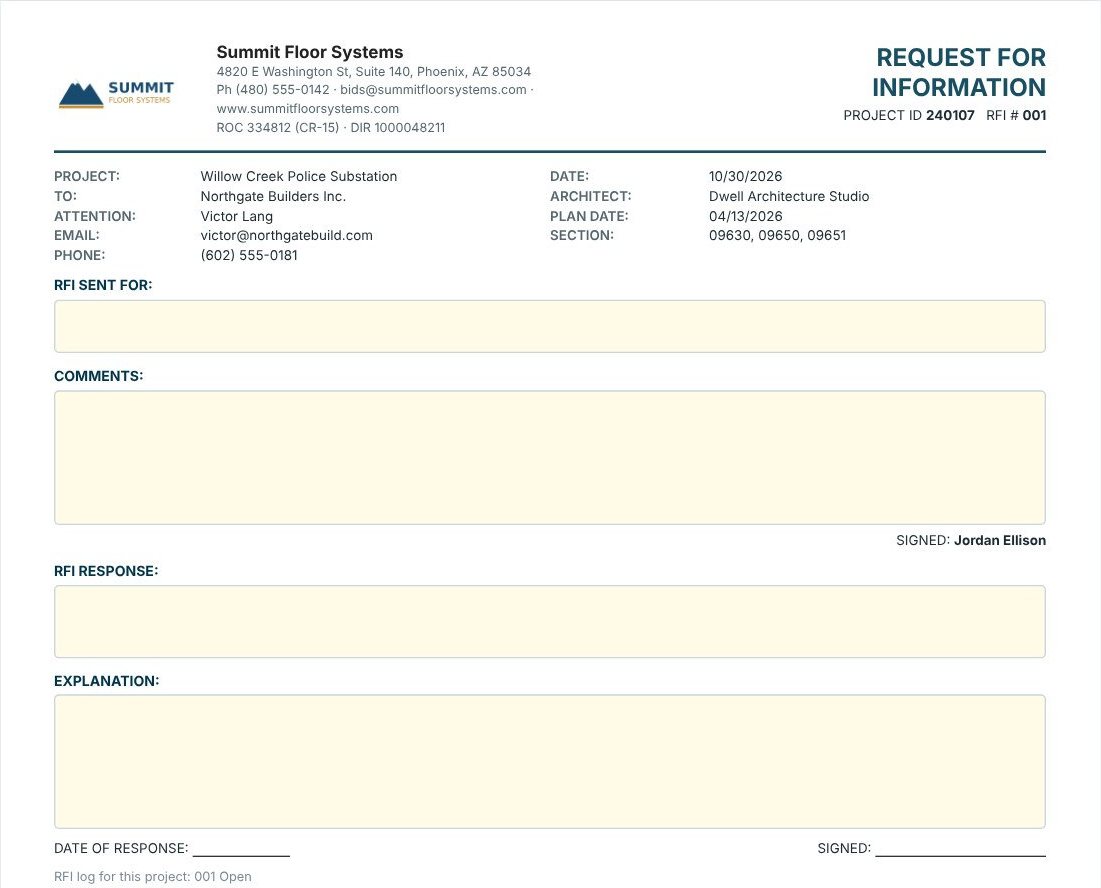
Open RFI Sheet under Forms in the left menu. The note at the top says Linked to Estimate Quote · Page view · prints on 1 page. Your letterhead sits on the left and REQUEST FOR INFORMATION on the right, with the Project ID and the RFI #. Below it CFE fills in the project, To (the GC), Attention, email and phone, the date, the Architect, the Plan Date and the Section numbers, all from the project header. Press Edit RFI and type in the yellow boxes: RFI Sent For (the drawing, room or spec item) and Comments (your question). It is signed with your name.
Ask one question per RFI. An RFI that asks about the moisture test, the transition at door 114 and the base color gets an answer to one of them, and the other two get lost.
2Number the next RFI and keep the log
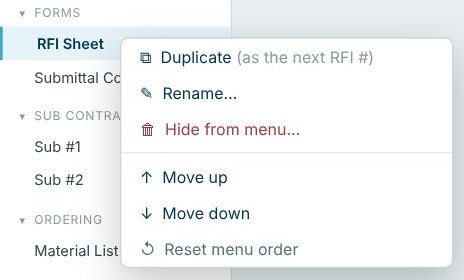
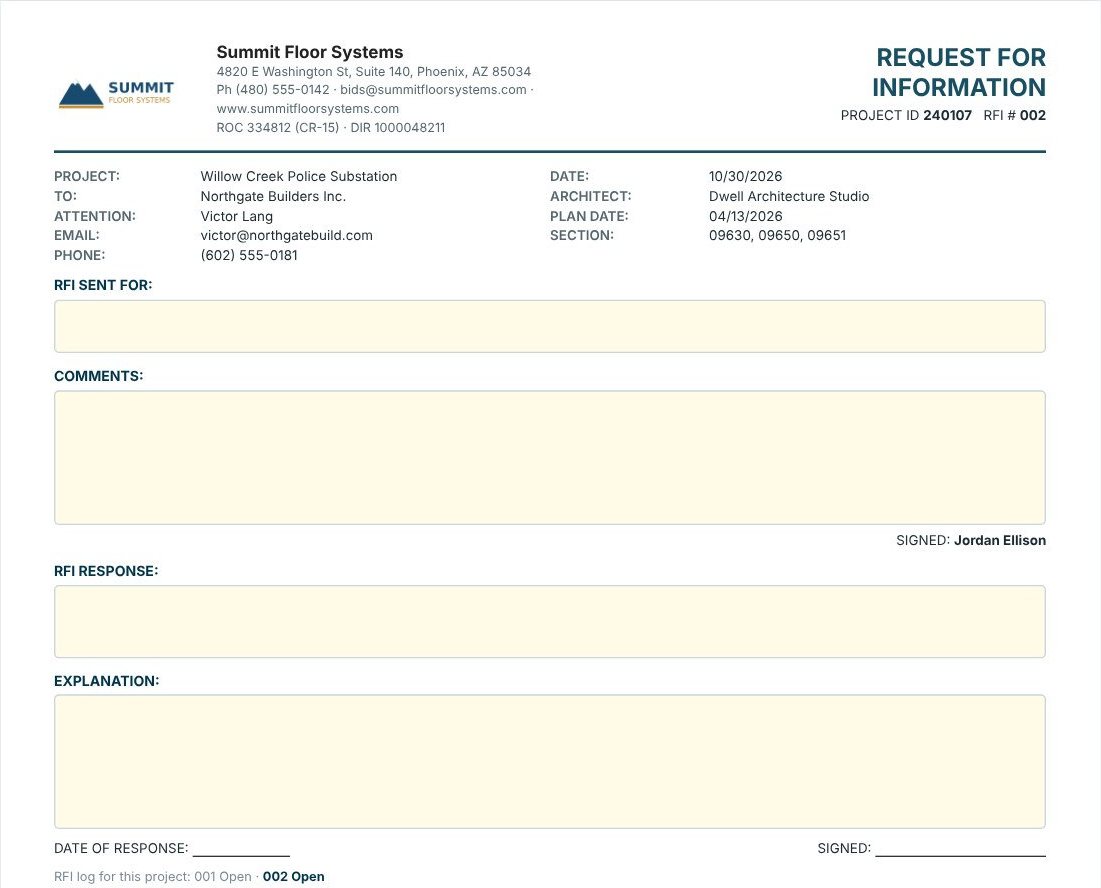
For the next question press New RFI on the ribbon, or right-click RFI Sheet in the left menu and pick Duplicate (as the next RFI #). CFE confirms RFI # 002 added as a copy of RFI # 001 · save the estimate to keep it with the job. Previous and Next step through the RFIs and Delete RFI removes one. Under the signature lines, the RFI log for this project lists every RFI with its status: 001 Open · 002 Open. When the architect answers, fill in RFI Response, Explanation and the date of response.
3Build the submittal package
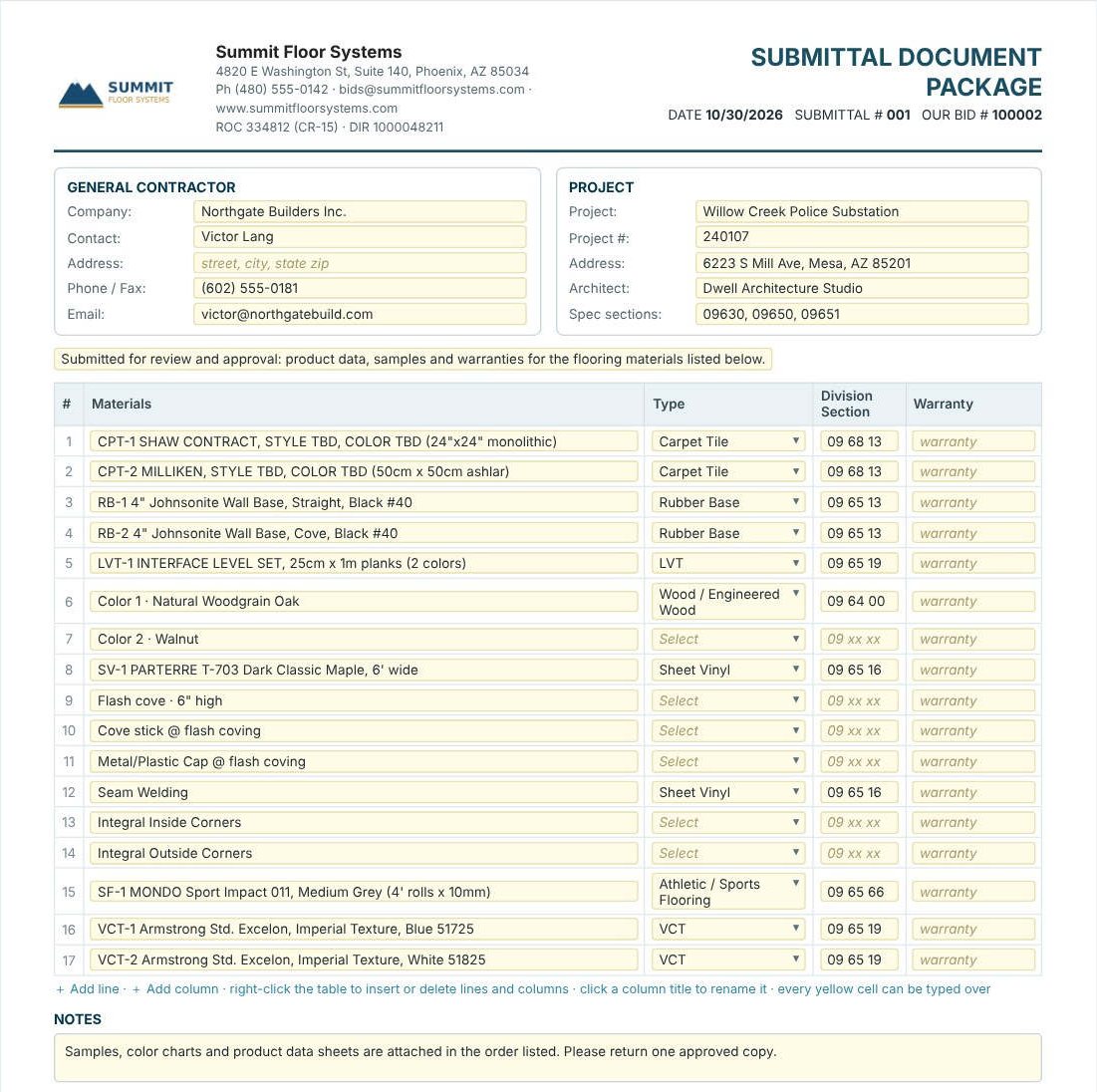
Open Submittal Cover Sheet under Forms. It is headed SUBMITTAL DOCUMENT PACKAGE with the date, Submittal # and Our Bid #, and the note at the top says Filled from Estimate Quote · prints on 2 pages. The General Contractor and Project blocks come from the project header, and the table lists every line of the estimate under Materials, with the ↳ sub-lines such as flash cove, cove stick and seam welding. Pick the Type from the list (Carpet Tile, Rubber Base, LVT, Wood / Engineered Wood, Sheet Vinyl, Athletic / Sports Flooring, VCT…), type the Division Section and the Warranty. Every yellow cell can be typed over.
4Adjust the lines and send it
The ribbon edits the table: Add line, Insert above and Delete line, Add column and Delete column; right-click the table for the same, and click a column title to rename it. If the estimate changed, Refill from Estimate lists its lines again. The Notes box reads Samples, color charts and product data sheets are attached in the order listed. Please return one approved copy. and the package closes with Submitted By and your signature. New Submittal, Previous, Next and Delete Submittal keep several submittals for one job. Both forms print in Portrait or Landscape, and go out with Print, Print to PDF, Save PDF or Email PDF.
Leave the sub-lines you do not submit separately, such as cove stick or corners, with no Type, or delete them from the submittal. The estimate keeps them either way.
Worked example: the police substation submittal
Willow Creek Police Substation, Submittal # 001 to Northgate Builders Inc.: 17 lines from the estimate. 11 have a Type and a Division Section; the 6 sub-lines without one are Color 2, flash cove, cove stick, cap and the two integral corners.
| Division Section | Type | Lines |
|---|---|---|
| 09 68 13 | Carpet Tile (CPT-1, CPT-2) | 2 |
| 09 65 13 | Rubber Base (RB-1, RB-2) | 2 |
| 09 65 19 | LVT (LVT-1) and VCT (VCT-1, VCT-2) | 3 |
| 09 64 00 | Wood / Engineered Wood (the LVT-1 Color 1 line) | 1 |
| 09 65 16 | Sheet Vinyl (SV-1 and its seam welding) | 2 |
| 09 65 66 | Athletic / Sports Flooring (SF-1) | 1 |
| Total | 11 of 17 |
2 + 2 + 3 + 1 + 2 + 1 = 11 lines with a section, and 6 without, for the 17 lines of the estimate. Sending each section with its own product data in the same order as the table makes the architect’s review faster.
What to do next
Next, send the proposal the GC asked for, keep the GC contact up to date, and order the materials from the Material List.
Send your next RFI from the estimate
The RFI Sheet and Submittal Cover Sheet are in the 30-day free trial. No credit card.
Frequently Asked Questions
Does CFE number RFIs?
Yes. Each RFI has its own RFI #. New RFI, or right-click RFI Sheet › Duplicate, adds the next number, and the RFI log for the project lists each one with its status.
Where does the RFI get the project details?
From the Estimate Quote’s project header: the project, the GC, the contact, the architect, the plan date and the spec sections. You type only the question.
What does the submittal cover sheet list?
Every line of the estimate, sub-lines included, with Type, Division Section and Warranty columns. You can add, insert or delete lines and columns, or refill it from the estimate.
Can I email an RFI or submittal from CFE?
Yes. Both have Print, Print to PDF, Save PDF and Email PDF, in Portrait or Landscape.

Written by
Cristian Valcu – Founder & CEO, Commercial Flooring Estimating LLC
Cristian has estimated commercial flooring for over 20 years and built CFE - Advanced Estimating Worksheet around the way flooring contractors actually price, propose and track their bids.
Last updated: