
CFE guide · Invoicing and getting paid
Ready to Bill: Hand the Job From the Estimator to the Office
When a job is ready to bill, the estimator says so from the Bid Tracker, without invoicing it. They pick what is ready, the job done, a deposit or a progress %, and add a note. The job lands on the office’s Invoicing › Ready to bill list with a red count on the tab, and the office invoices it in one click.


Why a Ready to bill step?
The estimator knows when the floor is down and the punch list is walked. The office knows how to invoice. In most flooring companies the two meet in a hallway, a text or a sticky note, and a finished job can sit unbilled for weeks.
Ready to bill gives that moment a button. Estimators who do not invoice send the job to billing with a note, and the office sees every job waiting, with what is left to bill on each.
The four steps
- Set who invoicesInvoice settings › Who invoices.
- Mark it readyFrom the Bid Tracker: what is ready, and a note.
- See it sentThe tracker and the estimate show it.
- The office bills itInvoicing › Ready to bill, one click.
1Set who invoices
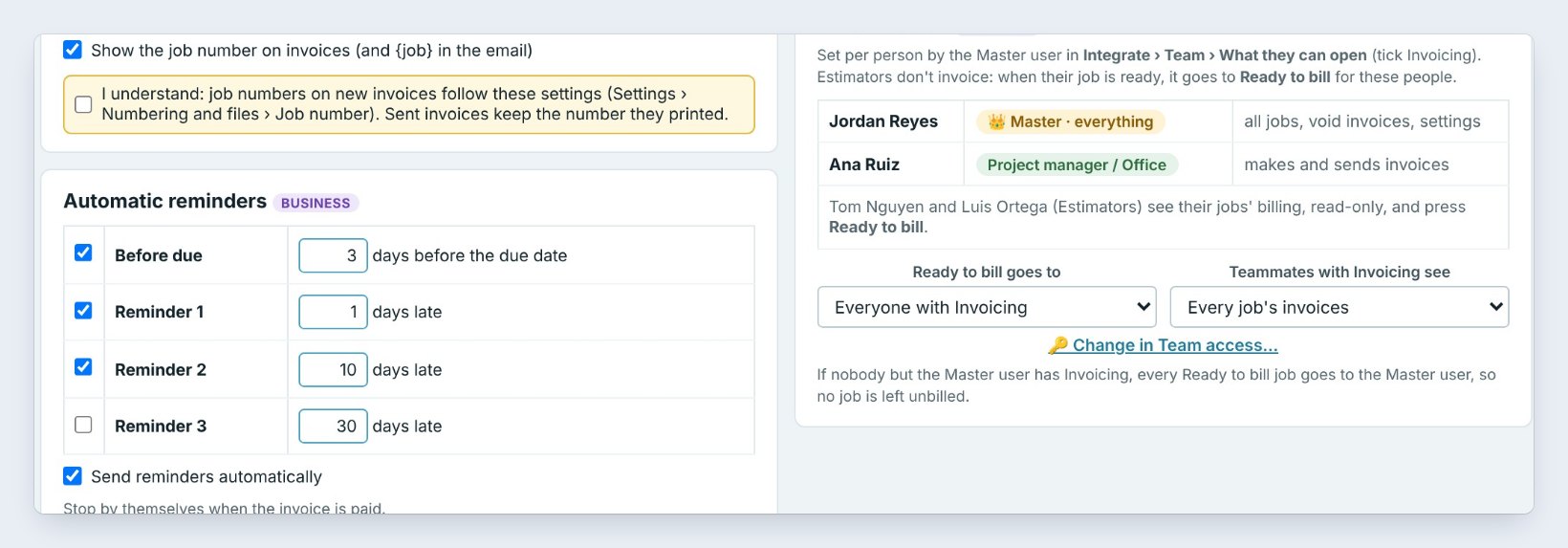
In Invoicing › Invoice settings, the Who invoices box lists who can make and send invoices. Here Jordan Reyes, the Master user, and Ana Ruiz, Project manager and office, invoice. Estimators Tom Nguyen and Luis Ortega see their own jobs’ billing read-only and press Ready to bill instead.
Ready to bill goes to sets who gets the notice, such as everyone with Invoicing. Who can open what is set in Integrate › Team.
2The estimator marks the job ready
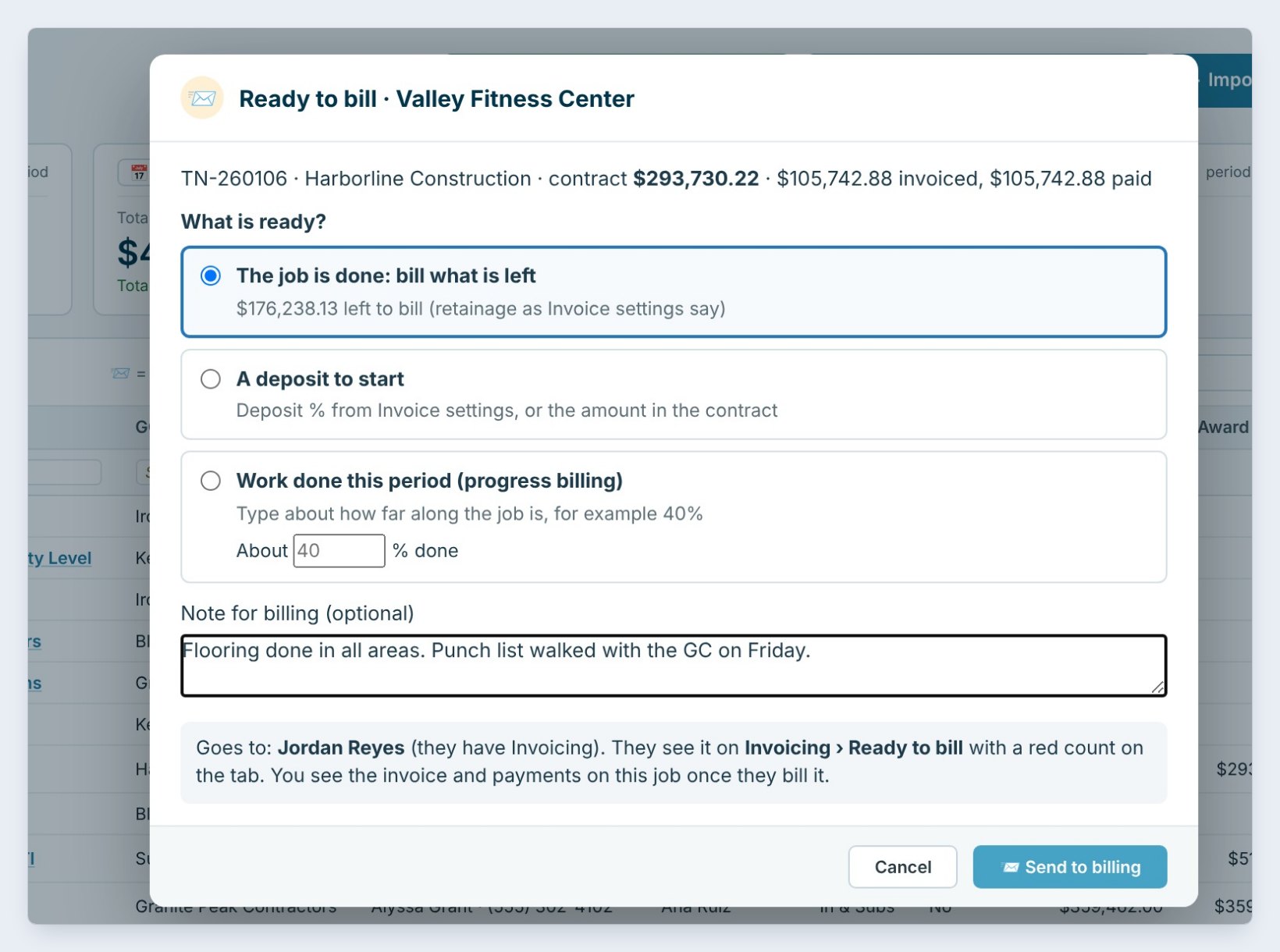
On the Bid Tracker, a Won job has a Ready to bill button. Tom Nguyen clicks it for Valley Fitness Center, a $293,730.22 contract for Harborline Construction, and picks what is ready:
The job is done: bill what is left, here $176,238.13; A deposit to start; or Work done this period, progress billing, with about how far along the job is, for example 40%. He adds a note, Flooring done in all areas. Punch list walked with the GC on Friday, and clicks Send to billing.
Always add the note. One line about what was finished and who signed off saves the office a phone call before the invoice goes out.
3See it marked on the Bid Tracker and the estimate
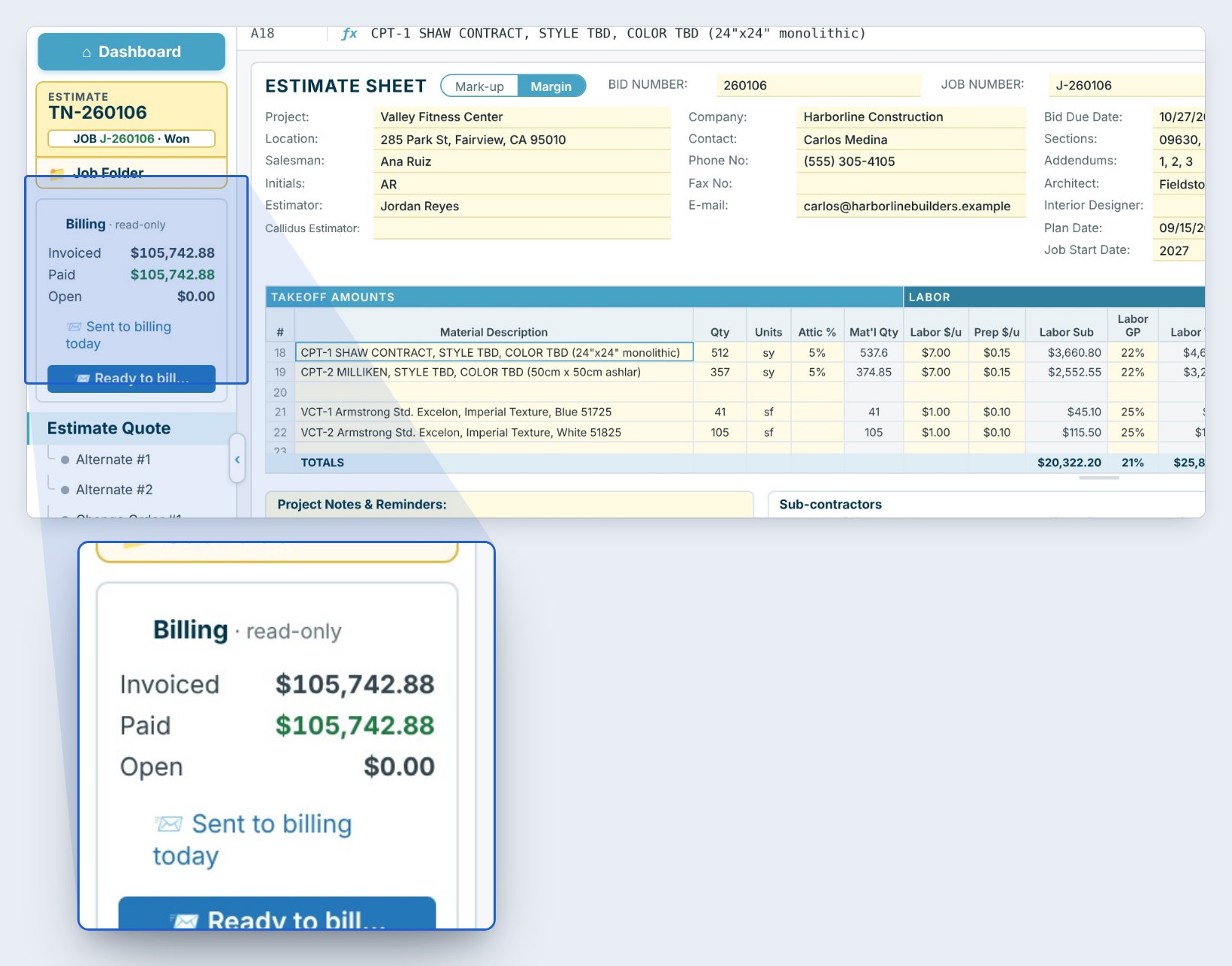
The Bid Tracker row now says sent to billing today. Inside the estimate, the read-only Billing box in the left menu shows what was invoiced, what was paid and what is open, so the estimator can answer the GC without asking the office.
4The office invoices it from Ready to bill
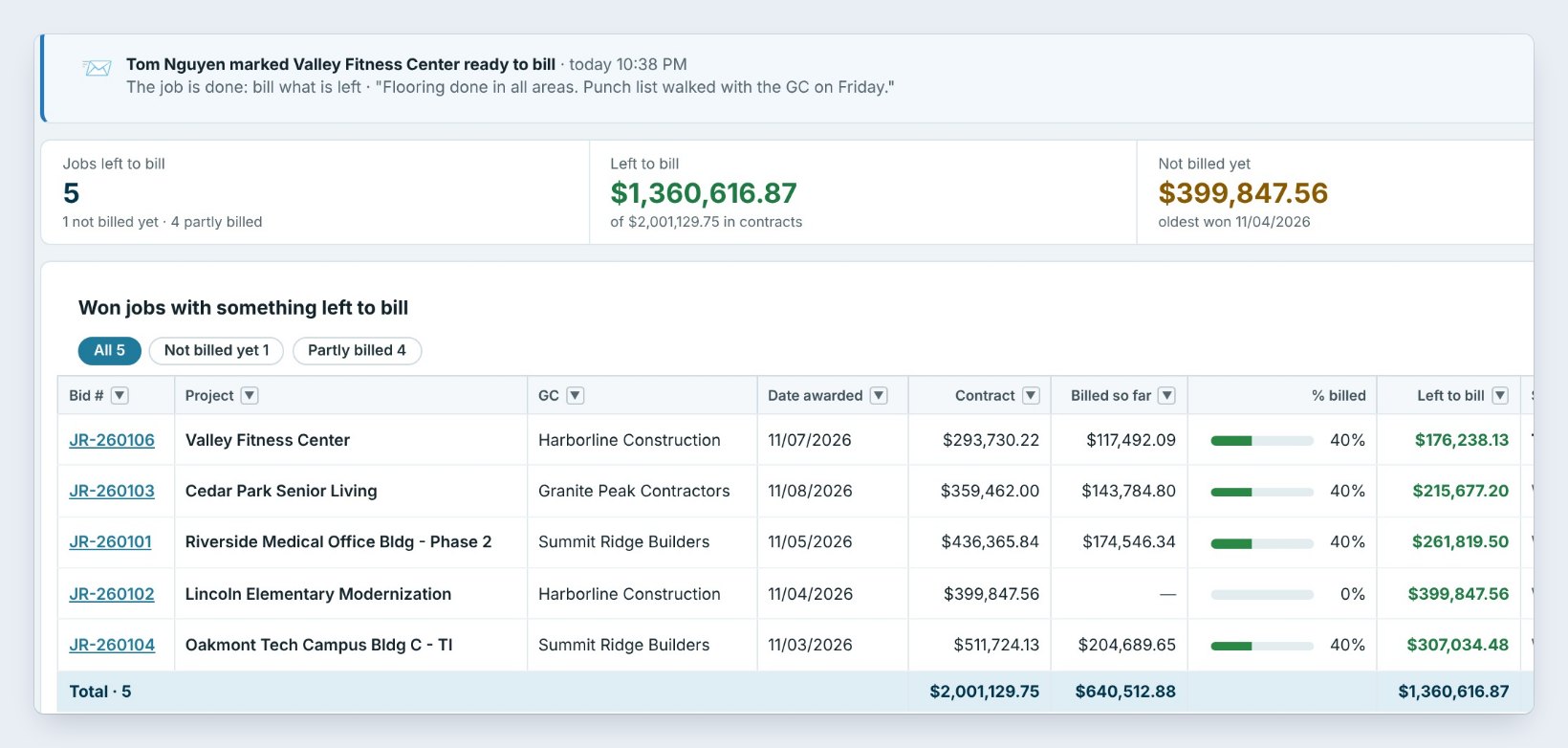
The office opens Invoicing › Ready to bill; the tab shows a red count. On top: Tom Nguyen marked Valley Fitness Center ready to bill, with his note and three buttons, Invoice this job, Billed already and Later.
Below is every Won job with money left to bill: contract, billed so far, the % billed, what is left, who sent it and the last invoice. Here 5 jobs have $1,360,616.87 left to bill and $64,051.29 retainage held.
Worked example: Valley Fitness Center
Harborline Construction, contract $293,730.22, 40% billed before the estimator sent it to billing:
| Line | Amount |
|---|---|
| Contract | $293,730.22 |
| Billed so far (40%) | $117,492.09 |
| Left to bill | $176,238.13 |
| Sent by | Tom Nguyen, today: job done |
| Next invoice after INV-1002 | Invoice this job |
The office clicked Invoice this job and the invoice for what was left, less retainage per Invoice settings, was ready to send the same evening.
What to do next
Send the invoice with a Pay Now button, and keep the job on the Bid Tracker.
Never leave a finished job unbilled
Ready to bill is part of CFE BidWise Business. Start with the 30-day free trial, no credit card.
Frequently Asked Questions
Can an estimator make the invoice?
Only if the Master user gives them Invoicing. Otherwise estimators see their own jobs’ billing read-only and press Ready to bill, and the office invoices.
What can the estimator say is ready?
The job is done and what is left should be billed, a deposit to start, or work done this period with about how far along the job is, as a %.
How does the office know?
The job appears on Invoicing › Ready to bill with the estimator’s note, and the tab shows a red count. It also shows on My day for the people set in Ready to bill goes to.
Is Ready to bill on CFE Personal?
Ready to bill with estimators and teammates is shown here on CFE Business.

Written by
Cristian Valcu – Founder & CEO, Commercial Flooring Estimating LLC
Cristian has estimated commercial flooring for over 20 years and built CFE BidWise around the way flooring contractors actually price, propose and track their bids.
Last updated: