
CFE guide · Ordering and material
Price Check: See What You Paid Last Time, and What Went Up
Price Check is your own price list, built from what you really paid on past jobs. Every product you bought shows the last price per unit, the vendor, the job, the date and the change since the time before. Products that cost more are flagged, and you can send a price to new estimates so the next bid starts from what you really paid.


Why check past prices?
Material is the biggest line on most flooring bids, and vendor prices move every few months. An estimator who prices from memory or an old quote can lose the job’s margin on wall base and adhesive before the first roll is laid.
Price Check is built from your own Material List and purchase orders, so it shows what you really paid, on which job and from which vendor, and tells you when a product costs more than last time.
The four steps
- Open Price CheckOrdering › Price check: one line per product.
- See what went upThe Price went up chip lists the increases.
- Look at the historyEvery price paid for one product.
- Use it on new estimatesThe next bid starts from what you paid.
1Open Price Check
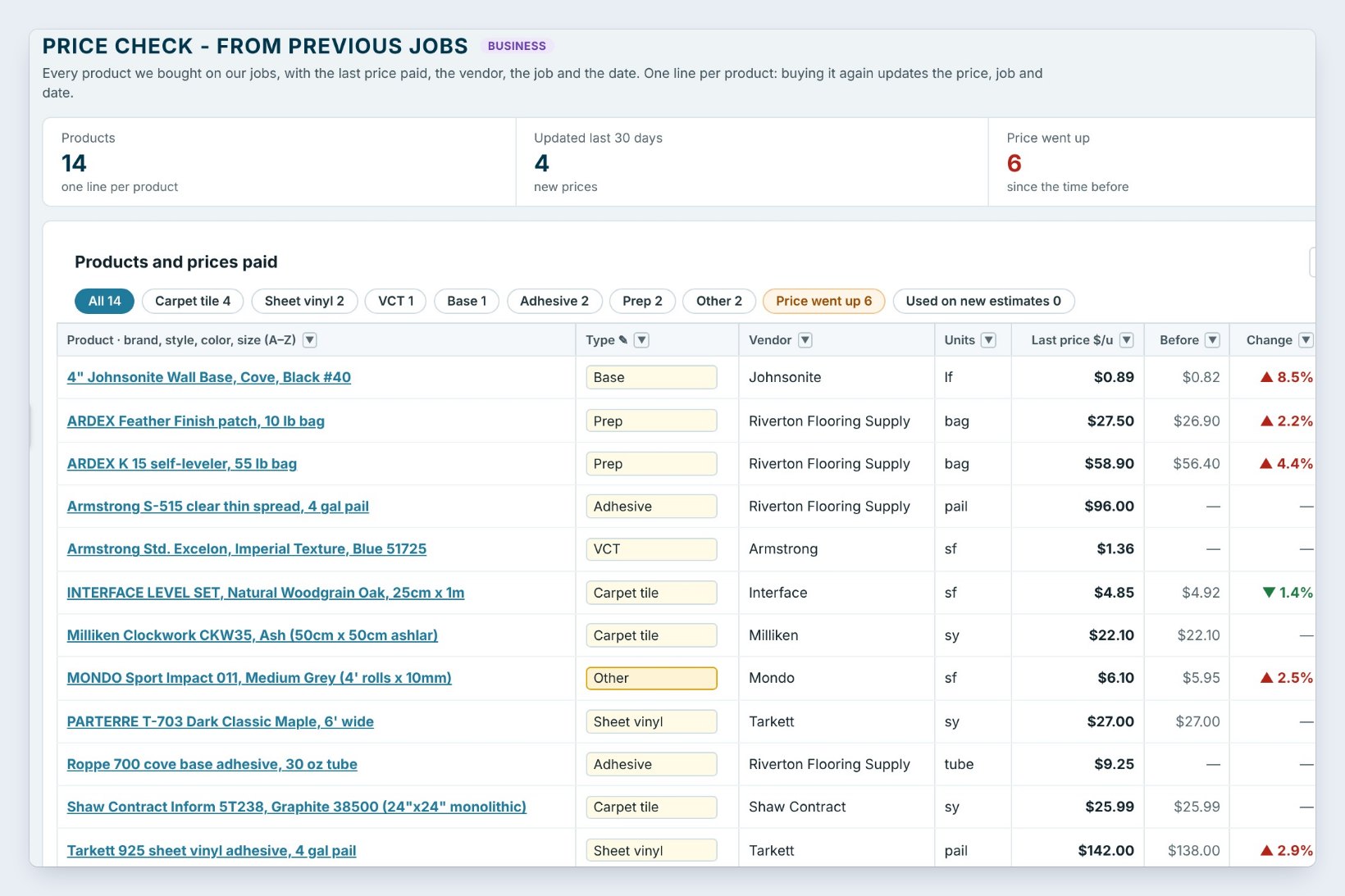
Go to Ordering › Price check. Each product you bought on a job has one line: Type, Vendor, Units, Last price $/u, the price Before, the Change, the date Last bought, the Last job and how many times you bought it.
Buying a product again updates its line; the older price moves into its history. The tiles count products, new prices in the last 30 days and how many went up. Prices are kept for 12 months.
2See what went up
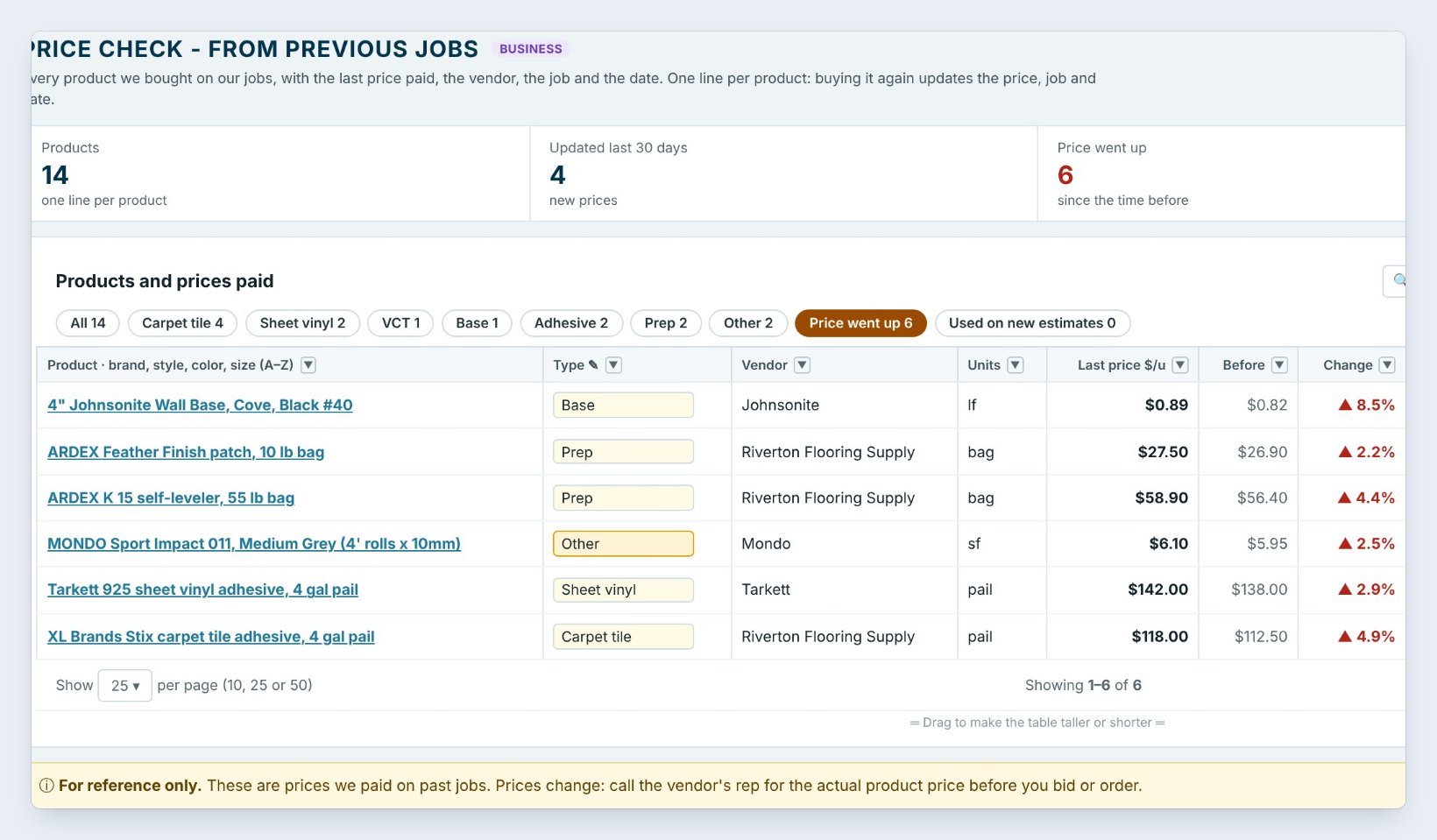
Click the Price went up chip. Here six products cost more than the time before: the 4" Johnsonite wall base went from $0.82 to $0.89 a linear foot, up 8.5%, and XL Brands Stix adhesive went up 4.9%. The other chips filter by type: carpet tile, sheet vinyl, VCT, base, adhesive and prep.
Check the Price went up chip before you send a big bid. A few percent on wall base or adhesive across a whole hospital adds up fast.
3Look at one product’s history
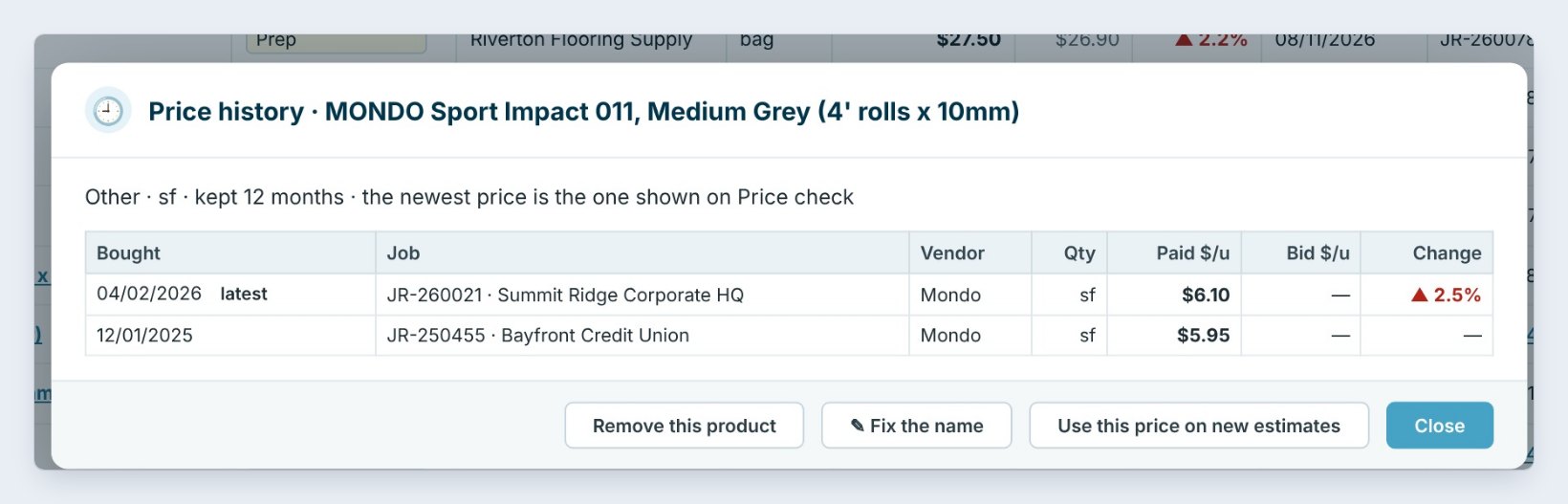
Click a product, or open its ··· menu, to see its Price history: each time you bought it, the job, the vendor, the quantity and the price paid. MONDO Sport Impact went from $5.95 in December to $6.10 in April, up 2.5%. The same menu lets you Fix the name when the same product was typed two ways, or remove it.
4Use the price on new estimates
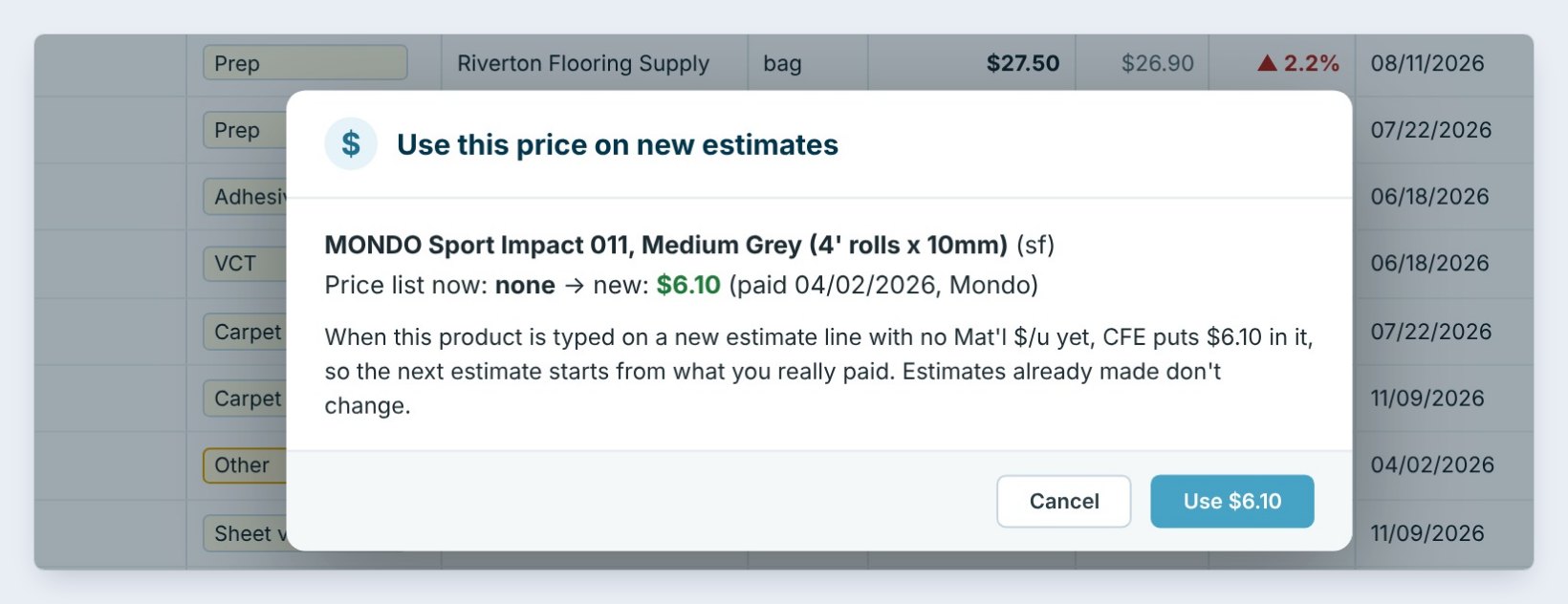
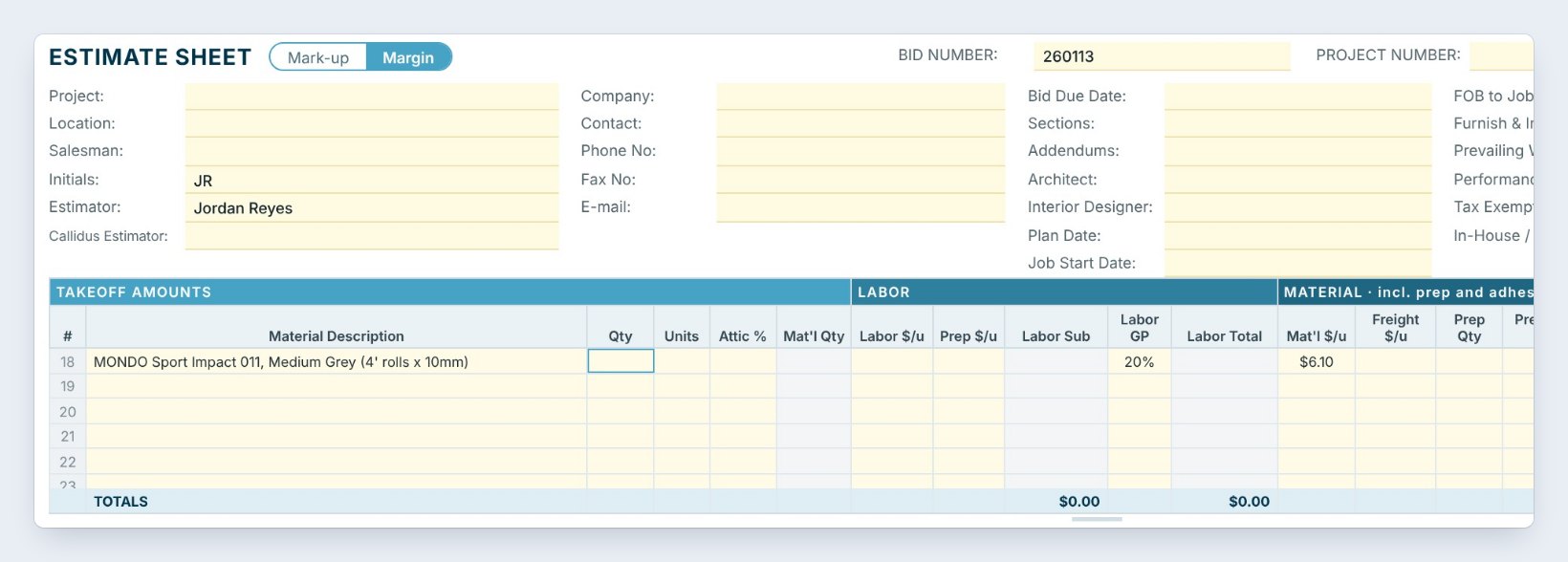
Click Use this price on new estimates and Use $6.10. From now on, when MONDO Sport Impact is typed on a new estimate line with no material price yet, CFE BidWise puts $6.10 in Mat’l $/u, so the bid starts from what you really paid. Estimates already made do not change.
In Order settings › Price Check you pick how long prices are kept, whether they come from the Material List, purchase orders or both, and who on the team sees them. Warehouse-only users never see prices.
Worked example: wall base on a new medical office bid
The new bid has 2,400 linear feet of 4" Johnsonite wall base. Priced at the old number and at the last price paid:
| Price used | $/lf | 2,400 lf |
|---|---|---|
| Old price (before) | $0.82 | $1,968.00 |
| Last price paid, 11/12/2026 | $0.89 | $2,136.00 |
| Difference | +$0.07 | $168.00 |
That is $168 of material cost the bid would have missed on one product, before freight, tax and markup.
What to do next
Order the material itself from the Material List, and set your pricing with the markup or margin guide.
Bid from what you really paid
Price Check is part of CFE BidWise Business. Start with the 30-day free trial, no credit card.
Frequently Asked Questions
Where do the prices come from?
From your own jobs: Material List lines with an actual price per unit and purchase orders when they are sent. Nothing is typed into Price Check by hand, though you can add a price.
Is it the vendor’s current price?
No. It is what you paid on past jobs, for reference. Prices change, so call the vendor’s rep for the actual price before you bid or order.
Does it change estimates I already made?
No. Use this price on new estimates only fills new lines that have no material price yet.
Is Price Check on CFE Personal?
Price Check is shown here on CFE Business, with the Price went up alerts on the Ordering dashboard and the setting for who on the team sees prices.

Written by
Cristian Valcu – Founder & CEO, Commercial Flooring Estimating LLC
Cristian has estimated commercial flooring for over 20 years and built CFE BidWise around the way flooring contractors actually price, propose and track their bids.
Last updated: