
Job Folder: Every Plan, Spec, Email and Photo With the Bid
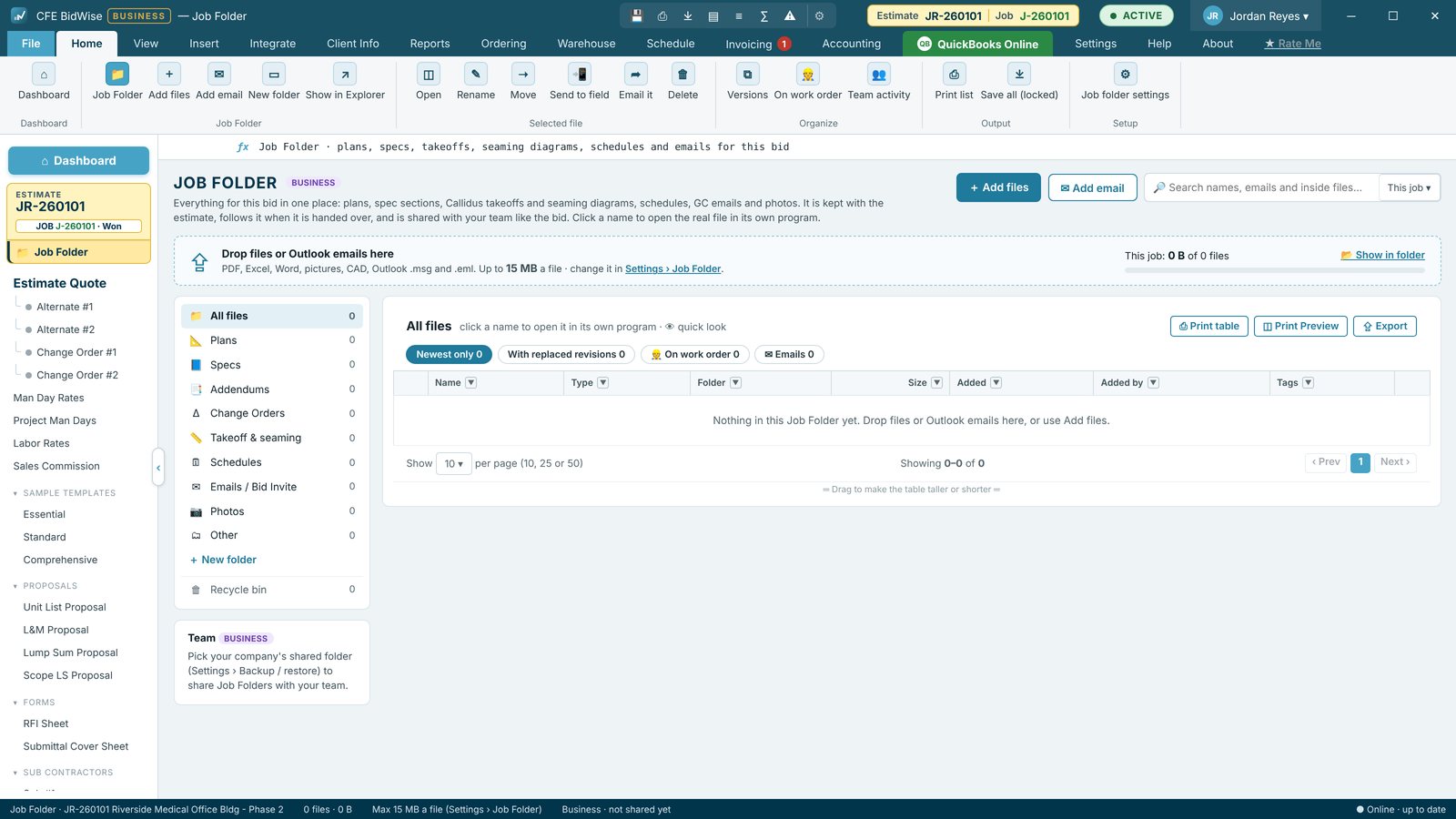
Each bid gets a real Windows folder with Plans, Specs, Addendums, Change Orders, Takeoff & seaming, Schedules, Emails, Photos and Other. Drag emails in from Outlook, start a new estimate from a bid invite email, print a job packet for the crew and send plans to the crew's phone.
Drop it in
Drop, pick or paste files, or drag an email from Outlook; its attachments are saved as their own files and CFE BidWise never reads your mailbox. A sheet with the same name becomes the newest revision and the old one is marked Replaced. Search inside PDFs, Word, Excel and emails, for this job or all jobs.
From bid invite
Drop a bid invite email on the Dashboard and CFE BidWise fills the project, GC, contact, address, bid due date and time, walkthrough, RFI due, spec sections, architect and plans link. What is not in the email stays a yellow blank.
Packets in one PDF
Mark addendums Acknowledged and the proposal lists them. Print a job packet (pick ticket with no prices, plus plans and seaming) or a submittal package (cover sheet plus product data, warranties and SDS). The Field Folder sends plans to the crew phones.
- A folder per bid with 9 standard sections
- Outlook email drag and drop
- Revisions, tags, notes and search
- New estimate from a bid invite email
- Job packet and submittal package PDFs
- Recycle bin for 30 days
Your own Job Folder, Save all as ZIP.
Shared with your team, locked with the company key in your own shared folder.
Compare every feature, Personal vs Business
Try CFE BidWise free for 30 days
Every feature unlocked, with a switch to try it as Personal or Business. No credit card. After the trial, the Estimate Quote and Dashboard keep working for free, or pick Personal ($69.99 a month) or Business ($129.99 a month per user).
Frequently Asked Questions
Does CFE BidWise read my inbox?
No. It only saves the email you drag in or pick.
Where are the files kept?
In a real Windows folder per bid under Documents. On CFE Business the folder is shared with your team, each file locked with the company key in your company's own shared folder, not on CFE's servers.
CFE BidWise is made by Commercial Flooring Estimating LLC, built by a flooring professional with over 20 years in the business. Last updated: