
Accounting for Flooring Contractors: Bills, POs, Liens and 1099s
Accounting sits right after Invoicing, behind its own password, an extra layer of protection on top of the sign-in. Enter and pay vendor and sub bills, match them to POs, track retainage you hold and lien waivers, see what each sub, GC and vendor is owed, and hand your accountant one Excel workbook.
Its own password
Each person sets an Accounting password, different from the CFE BidWise sign-in. It locks after 10 minutes idle, 5 wrong tries lock it for 15 minutes, and every change is in the Accounting activity log. On Business, the Master user decides who can open Accounting, and until what date.
Bills, POs and pay when paid
Bills has Vendors, Subs and All bills tabs with aging. Enter, pay in part or in full, hold, and bring bills in from POs and job costs so each bill carries Our PO #. The POs screen lists every PO with billed, paid, we owe and not billed yet. Paying a sub shows how much of the job the GC has paid you, and the last payment to a sub needs the final lien waiver first.
Who we work with
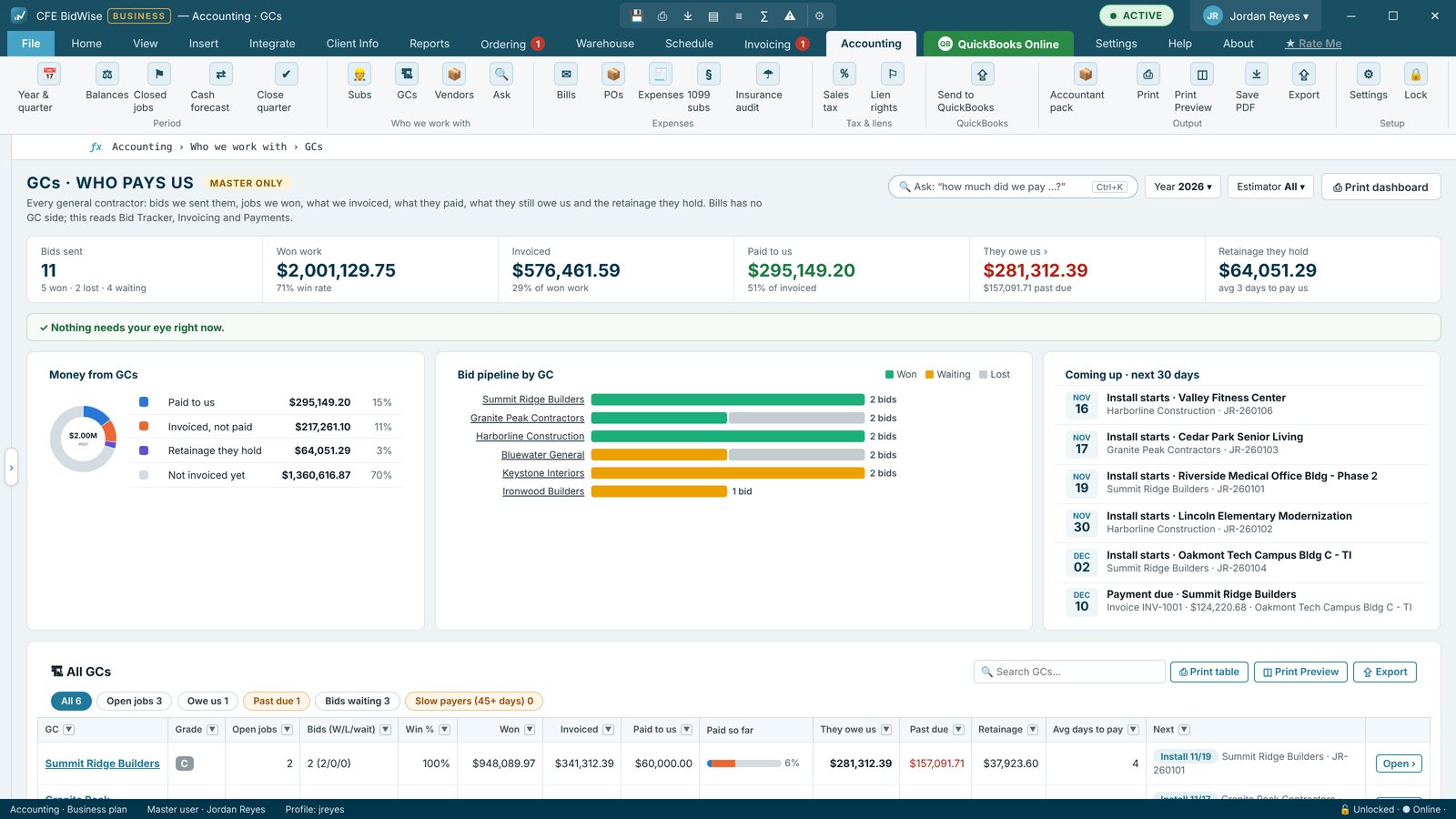
Dashboards for Subs, GCs and Vendors show what you agreed, billed, paid and still owe, what is coming up in the next 30 days, and a GC grade from A to D. Ask (Ctrl + K) answers questions like "what does Summit owe us" from your own numbers.
Taxes and the accountant pack
Reports cover year and quarter, who we paid, expenses, sales tax and cash coming in. 1099 subs uses the IRS minimum for the year the sub was paid ($600 through 2025, $2,000 from 2026), and skips your own W-2 employees. The accountant pack puts the reports you pick into one Excel workbook, saved on your PC or emailed from your own email. In Canada, the same screens do T5018 slips, GST / PST or GST / QST by quarter and holdback.
- Accounting password, idle lock and activity log
- Vendor and sub bills with aging and Our PO #
- Pay when paid and lien waivers
- Subs, GCs and Vendors dashboards
- 1099 subs (US) and T5018 (Canada)
- Accountant pack in one Excel workbook
The basics: bills, payments, Year & quarter, Who we paid, Expenses, 1099 subs, Sales tax and Cash coming in.
Adds the 13-week cash forecast, Balances as of a date, Close quarter, Insurance audit and COIs, Lien rights and waivers, and QuickBooks Online bill sync.
Compare every feature, Personal vs Business
Try CFE BidWise free for 30 days
Every feature unlocked, with a switch to try it as Personal or Business. No credit card. After the trial, the Estimate Quote and Dashboard keep working for free, or pick Personal ($69.99 a month) or Business ($129.99 a month per user).
Frequently Asked Questions
Why does Accounting have its own password?
It is an extra layer of protection. Anyone at the PC needs the Accounting password, not just the sign-in, and it locks itself after 10 minutes idle.
Does CFE BidWise do 1099s?
It lists the subs who need a 1099-NEC, with the IRS minimum for the year they were paid, and puts a 1099 sheet in the accountant pack. File the forms with your accountant or filing service.
Can I use other accounting software?
Yes. Accounting settings has a switch for companies that use other accounting software, and CFE BidWise Business syncs bills to QuickBooks Online.
CFE BidWise is made by Commercial Flooring Estimating LLC, built by a flooring professional with over 20 years in the business. Last updated: