
Flooring Install Scheduling: Book Crews and Know the Job Is Ready
The Schedule tab books each install with a crew, start date, days and, if you like, start and end times. Every install shows whether the material has arrived and whether a change order is still pending, so a crew is never sent to a job that is not ready.
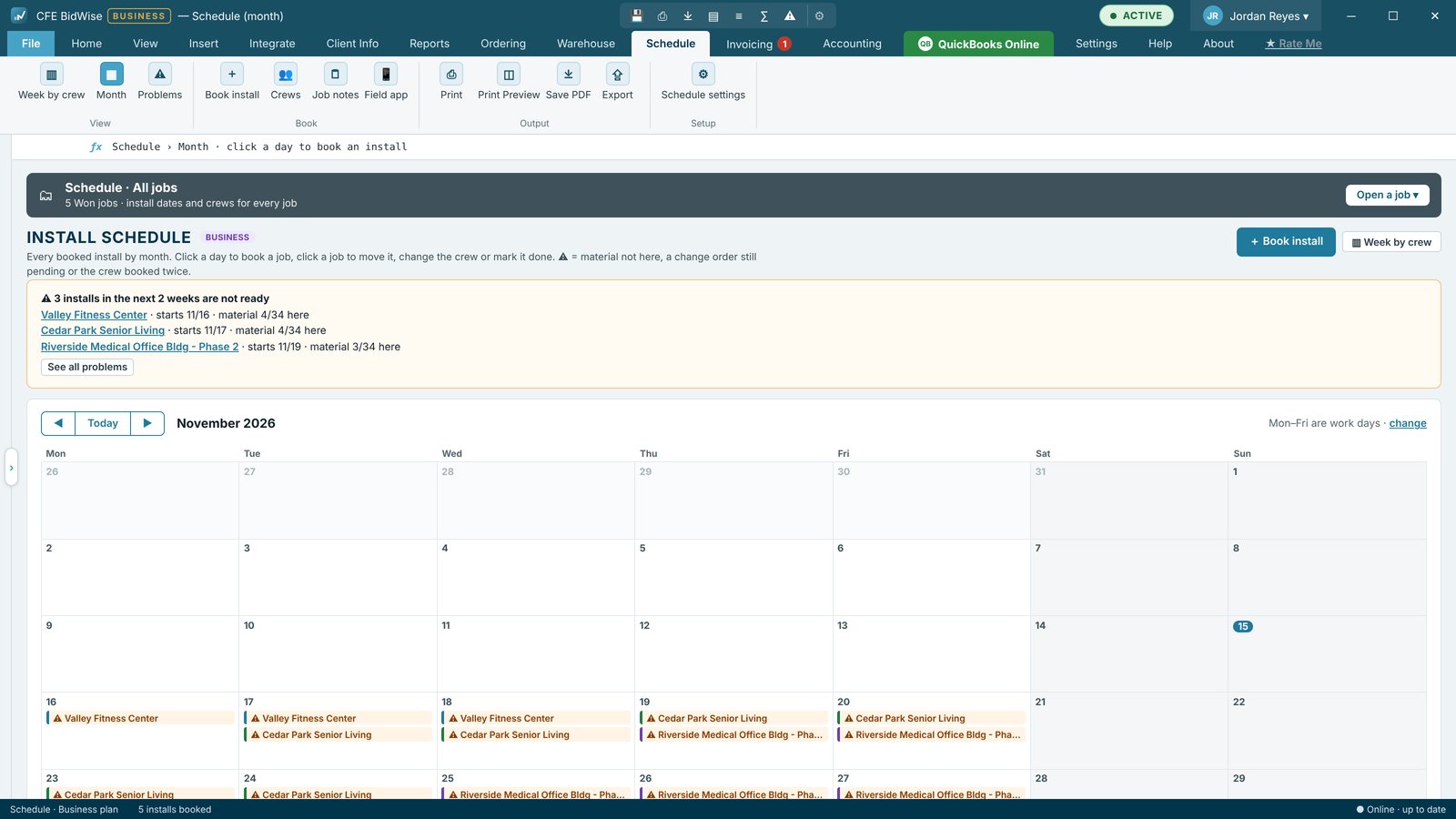
Book the install
Pick a won job, a crew, the start date and the days. Optional Starts at and Ends at times let the same crew work one job in the morning and another in the afternoon, without a double-booking warning unless the hours overlap.
Problems before they happen
Problems lists installs that are not ready (material not here, change order pending) and won jobs with no install booked.
Job notes
Each won job has a timeline of notes, calls and site visits, with follow-ups that come due on a date. A note marked For the crew phones shows on the job page of the crew's phone app.
- Book installs by crew, date and days
- Optional start and end times
- Material arrived and CO pending checks
- Month and week views
- Job notes and follow-ups
- Print, Save PDF and Export
Month view with one crew and job notes.
Adds Week by crew, Crews, Problems, All notes across every job and a For person on follow-ups.
Compare every feature, Personal vs Business
Try CFE BidWise free for 30 days
Every feature unlocked, with a switch to try it as Personal or Business. No credit card. After the trial, the Estimate Quote and Dashboard keep working for free, or pick Personal ($69.99 a month) or Business ($129.99 a month per user).
Frequently Asked Questions
Can one crew work two jobs in a day?
Yes. Give each booking a start and end time. CFE BidWise only warns when the hours overlap.
Does the crew see the schedule?
Yes. Jobs booked for a crew show on that crew's phone in CFE BidWise Field.
CFE BidWise is made by Commercial Flooring Estimating LLC, built by a flooring professional with over 20 years in the business. Last updated: