
CFE guide · Tracking and reports
Log Follow-Up Calls and Count Follow-Ups This Month
In Bid follow-ups, click Follow up on the bid and set How to Phone call. Type what was said, such as the GC is waiting on the owner’s budget, and click Send and log it. A call is just logged, kept in the bid’s history, the bid moves to Follow-up and the next one is booked. The Follow-ups this month tile counts every email, call and visit.


Why log the calls?
The best follow-up on a flooring bid is usually a phone call, and a call leaves no trace. A week later nobody remembers that the GC liked the LVT alternate or that the owner’s budget comes next week.
Logging the call keeps what was said on the bid, books the next follow-up, and lets the Master user see how many follow-ups really happened this month.
The five steps
- Open Bid follow-upsHome › Bid follow-ups.
- Pick Phone callFollow up, How: Phone call.
- Type what was saidThen Send and log it.
- Count this monthEmails, calls and visits.
- What can go wrongNot counted, wrong bid.
1Open Bid follow-ups
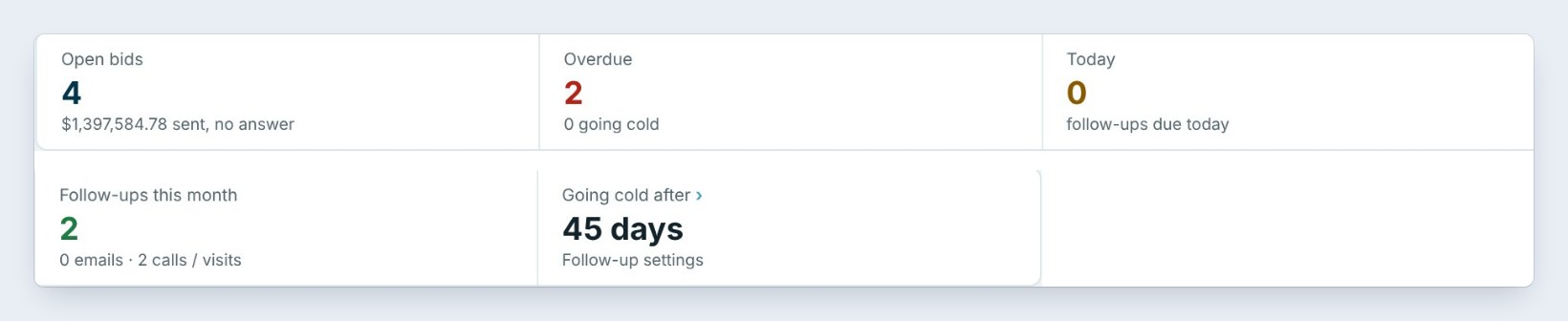
Click Bid follow-ups on the Home ribbon. The tiles show Open bids, 4 for $1,397,584.78 sent with no answer, Overdue 2, Today 0, and a new one: Follow-ups this month.
The list below has every Sent bid in the order its follow-up is due.
2Click Follow up and pick Phone call
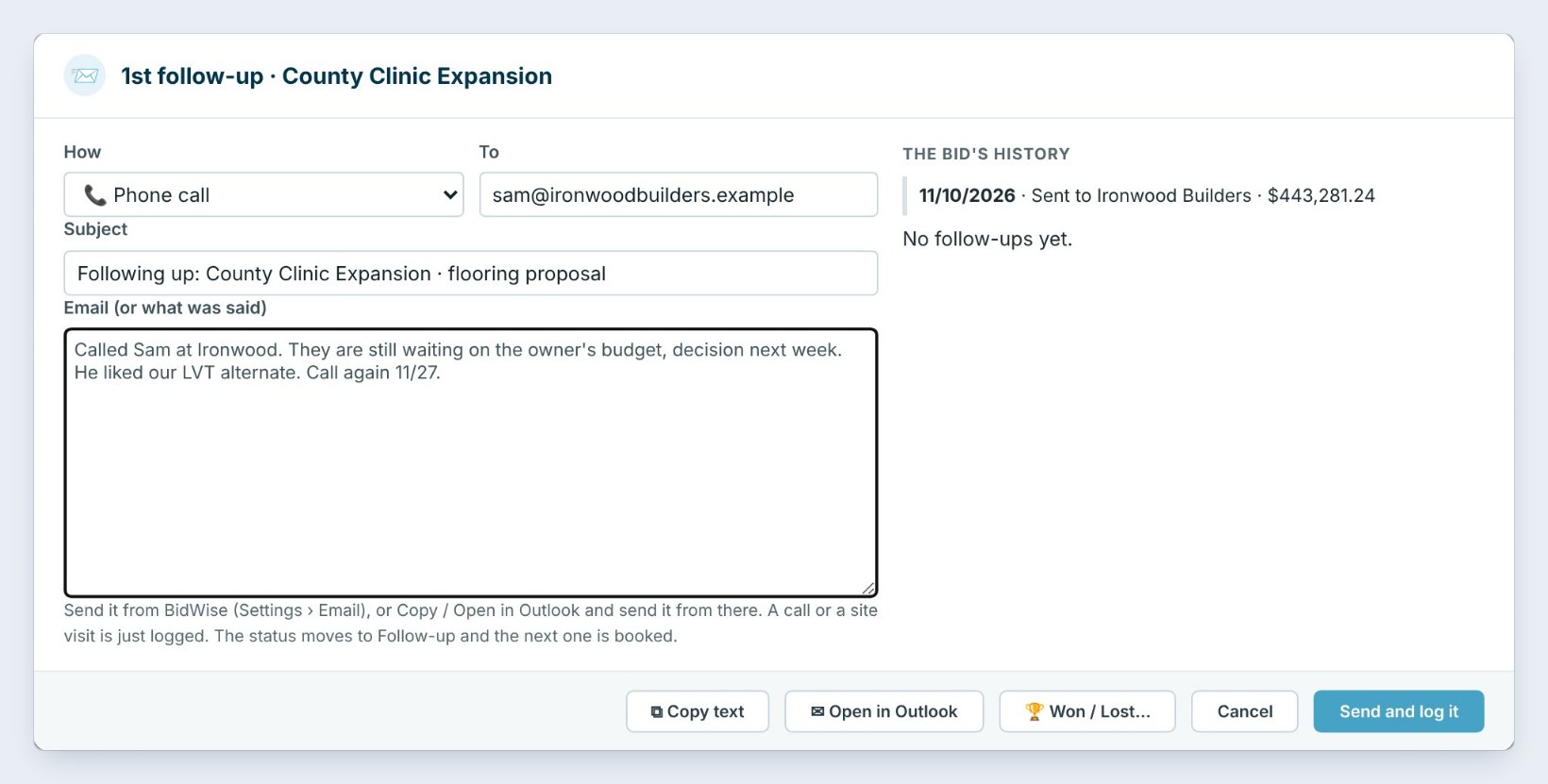
Click Follow up on the bid, here County Clinic Expansion, sent to Ironwood Builders on 11/10/2026 for $443,281.24. The follow-up opens with an email already written.
You called instead, so set How to Phone call. A site visit works the same way. On the right, The bid’s history shows it was sent, and no follow-ups yet.
3Type what was said, and log it
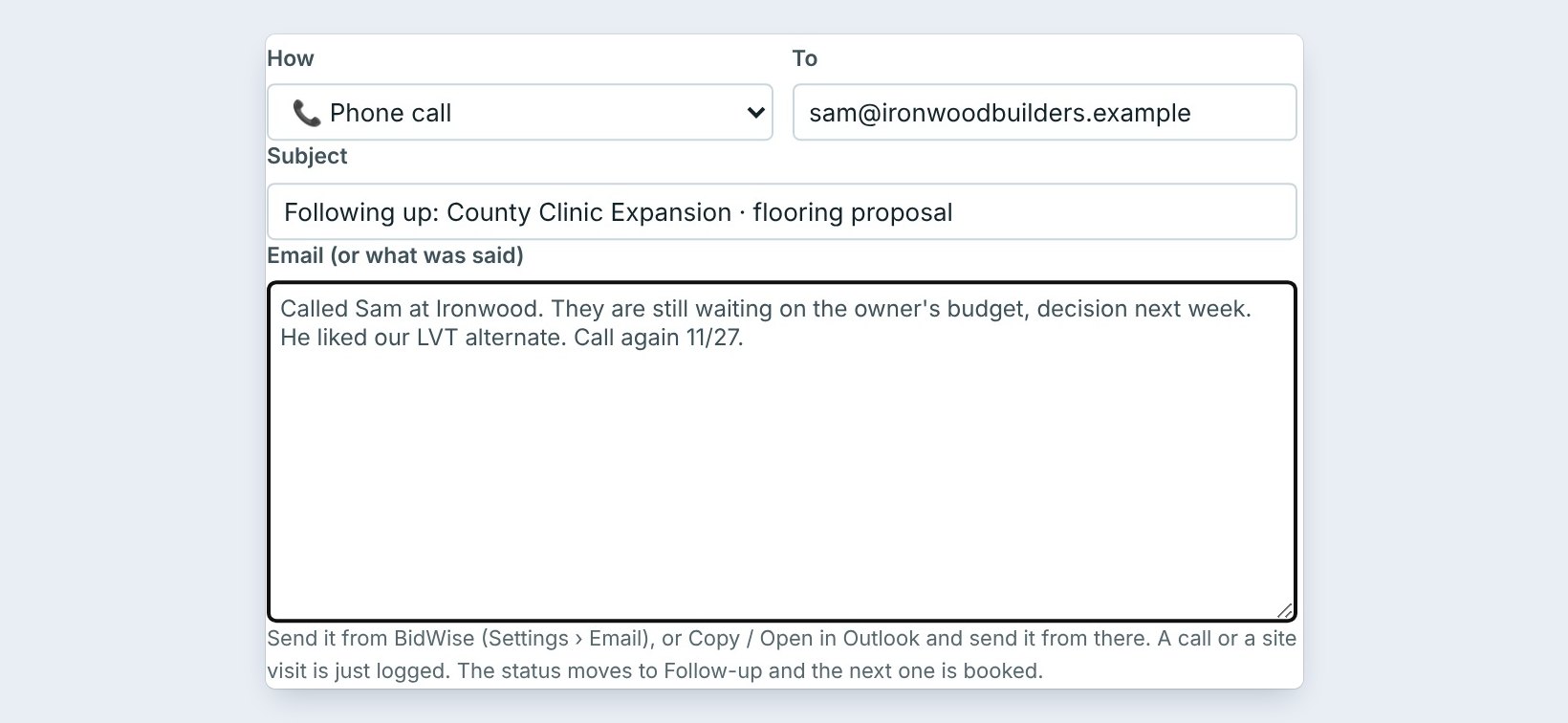

In the big box, type what was said: Called Sam at Ironwood. They are still waiting on the owner’s budget, decision next week. He liked our LVT alternate. Call again 11/27.
Click Send and log it. For a call nothing is sent: it is just logged in the bid’s history. The bid’s status moves to Follow-up, and the next follow-up is booked.
Write the next step in the note, with a date, like Call again 11/27. Whoever opens the bid next knows exactly what to do.
4See every follow-up this month

The Follow-ups this month tile counts every logged follow-up: 2, split into 0 emails and 2 calls / visits.
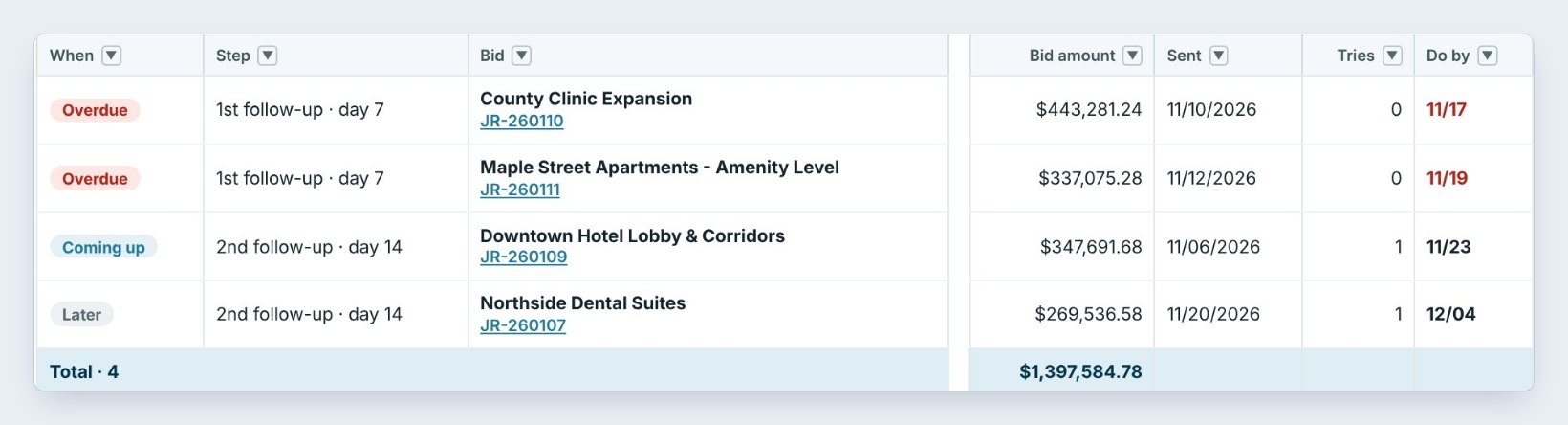
In the list, Tries shows the follow-ups on each bid. Downtown Hotel Lobby and Northside Dental Suites have 1 try each and moved on to the 2nd follow-up, day 14. County Clinic and Maple Street still have 0, and they are overdue.
5What can go wrong, and how to fix it

The call is not counted. It was closed with Cancel. Open the follow-up again and click Send and log it.
The GC gave you an answer. Click Won / Lost in the same window. Won, Lost or On hold takes the bid off the list.
The GC asked you to call back later. Click Snooze on the line and pick the day.
Worked example: the follow-up list on November 20
After two calls logged this month:
| Bid | Salesman | Step | Tries | Do by |
|---|---|---|---|---|
| County Clinic Expansion | Jordan Reyes | 1st, day 7 | 0 | 11/17, overdue |
| Maple Street Apartments | Tom Nguyen | 1st, day 7 | 0 | 11/19, overdue |
| Downtown Hotel Lobby & Corridors | Ana Ruiz | 2nd, day 14 | 1 | 11/23 |
| Northside Dental Suites | Jordan Reyes | 2nd, day 14 | 1 | 12/04 |
Two calls logged, two overdue. Jordan calls Sam at Ironwood today and logs it.
What to do next
Next, find any answer inside the app in The built-in User guide.
Follow up on every bid, and prove it
Bid follow-ups is part of CFE BidWise Business. Start with the 30-day free trial, no credit card.
Frequently Asked Questions
Can I log a call instead of sending an email?
Yes. Set How to Phone call, or a site visit, type what was said and click Send and log it. Nothing is sent; it is logged.
Where is the call kept?
In the bid’s history, shown on the right of every follow-up.
What does Follow-ups this month count?
Every follow-up logged this month, split into emails and calls or visits.

Written by
Cristian Valcu – Founder & CEO, Commercial Flooring Estimating LLC
Cristian has estimated commercial flooring for over 20 years and built CFE BidWise around the way flooring contractors actually price, propose and track their bids.
Last updated: