
CFE guide · BidWise Job Board
The BidWise Sales Linking Disclaimer: What the Salesman Accepts, and Where It Is Kept
When a salesman links BidWise Sales to your company, the linking disclaimer opens first. They read it, ticks I have read and accept, types their full name and initials, and clicks Accept and link. They can read it again with View what I accepted. The Hub Master sees it in the Disclaimer column of Integrate › Team › Salesmen, with the link log.


Why it matters
BidWise Sales shows a salesman their commission on every job. That number is a tool for them to track their pay, not a pay stub. The agreement with the company is what counts.
The disclaimer says so in plain words before anything links, and both sides keep a signed copy. No surprises at the first commission check.
The 5 steps
- It opens firstBefore anything links.
- What it coversAgreement, margin, draw.
- Accept and linkName and initials.
- Read it againView what I accepted.
- What can go wrongNo disclaimer, new version.
1The disclaimer opens before the link
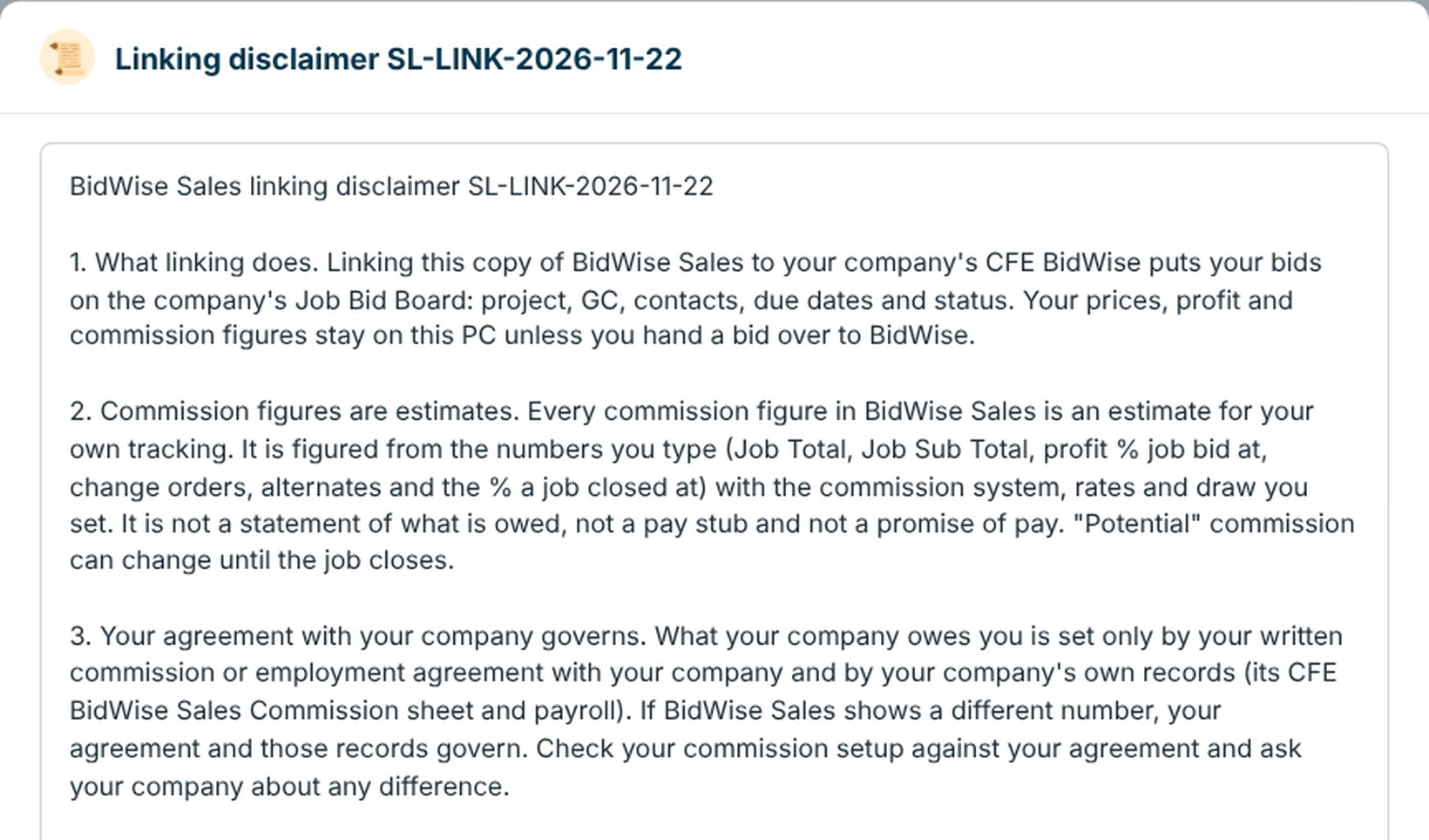
When the salesman types the invite code and clicks Link to my company, the Linking disclaimer opens. This one is version SL-LINK-2026-11-22.
Point 1 says what linking does: their bids go on the company’s Job Bid Board, and their prices, profit and commission stay on their PC. Point 2: every commission figure is an estimate for their own tracking, not a pay stub.
2Read what it covers
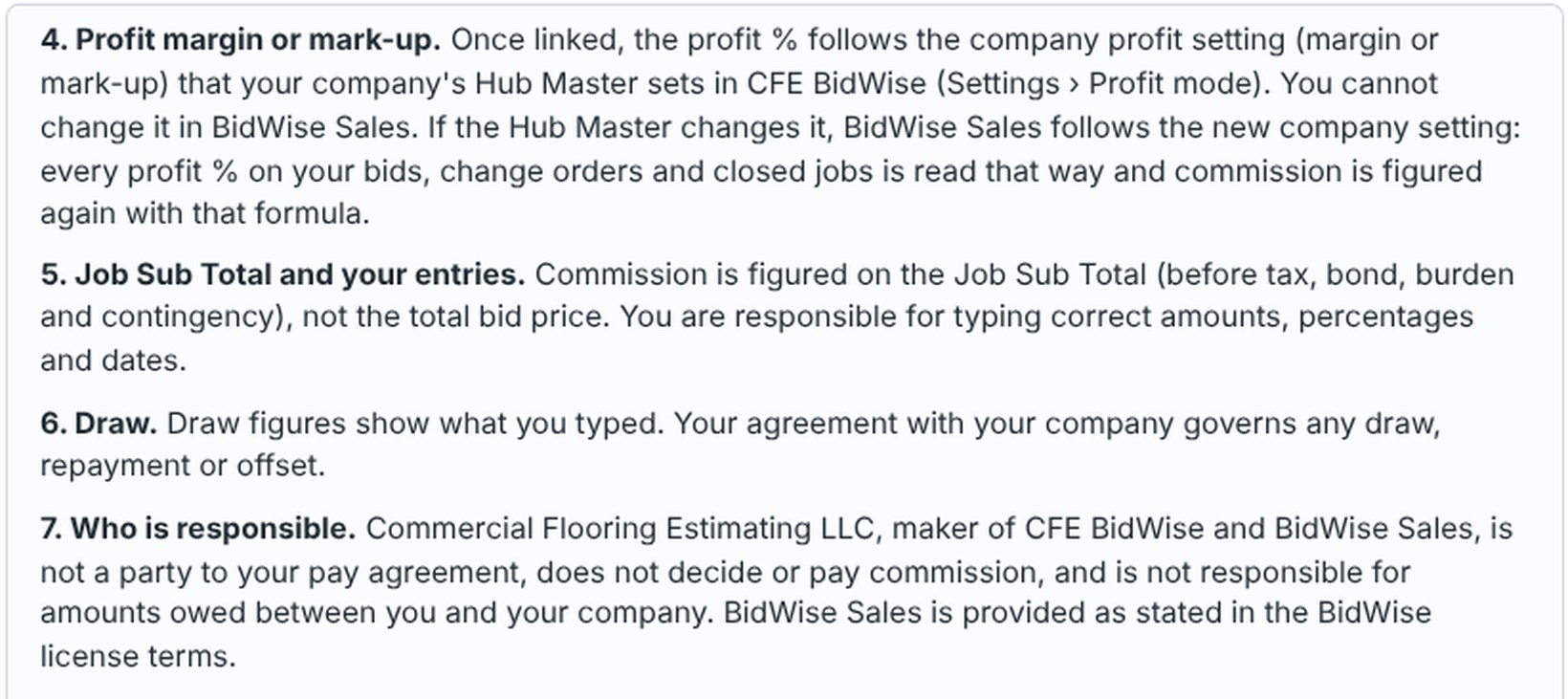
Point 3: their written agreement with the company governs what they are owed. Point 4: once linked, the profit % follows the company’s margin or mark-up setting. Point 5: commission is figured on the Job Sub Total, and they type the numbers.
Point 6 covers the draw, and point 8 the record: their name, initials, date, time and PC are kept and sent to the Hub Master.
3Tick, sign and click Accept and link
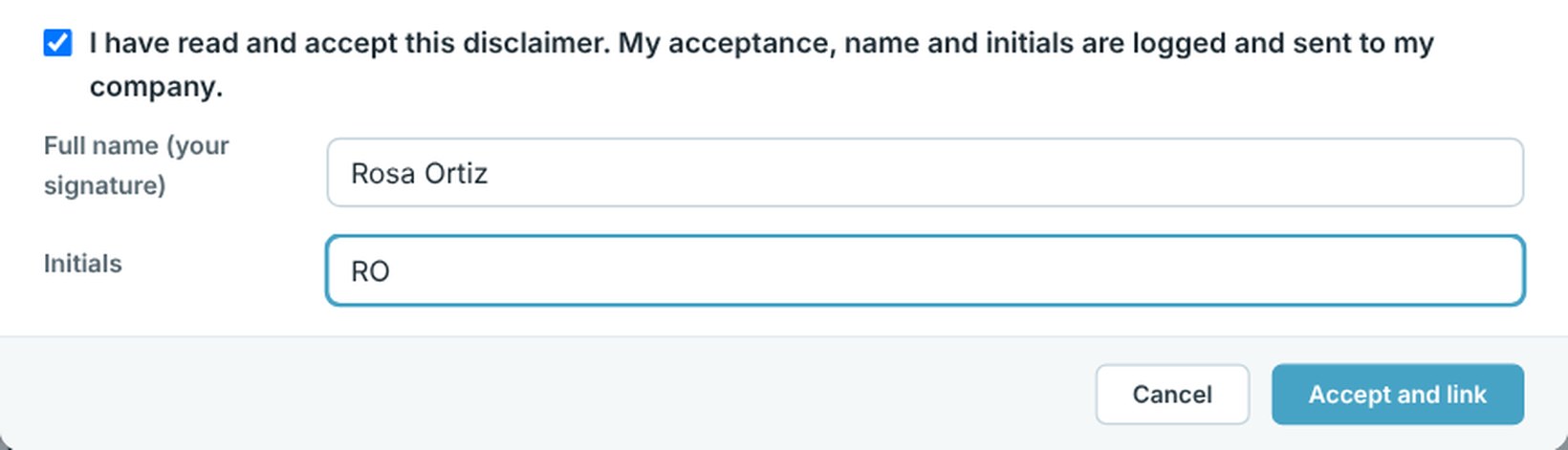
They tick I have read and accept this disclaimer. They type their Full name, which is their signature, Rosa Ortiz, and their Initials, RO.
They click Accept and link. Without the tick, the name and the initials, nothing links.
4Read it again, on either side

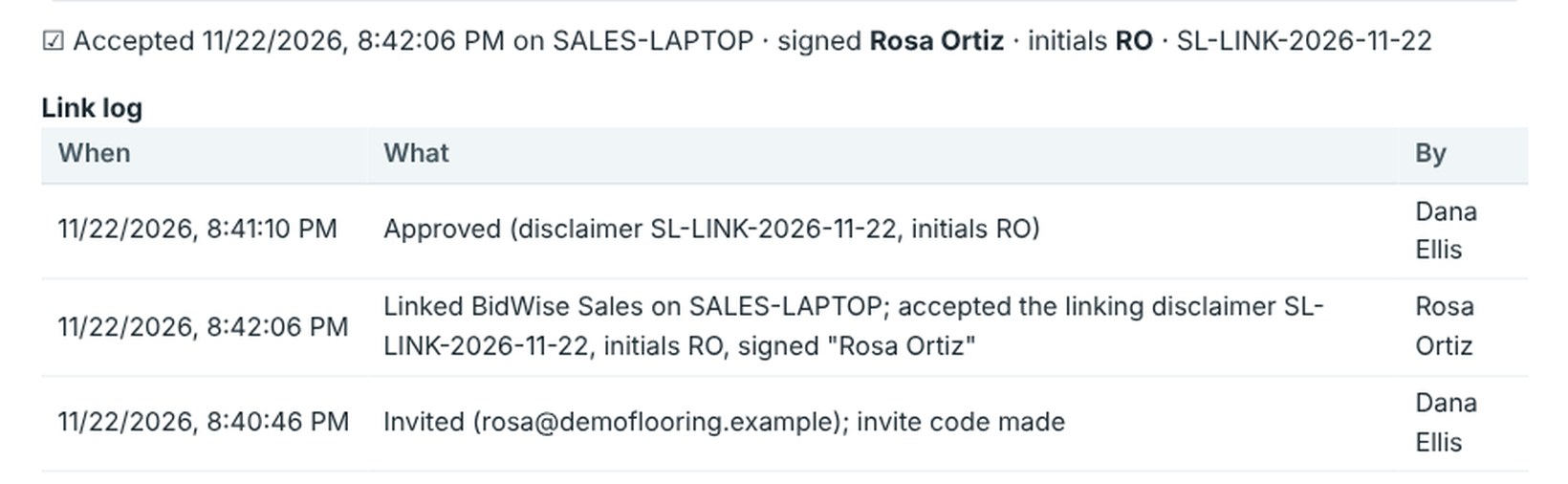
On their PC, Settings › How I use it shows the line Linking disclaimer SL-LINK-2026-11-22, accepted 11/22/2026, signed Rosa Ortiz. View what I accepted opens the full text.
In CFE BidWise, the Hub Master clicks the Disclaimer link on the salesman’s line in Integrate › Team. The Link log lists invited, linked and approved, with who and when.
Print the disclaimer with the salesman’s commission agreement and keep them together. If a number is ever questioned, both are in one folder.
5What can go wrong, and how to fix it

The Disclaimer column is empty. The salesman has not linked yet. They accept it when they type the code.
The salesman closed the window. Nothing was linked. They click Link to my company again.
The numbers do not match the pay. The disclaimer says it plainly: the agreement with the company governs. Check the commission setup against it.
Worked example: Rosa’s disclaimer
What is kept, and where:
| Kept | On Rosa’s PC | In CFE BidWise |
|---|---|---|
| Version | SL-LINK-2026-11-22 | SL-LINK-2026-11-22 |
| Signed | Rosa Ortiz, RO | Disclaimer column: RO 11/22/2026 |
| When and where | 11/22/2026 8:41 PM | SALES-LAPTOP, in the Link log |
| Read it again | View what I accepted | Click the disclaimer link |
Both sides hold the same signed text.
What to do next
Next, see who sets the profit % in Profit margin or mark-up. Or see all the step-by-step guides.
Link with no surprises
Download CFE BidWise and link your salesmen the right way. The Job Bid Board comes with every CFE BidWise plan. Start with the 30-day free trial, no credit card.
Frequently Asked Questions
Is the commission in BidWise Sales a pay stub?
No. It is an estimate for the salesman’s own tracking. The agreement with the company governs.
Can the salesman read it again later?
Yes. Settings › How I use it › View what I accepted.
Where does the Hub Master see it?
In Integrate › Team › Salesmen, in the Disclaimer column and the Link log.

Written by
Cristian Valcu – Founder & CEO, Commercial Flooring Estimating LLC
Cristian has estimated commercial flooring for over 20 years and built CFE BidWise around the way flooring contractors actually price, propose and track their bids.
Last updated: