
CFE guide · BidWise Job Board
Invite and Approve a Salesman: Link BidWise Sales to Your Company
Open Integrate › Team and click + Invite a salesman under Salesmen. Type the name and email and click Make the invite code. Send the code with Open in Outlook or Copy message. The salesman types it in BidWise Sales under Settings › How I use it. When they show as waiting, click Approve. It takes no paid seat.


Why it matters
A linked salesman’s bids land on your Job Bid Board, with the project, GC and bid date. When an estimator takes one, they are told. Their prices and commission stay on their own PC.
BidWise Sales is free, and a linked salesman takes no paid seat. The link is made with a one-time code and your Approve, so nobody joins your company by accident.
The 6 steps
- Open TeamIntegrate › Team › Salesmen.
- InviteName and email.
- Send the codeOutlook or Copy message.
- The salesman types itSettings › How I use it.
- ApproveRead, then Approve.
- What can go wrongExpired code, wrong email.
1Open the Salesmen list
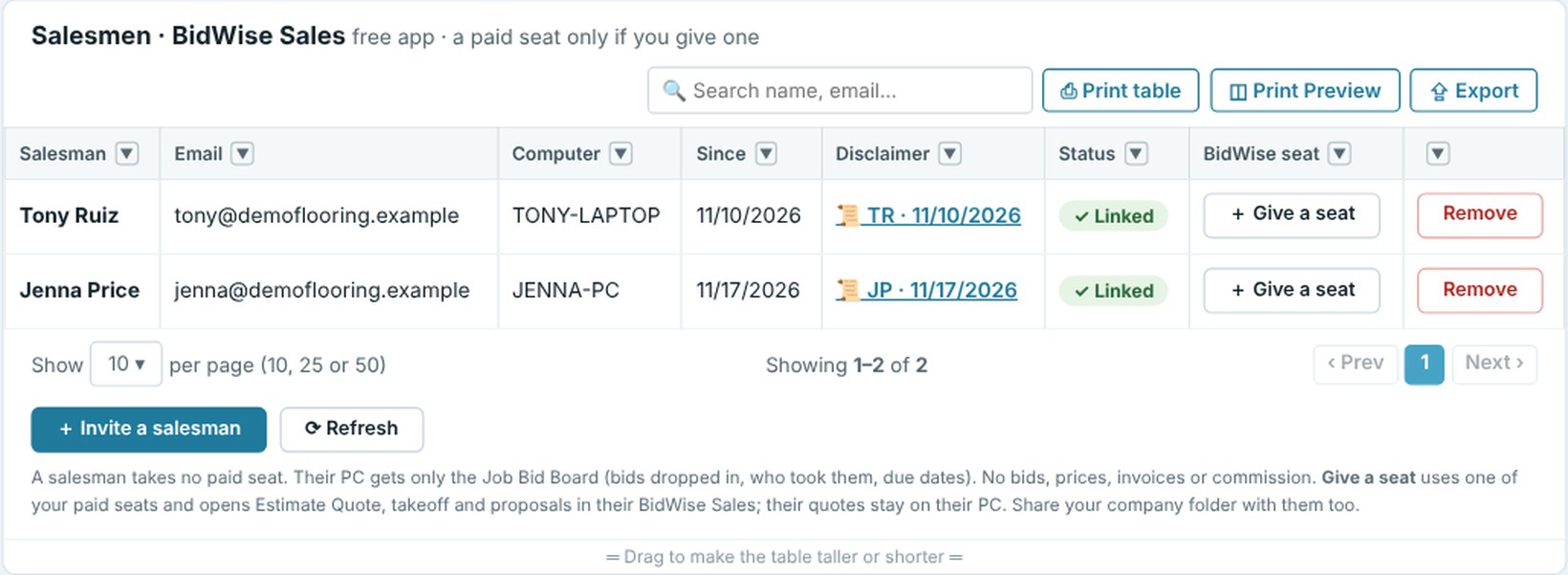
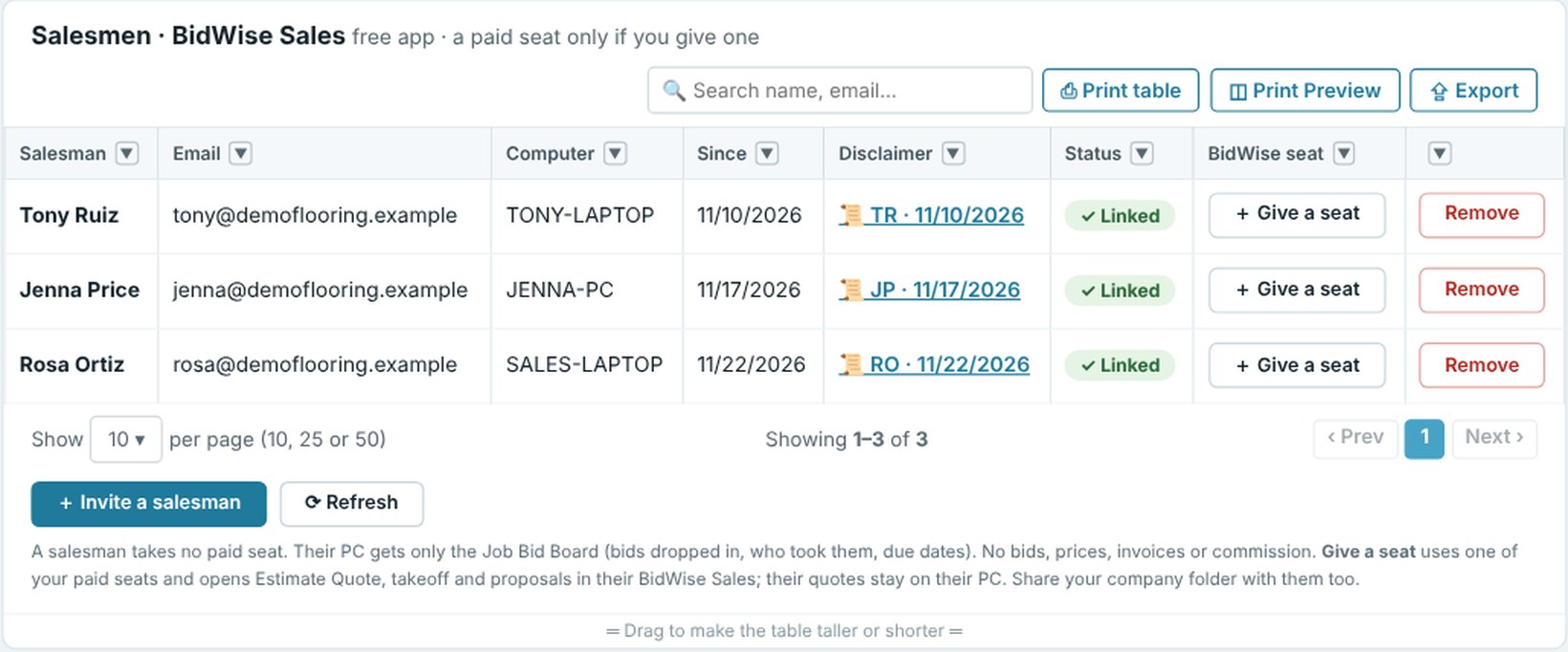
Click Integrate, then Team. Scroll to Salesmen · BidWise Sales: free app, a paid seat only if you give one.
Two salesmen are already linked: Tony Ruiz on TONY-LAPTOP and Jenna Price on JENNA-PC. Each line shows the computer, the date, the disclaimer they accepted and Linked.
2Invite the salesman
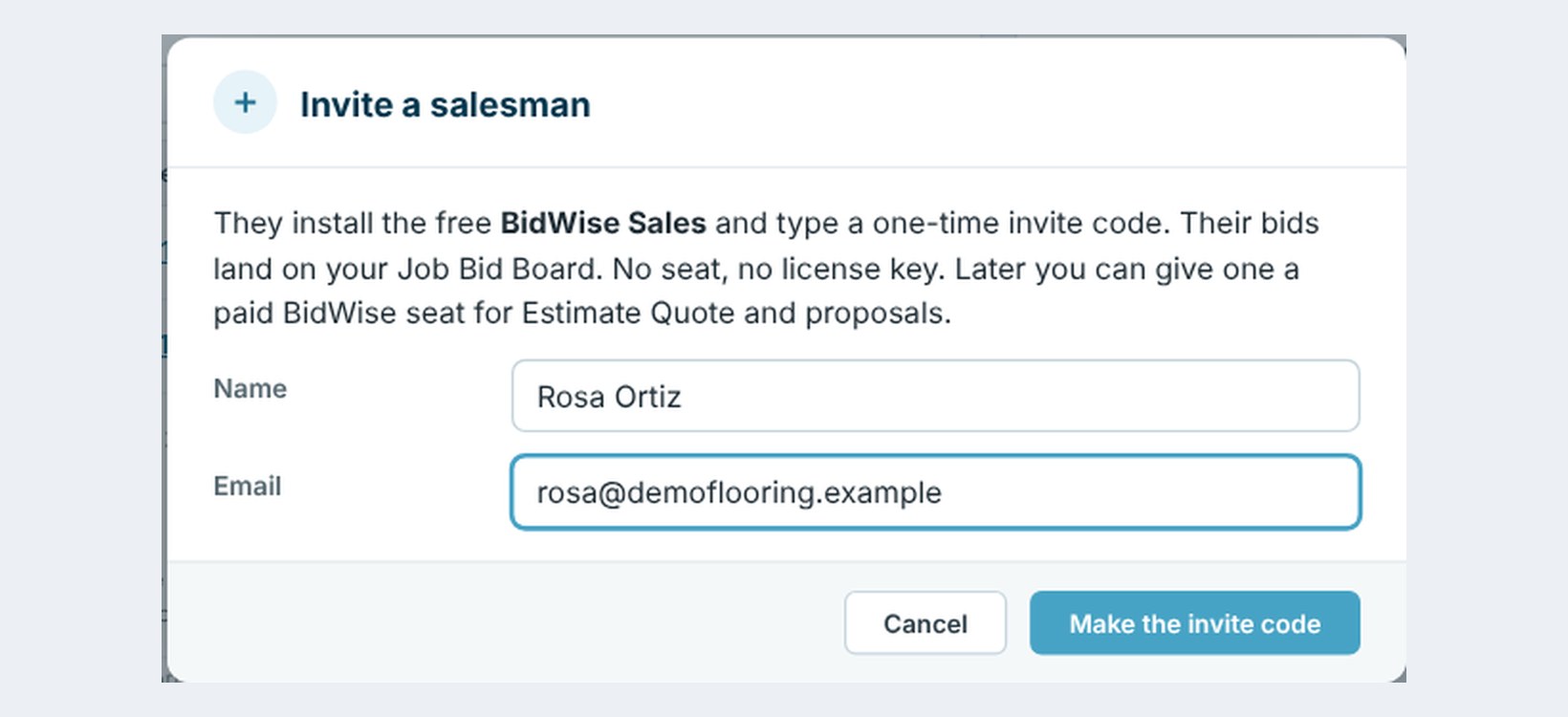
Click + Invite a salesman. Type the Name, Rosa Ortiz, and the Email she will use.
Click Make the invite code. She installs the free BidWise Sales and types the code. No seat and no license key.
3Send the invite code
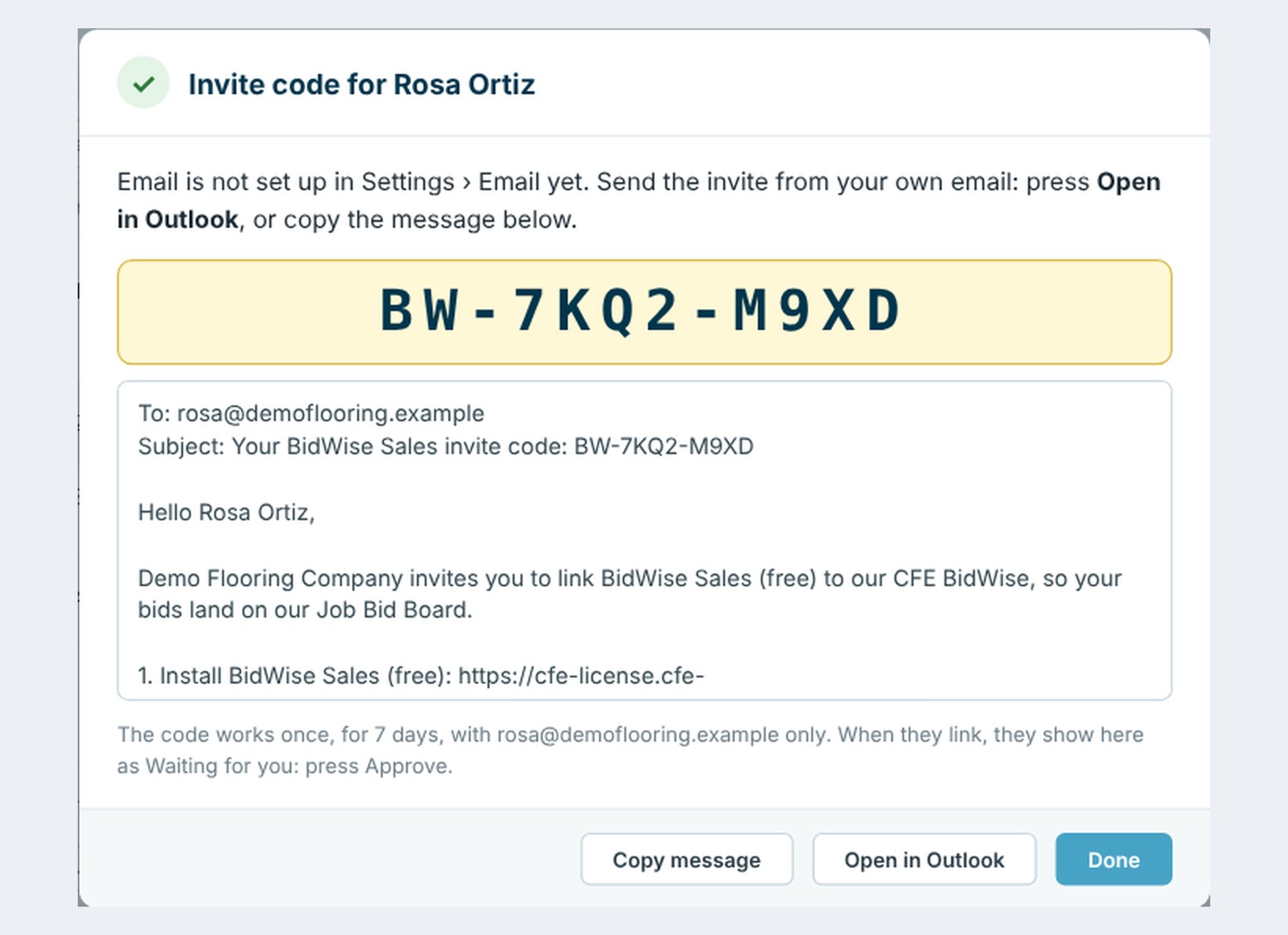
The code is BW-7KQ2-M9XD, and the email is already written with the steps. Click Open in Outlook to send it from your own email, or Copy message.
The code works once, for 7 days, and only with rosa@demoflooring.example.
4The salesman types the code


On her PC, Rosa opens Settings › How I use it and picks Connected. She types the code and her email and clicks Link to my company. She reads and accepts the linking disclaimer.
Her screen now says Waiting for Demo Flooring Company’s Hub Master to press Approve. BidWise Sales asks again every minute.
5Read the disclaimer and press Approve
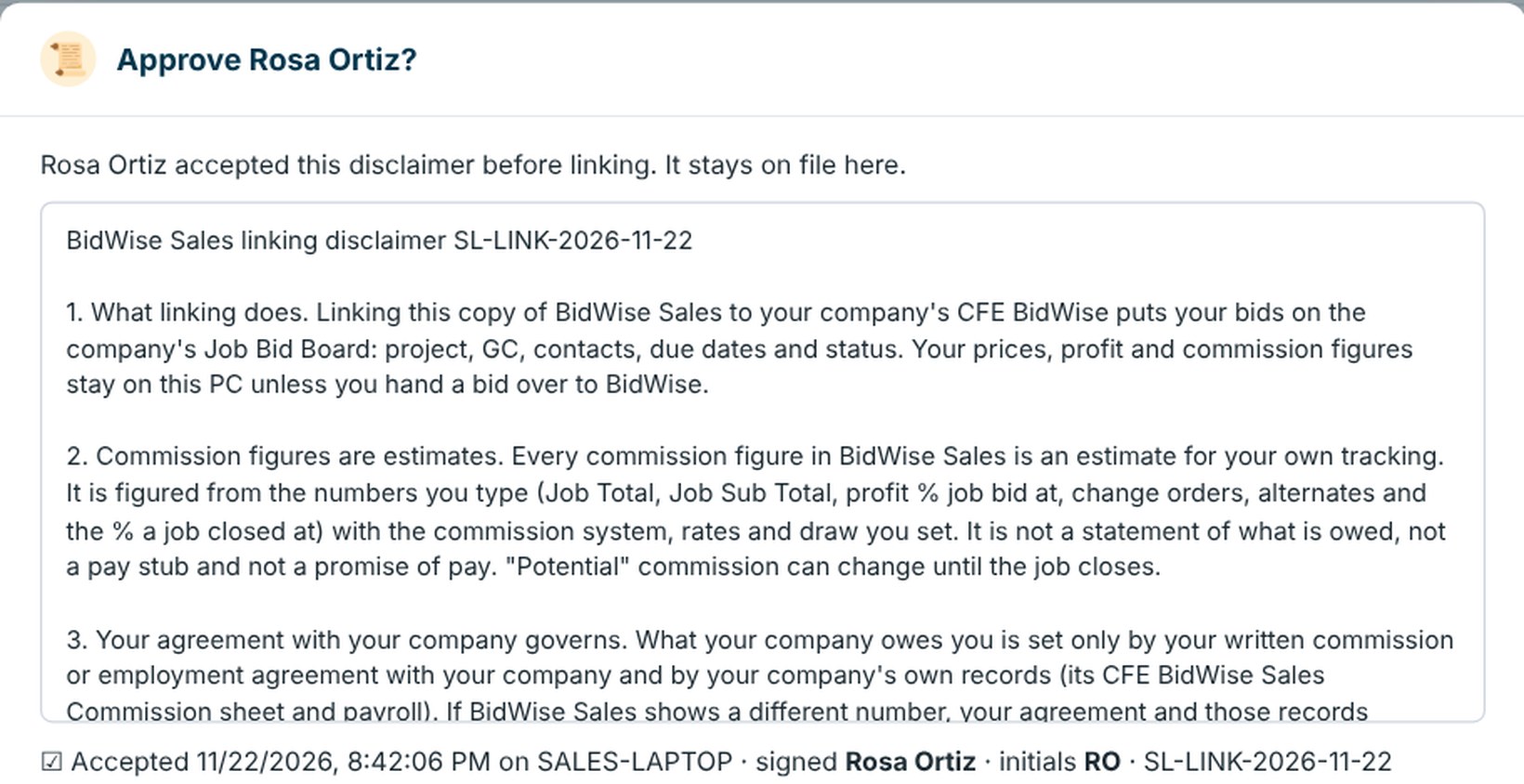
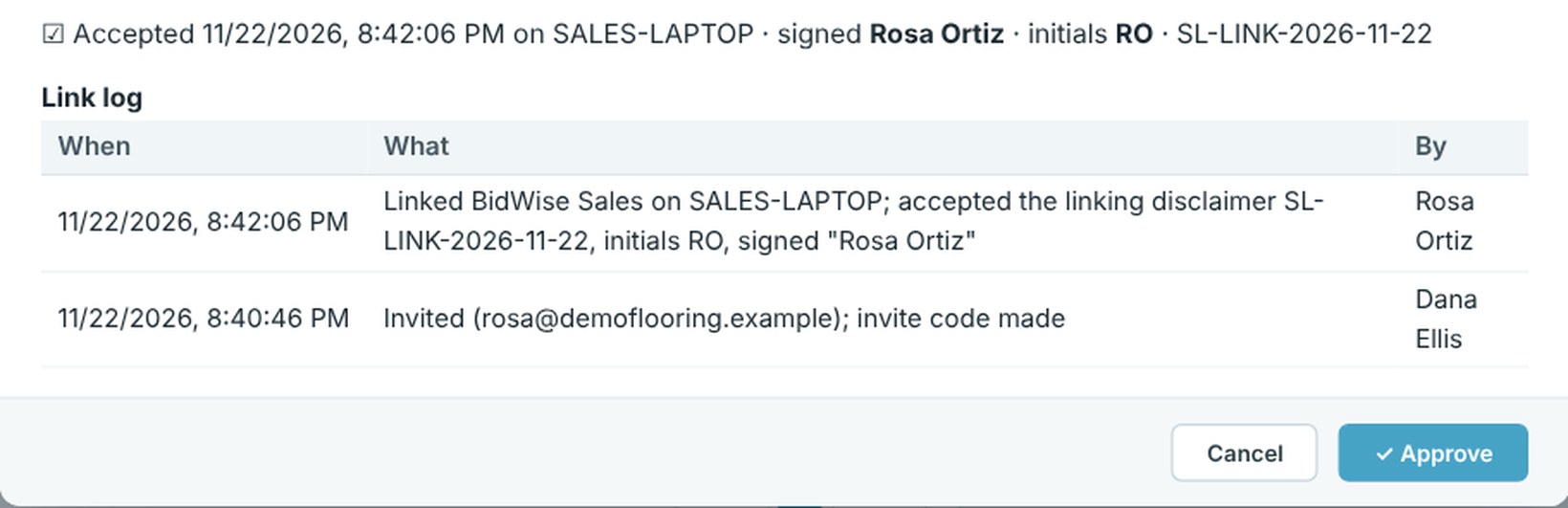
Back in Team, Rosa shows as waiting for your Approve. Click it. The window shows the disclaimer she accepted, signed Rosa Ortiz, initials RO, on SALES-LAPTOP.
The Link log lists each step: invited at 8:40 PM, linked at 8:42 PM. Click Approve. Her bids now land on the Job Bid Board.
Approve only a name and a computer you expect. If you do not know the PC, click Cancel and call the salesman first.
6What can go wrong, and how to fix it
The code does not work. It is older than 7 days, was used already, or was typed with another email. Make a new code.
The salesman is not waiting for Approve. They have not finished the disclaimer. Ask them to look at Settings › How I use it.
A salesman leaves. Click Remove on their line. Their bids stay on the board.
Worked example: linking Rosa Ortiz
The whole link, on the Link log:
| Time | Who | What |
|---|---|---|
| 8:40 PM | Dana Ellis | Invited rosa@demoflooring.example, invite code made |
| 8:42 PM | Rosa Ortiz | Linked BidWise Sales on SALES-LAPTOP, accepted the disclaimer |
| After | Dana Ellis | Approved |
| Within a minute | The board | Rosa’s bids show on the Job Bid Board |
Two minutes, no seat and no license key.
What to do next
Next, read what the salesman agrees to in The linking disclaimer. Or see all the step-by-step guides.
Link your salesmen to the board
Download CFE BidWise and invite your first salesman today. The Job Bid Board comes with every CFE BidWise plan. Start with the 30-day free trial, no credit card.
Frequently Asked Questions
Does a linked salesman take a paid seat?
No. Only if you give them one for Estimate Quote and proposals.
How long does the invite code work?
Once, for 7 days, with the email you typed.
Who can invite salesmen?
The Hub Master, in Integrate › Team.

Written by
Cristian Valcu – Founder & CEO, Commercial Flooring Estimating LLC
Cristian has estimated commercial flooring for over 20 years and built CFE BidWise around the way flooring contractors actually price, propose and track their bids.
Last updated: