
CFE guide · BidWise Job Board
The BidWise Guest Page, Step by Step: An Estimating Company’s Side
Open the guest page address from the email and sign in with the guest code and your email. Bids from the company lists only the bids sent to you. Open one to read the scope, spec sections and notes. Under Where it stands, click Received, Taking off, Takeoff complete or Can’t do it, add a note and click Save. The company’s board updates.


Why it matters
An estimating company works for many flooring contractors. It will not install your software, and it should not see your prices or your GC contacts.
The guest page is a web page with only the bids you sent it. One click tells you where each one stands, from any computer or phone.
The 6 steps
- Sign inGuest code and email.
- The bid listOnly the bids sent to you.
- Open a bidScope, sections, notes.
- Where it standsTakeoff complete, with a note.
- Print and phonePrint, or on a phone.
- What can go wrongPaused, wrong email.
1Sign in with the guest code
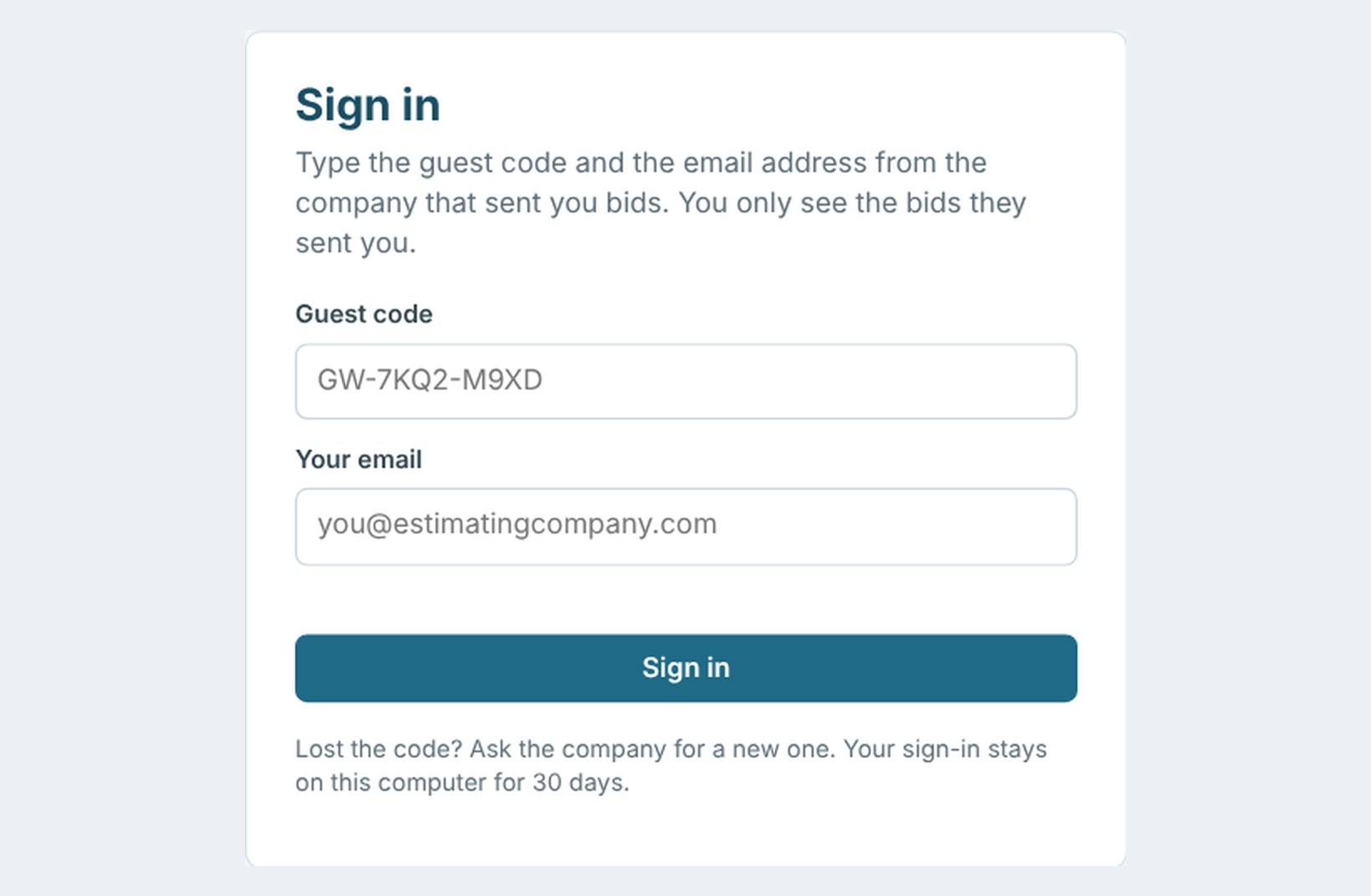
The estimating company opens the guest page address from the invite email. It types the Guest code and its email, the same one the code was sent to, and clicks Sign in.
The sign-in stays on that computer for 30 days. Lost the code? Ask the company for a new one.
2See the bids sent to you
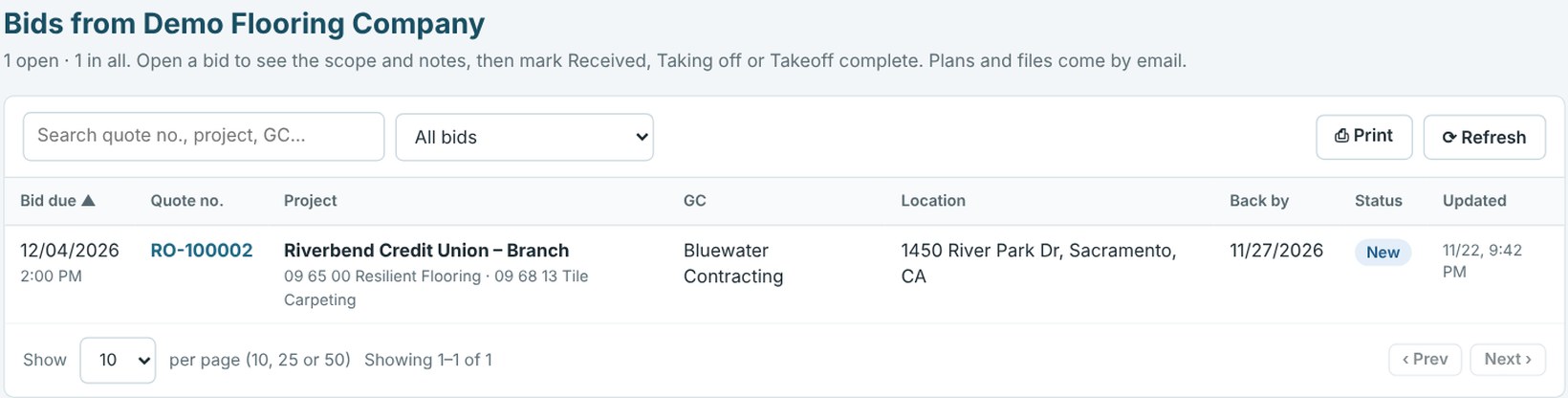
Bids from Demo Flooring Company lists only the bids sent to Summit: here 1 open. RO-100002 Riverbend Credit Union – Branch, bid due 12/04/2026 2:00 PM, back by 11/27/2026, status New.
Plans and files come by email. Use the search and the filter when the list grows.
3Open a bid and read it
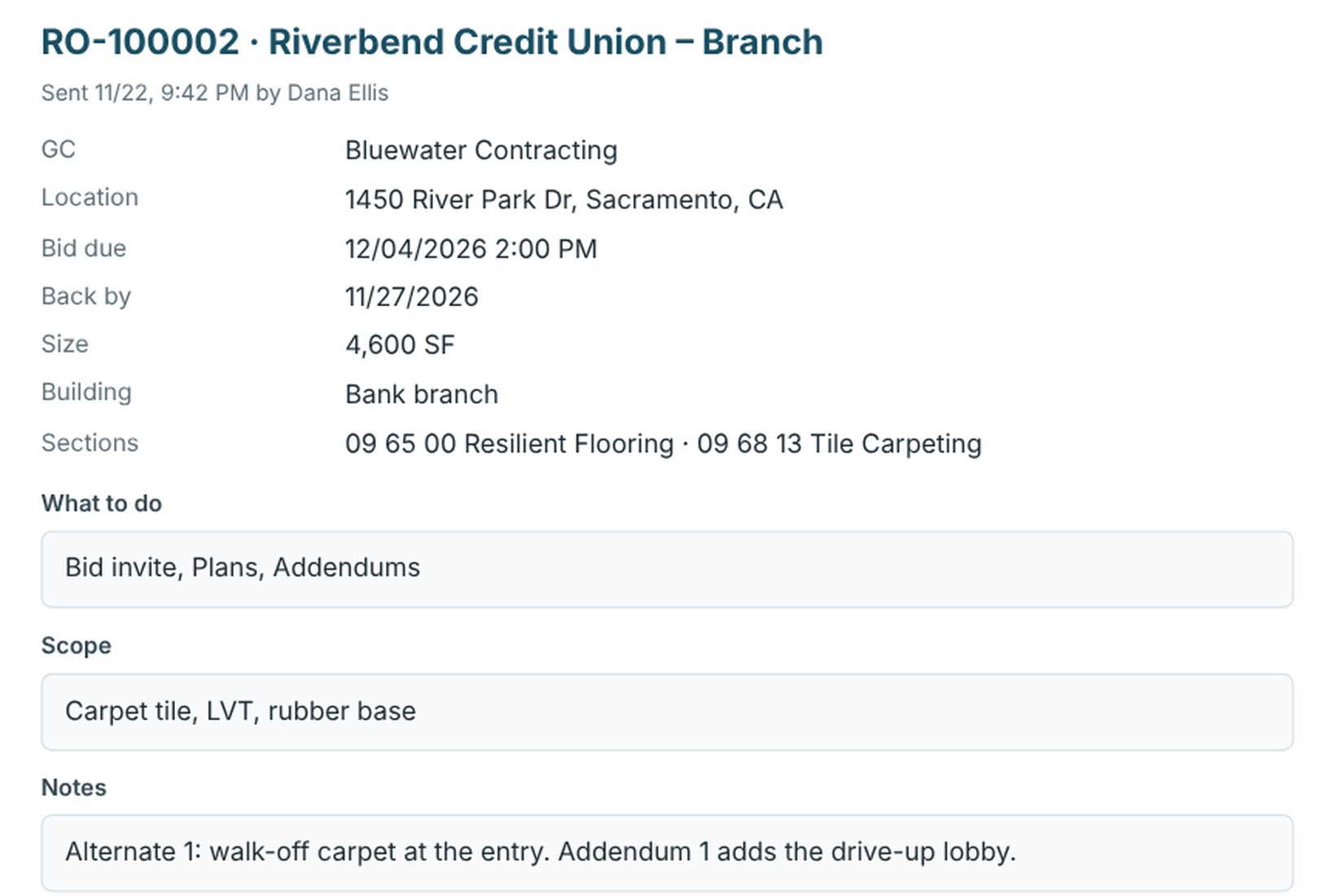
Click the quote number. The bid opens: 4,600 SF, a bank branch, sections 09 65 00 and 09 68 13, back by 11/27/2026.
What to do: bid invite, plans, addendums. Scope: carpet tile, LVT, rubber base. Notes: Alternate 1: walk-off carpet at the entry. Addendum 1 adds the drive-up lobby.
4Mark where it stands, with a note
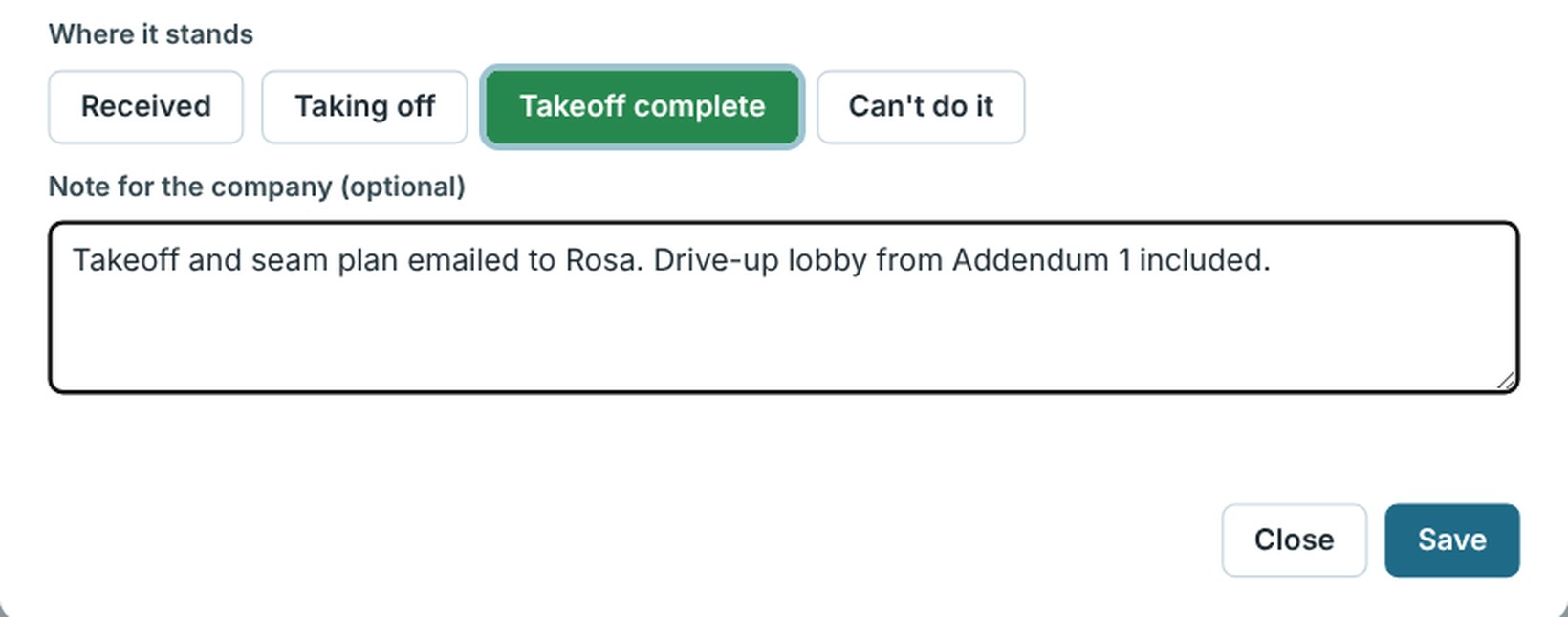
Under Where it stands, click Received when the files arrive, Taking off when work starts, and Takeoff complete when it is done. Can’t do it hands it back.
Type a Note for the company: Takeoff and seam plan emailed to Rosa. Drive-up lobby from Addendum 1 included. Click Save. The company’s board shows it within a minute.
Press Received the moment the plans arrive. The contractor stops wondering, and the phone stops ringing.
5Print the list, or use a phone

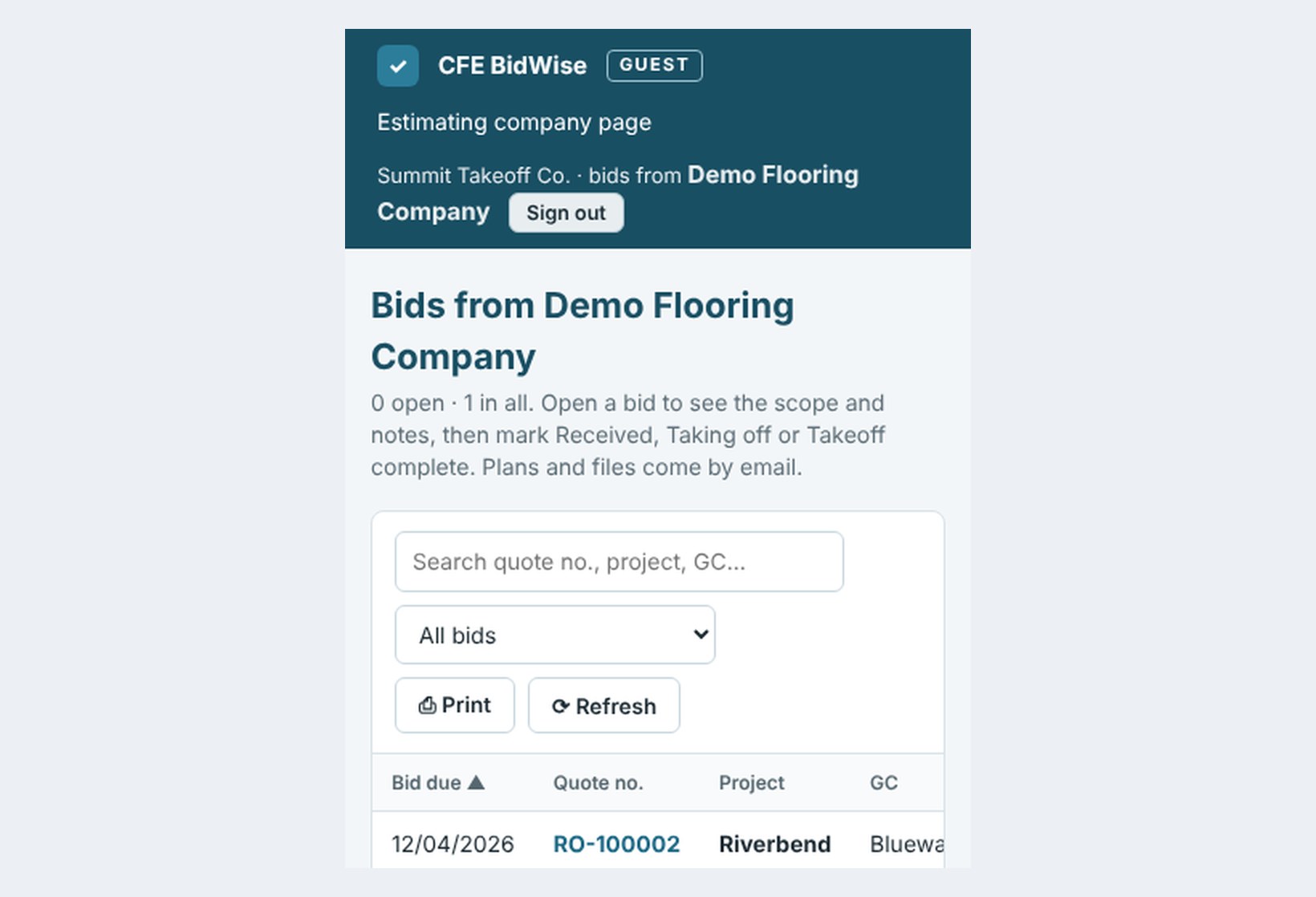
Print gives a clean list of every bid with its status, and the date and time it was printed.
The guest page works on a phone too: the same list, the same buttons. After Takeoff complete, the list reads 0 open, 1 in all.
6What can go wrong, and how to fix it
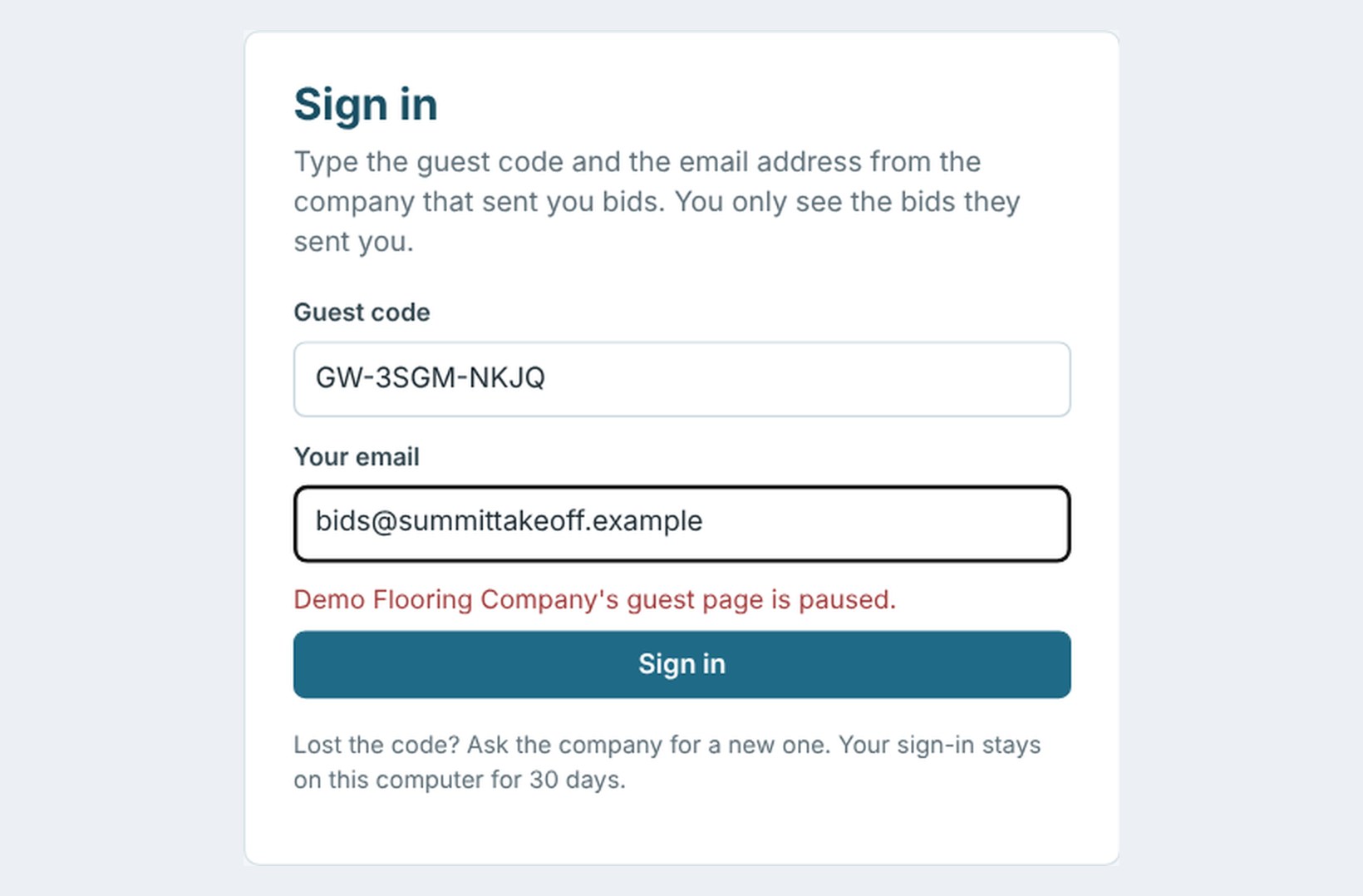
Sign in fails. The email must be the one the code was sent to. If the company made a new code, the old one no longer works.
The guest page is paused. The company’s plan does not include it right now. Call the company.
A bid is missing. It was not put on your guest page when it was sent out. Ask the company to tick the box.
Worked example: Summit Takeoff Co. on Riverbend
What Lena at Summit clicks, and what Dana sees:
| Lena clicks | Dana’s board shows |
|---|---|
| Received | Summit Takeoff Co.: received the bid |
| Taking off | Summit Takeoff Co.: taking off |
| Takeoff complete, with a note | Completed, and the note in the History |
Three clicks on the guest page, and Dana never had to call.
What to do next
Next, start with Start the Job Bid Board: your first job, or set up the sales side with Set up BidWise Sales. Or see all the step-by-step guides.
Your estimating company, one click away
Download CFE BidWise and open a guest page for your takeoff company. The Job Bid Board comes with every CFE BidWise plan. Start with the 30-day free trial, no credit card.
Frequently Asked Questions
Does the estimating company need to install anything?
No. The guest page is a web page; a browser or phone is enough.
Can it see prices or GC contacts?
No. Only what you send: project, dates, scope, sections and your note.
How long does the sign-in last?
30 days on the same computer.

Written by
Cristian Valcu – Founder & CEO, Commercial Flooring Estimating LLC
Cristian has estimated commercial flooring for over 20 years and built CFE BidWise around the way flooring contractors actually price, propose and track their bids.
Last updated: