
CFE guide · BidWise Job Board
Start the Job Bid Board: Your First Job, Step by Step
Click Job Bid Board on the Home ribbon, then + Add a bid. Drop the bid invite PDF on the form, or type the job. Only four boxes are required: Project, GC, Bid due date and Sales. Click Save changes. The bid shows on the board as New. Click Take it, pick the expected date and click Take it again.


Why it matters
Bids come in from everywhere: a GC email, a plan room, a salesman who heard about a job at lunch. Without one list, a bid date slips and nobody notices until the GC calls.
The Job Bid Board is that one list. Every bid lands here, every estimator sees it, and everyone can see who took it and when it is due. It shows no prices, so it can stay open on any screen.
The 6 steps
- Open the boardHome › Job Bid Board.
- Add a bidDrop the bid invite.
- Four boxesProject, GC, due date, Sales.
- See it on the boardNew, with Review and Take it.
- Take itExpected date, then Take it.
- What can go wrongMissing bid, wrong filter.
1Open the Job Bid Board

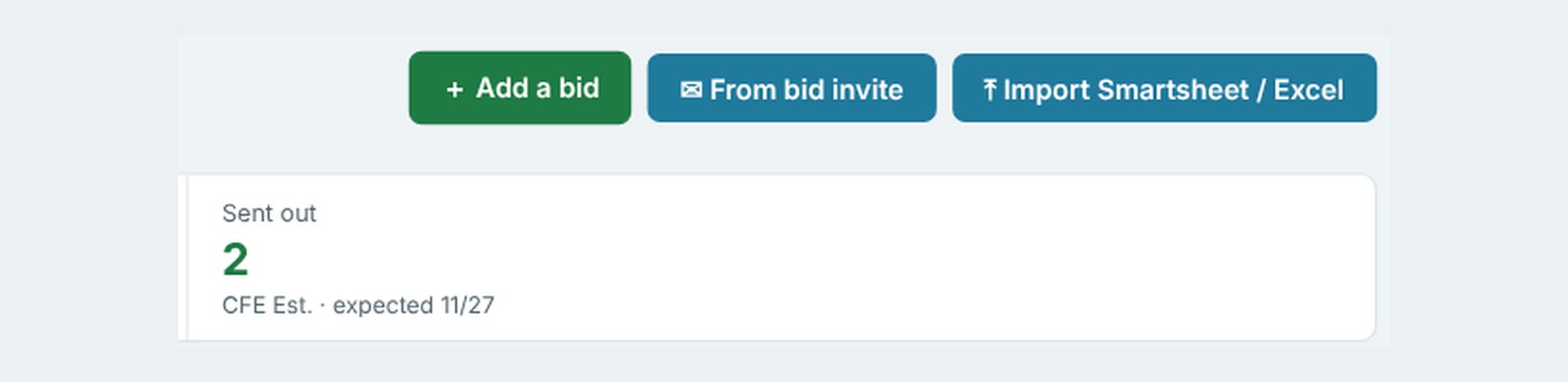
Click Job Bid Board on the Home ribbon. The tiles read Waiting for an estimator 2, then your own work: 1 in takeoff, 1 in prep, 1 costing, and Sent out 2.
There are three ways to add a job: + Add a bid, From bid invite, or Import Smartsheet / Excel. The board shows no prices.
2Add a bid, or drop the bid invite
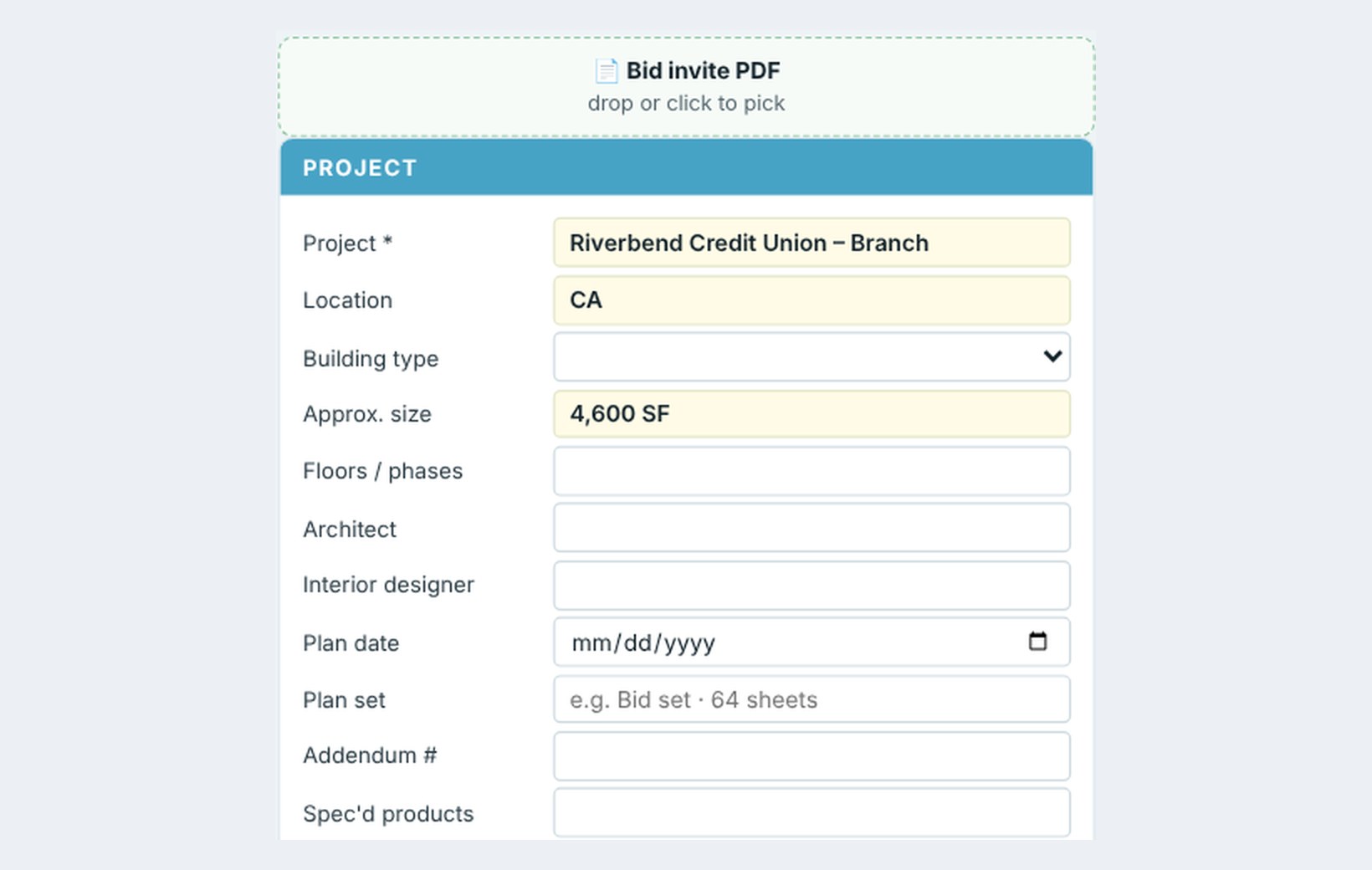
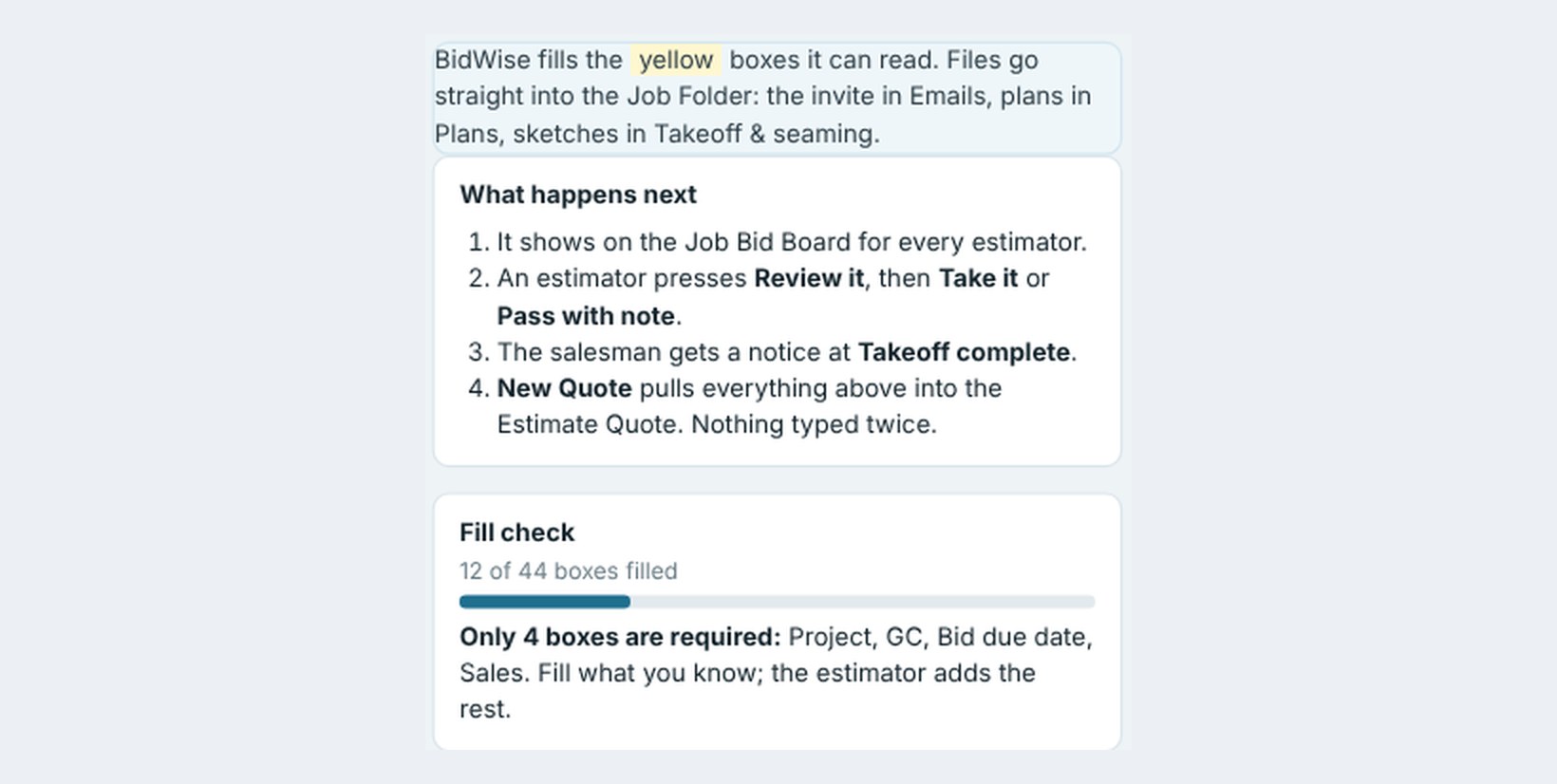
Click + Add a bid. The bid form opens. Drop the bid invite PDF on the box at the top, or drag the email straight from Outlook. BidWise fills the yellow boxes it can read, and the files go to the Job Folder.
No PDF? Type it. Here the project is Riverbend Credit Union – Branch, about 4,600 SF.
3Fill the four required boxes
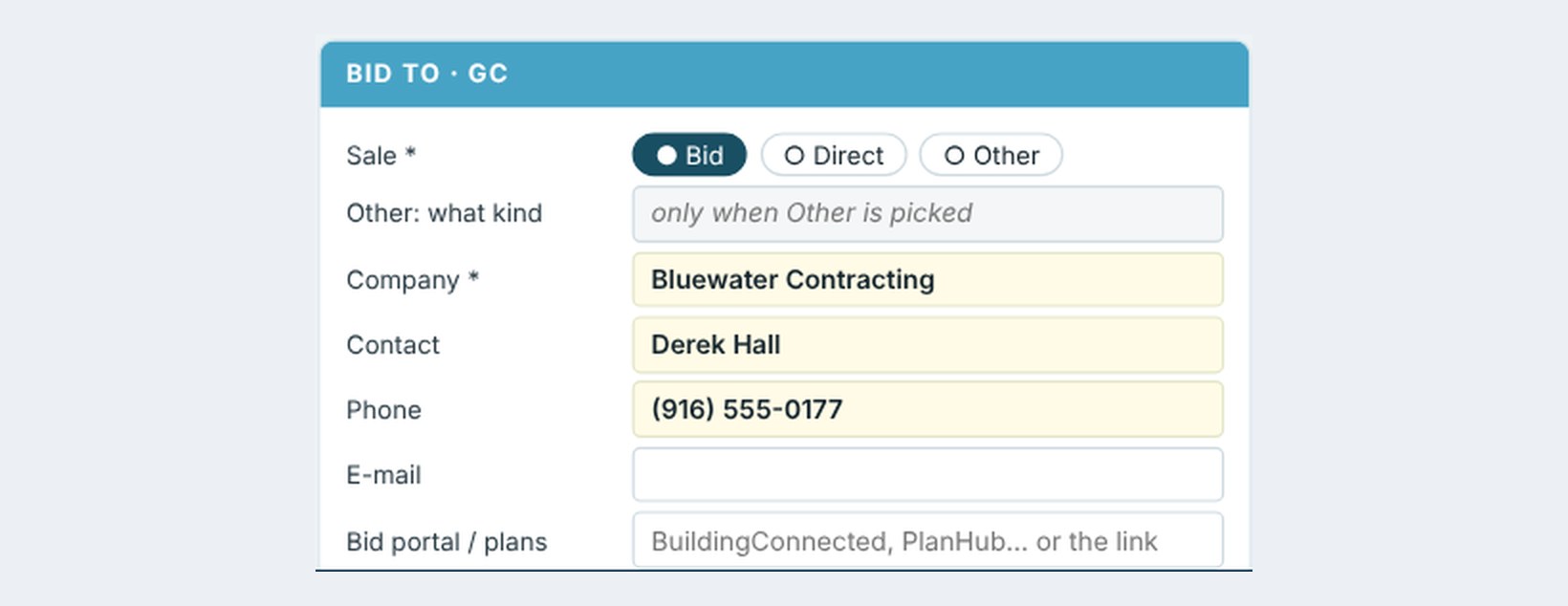
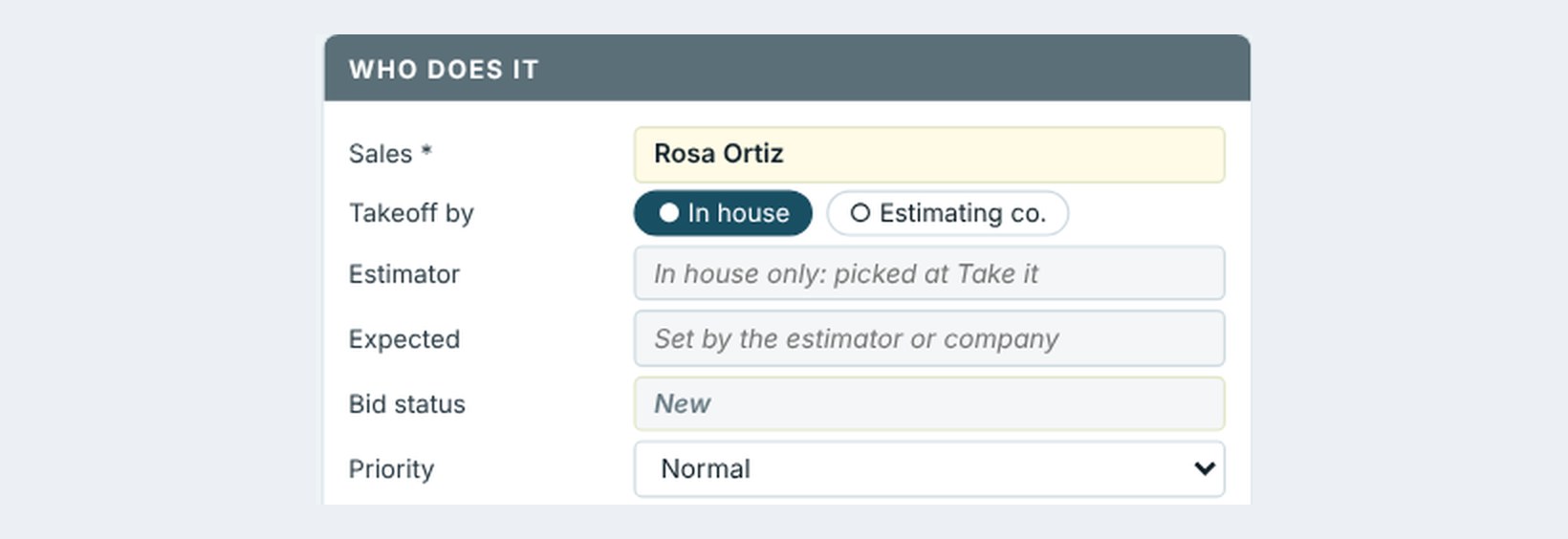
Only four boxes are required: Project, the GC, the Bid due date and Sales. Here the GC is Bluewater Contracting, the bid is due 12/04/2026 at 14:00, and the salesman is Rosa Ortiz.
Fill what you know and leave the rest; the estimator adds it later. Fill check on the right counts the boxes filled. Click Save changes.
4See the bid on the board
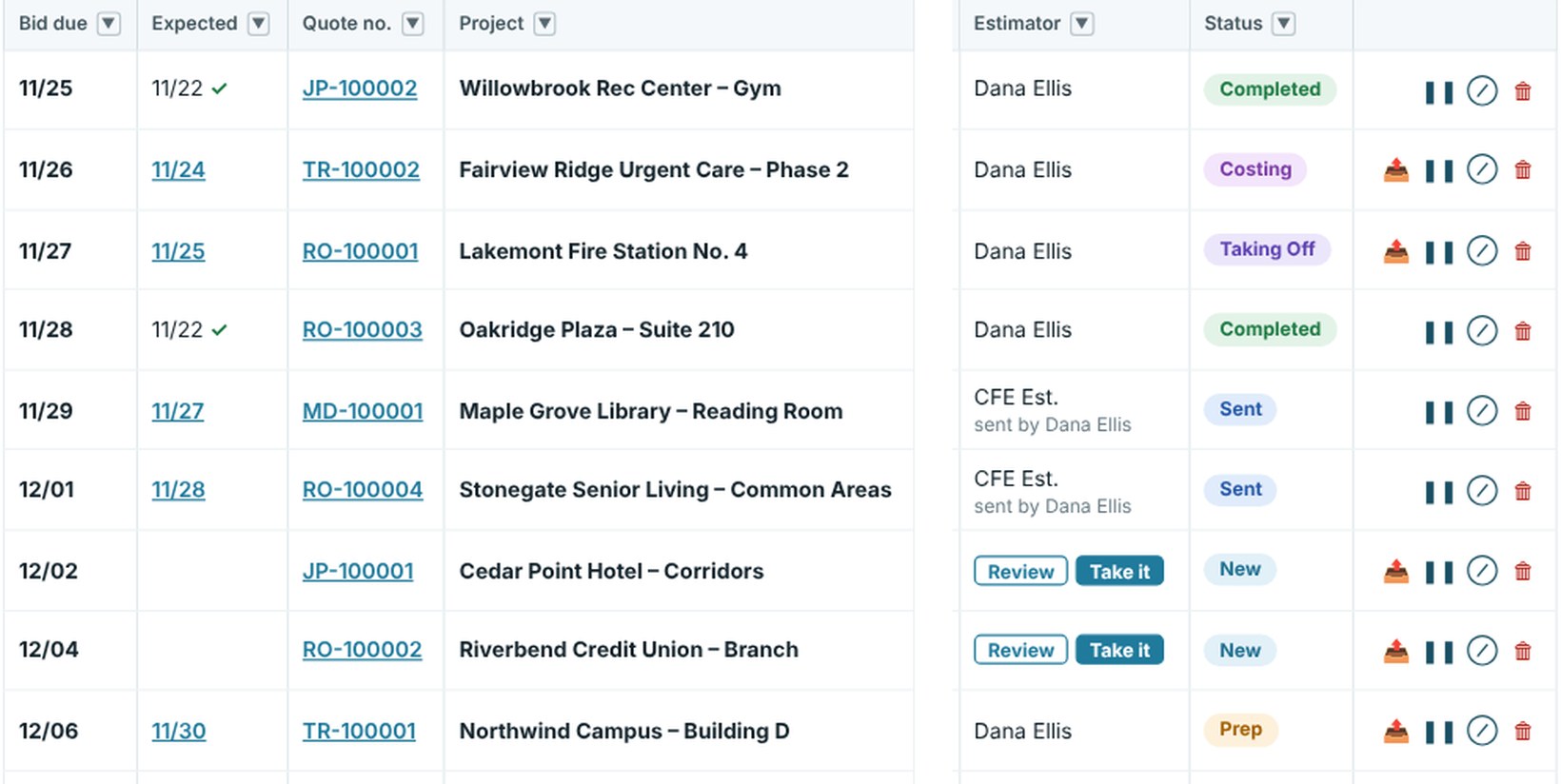
The bid is on the board, sorted by Bid due. RO-100002 Riverbend Credit Union shows New, with two buttons: Review and Take it.
Every estimator in the company sees the same list. The other lines show who has each job and where it stands: Prep, Taking Off, Costing, Sent or Completed.
5Take it, with an expected date
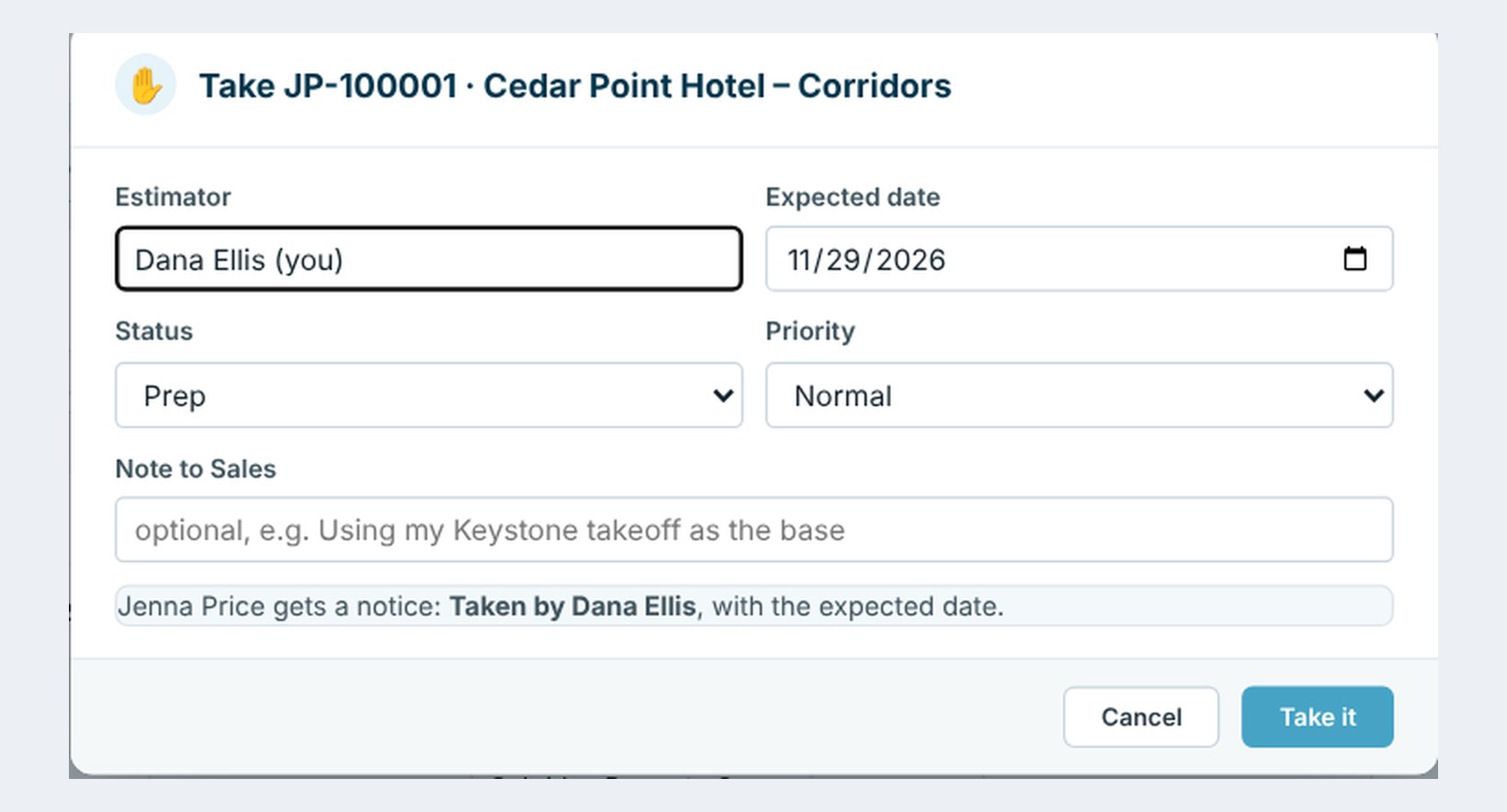
Click Take it on a New bid, here JP-100001 Cedar Point Hotel – Corridors. The estimator is you. Pick the Expected date, 11/29/2026, a Status such as Prep, and the Priority.
Click Take it. The salesman, Jenna Price, gets a notice: Taken by Dana Ellis, with the expected date.
Open the bid and click New Quote from this bid. Everything typed on the board goes into the Estimate Quote, so nothing is typed twice.
6What can go wrong, and how to fix it

A bid you added is not on the board. A filter is on. Click All.
Save changes does nothing. One of the four required boxes is empty. Look for the box with the star.
The same job was added twice. The board blocks a second bid to the same GC for the same project, and tells the salesman and the Hub Master.
Worked example: Riverbend Credit Union, from invite to taken
One job, start to finish:
| Step | What you do | What the board shows |
|---|---|---|
| Add a bid | Drop the bid invite PDF | Yellow boxes filled |
| Four boxes | Project, Bluewater Contracting, 12/04/2026, Rosa Ortiz | Fill check counts them |
| Save | Save changes | RO-100002, New |
| Take it | Expected date and status Prep | Your name, the salesman is told |
From here, New Quote from this bid starts the estimate with everything already typed.
What to do next
Next, see how a salesman’s bid reaches you in Take a bid from a salesman. Or see all the step-by-step guides.
Start your Job Bid Board today
Download CFE BidWise and put your first job on the board. The Job Bid Board comes with every CFE BidWise plan. Start with the 30-day free trial, no credit card.
Frequently Asked Questions
Which boxes are required?
Four: Project, GC, Bid due date and Sales. Fill the rest when you know it.
Does the board show prices?
No. It shows the project, GC, dates, scope and who has it.
Can I add a bid from an email?
Yes. Drag the email from Outlook onto the board or the bid form.

Written by
Cristian Valcu – Founder & CEO, Commercial Flooring Estimating LLC
Cristian has estimated commercial flooring for over 20 years and built CFE BidWise around the way flooring contractors actually price, propose and track their bids.
Last updated: