
CFE guide · BidWise Job Board
Give a Salesman a BidWise Seat: Estimate Quote and Proposals in BidWise Sales
Open Integrate › Team and click Give a seat on the salesman’s line. It uses one of your paid seats. Within 5 minutes, Estimate Quote, takeoff and Bid proposals open in their BidWise Sales. Their quotes stay on their PC, so share the company folder with them too. Click Take back to free the seat.


Why it matters
Some salesmen price their own jobs: a repeat customer, a small tenant job, a change order on the spot. Without the Estimate Quote, they type a Job Total by hand and hope it is right.
A seat opens the same Estimate Quote and proposals your estimators use, inside BidWise Sales. Everyone else stays on the free app.
The 6 steps
- Locked for nowComes with a BidWise seat.
- Give a seatIntegrate › Team.
- Seat givenWithin 5 minutes.
- Estimate Quote opensIn BidWise Sales.
- ProposalsBid proposals menu.
- What can go wrongStill locked, no seats.
1See what is locked without a seat
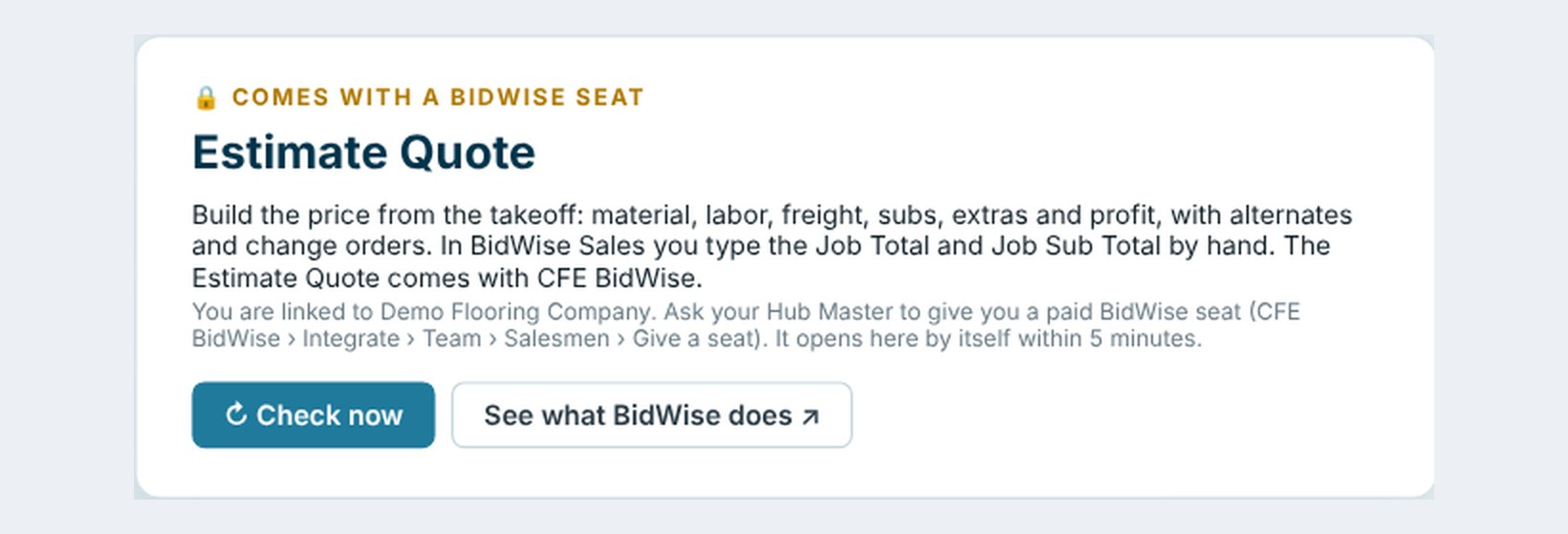
A linked salesman without a seat sees Estimate Quote and Bid proposals with a lock. Clicking one says Comes with a BidWise seat.
They type the Job Total and Job Sub Total by hand. The card tells them to ask the Hub Master for a seat: Integrate › Team › Salesmen › Give a seat.
2Click Give a seat
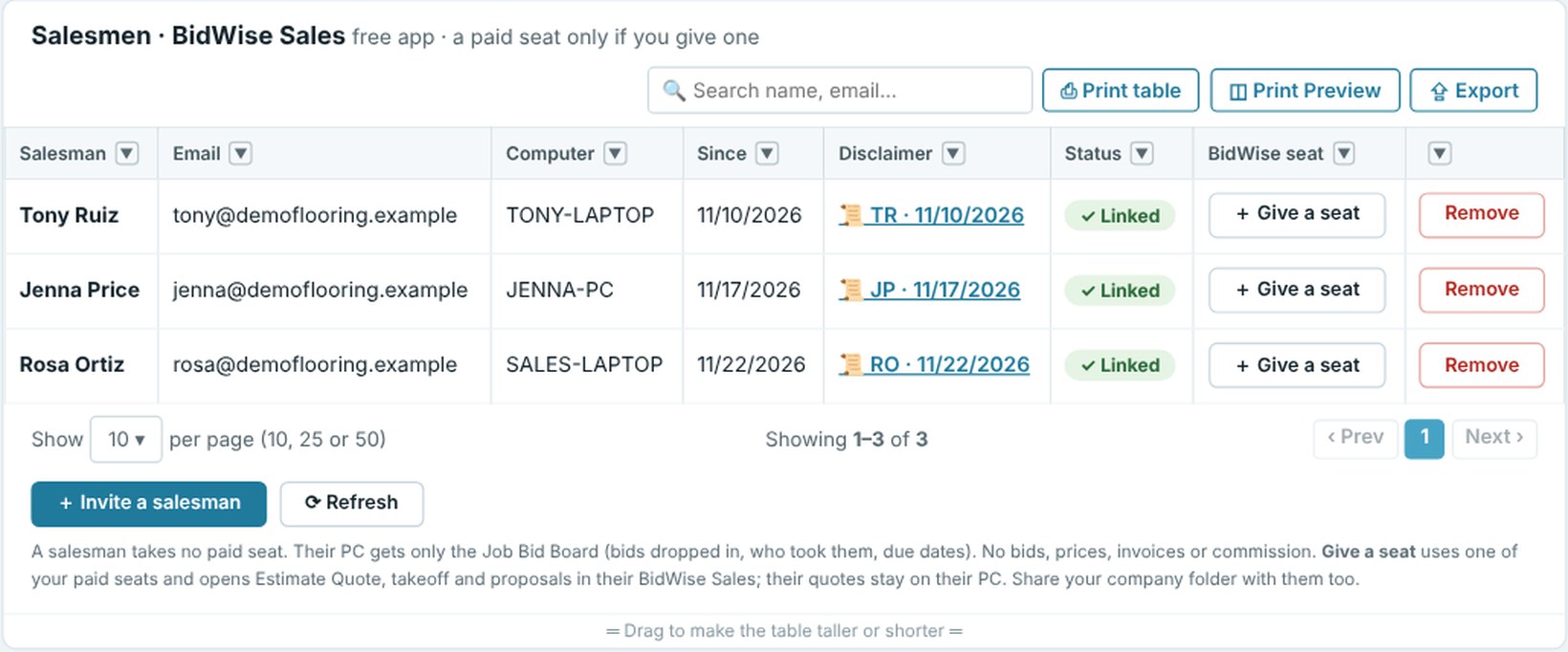
In CFE BidWise, open Integrate › Team and scroll to Salesmen. Each linked salesman has a Give a seat button in the BidWise seat column.
Click Give a seat on Rosa Ortiz. It uses one of your paid seats. All seats used? Click Add seats on the ribbon first.
3See the seat given
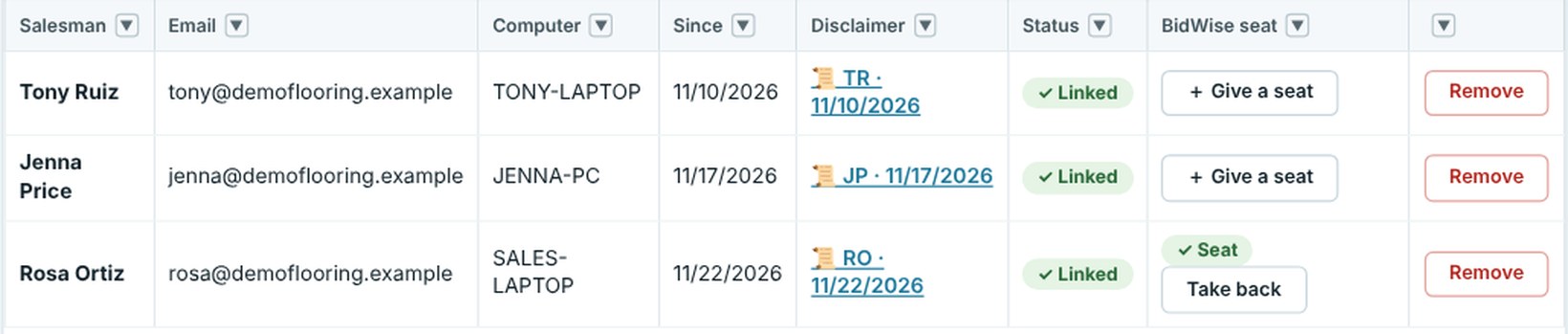
The line now shows Seat and a Take back button. A note confirms it: Rosa Ortiz has a BidWise seat. Estimate Quote opens in their BidWise Sales within 5 minutes.
Their quotes stay on their PC. Share the company folder with them too, so the Job Folder files reach them.
4The Estimate Quote opens in BidWise Sales
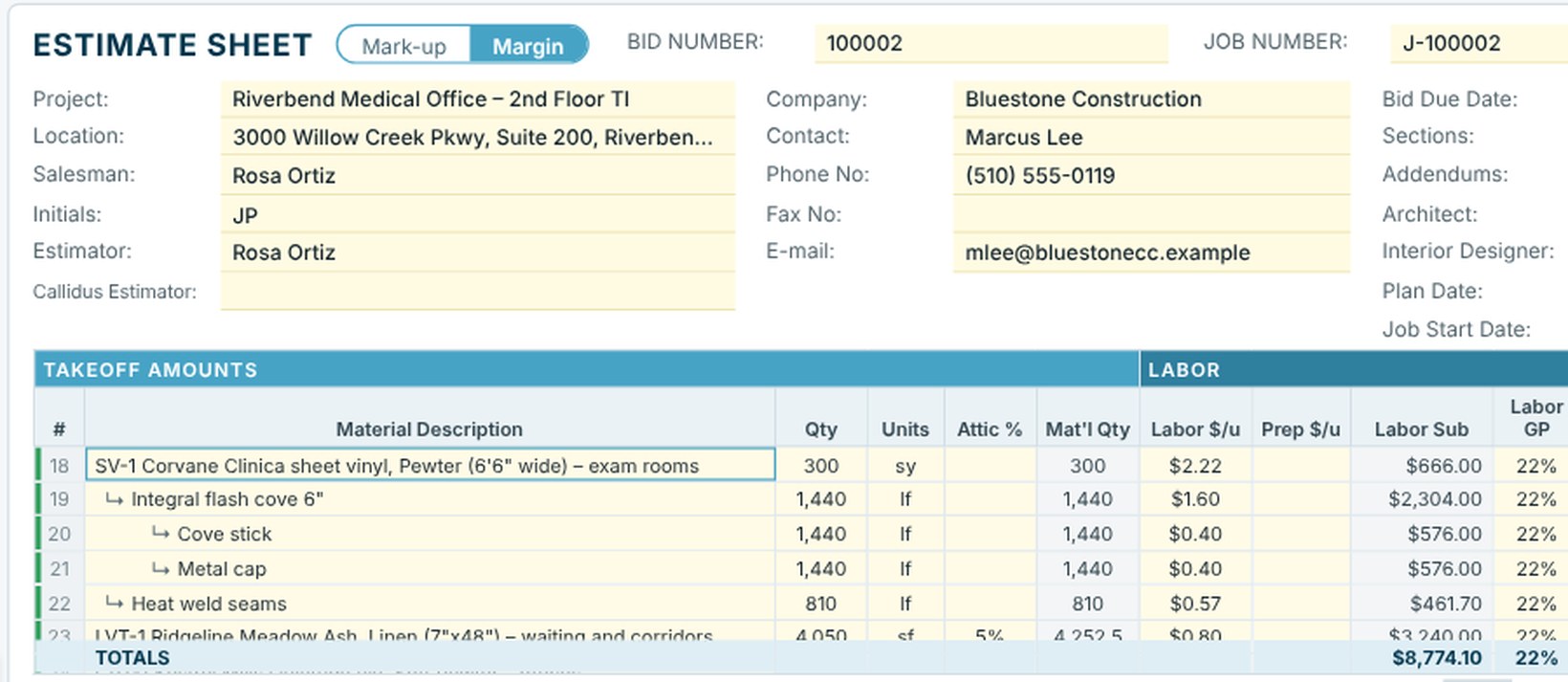
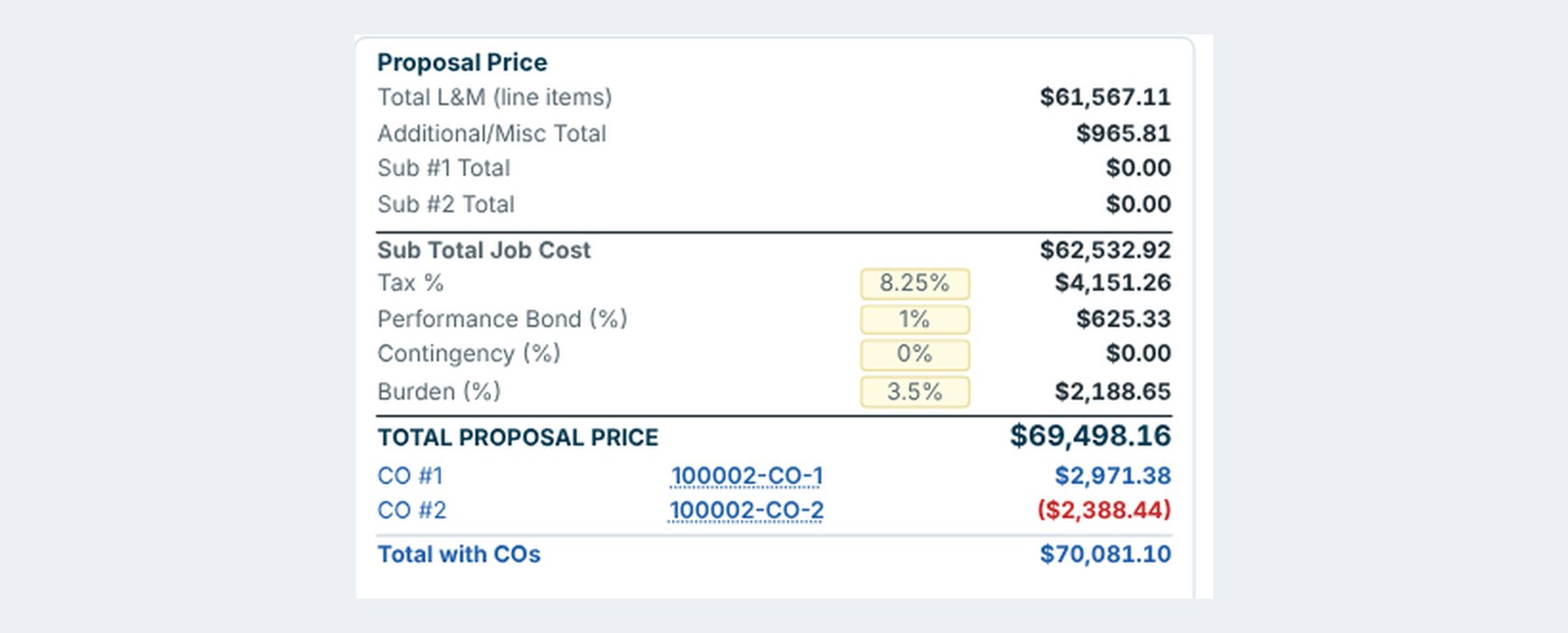
On their PC, Estimate Quote opens with the full estimate sheet: takeoff amounts, labor, material, subs and the recap. Here, RO-100002 Riverbend Medical Office, estimator Rosa Ortiz.
The proposal price reads $69,498.16, and with two change orders $70,081.10. The title bar reads Linked · BidWise seat.
5Print the proposals
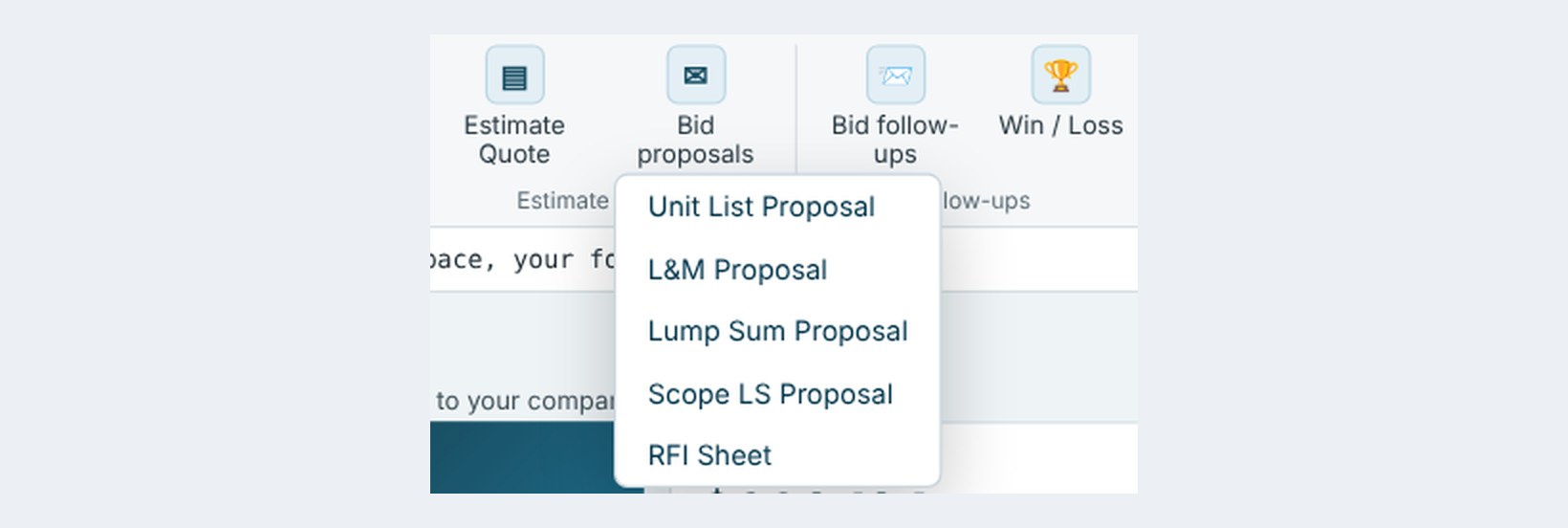
Bid proposals on the Home ribbon opens the same proposals as BidWise: Unit List, Labor and Material, Lump Sum, Scope Lump Sum and the RFI Sheet.
The salesman prints or emails the proposal from their own PC, the same way an estimator does.
Give a seat for the busy season, and take it back after. The seat goes back to your pool, and their quotes stay on their PC.
6What can go wrong, and how to fix it
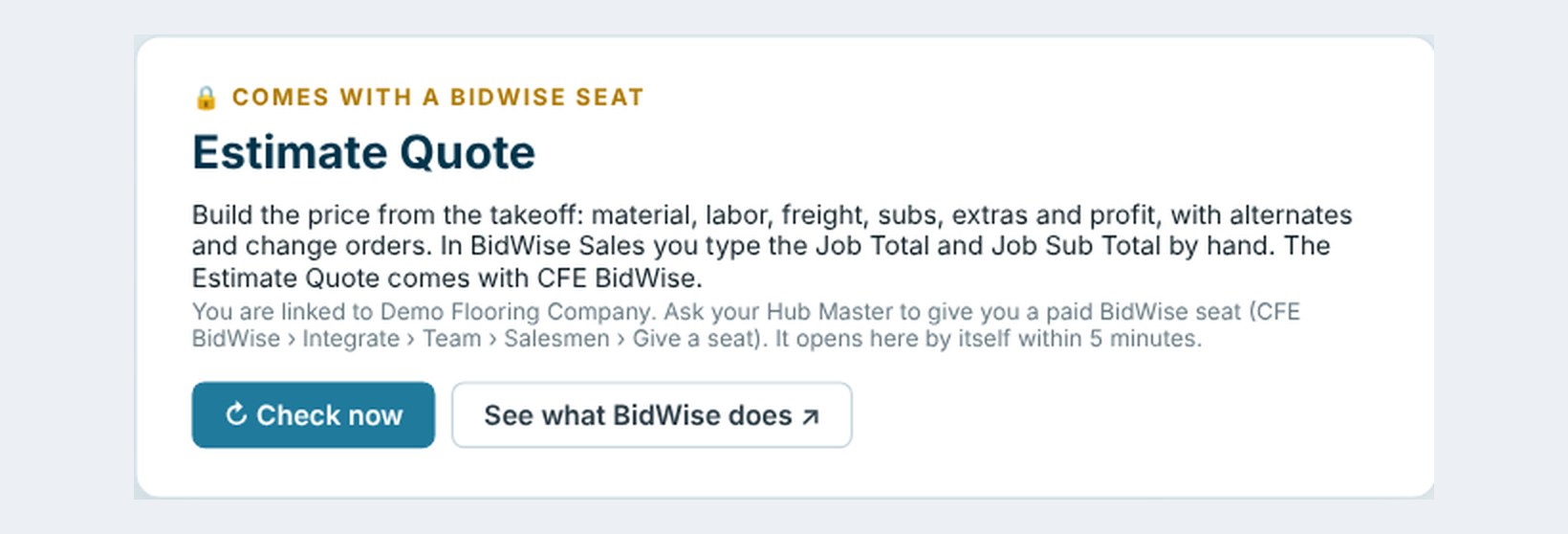
Estimate Quote is still locked. It can take up to 5 minutes. Click Check now on the card.
Give a seat does nothing. All your paid seats are used. Click Add seats, or take a seat back from someone.
The salesman cannot find the plans. The company folder is not shared with them. Share it, then they pick it in Settings › How I use it.
Worked example: Rosa gets a seat for the busy season
What changes in Rosa’s BidWise Sales:
| Without a seat | With a seat | |
|---|---|---|
| Job Total | Typed by hand | From the Estimate Quote |
| Estimate Quote | Locked | Open |
| Bid proposals | Locked | Unit List, L and M, Lump Sum, Scope |
| Paid seat | None | One, until Take back |
In January, Dana clicks Take back, and the seat goes back to the company.
What to do next
Next, set the board rules in Job Bid Board settings. Or see all the step-by-step guides.
Let your salesmen quote
Download CFE BidWise and give a seat when you need it. The Job Bid Board comes with every CFE BidWise plan. Start with the 30-day free trial, no credit card.
Frequently Asked Questions
Does a linked salesman need a seat?
No. Only to use Estimate Quote, takeoff and proposals in BidWise Sales.
How long until the seat works?
Within 5 minutes. Check now on the locked card checks at once.
Can I take the seat back?
Yes. Click Take back on their line in Integrate › Team.

Written by
Cristian Valcu – Founder & CEO, Commercial Flooring Estimating LLC
Cristian has estimated commercial flooring for over 20 years and built CFE BidWise around the way flooring contractors actually price, propose and track their bids.
Last updated: