
CFE guide · Job Bid Board
Job Bid Board in CFE BidWise: Review, Take It, Pass and New Quote
Open the Job Bid Board in CFE BidWise. Every bid the salesmen add in BidWise Sales is listed with its due date, GC, scope and status, without prices. Press Review, then Take it with the estimator and expected date, or Pass with note. At Takeoff complete the salesman gets a notice, and New Quote from this bid starts the Estimate Quote with nothing typed twice.


Why it matters
Without a board, estimators find out about a bid from a forwarded email, two estimators start the same takeoff, and the salesman calls to ask who has it.
The Job Bid Board shows every bid, who took it and when it is expected, and blocks a second bid for the same GC and project.
The 7 steps
- Open the Job Bid BoardEvery bid dropped in.
- Review a bidAll the boxes, no prices.
- Take it or passWith a note to Sales.
- Takeoff complete, New QuoteNothing typed twice.
- Board settingsRules for everyone.
- Give a seatUnlock Estimate Quote.
- What can go wrongSame GC, same job.
1Open the Job Bid Board

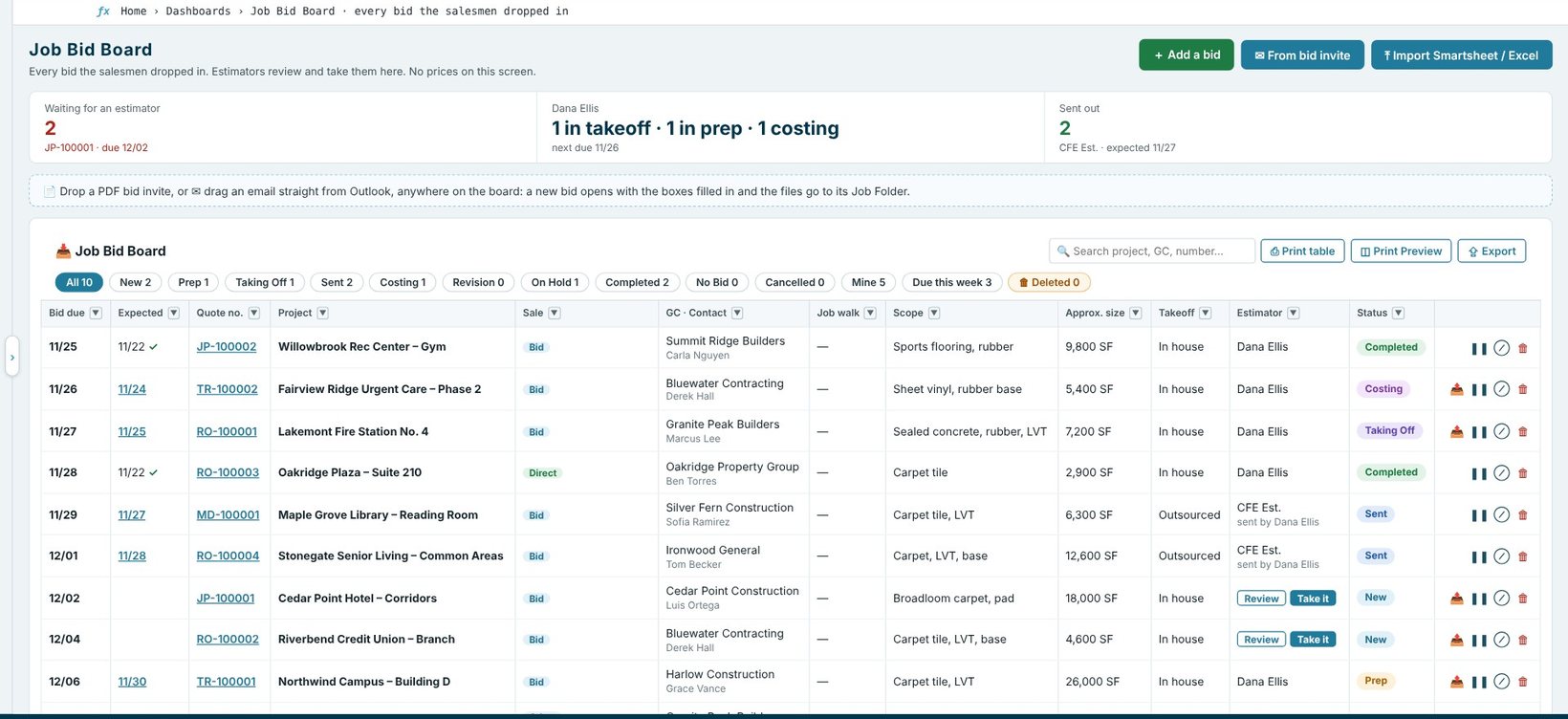
In CFE BidWise, open Job Bid Board. The cards show the bids waiting for an estimator, who is taking off what, and what is sent out. Each row has the bid due date, the expected date, the project, GC and contact, scope, size, takeoff, estimator and status.
2Review a bid
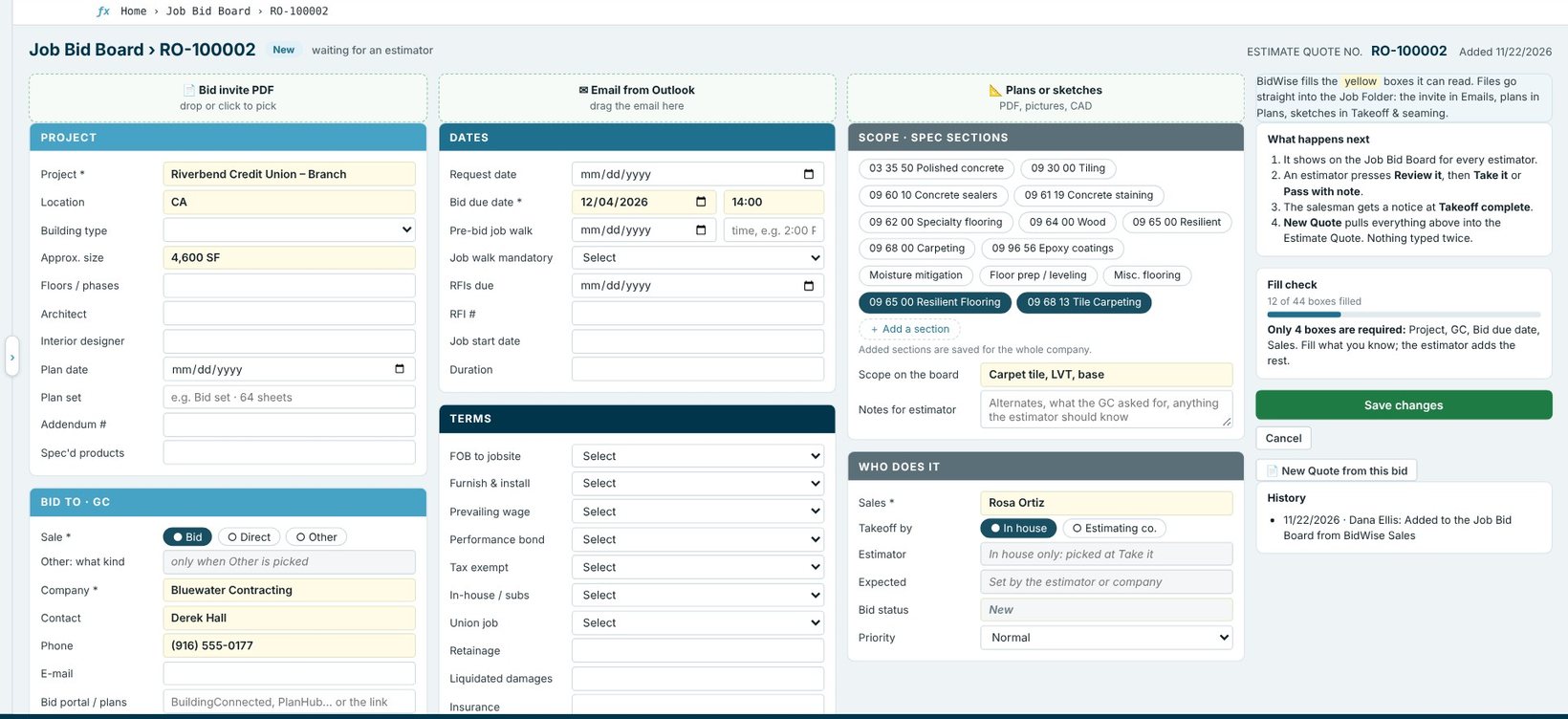
Press Review on a New bid. It opens with every box the salesman filled: project, dates, scope sections, bid to GC and who does it. The History shows it was added from BidWise Sales.
Take or pass every bid within two days. The board shows bids nobody took in red, and the salesman can tell the GC early if you are not bidding.
3Take it, or pass with a note
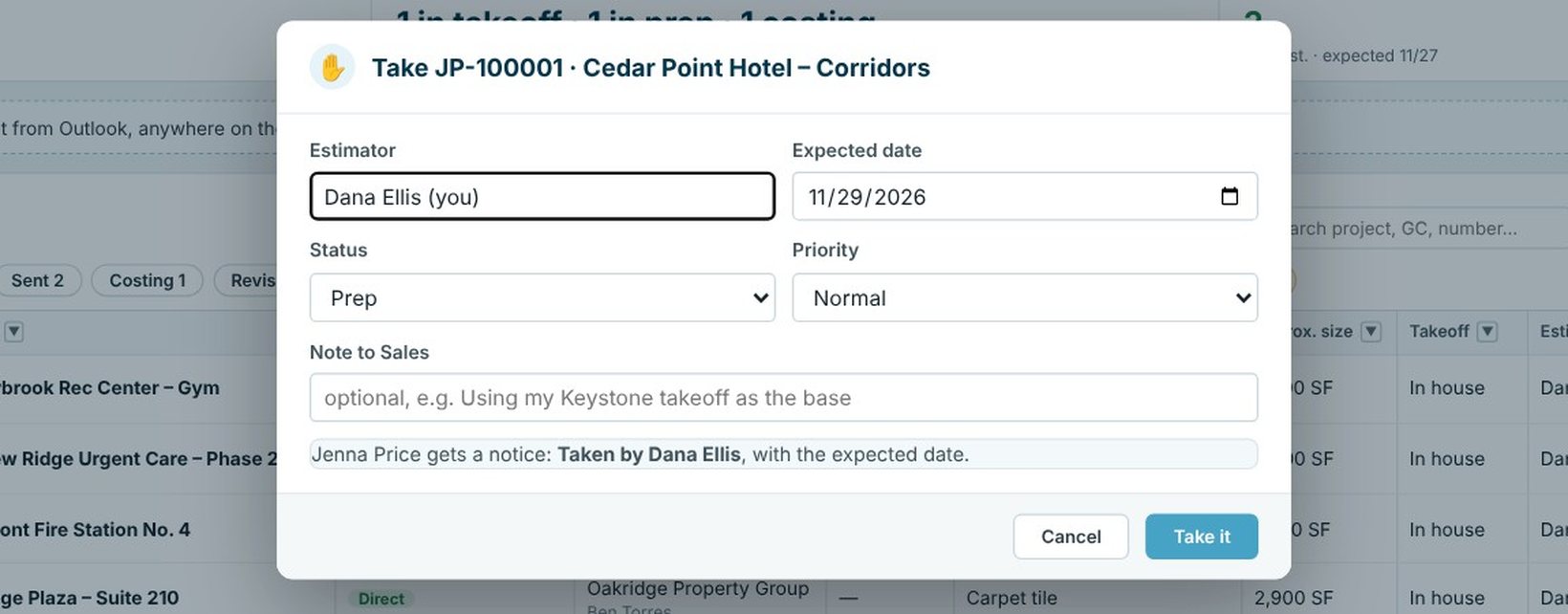
Press Take it. Pick the estimator, the expected date, the status and the priority. Add a note to Sales if you like. The salesman gets a notice: taken, with the expected date.
Not bidding it? Press Pass with note on the ribbon, and say why.
4Takeoff complete, then New Quote


When the takeoff is done, press Takeoff complete. The salesman gets a notice. Press New Quote from this bid. Everything on the bid goes into the Estimate Quote. Nothing typed twice.
5Set the board rules
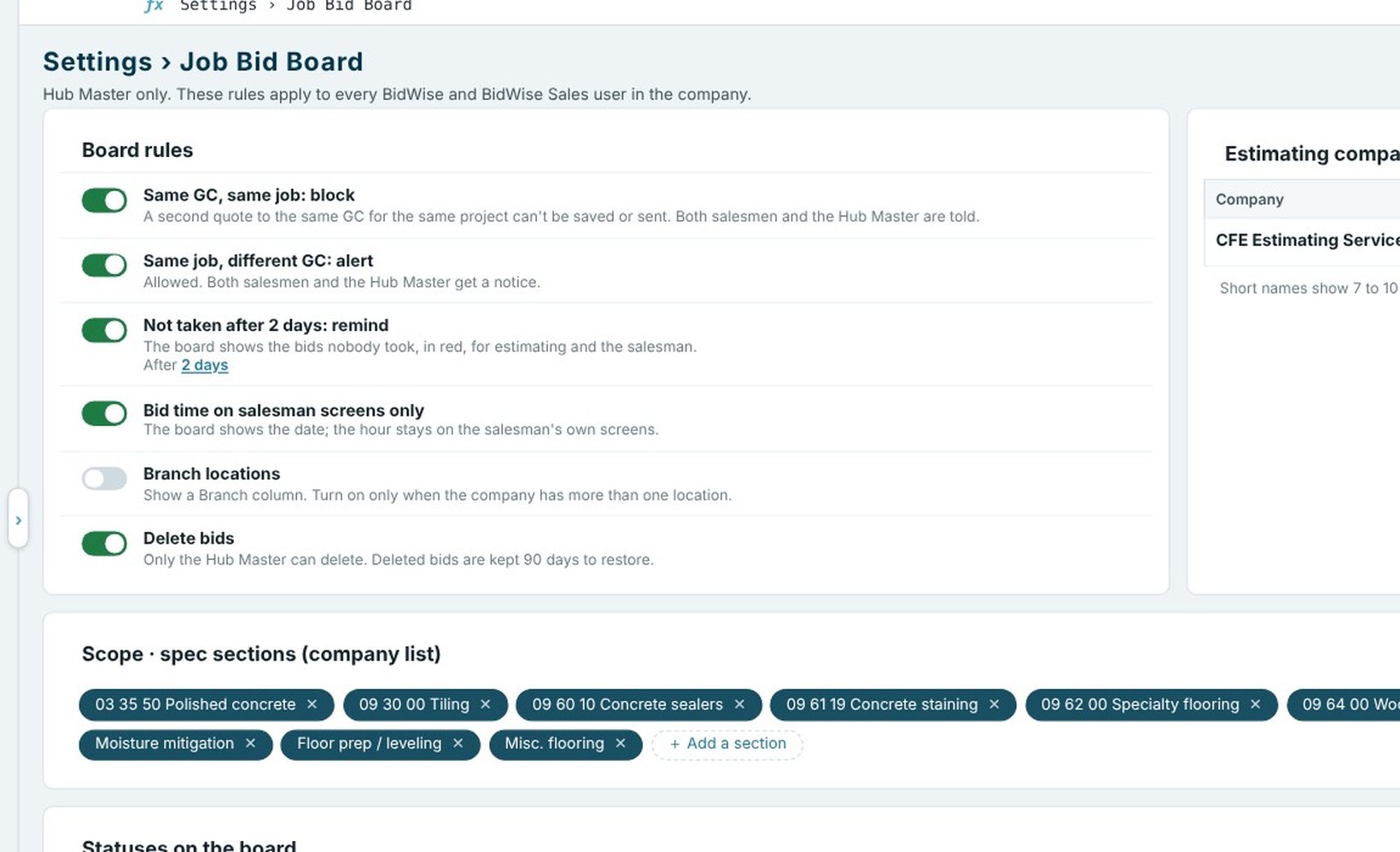
The Hub Master opens Job Bid Board settings. Same GC, same job: block, stops a second bid for the same project. Not taken after 2 days shows the bid in red. Add your estimating companies, scope sections and statuses here too.
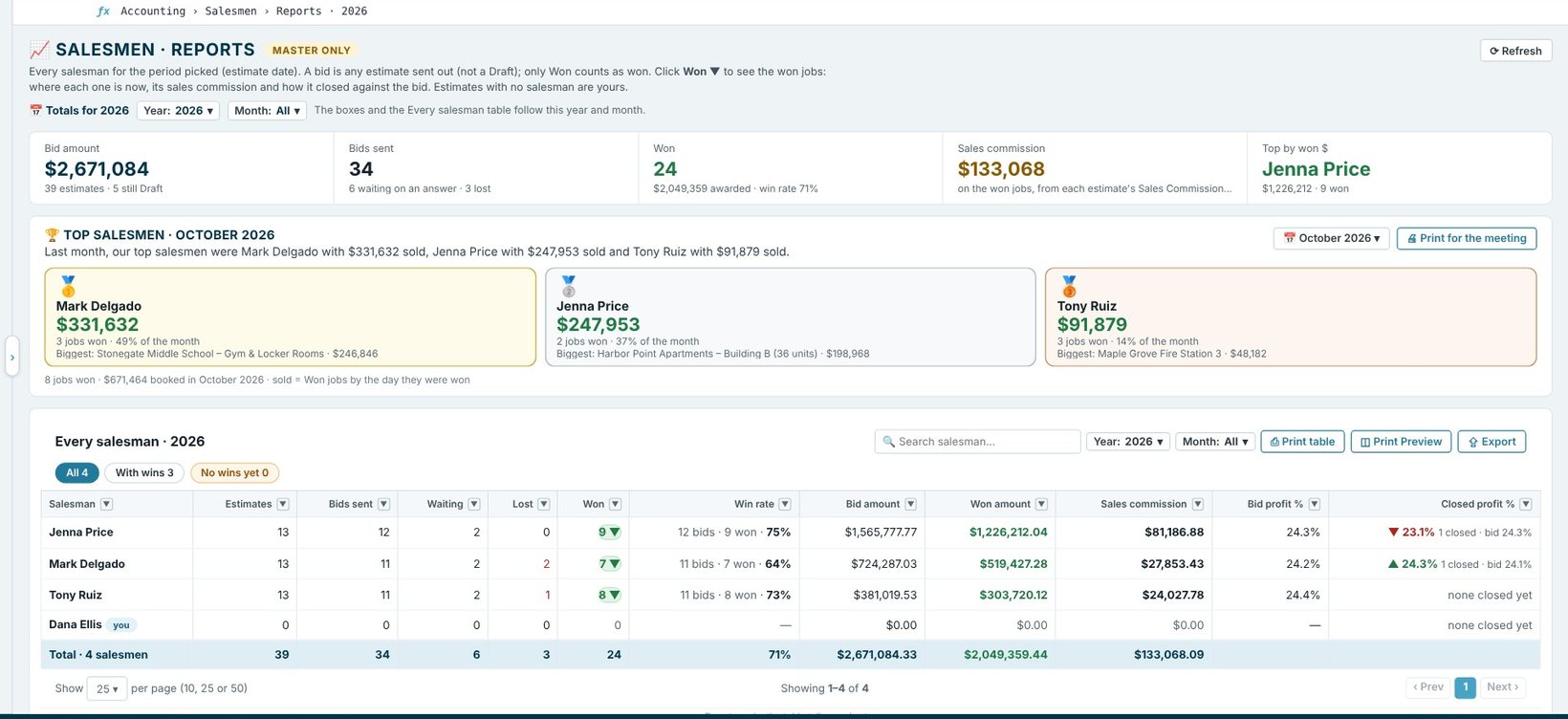
Accounting, Salesmen reports shows each salesman: estimates, bids sent, won, win rate and commission.
6Give a salesman a BidWise seat
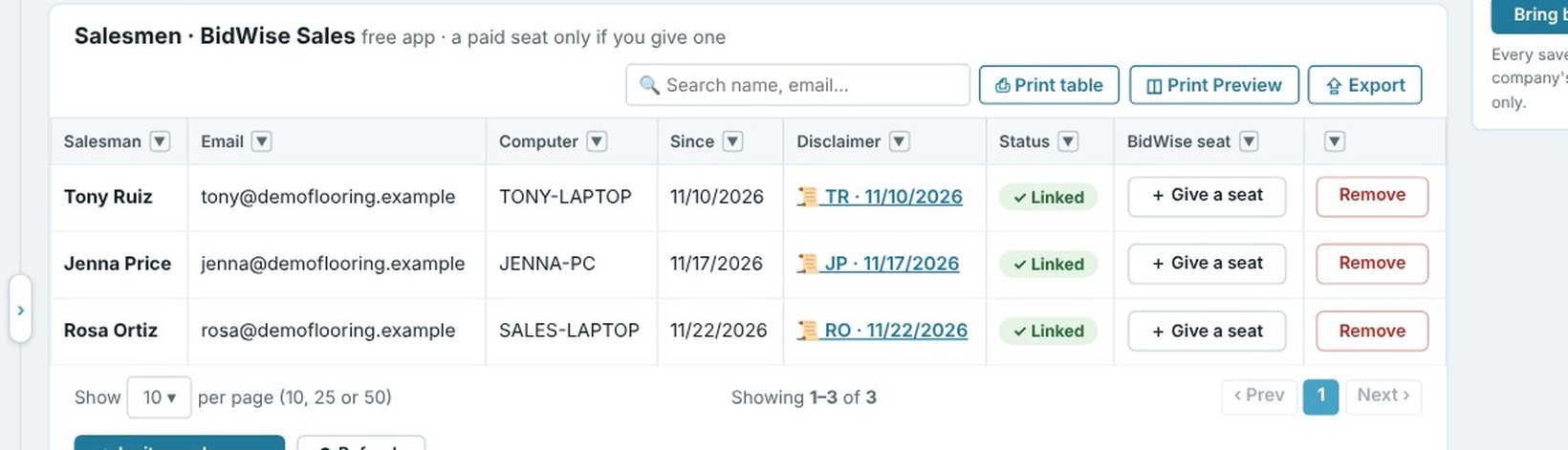
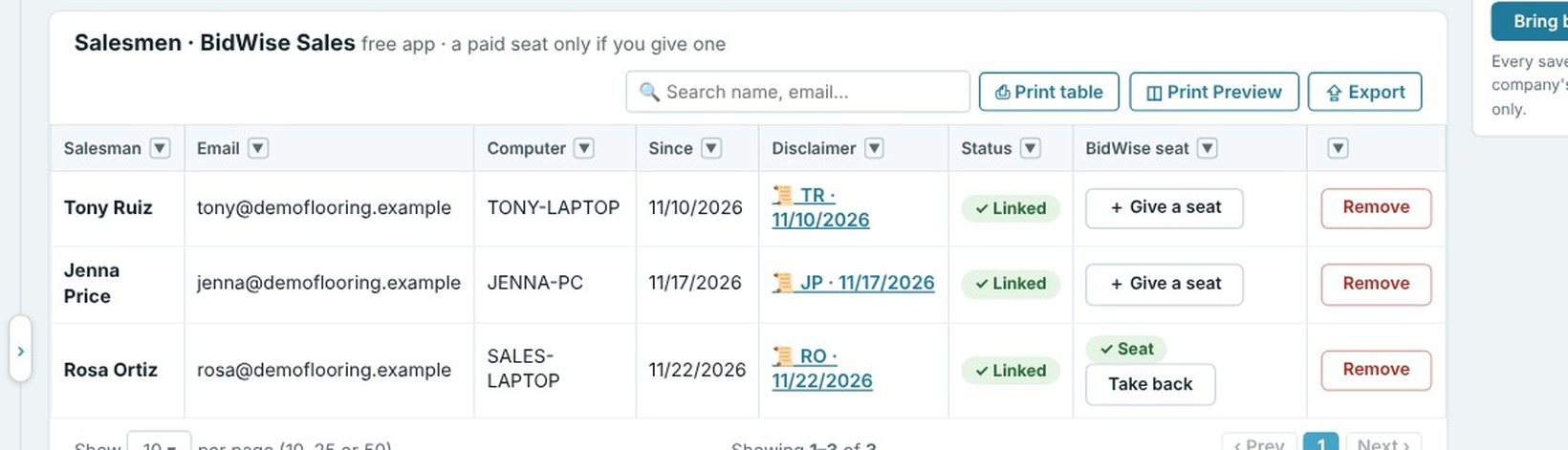
A salesman in BidWise Sales takes no seat and sees only the Job Bid Board. To let one price jobs, open Integrate, Team, Salesmen and press Give a seat. It uses one of your paid seats and unlocks Estimate Quote, takeoff and Bid proposals in that salesman's BidWise Sales. Take back locks them again.
7What can go wrong, and how to fix it
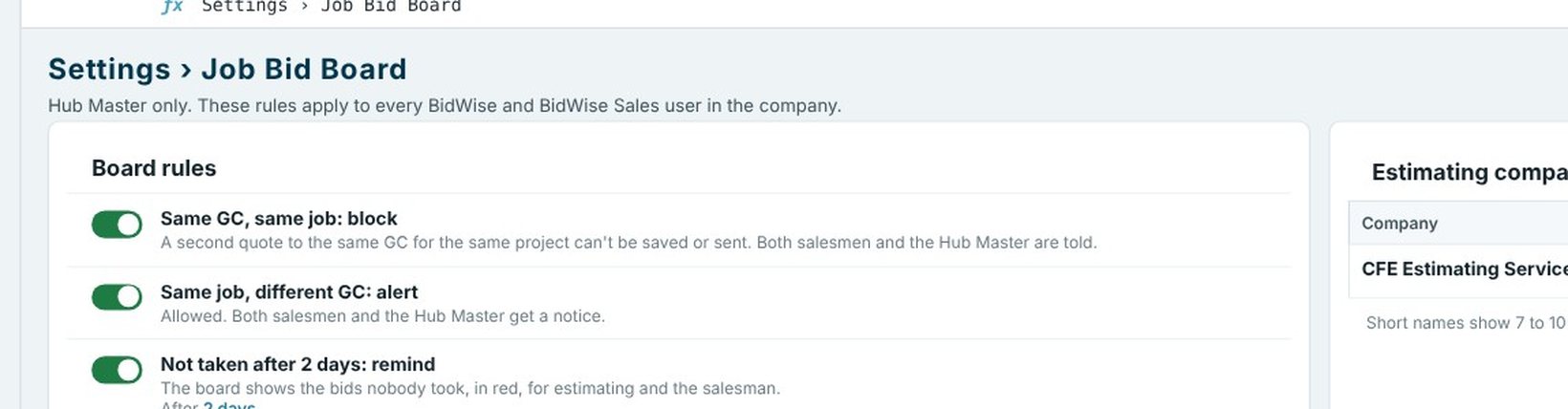
A bid is blocked: the same GC already has a bid for the same project. Open that bid instead.
A bid sits in red. Nobody took it in 2 days. Take it, or pass with a note so the salesman knows.
Worked example: Cedar Point Hotel, Corridors
| Day | What happened | Status |
|---|---|---|
| 11/22 | Rosa adds the bid in BidWise Sales | New |
| 11/22 | Dana takes it, expected 11/29 | Prep |
| 11/27 | Takeoff complete, Rosa notified | Costing |
| 11/29 | New Quote, sent to the GC | Completed |
One bid, two apps, zero retyping. The salesman always knows where the bid stands.
What to do next
That is the last guide for now. See all the step-by-step guides.
Run your Job Bid Board
The Job Bid Board comes with every CFE BidWise plan. Start with the 30-day free trial, no credit card.
Frequently Asked Questions
Can a salesman build quotes in BidWise Sales?
Only with a BidWise seat. In Integrate › Team › Salesmen press Give a seat: it uses one of your paid seats and unlocks Estimate Quote, takeoff and Bid proposals in that salesman’s BidWise Sales. Take back locks them again.
Do estimators see the salesman’s prices?
No. The Job Bid Board has no prices on the screen.
What happens when the same GC bids the same job twice?
With Same GC, same job: block on, a second bid for the same project cannot be saved, and both the salesman and the Hub Master are told.
Who can change the board rules?
The Hub Master, in Job Bid Board settings.

Written by
Cristian Valcu – Founder & CEO, Commercial Flooring Estimating LLC
Cristian has estimated commercial flooring for over 20 years and built CFE BidWise around the way flooring contractors actually price, propose and track their bids.
Last updated: