
CFE guide · Schedule and the field
Book an Install with the Next Open Crew
Click Book install, pick the job, and BidWise fills in the work days from the bid’s man days. Find next open crew lists each crew that is free for all those days, with a Use button. The dates skip weekends and holidays, and before you book, BidWise shows the material that will not be there on the first day.


Why book from BidWise?
An install booked from a guess runs long, lands on a holiday, or starts before the adhesive arrives.
Booking from BidWise uses the man days you bid, the crews that are really free, and the material on the job, so the date you give the GC holds.
The five steps
- Click Book installPick the job; days come from the bid.
- Find next open crewUse the crew that is free.
- Weekends and a noteWork weekends, note for the crew.
- Read the material warningWhat will not be there.
- What can go wrongNot ready, or booked twice.
1Click Book install and pick the job
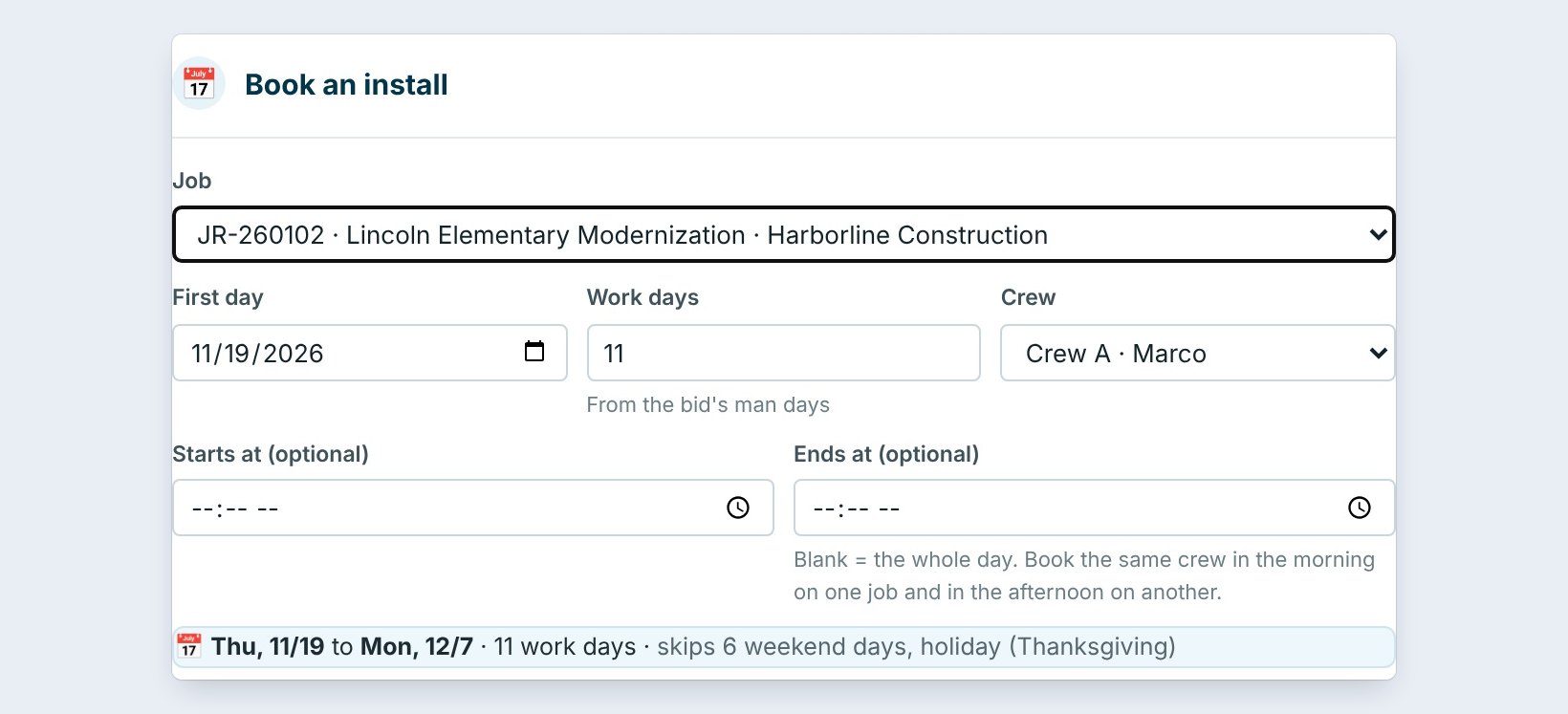
On the Schedule tab, click Book install. Pick the Job, here JR-260102, Lincoln Elementary Modernization for Harborline Construction. Work days fills in from the bid’s man days: 11.
Set the First day and the Crew. The line below shows the real dates: Thu 11/19 to Mon 12/7, 11 work days, skips 6 weekend days, holiday (Thanksgiving). Leave Starts at and Ends at blank for the whole day, or set them to book the same crew on two jobs in one day.
2Find the next open crew

Under Find next open crew, pick a trade or leave Any trade. BidWise lists every crew free for all the work days, from the first day on: Crew A, Marco, free Tue 12/8 to Tue 12/22, and Crew B and Pacific Tile from Thu 12/17.
Click Use on a crew. The crew and the first day are set for you.
3Weekends, and a note for the crew
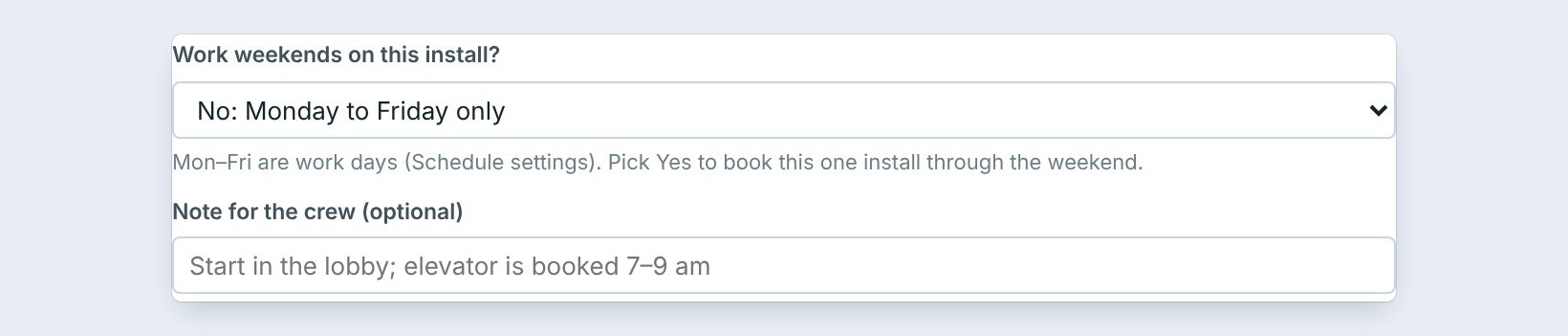
Work weekends on this install? is No: Monday to Friday only by default. Pick Yes to book this one install through the weekend, such as a school that must be done before the kids come back.
Type a Note for the crew, such as Start in the lobby; elevator is booked 7 to 9 am. The crew sees it on the Field app.
4Read the material warning, then book
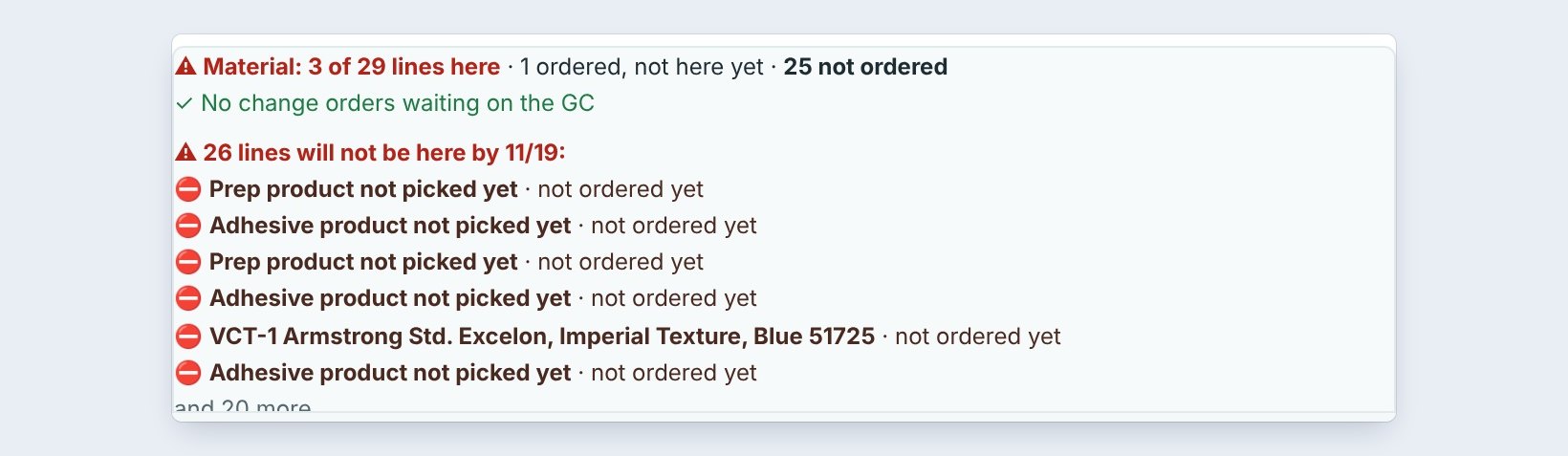
At the bottom, BidWise checks the job’s material: 3 of 29 lines here, 1 ordered and not here yet, 25 not ordered. 26 lines will not be here by 11/19, and the prep and adhesive product were never picked.
It also says No change orders waiting on the GC. If the material will be late, move the first day, or order it first. Then click Book install.
Book the install, then order to it. The first day becomes the date every PO and delivery is measured against, and Job Check warns 3 days before if a line is still not here.
5What can go wrong, and how to fix it

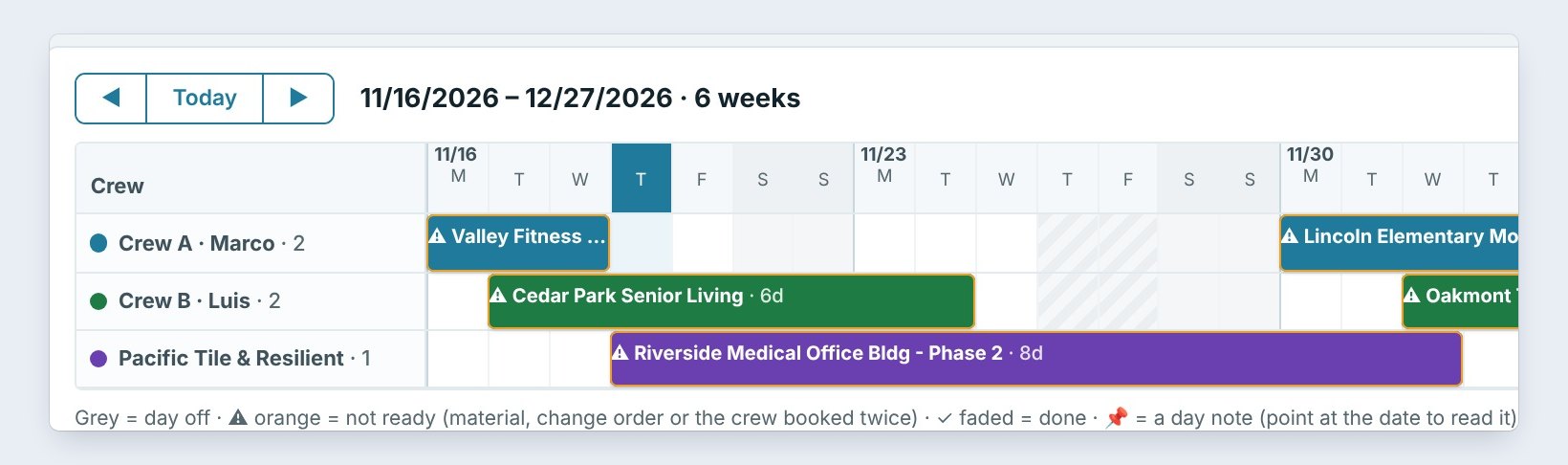
The install shows orange. It is not ready: material missing, a change order unsigned, or the crew booked twice. The Timeline lists them on top: 4 installs in the next 2 weeks are not ready.
The dates are too long. Work days come from the bid’s man days divided by the men in a crew. Change the work days in the box if the job changed.
The wrong crew. Click the bar on the Timeline to move it to another crew or day.
Worked example: booking Lincoln Elementary
Jordan books the Lincoln Elementary install on November 19:
| Field | Value |
|---|---|
| Work days | 11, from the bid’s man days |
| First choice | Crew A from 11/19, skips Thanksgiving, ends 12/7 |
| Material | 26 lines will not be here by 11/19 |
| Decision | Moved to Crew A, Tue 12/8, after the material arrives |
The GC gets a date the crew and the material can both make.
What to do next
Next: set in-house pay, standard and prevailing wage.
Book installs that hold
The schedule is part of CFE BidWise Business. Start with the 30-day free trial, no credit card.
Frequently Asked Questions
Where do the work days come from?
From the bid’s man days, divided by the men in a crew under Settings, Installers.
Can I book a crew for half a day?
Yes. Set Starts at and Ends at, and book the same crew on another job for the rest of the day.
Does it skip holidays?
Yes. Weekends and every holiday on the schedule are skipped, unless you set work weekends to Yes.

Written by
Cristian Valcu – Founder & CEO, Commercial Flooring Estimating LLC
Cristian has estimated commercial flooring for over 20 years and built CFE BidWise around the way flooring contractors actually price, propose and track their bids.
Last updated: