
CFE guide · Tracking and reports
Job Check: Every Open Job, Worst First
Job Check is one list of every open Won job, worst first. Each job gets a state, At risk, Watch or OK, from checks CFE BidWise runs on what it already has: ordering, the warehouse, the schedule, change orders, the Field app, job costs and invoicing. Each line says what needs doing, who should do it and by when, with a Fix it button.


Why a Job Check?
Most money lost on a flooring job is lost quietly. A crew shows up and the adhesive was never ordered. The labor was done two weeks ago and nobody billed it. The GC’s pay app cut-off went by.
All of that is already in CFE BidWise. Job Check reads it every morning and puts the jobs that will cost money first, so you fix them before they do.
The five steps
- Open Job CheckFrom the Dashboard or Home.
- Read the listState, job, phase and what needs doing.
- Open one jobEvery check for that job, in order.
- Fix itThe button opens the right screen.
- What can go wrongA job is missing, or a check is wrong.
1Open Job Check from the Dashboard
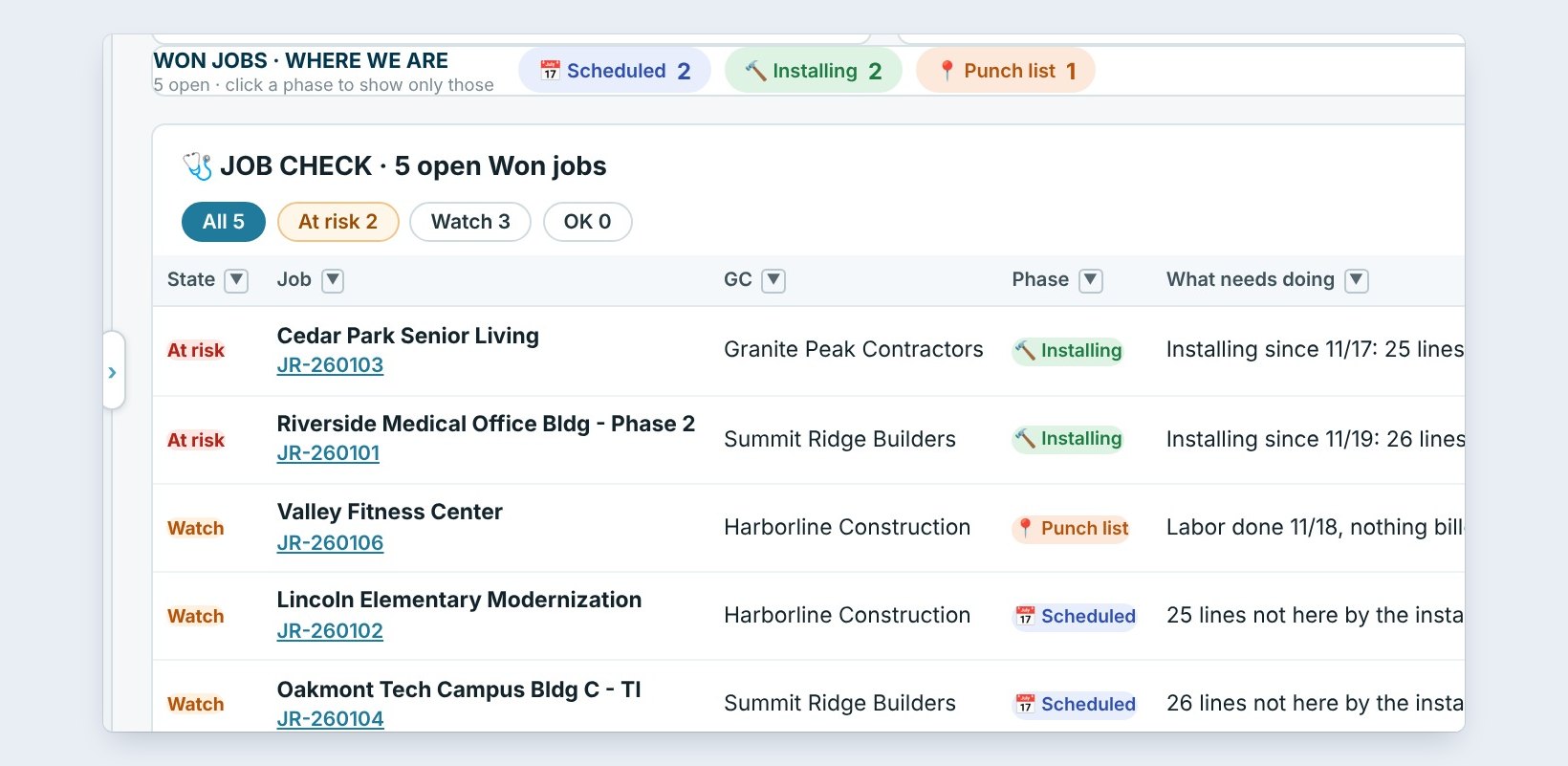
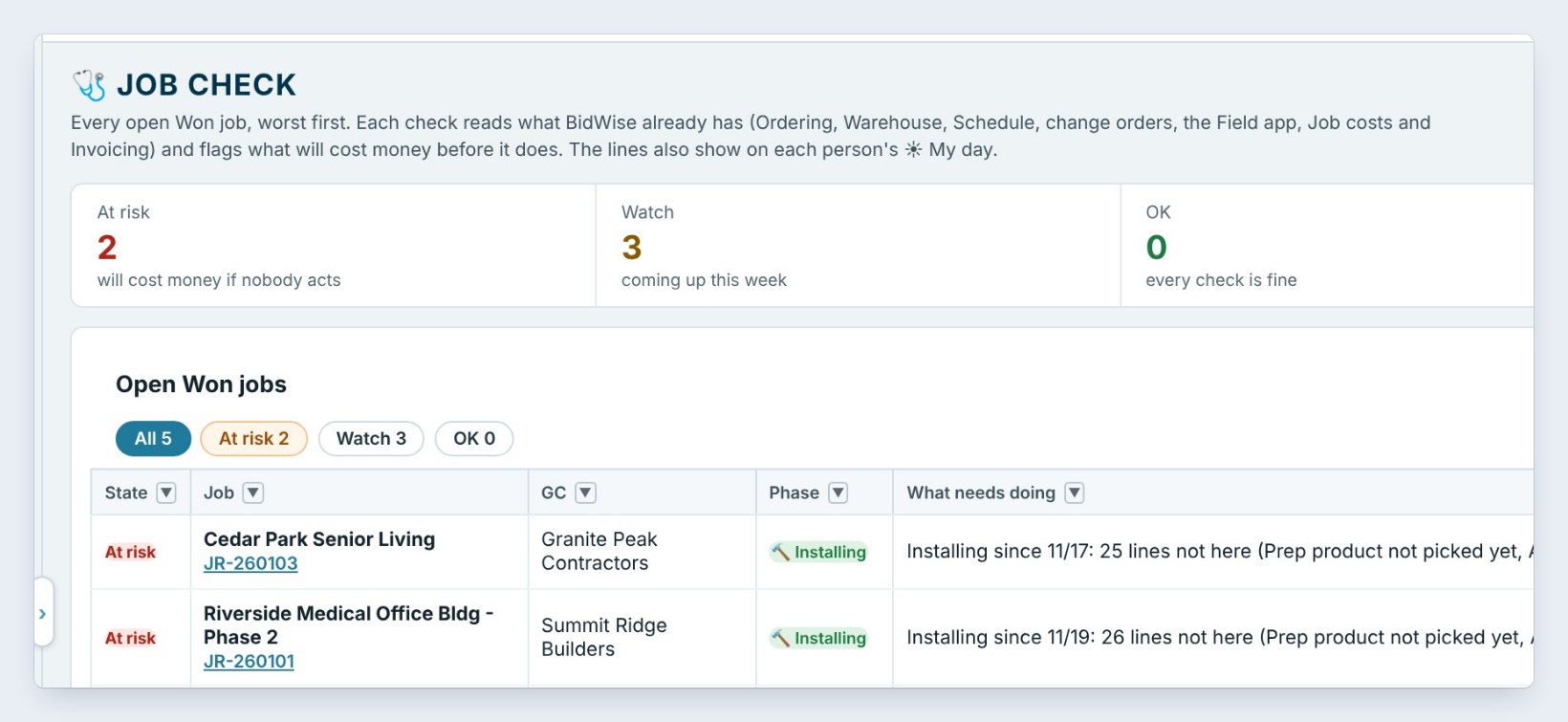
Job Check is on the Dashboard, right above the Bid Tracker: a box with every open Won job, here five, and the worst ones on top. Click Job Check on the Home ribbon to open the full page.
Across the top are the tiles. At risk, 2, will cost money if nobody acts. Watch, 3, is coming up this week. OK means every check is fine. Waiting on the GC counts site ready questions and unsigned change orders, and Checks on says how many checks your company runs, here 10.
2Read the list, worst first
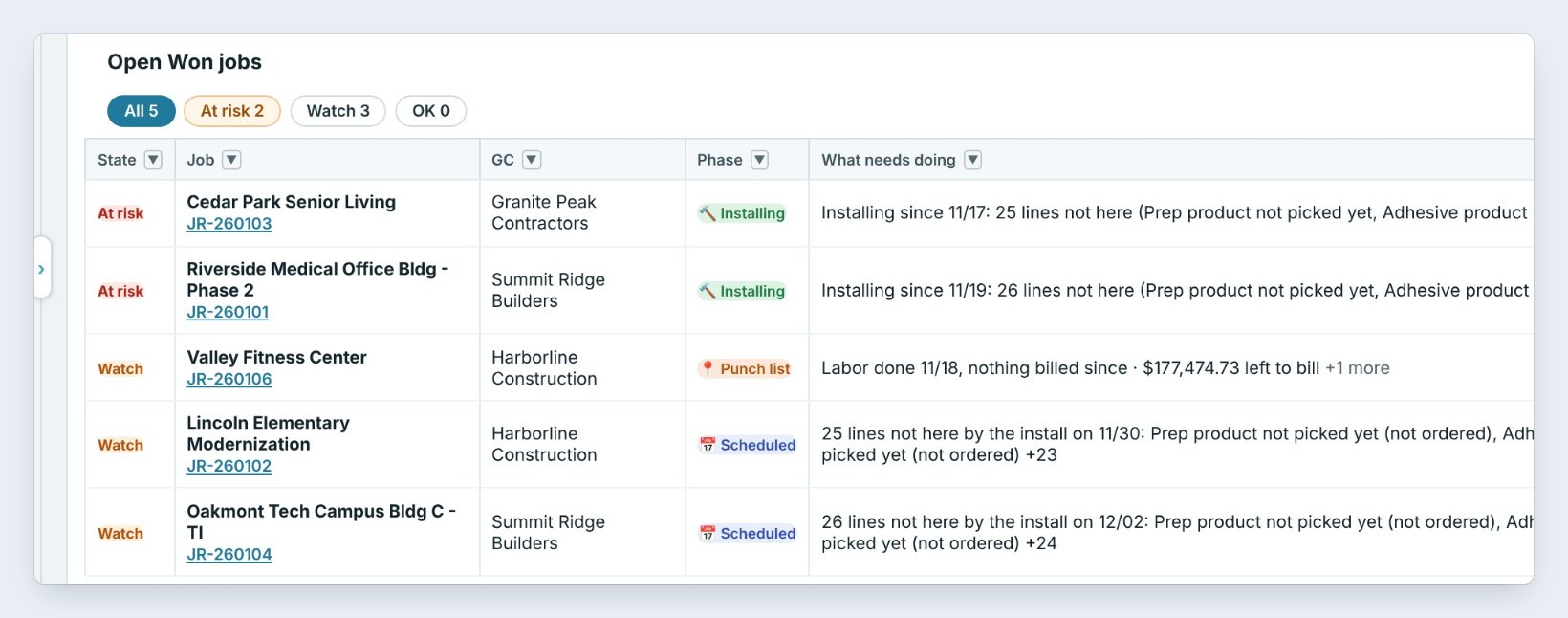
Each row is one job. Cedar Park Senior Living is At risk: it has been installing since 11/17 and 25 lines are not here, prep and adhesive never picked. Valley Fitness Center is on Watch: the labor was done 11/18, nothing has been billed since, and there is $177,474.73 left to bill.
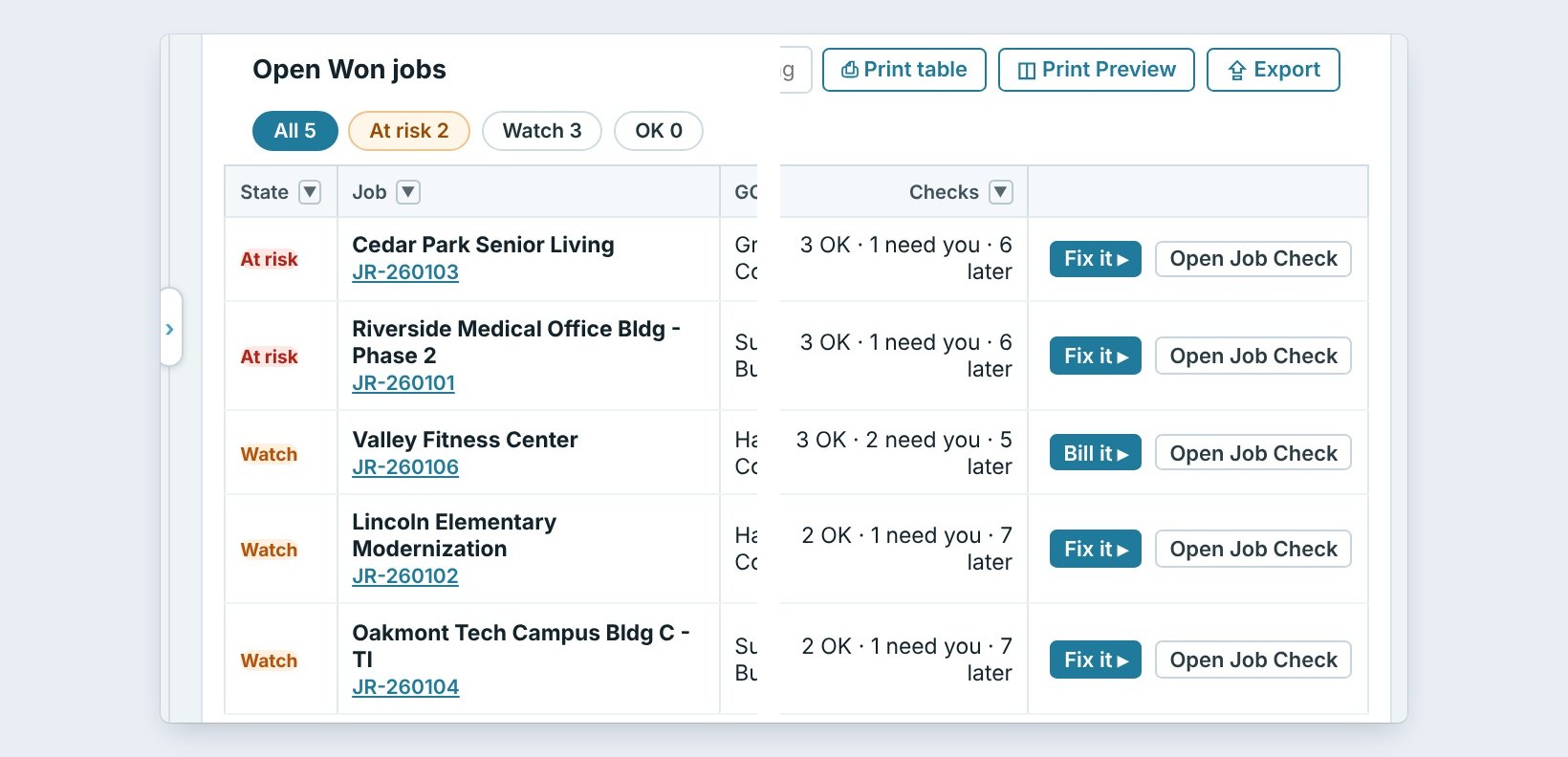
On the right: Who should act, the project manager or the accountant, Do by, Today in red or a date, and the Checks count, such as 3 OK, 1 need you, 6 later. Use the chips At risk, Watch and OK to show just those.
3Open one job’s Job Check
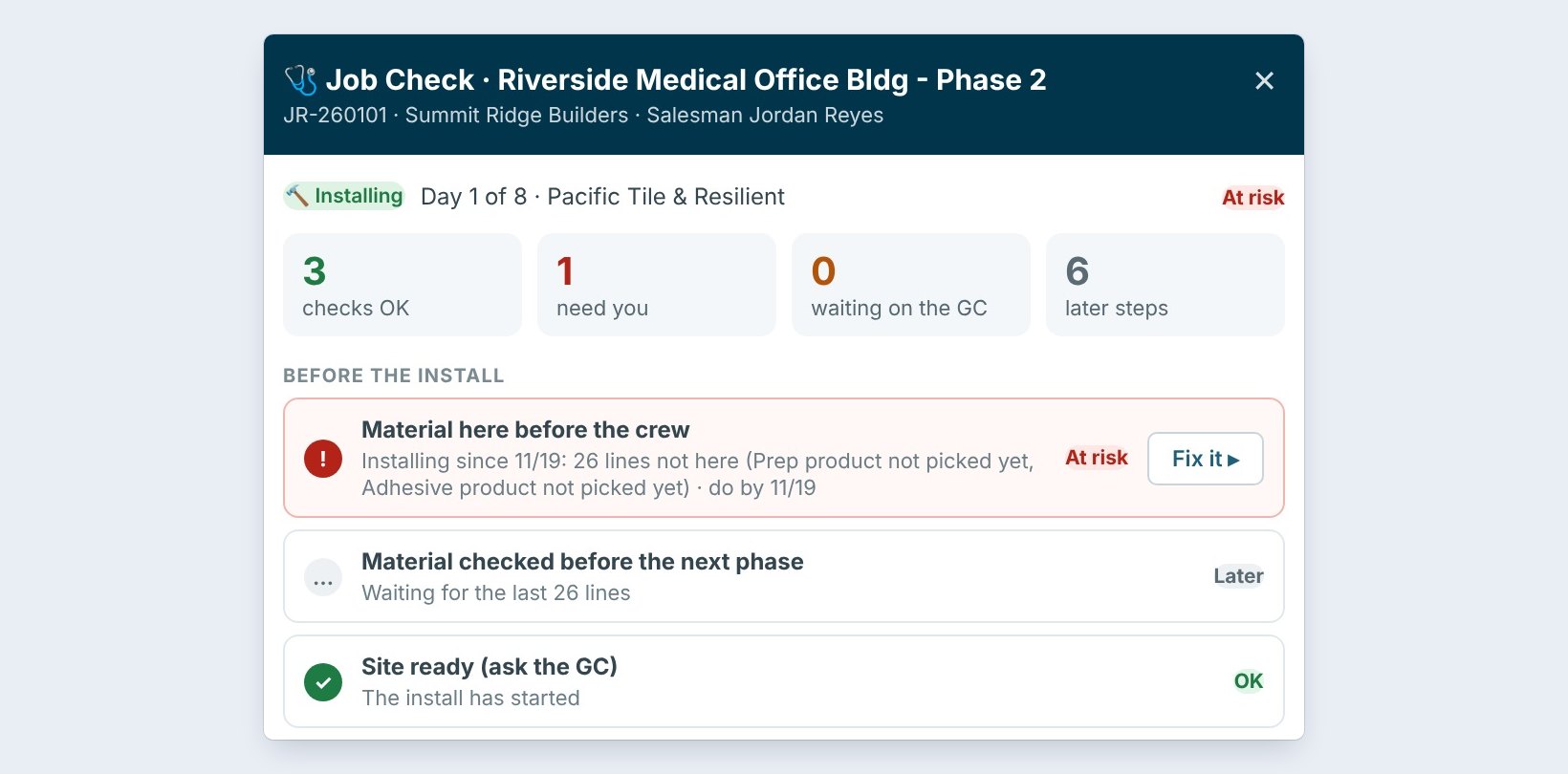
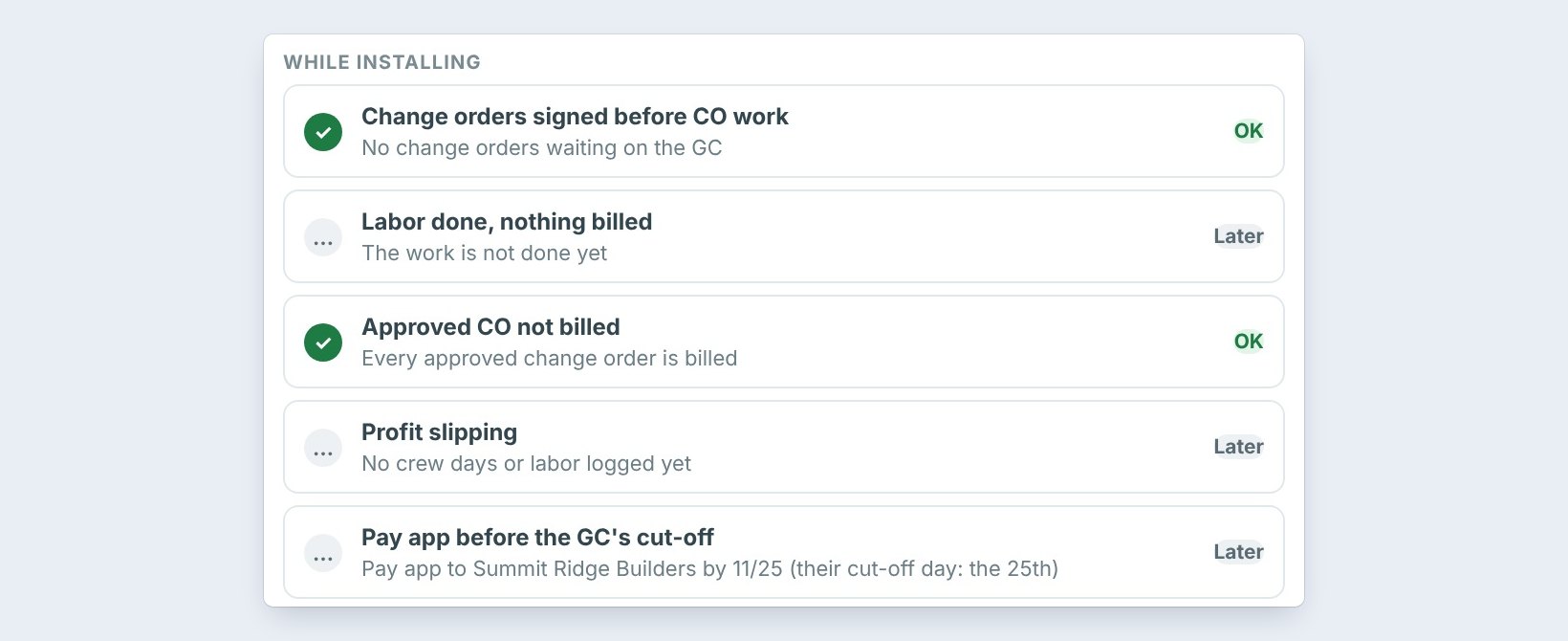
Click Open Job Check on a row. The panel lists every check for that job in the order the work happens. Before the install: material here before the crew, material checked, and site ready. While installing: change orders signed, labor done but nothing billed, approved change orders not billed, profit slipping, and the pay app before the GC’s cut-off. Closeout: retainage still held and closeout papers.
Each check says OK in green, Later in grey, or needs you, in red or amber, with a button to fix it.
Open the At risk jobs first thing in the morning. Job Check runs on what is already in BidWise, so there is nothing to type: fix the cause, click Refresh, and the line clears itself.
4Click Fix it, Bill it or Closeout
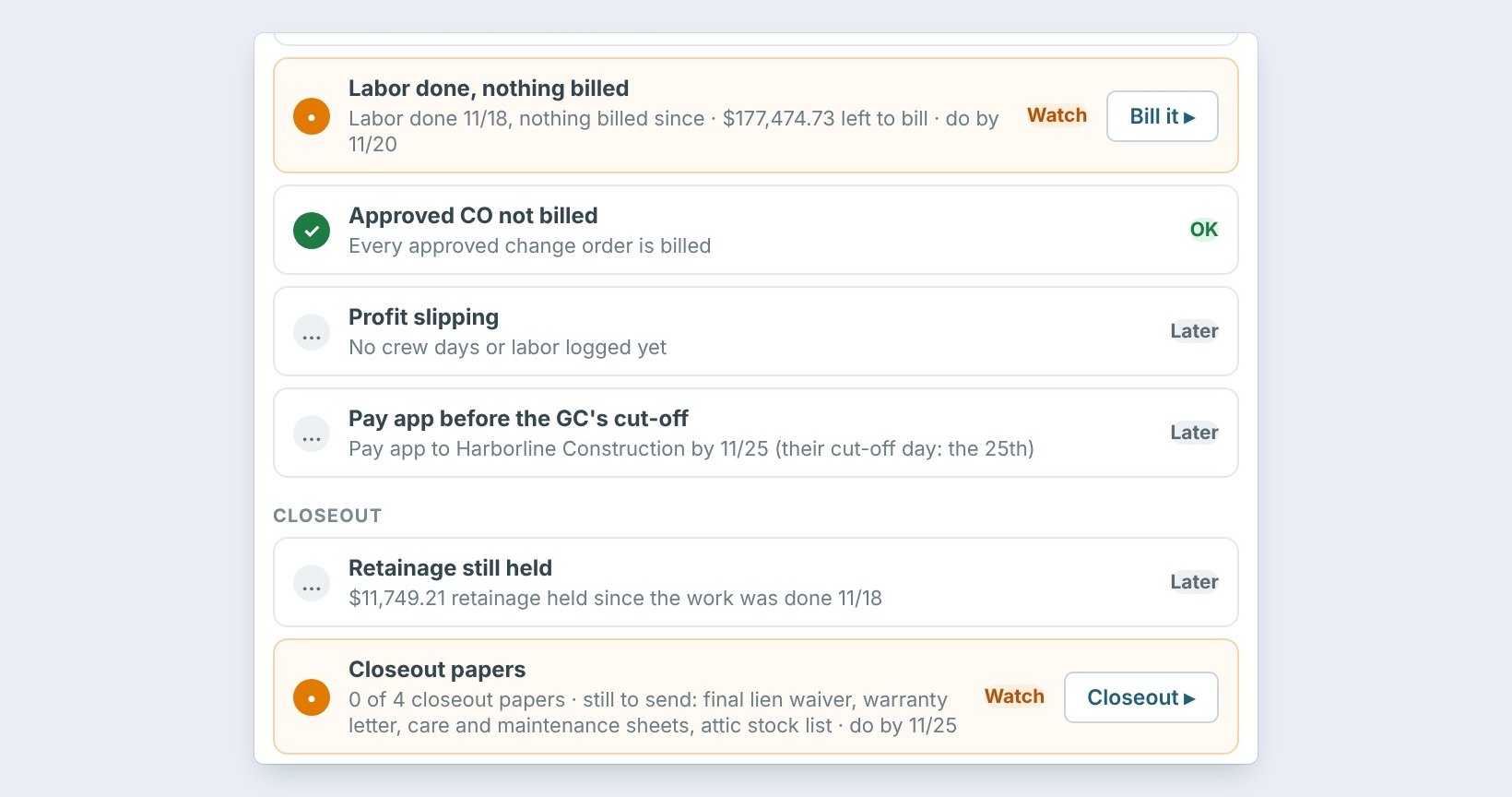
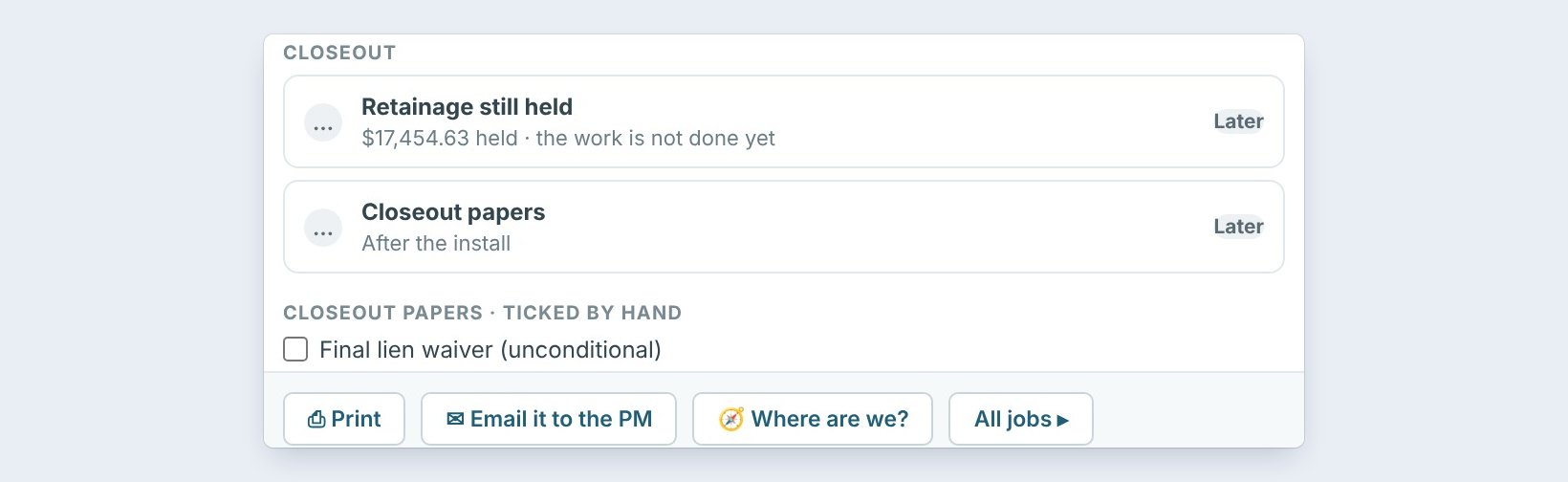
The button on each line goes straight to the fix. Fix it on a material line opens the material check. Bill it on Valley Fitness starts the invoice for the job, and Closeout lists the 4 papers still to send: the final lien waiver, the warranty letter, care and maintenance sheets and the attic stock list.
At the bottom of the panel: Print, Email it to the PM, and Where are we?, which shows the job’s phase and every step from contract to closed.
5What can go wrong, and how to fix it
A job is not on the list. Job Check shows open Won jobs only. A bid still marked Sent, or a job closed by mistake, will not show. Mark it Won in the Bid Tracker.
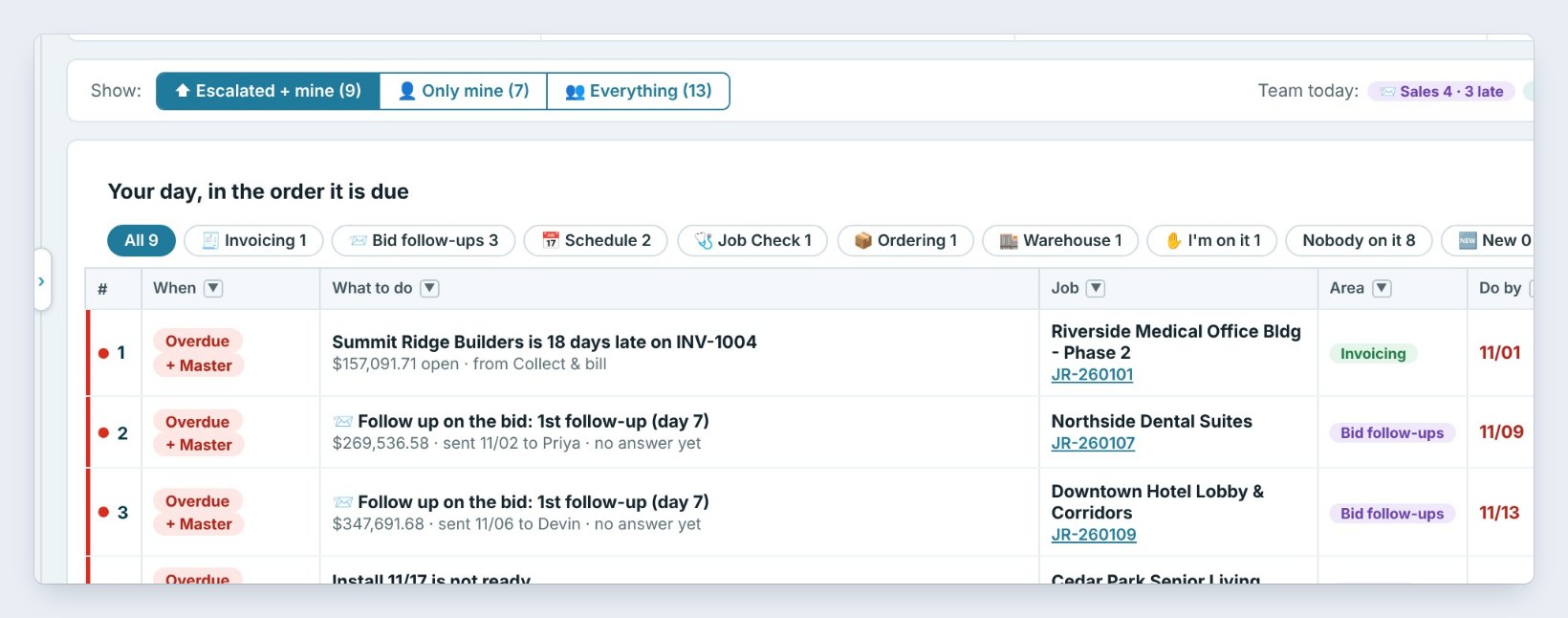
Nobody acted on a line. Every Job Check line also lands on the right person’s My day. If it sits there two days overdue, it goes up to the Master user too.
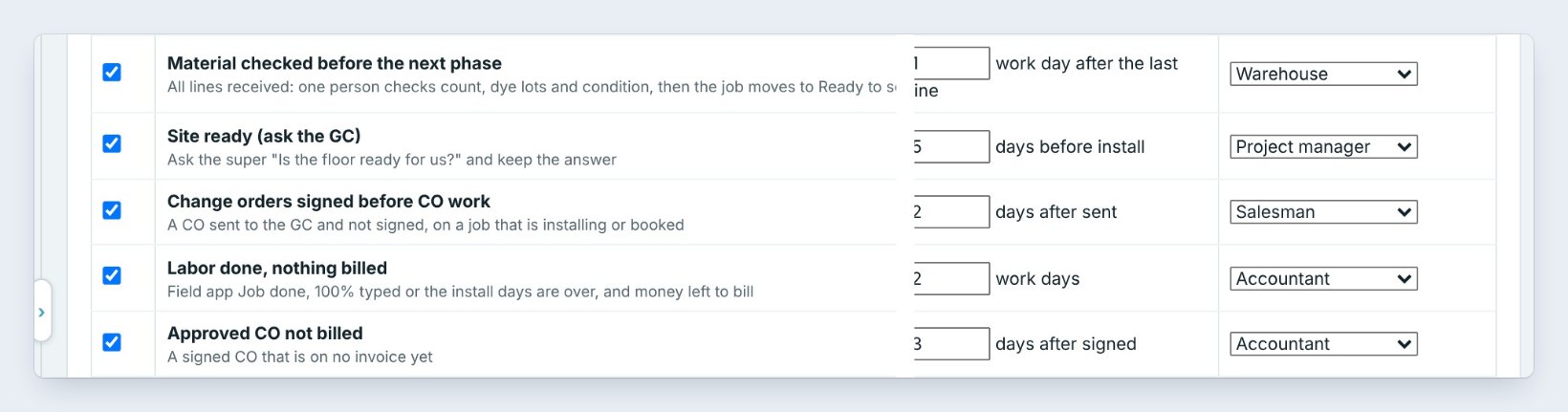
A check is wrong for your company. The Master user turns checks on or off, and sets when and who, in Job Check settings.
Worked example: Thursday morning, November 19
Jordan opens the Dashboard at 9:00 AM. Job Check shows five open jobs:
| Job | State | What needs doing | Who, by when |
|---|---|---|---|
| Cedar Park Senior Living | At risk | 25 lines not here, installing since 11/17 | Project manager, today |
| Riverside Medical Office Bldg | At risk | 26 lines not here, installing since 11/19 | Project manager, today |
| Valley Fitness Center | Watch | Labor done 11/18, $177,474.73 left to bill | Accountant, 11/20 |
| Lincoln Elementary | Watch | 25 lines not here by the 11/30 install | Project manager, 11/27 |
The two At risk jobs get the prep and adhesive ordered before lunch. The accountant bills Valley Fitness the same day, a week sooner than the month-end run.
What to do next
Next: fix a Job Check line: material, site ready and closeout.
Catch the next problem before it costs you
Job Check is part of CFE BidWise Business. Start with the 30-day free trial, no credit card.
Frequently Asked Questions
Do I type anything into Job Check?
No. Every check reads what CFE BidWise already has: ordering, receiving, the schedule, change orders, the Field app, job costs and invoices. Fix the cause and the line clears itself.
Who sees Job Check?
Everyone on the team sees the list. Each line also lands on the My day of the person it belongs to: the project manager, the warehouse, the salesman or the accountant.
Is Job Check on CFE BidWise Personal?
No. Job Check is on CFE BidWise Business.

Written by
Cristian Valcu – Founder & CEO, Commercial Flooring Estimating LLC
Cristian has estimated commercial flooring for over 20 years and built CFE BidWise around the way flooring contractors actually price, propose and track their bids.
Last updated: