
CFE guide · BidWise Job Board
"Are We Bidding on It?" Ask Your Phone: The Job Bid Board on a Job Walk
Open the Job Bid Board on your phone. It lists the last 30 company bids, 10 a page, with the bid date, project, GC and estimator. Type a project or GC in Search every bid to search all bids, even older ones. Tap Mine for your own bids, and tap a bid to see its details. It is a preview: add and change bids in BidWise Sales on your computer.


Why it matters
On a job walk the GC asks: are you guys bidding the clinic? Who is estimating it, and when is it due? Calling the office means waiting, and guessing means a double bid or a missed one.
The phone board has the answer in a few taps: every bid the company is working on, who has it and when it is due. It never shows a price, so it is safe to hold up in front of anyone.
The 6 steps
- Open the boardLast 30 company bids.
- Ten a pageComing up, then the pager.
- Search every bidProject or GC.
- MineOnly your bids.
- Tap a bidDetails, preview only.
- What can go wrongNot found, old list.
1Open the board: the last 30 company bids
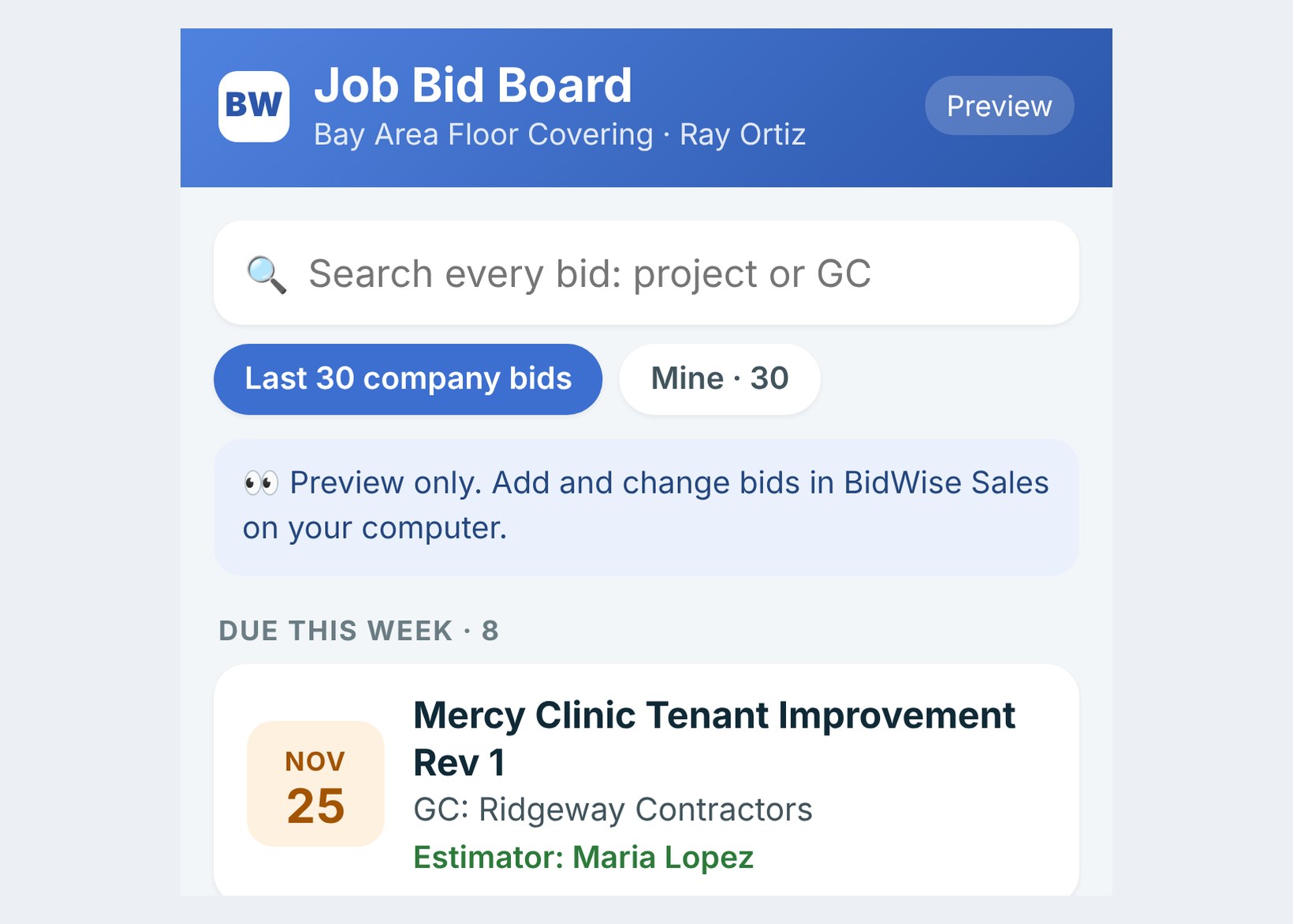
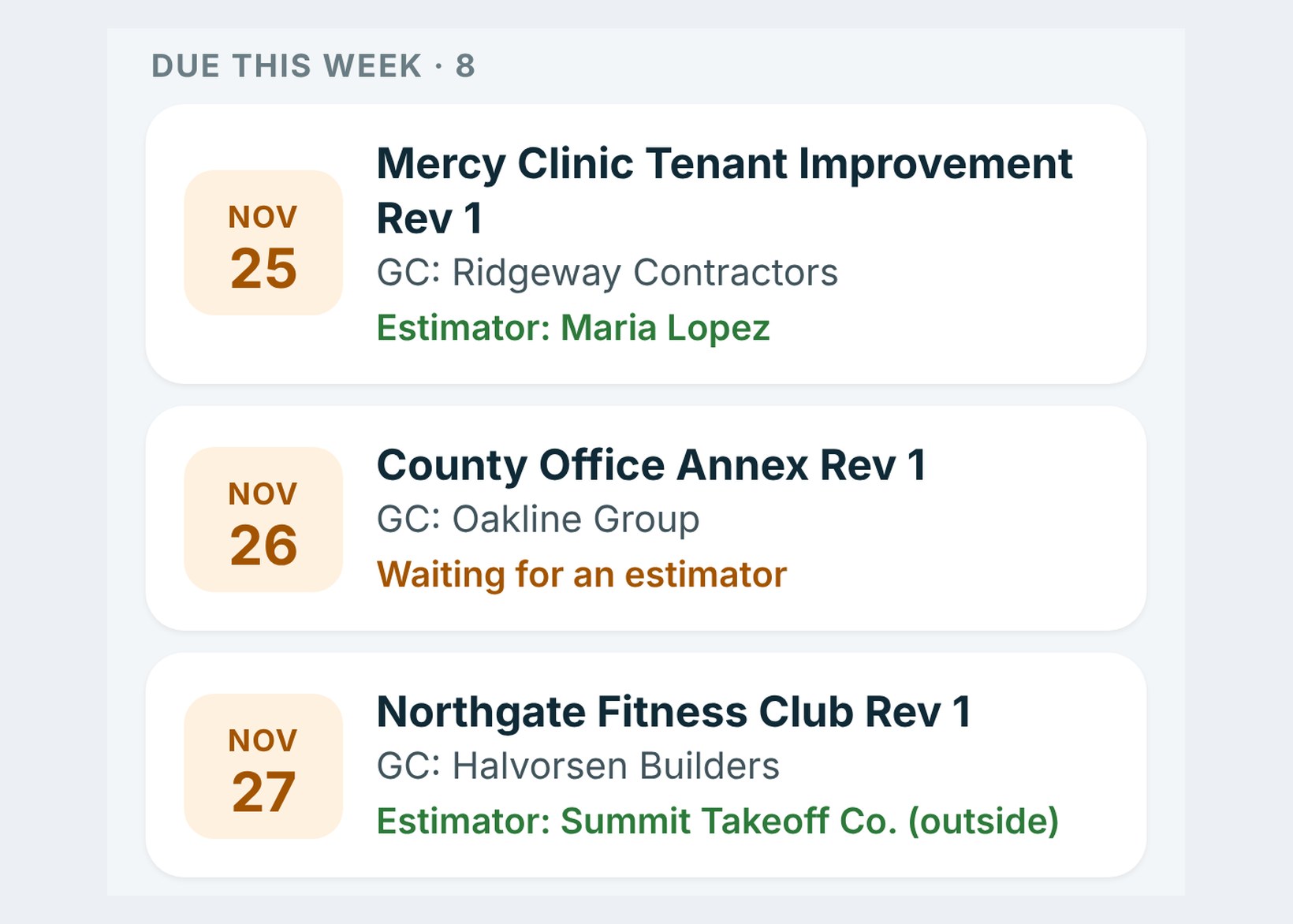
Tap the board icon on your phone. It opens on Last 30 company bids, with Due this week first: eight bids.
Each line shows the bid date, the project, the GC and the estimator. County Office Annex is still waiting for an estimator, and Northgate Fitness Club went to an outside takeoff company.
2Read 10 a page, then turn the page
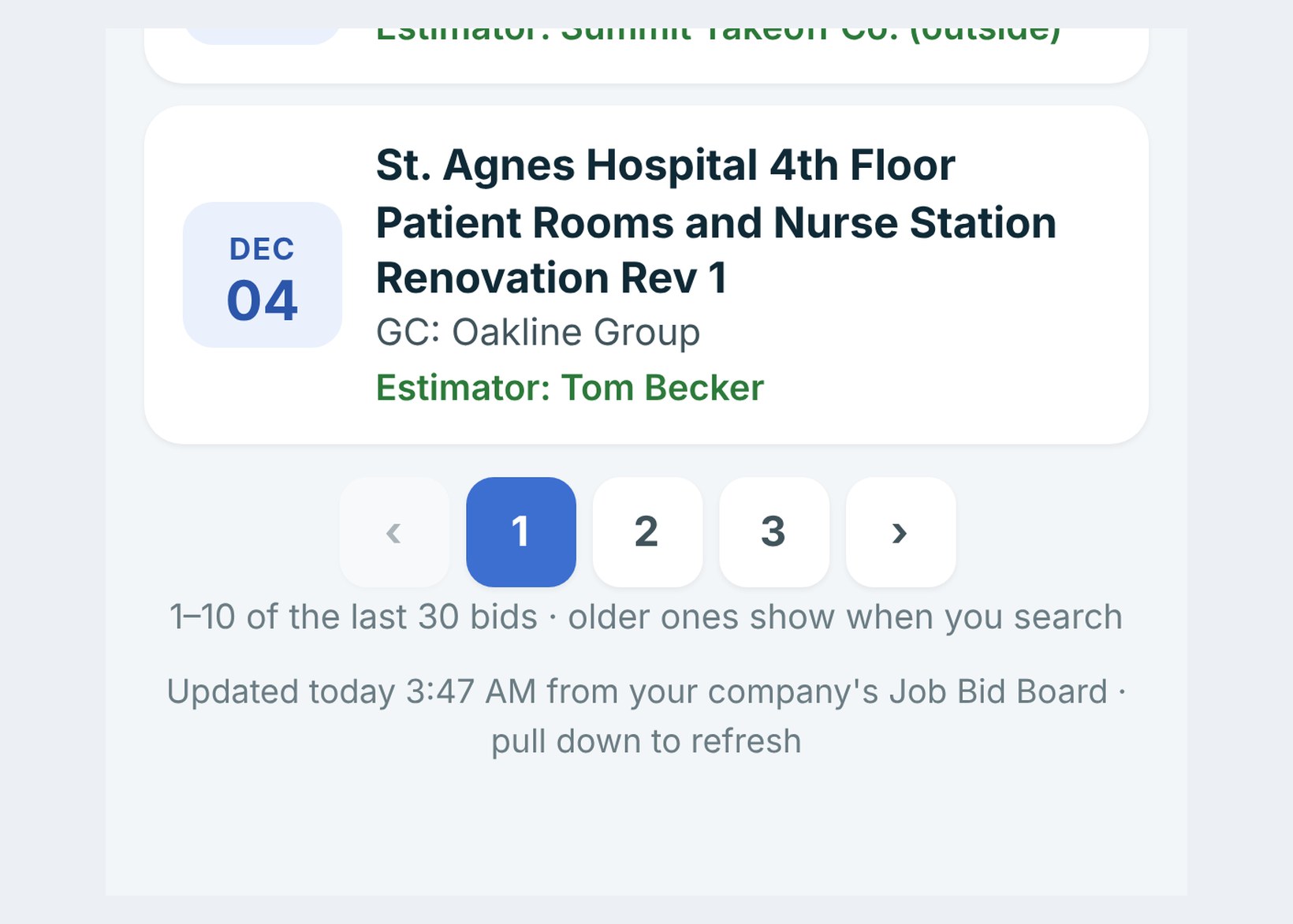
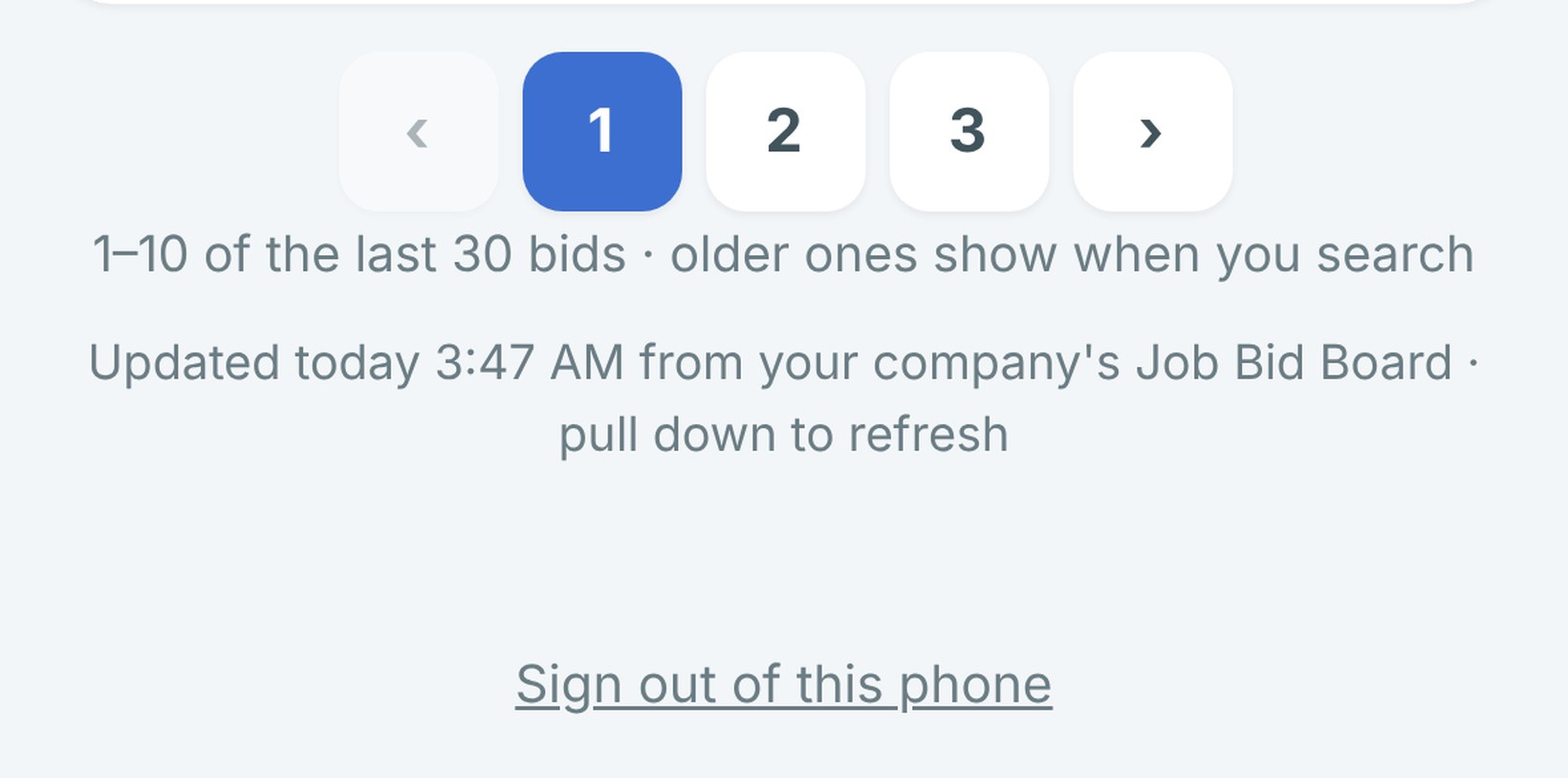
After this week comes Coming up. The board shows 10 bids a page; tap 2 or 3 at the bottom for the rest of the 30.
Under the pager it says when it was last updated from your company’s board. Pull down to refresh.
3Search every bid by project or GC
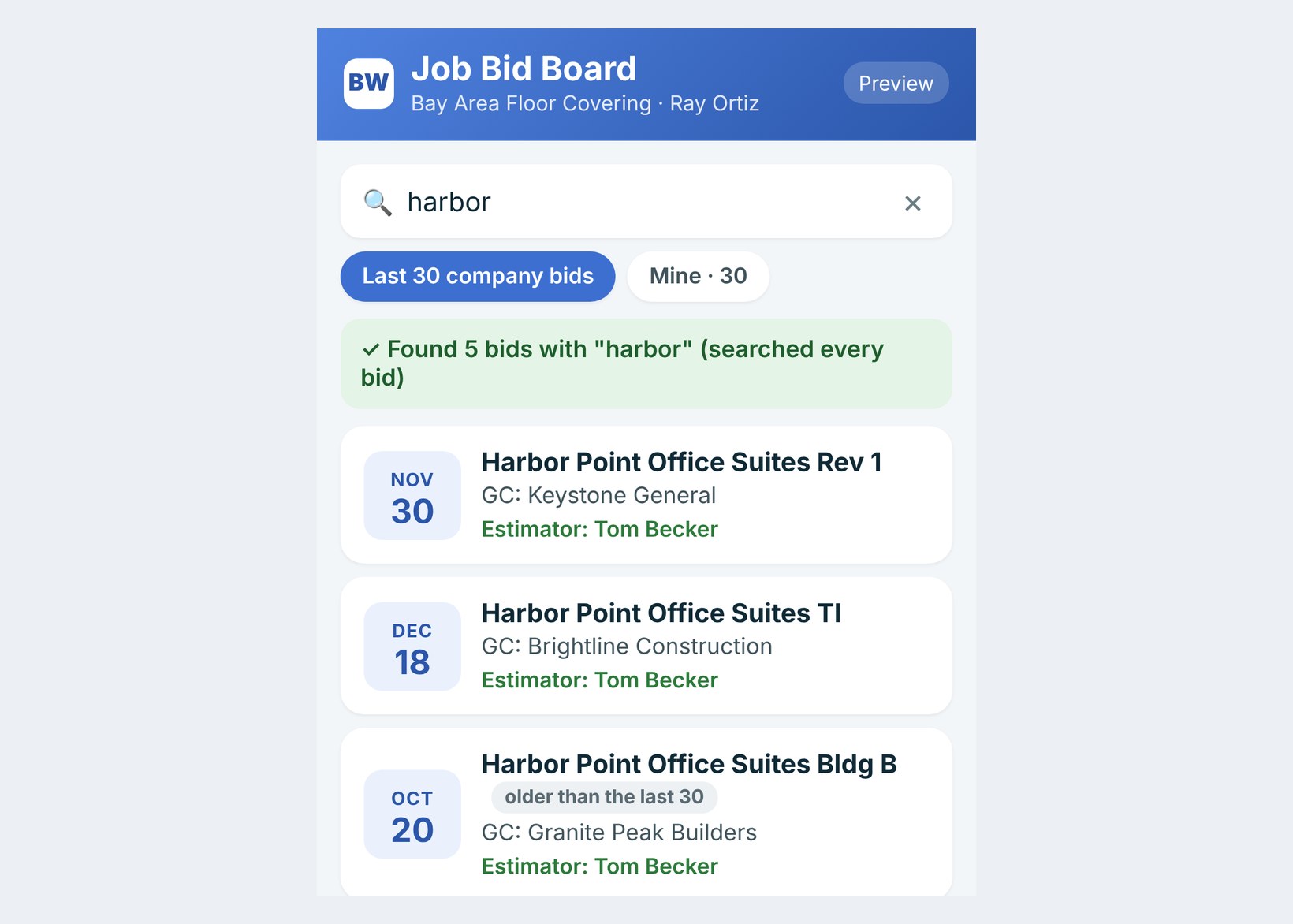
Here is the real question: are we bidding on Harbor Point? Type harbor in Search every bid.
It finds 5 bids, searched across every bid, not only the last 30. Older ones are marked older than the last 30. Yes, we are bidding it, Tom Becker has it, and it is due November 30.
4Tap Mine for your own bids
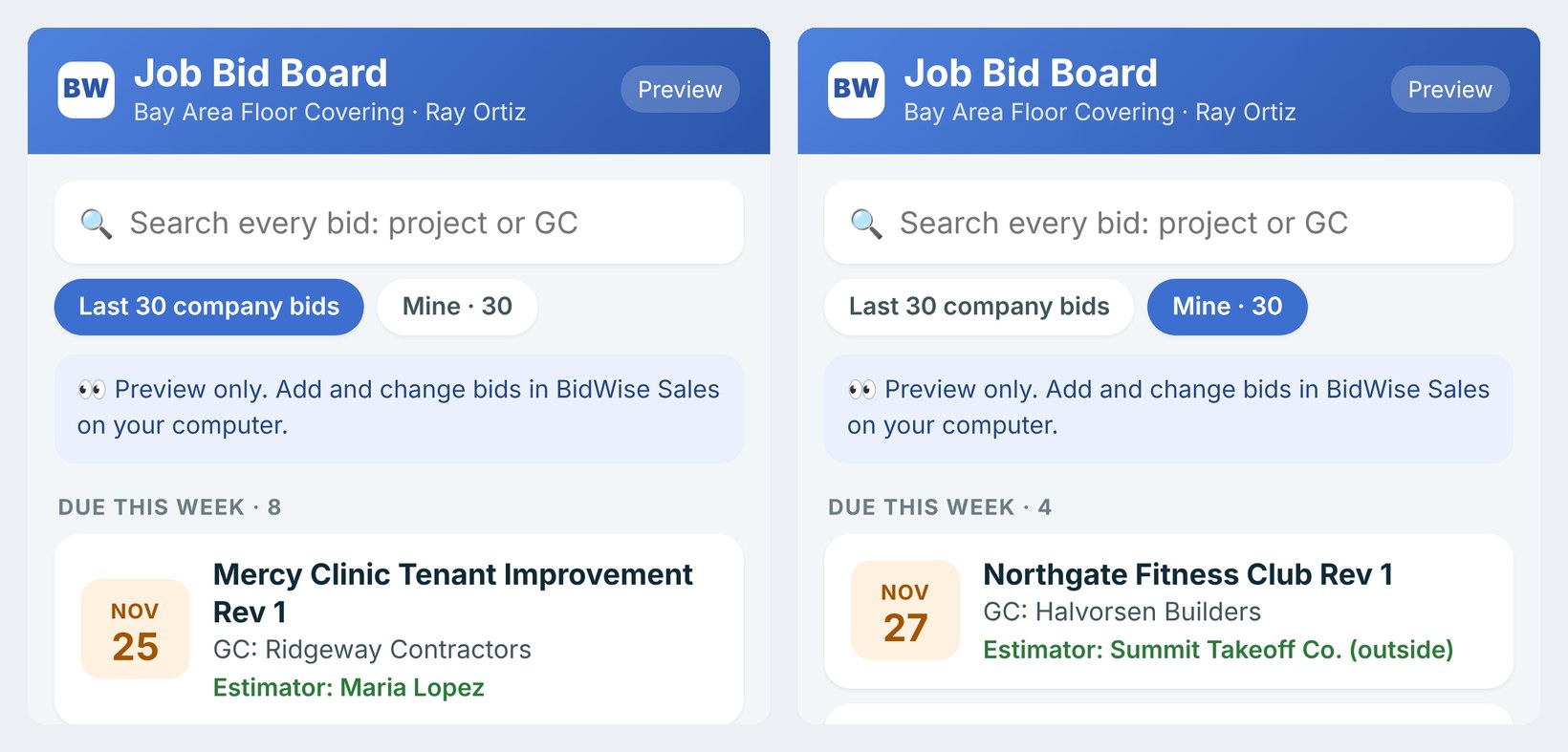
Tap Mine to see only the bids you brought in. The company has 8 bids due this week; 4 of them are yours.
Tap Last 30 company bids to see everyone’s again.
5Tap a bid for its details
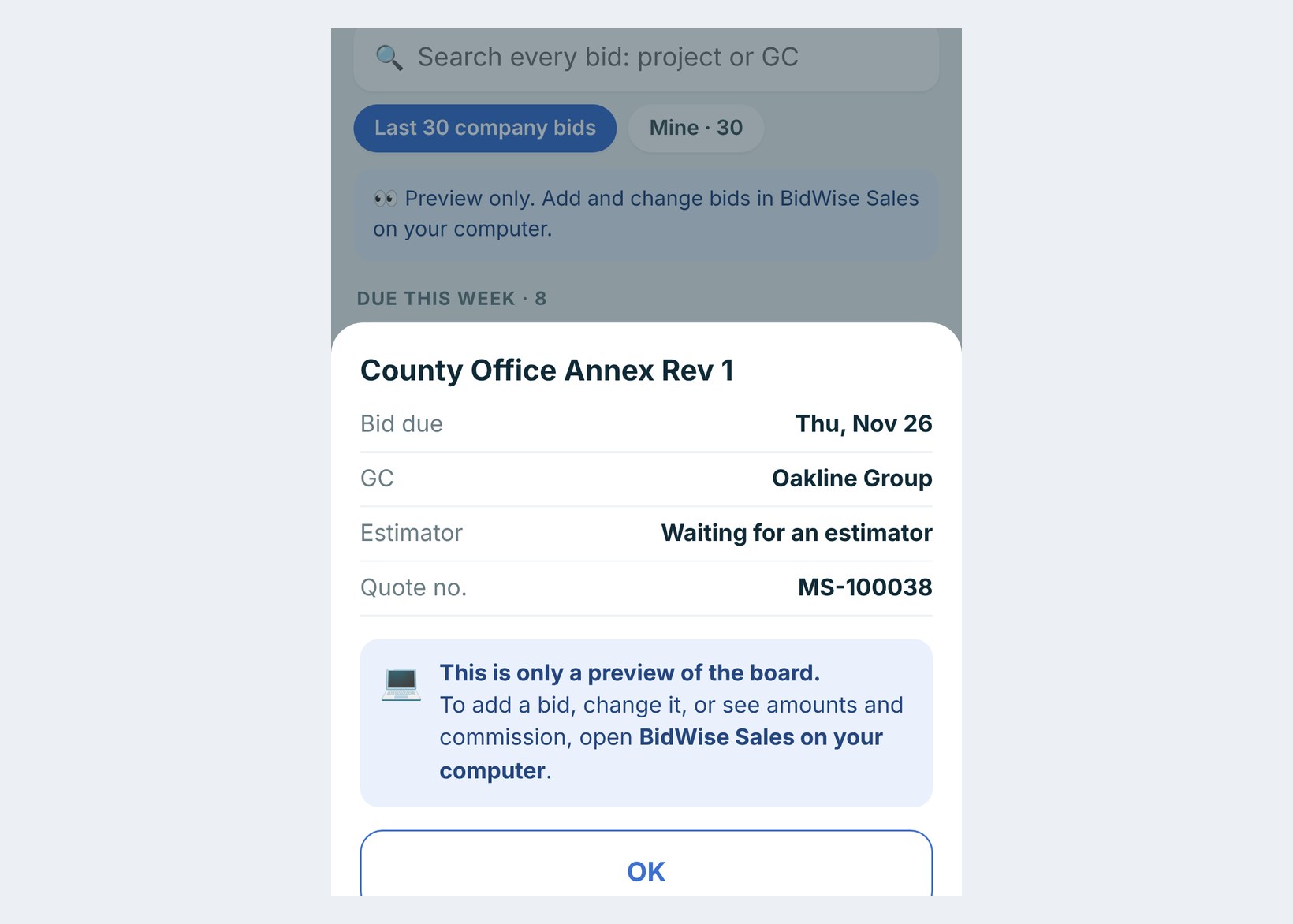
Tap a bid, here County Office Annex. You see the bid due date, Thursday, November 26, the GC, Oakline Group, the estimator and the quote number.
That is all. To add a bid, change it, or see amounts and commission, open BidWise Sales on your computer. Tap OK.
Before a job walk, search the project name. If nobody is bidding it yet, add it in BidWise Sales that evening so it lands on the board.
6What can go wrong, and how to fix it
A bid is not in the list. The list is only the last 30. Search for it; search looks at every bid.
A bid you just added is missing. Pull down to refresh. Lending your phone? Tap Sign out of this phone at the bottom.
Worked example: the job walk question
A GC asks Ray Ortiz about Harbor Point:
| Ray does | The phone shows |
|---|---|
| Opens the board | Last 30 company bids |
| Types harbor | Found 5 bids with harbor |
| Reads the first line | Due Nov 30, Keystone General, Tom Becker |
| Answers the GC | Yes, Tom Becker has it, due November 30 |
Ten seconds, no phone call to the office, and no price on the screen.
What to do next
Back to the setup in The Job Bid Board in your pocket. Or see all the step-by-step guides.
Know every bid, everywhere
Link BidWise Sales to your company’s Job Bid Board and answer from the job site. The Job Bid Board comes with the CFE BidWise Personal and Business plans. Try CFE BidWise for 30 days, no credit card.
Frequently Asked Questions
How many bids does the phone list?
The last 30 company bids, 10 a page. Search finds every bid, older ones too.
What does Mine show?
Only the bids where you are the salesman.
Can I see prices or commission on the phone?
No. The phone shows bid due, project, GC, estimator and quote number. Amounts stay in BidWise Sales on your computer.

Written by
Cristian Valcu – Founder & CEO, Commercial Flooring Estimating LLC
Cristian has estimated commercial flooring for over 20 years and built CFE BidWise around the way commercial flooring contractors actually price, propose and track their bids.
Last updated: