
CFE guide · BidWise Sales
The BidWise Sales Dashboard: Won This Year, Pipeline, Win Rate and Today’s Follow-Ups
Open BidWise Sales and click Dashboard. The four tiles show Won this year against your target, Open pipeline, Win rate and Bids sent. Below them, Won by month, My pipeline by status, Today’s follow-ups and Leads · next steps tell you what to do first. Your numbers are private.


Why it matters
A salesman’s day goes to whoever calls first. The Dashboard turns it around: it shows how far you are from your target, which bids are waiting on an answer, and which GCs you promised to call today.
Two minutes here each morning, and nothing slips through.
The 5 steps
- Open the DashboardHome › Dashboard.
- The four tilesWon, pipeline, win rate, sent.
- Won by monthAgainst the target line.
- Today’s follow-upsAnd your leads’ next steps.
- What can go wrongEmpty tiles, no target.
1Open the Dashboard
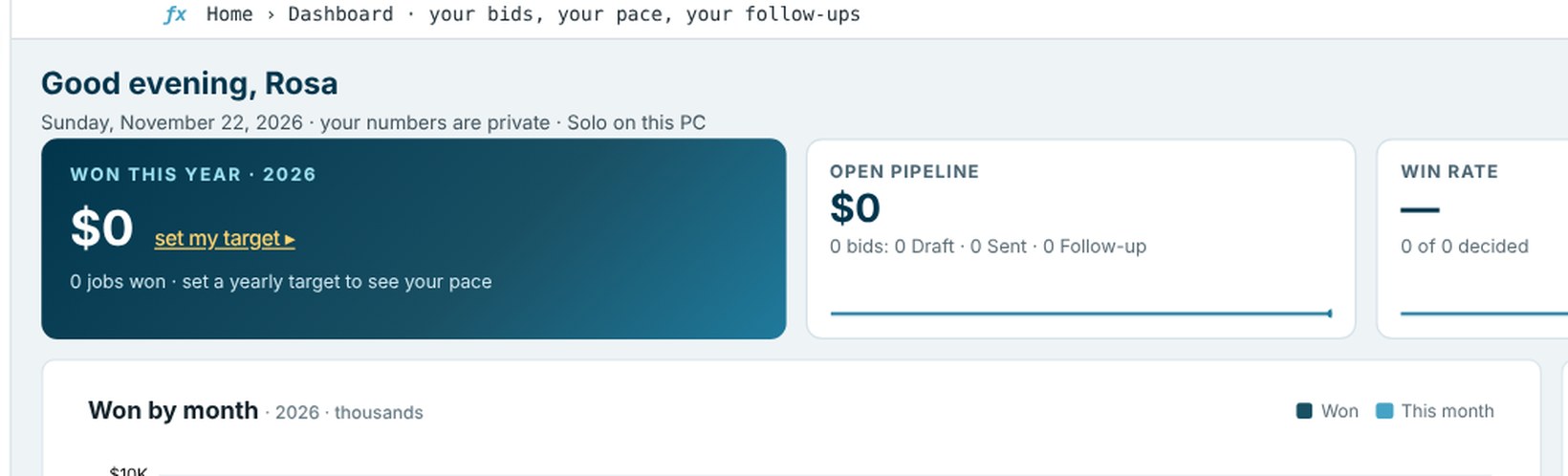

Click Dashboard on the Home ribbon, or the blue Dashboard button on the left. On the first day every tile is empty. It fills as you add bids.
The three buttons at the top right are the quick way in: Add a bid, Drop a bid invite and My pipeline. The line under your name says your numbers are private.
2Read the four tiles

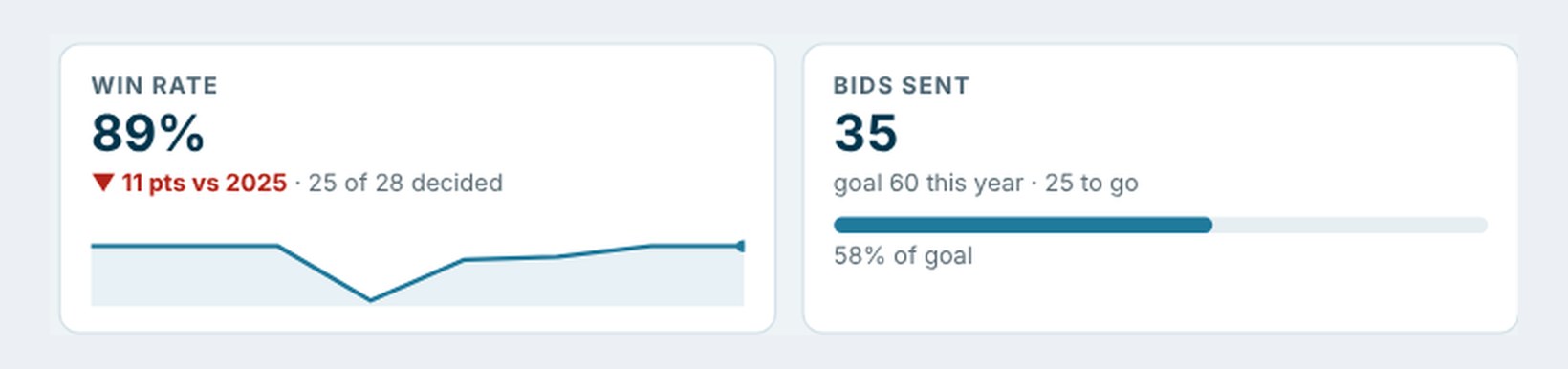
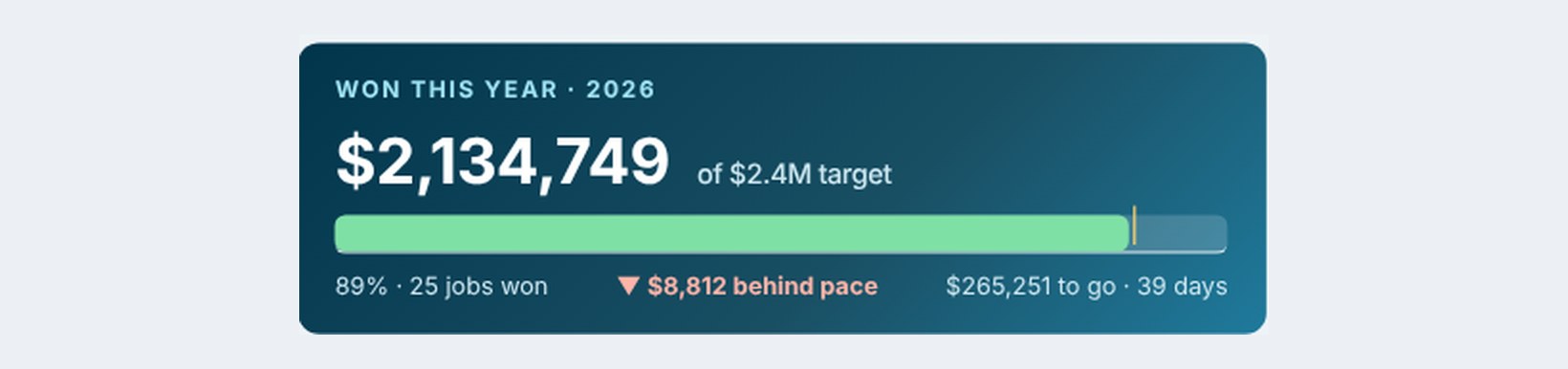
Won this year is $2,134,749 of a $2.4M target: 89%, 25 jobs won, $8,812 behind pace, with $265,251 to go and 39 days left.
Open pipeline is $651,624 in 17 bids. Win rate is 89%, 25 of 28 decided. Bids sent is 35 against a goal of 60 this year.
3Won by month and your pipeline
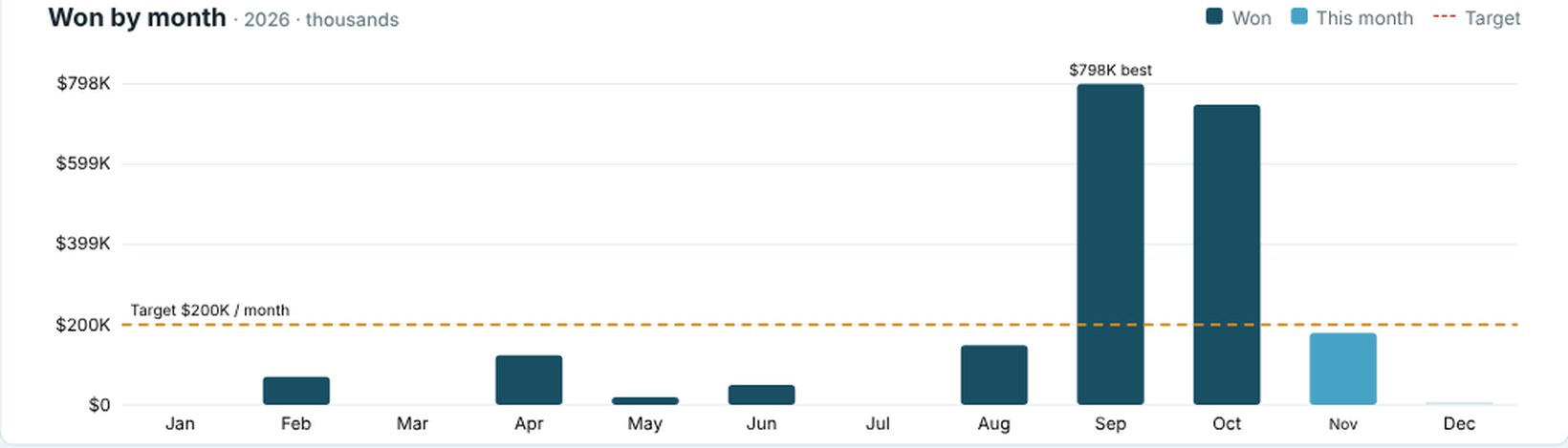
Won by month shows each month against the orange target line, $200K a month. September was the best at $798K.
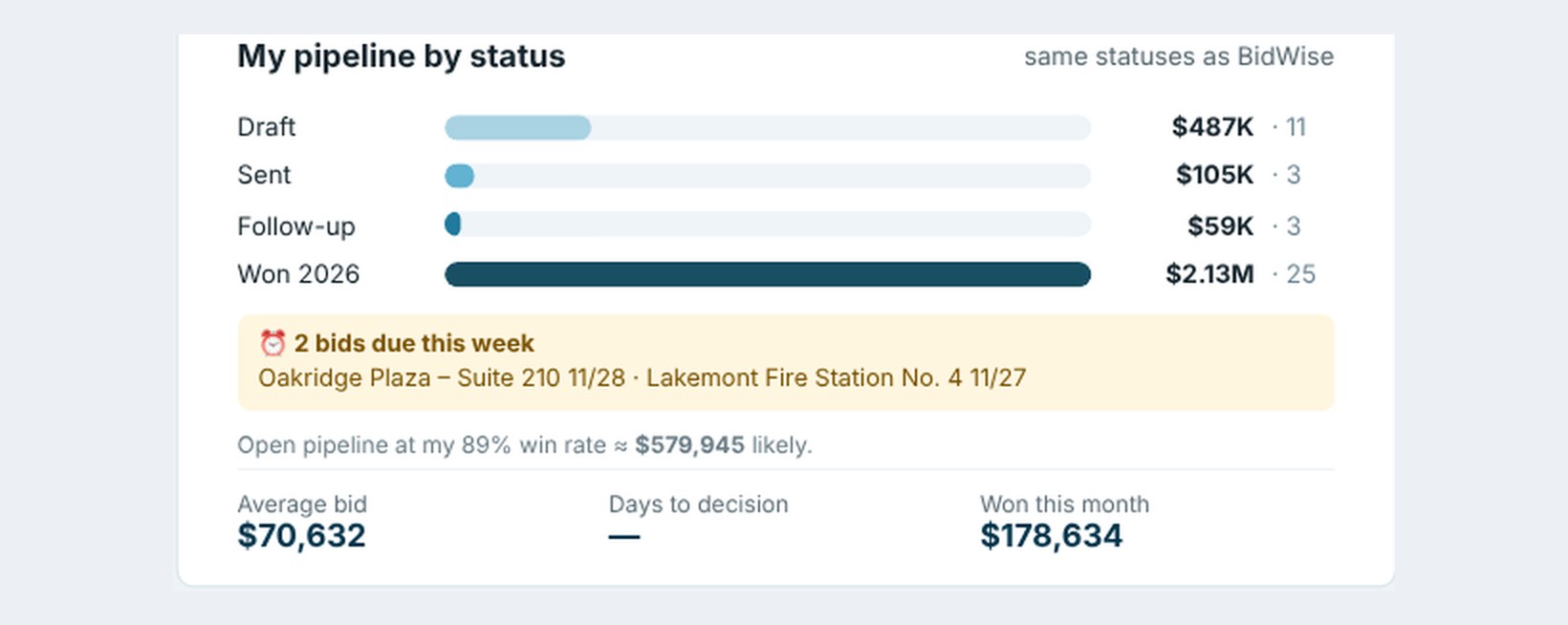
My pipeline by status splits your bids: Draft $487K, Sent $105K, Follow-up $59K and Won $2.13M. The yellow box lists the 2 bids due this week.
4Work today’s follow-ups and leads
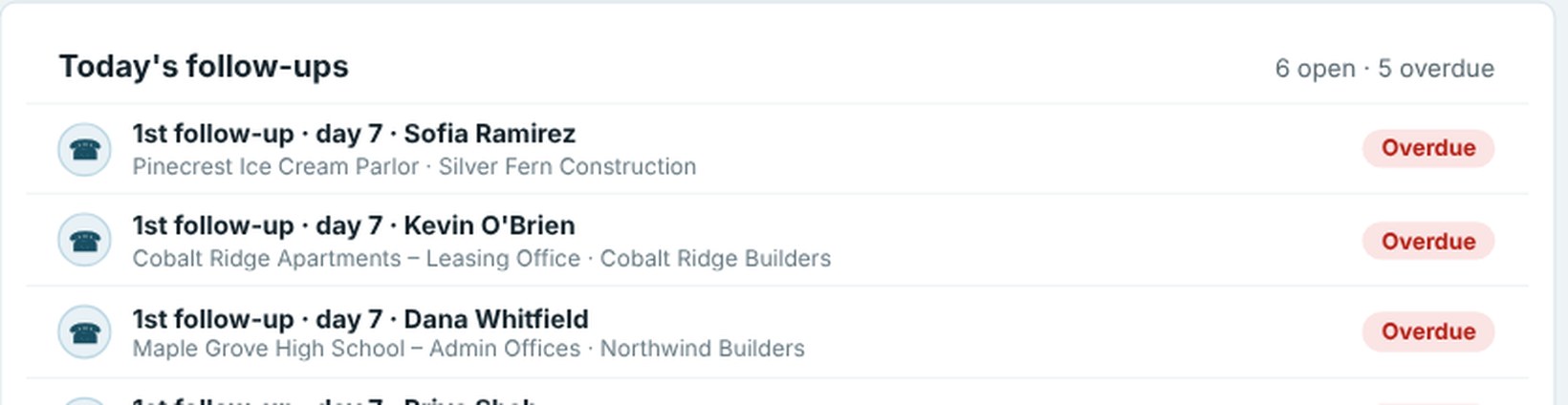
Today’s follow-ups lists the Sent bids to chase: 6 open, 5 overdue, starting with the 1st follow-up to Sofia Ramirez at Silver Fern Construction.
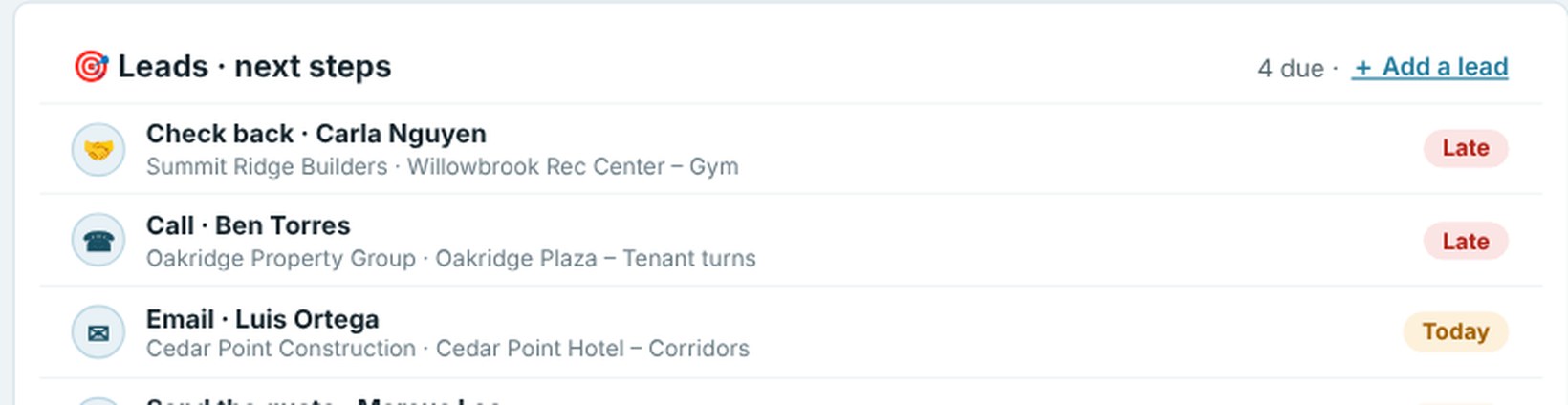
Leads · next steps lists the calls and emails you promised: check back with Carla Nguyen, call Ben Torres, email Luis Ortega. Click a line to open it.
Clear the red Overdue and Late lines first. They are the GCs who are already waiting on you.
5What can go wrong, and how to fix it
The tiles say $0. No bid is marked Won yet. Mark won bids in the Pipeline and the tiles fill.
No target or pace. Set your yearly target in Targets, then come back.
A follow-up you already made is still overdue. It was not logged. Open it in Bid follow-ups and log the call or email.
Worked example: Rosa’s Monday morning
Rosa opens the Dashboard on November 22:
| Tile | What it says | What Rosa does |
|---|---|---|
| Won this year | $2,134,749, $8,812 behind pace | Push the 2 bids due this week |
| Today’s follow-ups | 5 overdue | Calls Sofia, Kevin and Dana first |
| Leads · next steps | 2 late | Calls Carla and Ben |
| Win rate | 89% | Nothing: keep going |
Ten minutes of calls, and the overdue list is empty.
What to do next
Next, keep your contractors in one place with GCs in BidWise Sales. Or see all the step-by-step guides.
Know where you stand every morning
BidWise Sales is free for salesmen. Download it and see your Dashboard today. It works offline, your numbers stay on your PC, and it links to CFE BidWise when your company has it.
Frequently Asked Questions
Who can see my Dashboard?
Only you. Your numbers are private, even when you are linked to your company.
Where does the target come from?
From Targets, where you set your yearly target and bids sent goal.
Why are the tiles empty?
No bids are Sent or Won yet. They fill as you work.

Written by
Cristian Valcu – Founder & CEO, Commercial Flooring Estimating LLC
Cristian has estimated commercial flooring for over 20 years and built CFE BidWise around the way flooring contractors actually price, propose and track their bids.
Last updated: