
CFE guide · Schedule and the field
Days Off, Holidays and Holds
Click Day off on the Schedule tab to block days. Pick Who, one crew or every crew, and What: a day off, a holiday or a hold. If booked installs fall on those days, BidWise names them and moves their last day later by the days off. Book an install skips holidays on its own.


Why block the days?
An install booked over Thanksgiving, or on the week Luis is on vacation, ends later than anyone told the GC.
When days off live on the schedule, Availability shows the real free days, Book an install skips them, and you see which jobs move before the GC does.
The five steps
- Click Day offOn the Schedule tab.
- Who and WhatOne crew or every crew.
- Read the warningWhich installs move.
- See it on the scheduleGrey, yellow and amber.
- What can go wrongThe list, and fixing a mistake.
1Click Day off
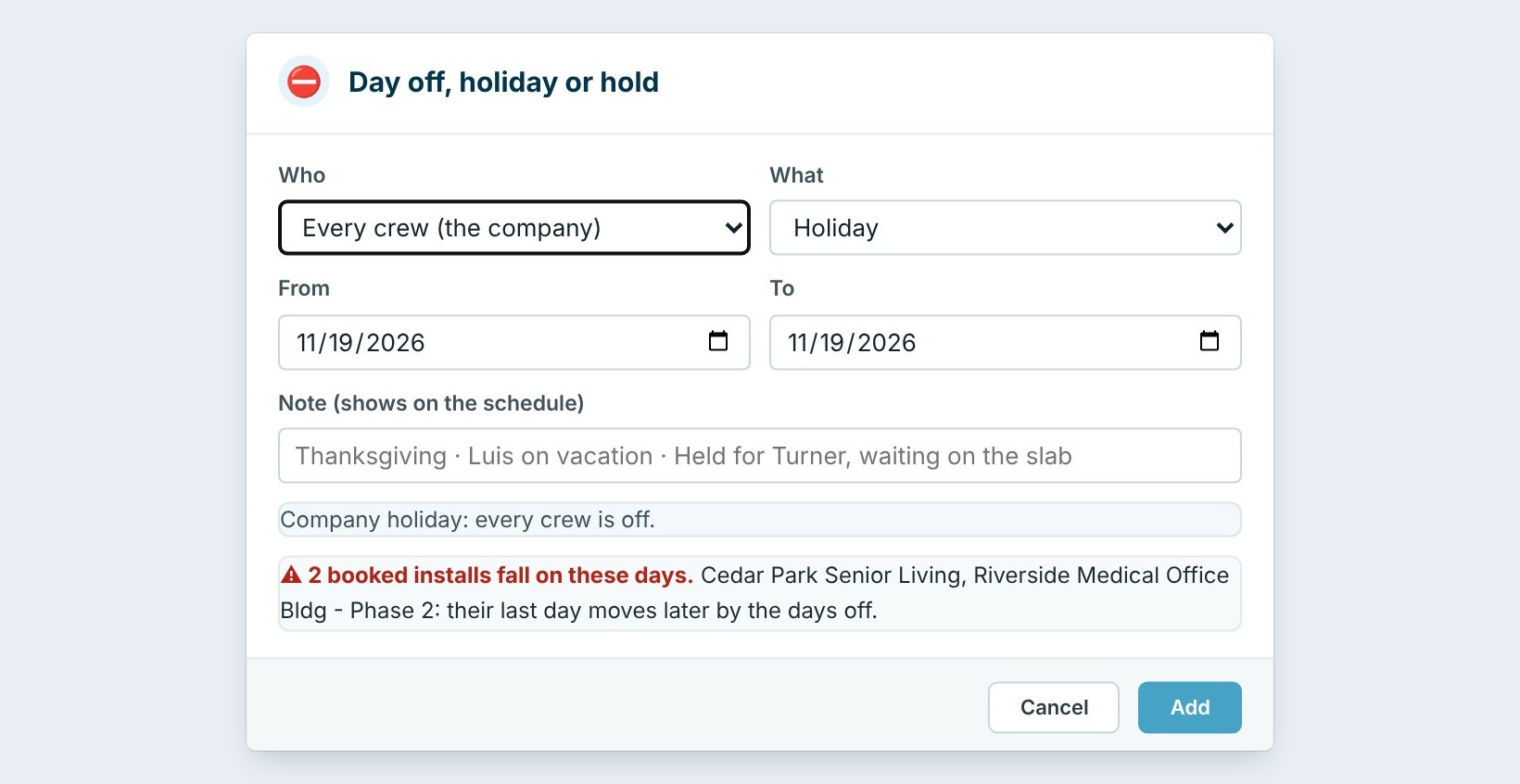
On the Schedule tab, click Day off. The Day off, holiday or hold box opens.
Set From and To, and type a short Note that shows on the schedule, such as Thanksgiving, Luis on vacation or Held for Turner, waiting on the slab.
2Pick Who, and What it is
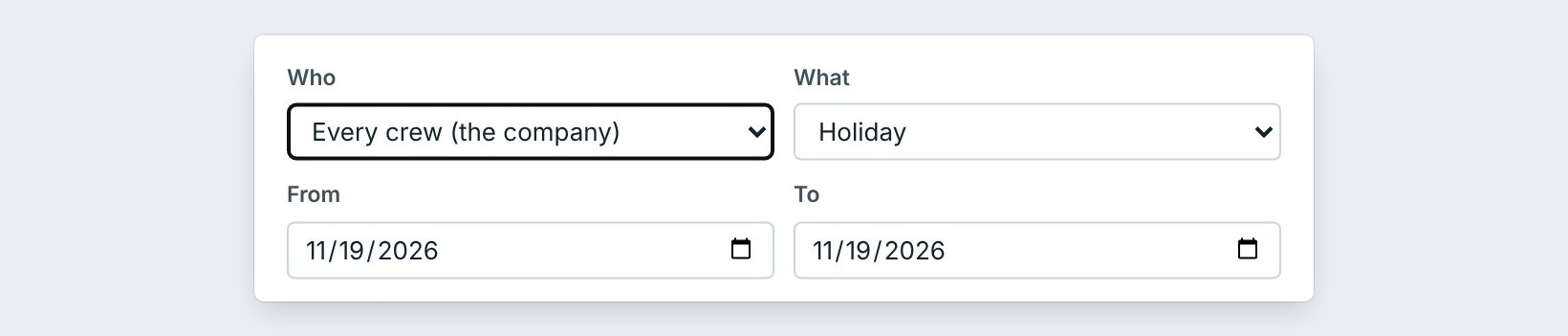
Who is one crew, or Every crew (the company). What is a Day off, a Holiday or a Hold.
A day off is grey on that crew’s row. A holiday is yellow for everyone. A hold is amber: the days are kept for a job that is not booked yet, so nobody else books over them.
Use a hold when a GC says “probably the week of the 14th”. The days stay blocked for that job, and the note says who it is for, so nobody gives the same crew to someone else.
3Read which installs move
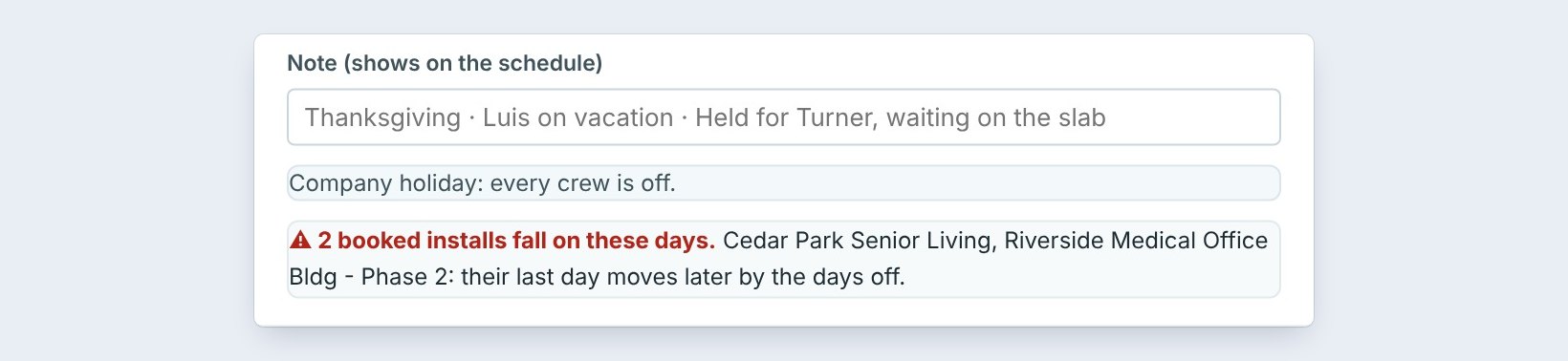
Before you click Add, BidWise checks the schedule. Here: 2 booked installs fall on these days, Cedar Park Senior Living and Riverside Medical Office Bldg Phase 2. Their last day moves later by the days off.
Click Add. Then tell those two GCs the new finish date.
4See it on the schedule
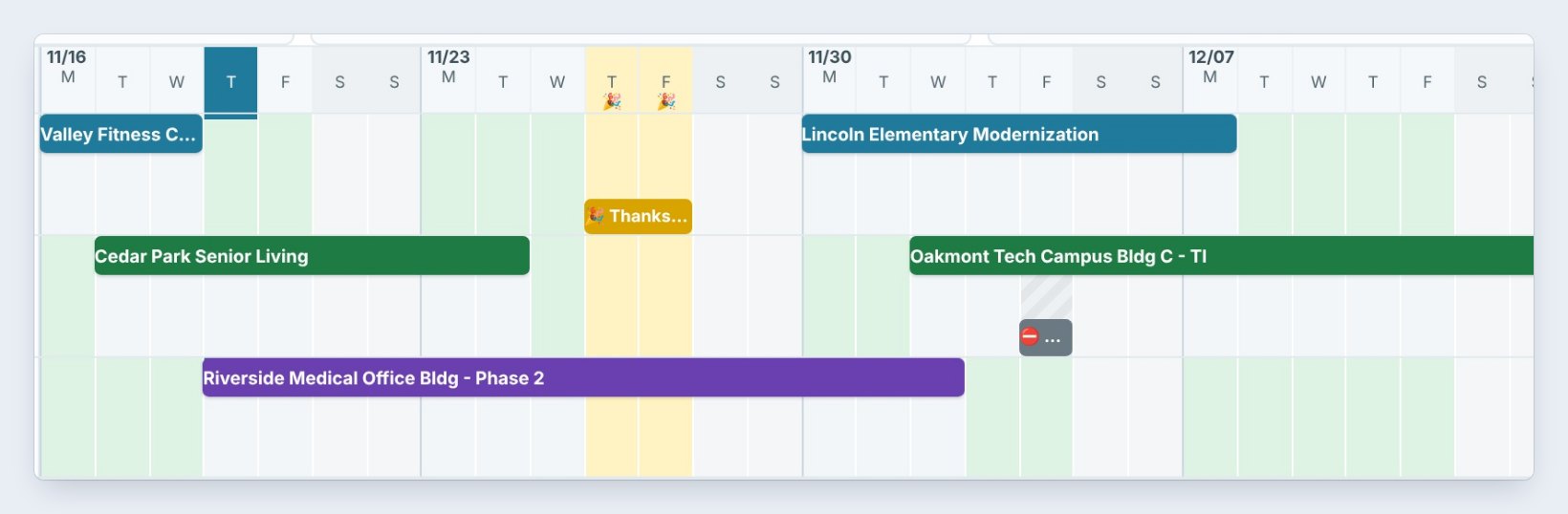
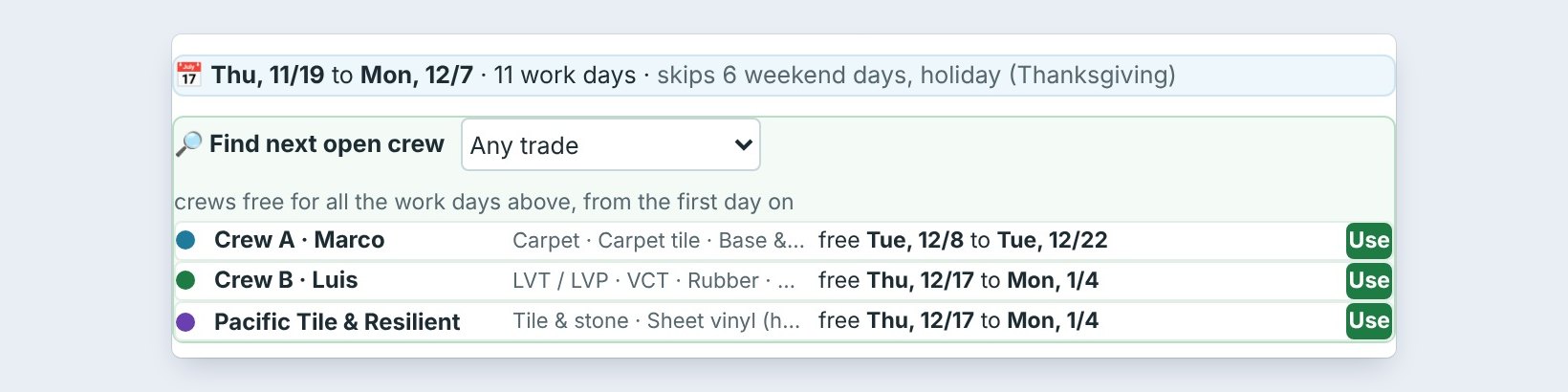
On Availability and the Timeline, Thanksgiving and Christmas are yellow, and the hold is amber. Those days no longer count as free.
When you book an install, the dates skip them: Thu 11/19 to Mon 12/7, 11 work days, skips 6 weekend days, holiday (Thanksgiving).
5What can go wrong, and how to fix it

A day off went in for the wrong crew. Find it under Days off, holidays and holds below the weeks, and delete it or change it. The chips show Days off, Holidays and Holds.
A hold is still there after the job was booked. Delete the hold, or the days stay blocked.
Installs did not move. Only booked installs move. A job that is not booked yet is not on the schedule.
Worked example: Thanksgiving and a vacation
Jordan sets up the end of the year:
| Who | What | Days | Result |
|---|---|---|---|
| Every crew | Holiday | 11/26 to 11/27 | Thanksgiving, yellow |
| Every crew | Holiday | 12/24 to 12/25 | Christmas, yellow |
| Crew B, Luis | Day off | 3 days | Cedar Park ends 3 days later |
| Pacific Tile | Hold | Week of 12/14 | Held for a GC, amber |
Availability now shows the real free days, and nobody books over the holidays.
What to do next
Next: set up crews and the trades they install.
Keep the schedule honest
The schedule is part of CFE BidWise Business. Start with the 30-day free trial, no credit card.
Frequently Asked Questions
What is a hold?
Days kept for a job that is not booked yet. They show amber and do not count as free.
Do holidays move booked installs?
Yes. If a booked install falls on the days, BidWise names it and moves its last day later by the days off.
Can I work through a holiday?
Yes. Delete the holiday for that crew, or book the install with work weekends set to Yes.

Written by
Cristian Valcu – Founder & CEO, Commercial Flooring Estimating LLC
Cristian has estimated commercial flooring for over 20 years and built CFE BidWise around the way flooring contractors actually price, propose and track their bids.
Last updated: