
CFE guide · Invoicing and getting paid
When the GC Approves Your Pay App for Less
On the pay app, use the GC approval box. Click Sent to the GC, and when the answer comes back click GC answer, pick Approved for less and type the amount certified and why. Tick bill the difference on the next application, and BidWise shows the difference, here $13,451.98, and adds it to the next pay app by itself.


Why track what the GC certified?
On a commercial job the GC, the architect or the owner’s rep reviews every pay application, and often certifies less than you asked for: a line that is not done yet, an area they have not walked. If nobody writes that down, the difference is simply never billed again.
BidWise keeps the GC’s answer on the pay app itself, with the amount and the reason, and puts the difference on the next application, so the money follows the job.
The five steps
- Open the pay appInvoicing › Pay app (G702).
- Type the GC’s answerApproved for less, and why.
- Read the boxCertified, and how much less.
- See it in Job billingApproved for less, balance $112,500.
- What can go wrongWrong amount, box not ticked.
1Open the pay app and send it
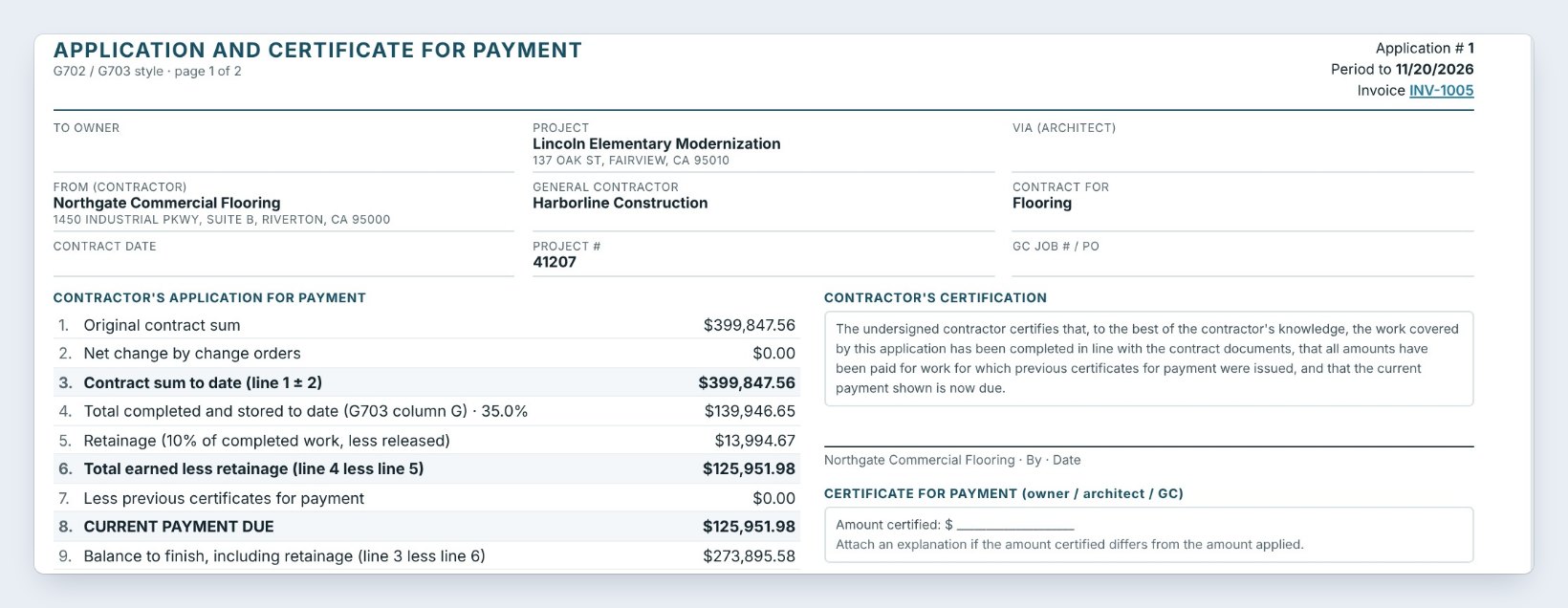
On the Invoicing tab, click Pay app (G702) and pick the job. Lincoln Elementary Modernization is a $399,847.56 contract for Harborline Construction. Application #1 bills 35% complete, $139,946.65, less 10% retainage, so line 8, Current payment due, is $125,951.98.
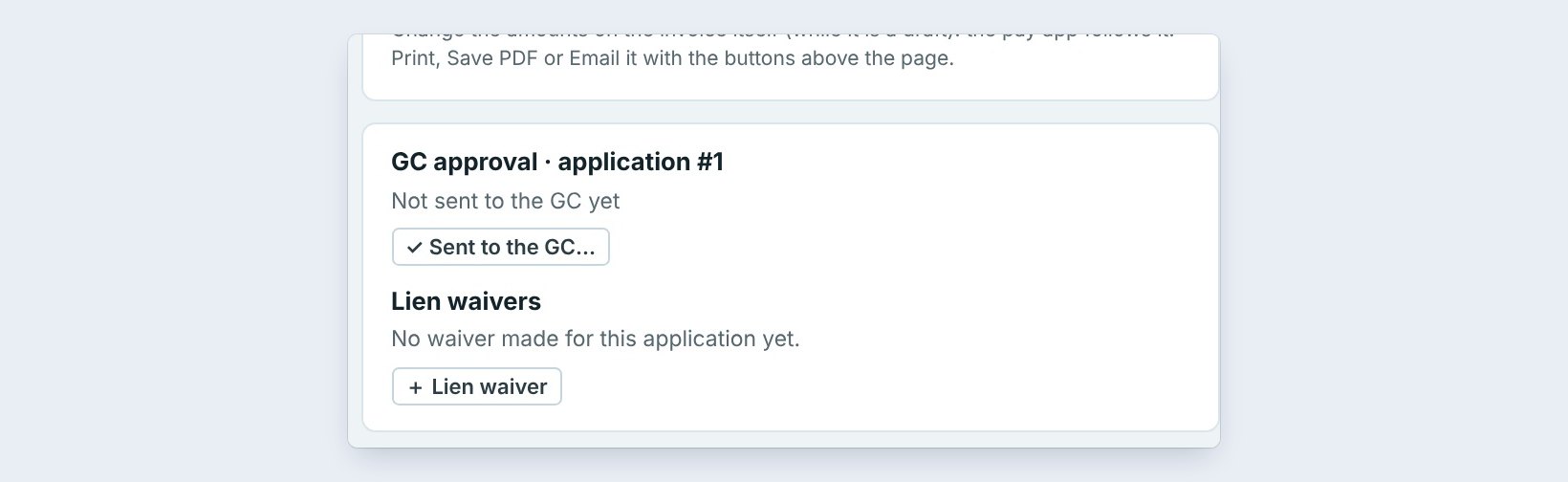
Print it, save the PDF or email it with the buttons at the top. On the right, the GC approval box says Not sent to the GC yet. Click Sent to the GC when it goes out.
2Type the GC’s answer
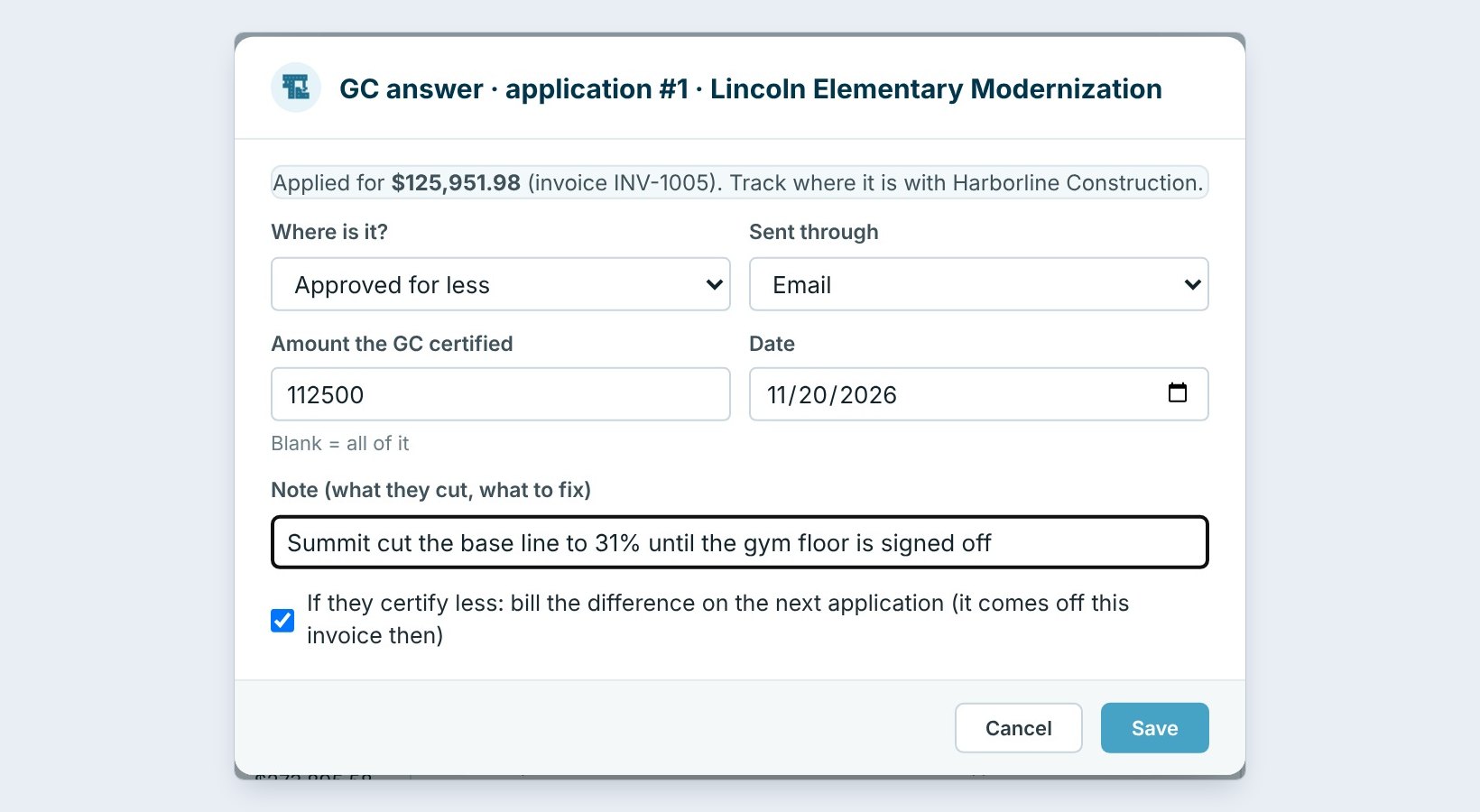
When the answer comes back, click GC answer. Under Where is it? pick Approved for less, and under Sent through how it came, here Email.
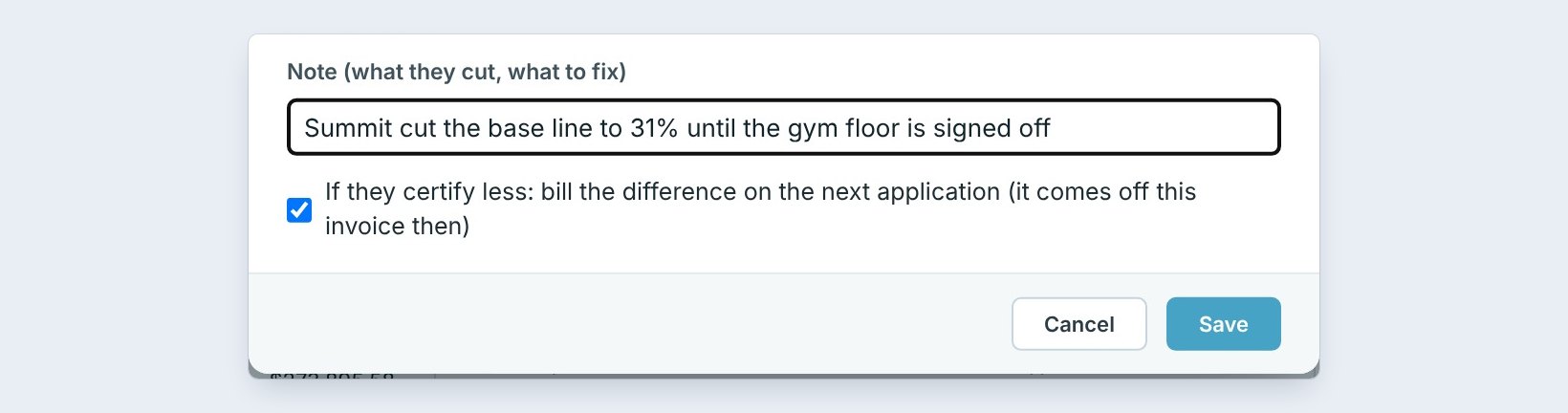
Type the Amount the GC certified, 112,500, the date, and in the note what they cut and what to fix: the base line was cut to 31% until the gym floor is signed off. Tick bill the difference on the next application, and click Save.
Ask the GC for the marked-up pay app or the reason in writing, and paste it in the note. Next month nobody remembers why a line was cut.
3Read what the GC approval box shows
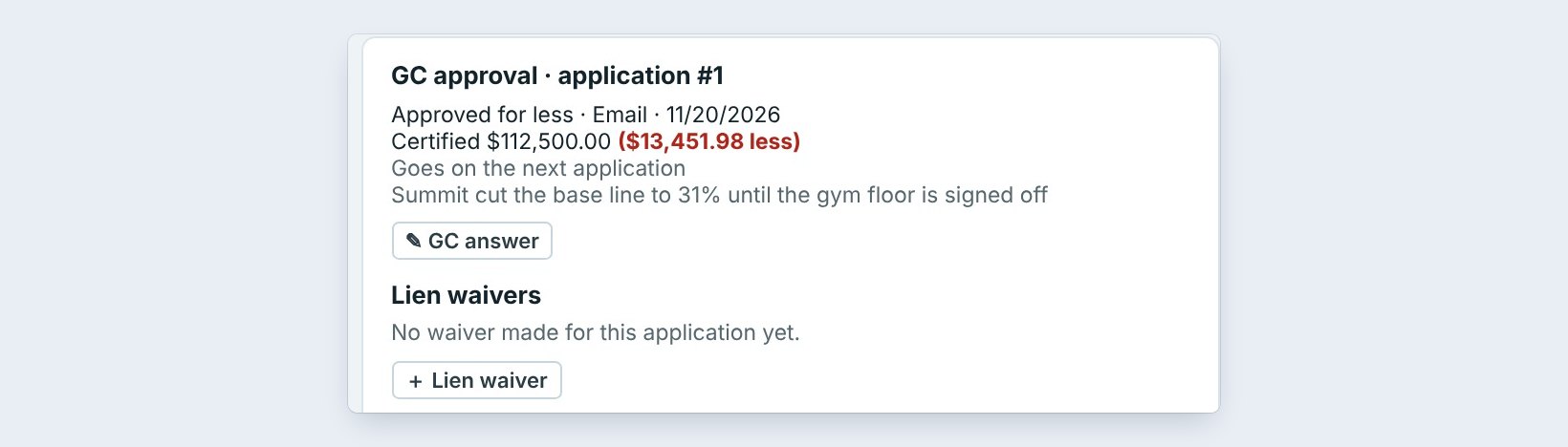
The box now reads Approved for less, by email, on 11/20/2026. Certified $112,500.00, and in red, $13,451.98 less. The line under it says the difference goes on the next application, and the note is kept with it.
Click GC answer again any time to change it.
4See it in Job billing

Click Job billing. Every application of the job is listed with what is due, what was paid and what the GC said. Application #1 now has a balance of $112,500.00 and the yellow tag Approved for less $112,500.00.
The $13,451.98 is not lost. It moved to application #2, which is the next guide.
5What can go wrong, and how to fix it
The amount certified was typed wrong. Click GC answer, fix it and save, before you make the next invoice.
The box was not ticked. Then the difference stays owed on this invoice, and the next application does not bill it. Tick it if the GC wants it on the next application.
The GC paid less than they certified. That is a payment, not a GC answer. Record the payment on the invoice, and the balance shows what is still owed.
Worked example: Lincoln Elementary, application #1
Harborline Construction answers on November 20, 2026:
| Line | Amount |
|---|---|
| Applied for (line 8) | $125,951.98 |
| Certified by the GC | $112,500.00 |
| Not certified | $13,451.98 |
| Goes on | Application #2 |
One answer typed in, and the $13,451.98 is already waiting on the next pay app.
What to do next
Next, see the difference billed again in Bill the uncertified amount on the next pay app.
Never lose a short pay again
Pay apps and GC answers are part of CFE BidWise Business. Start with the 30-day free trial, no credit card.
Frequently Asked Questions
Where do I record what the GC certified?
On the pay app, in the GC approval box: Sent to the GC, then GC answer.
What happens to the amount not certified?
If you tick bill the difference on the next application, it comes off this invoice and is added to the next one as its own line.
Can I change the GC answer later?
Yes. Click GC answer again and save.

Written by
Cristian Valcu – Founder & CEO, Commercial Flooring Estimating LLC
Cristian has estimated commercial flooring for over 20 years and built CFE BidWise around the way flooring contractors actually price, propose and track their bids.
Last updated: