
CFE guide · Ordering and material
Check a Vendor Import Before You Save It
Step 3 of Import vendors, Check the vendors, shows every line of your file before anything is saved. The tiles count the new vendors, extra reps, vendors already in your list, lines that need fixing and lines not imported. Click a chip such as Warnings or Needs fixing to see only those, fix them with the pencil, then import.


Why check the import?
A vendor list built over ten years has a bit of everything: a mill typed twice with two reps, a phone number in the email column, a closeouts tab nobody remembers. Imported blind, that becomes duplicate vendors and orders sent to the wrong rep.
The check step shows each of those before anything is saved, so you fix the list once, on one screen.
The six steps
- Read the five countsNew, extra reps, already there.
- Extra repsOne vendor, Other reps.
- Read the warningsYellow: read, then import.
- Fix what needs fixingRed: fix it, or it stays out.
- Vendors already in your listFill in, use the file, or leave it.
- What can go wrongPending vendors, a wrong import.
1Read the five counts
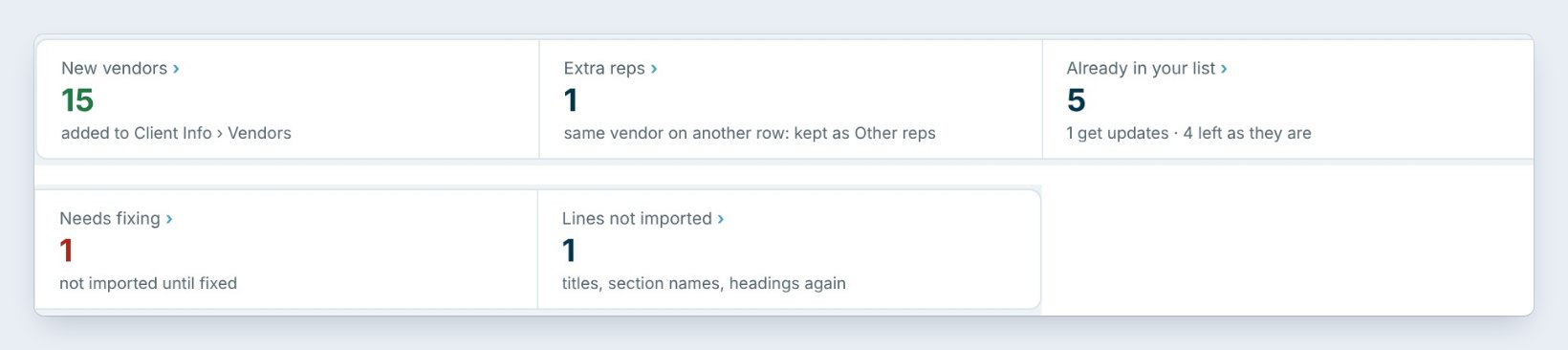
Step 3, Check the vendors, starts with five tiles. New vendors, 15, are added to Client Info › Vendors. Extra reps, 1, is the same vendor on another row. Already in your list, 5: 1 gets updates and 4 are left as they are.
Needs fixing, 1, is not imported until it is fixed. Lines not imported, 1, are titles, section names or the headings again. Click any tile, or a chip under it, to see only those lines.
2See extra reps kept on one vendor

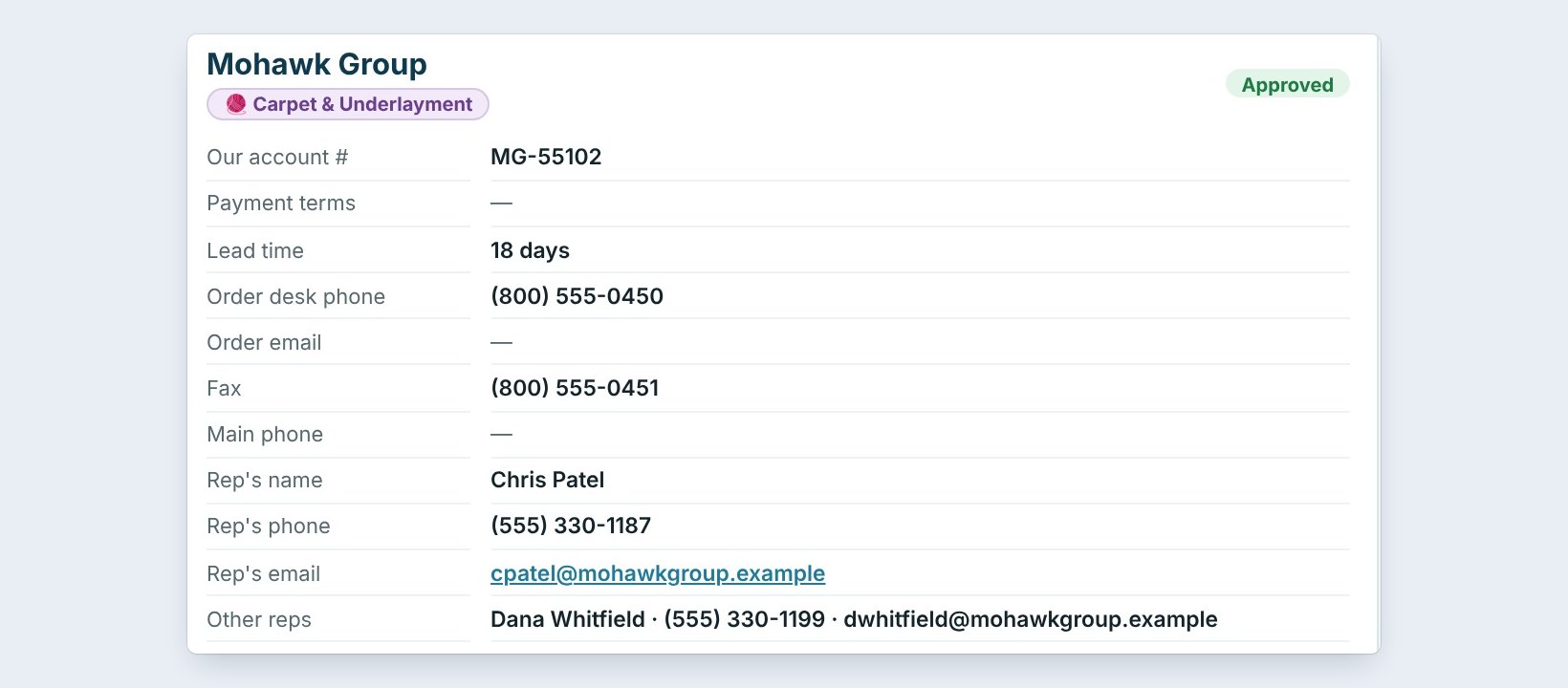
Click Extra reps. Mohawk Group is on row 4 with Chris Patel, and again on row 5 with Dana Whitfield. BidWise does not make a second Mohawk. Dana is added to Mohawk Group as an extra rep.
After the import, the Mohawk profile has account MG-55102, Chris Patel as the rep, and Dana Whitfield, her phone and email under Other reps.
3Read the warnings
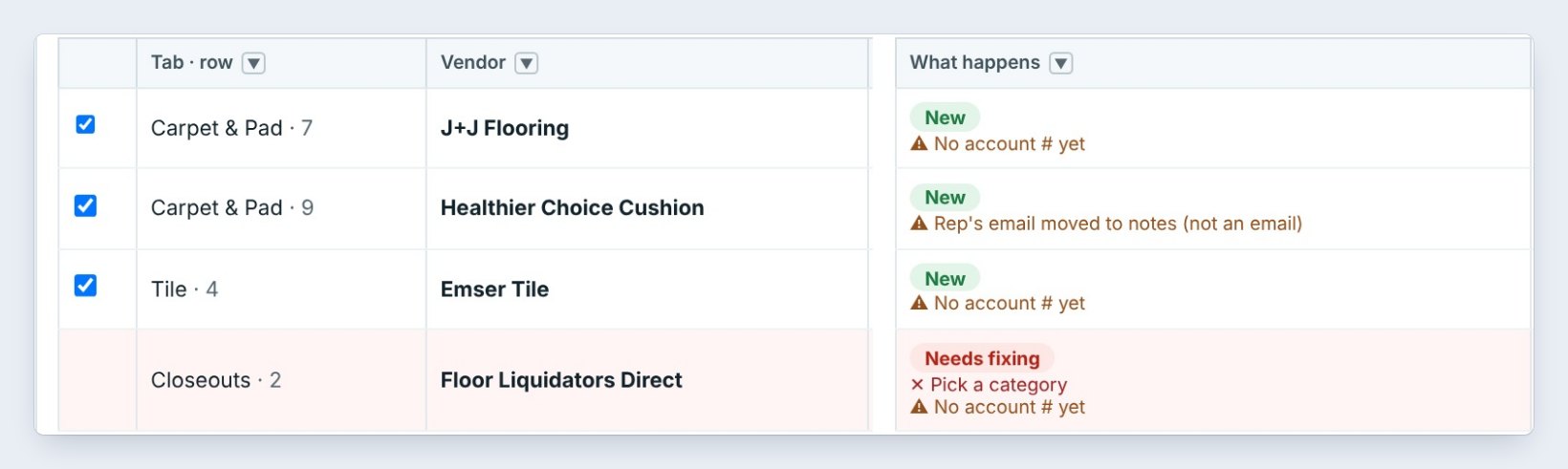
Click Warnings. There are 4. J+J Flooring and Emser Tile have no account # yet. Healthier Choice Cushion had something in the email column that is not an email, so it was moved to notes instead of lost.
A warning does not stop the import. Fix it now with the pencil at the end of the line, or later on the vendor’s profile.
4Fix the lines that need fixing

Click Needs fixing. Floor Liquidators Direct came from the Closeouts tab, which has no category, so it says Pick a category.
Pick one in its Category box, or click the pencil to fix the line. Until it is fixed, that vendor is not imported, and everything else still is.
Use Print table or Export on this screen to hand the list of warnings to the person who keeps the vendor accounts. They can call for the missing account numbers while you import.
5Choose what happens to vendors you already have

When a vendor in the file is already in your list, pick one of three. Fill in only what is empty keeps what you typed in BidWise and adds what was missing. Use the file lets the file win wherever both have a value. Leave it as it is changes nothing.
Shaw Contract was already there without a fax, so with the first choice it only gets the fax. Then click Import.
6What can go wrong, and how to fix it
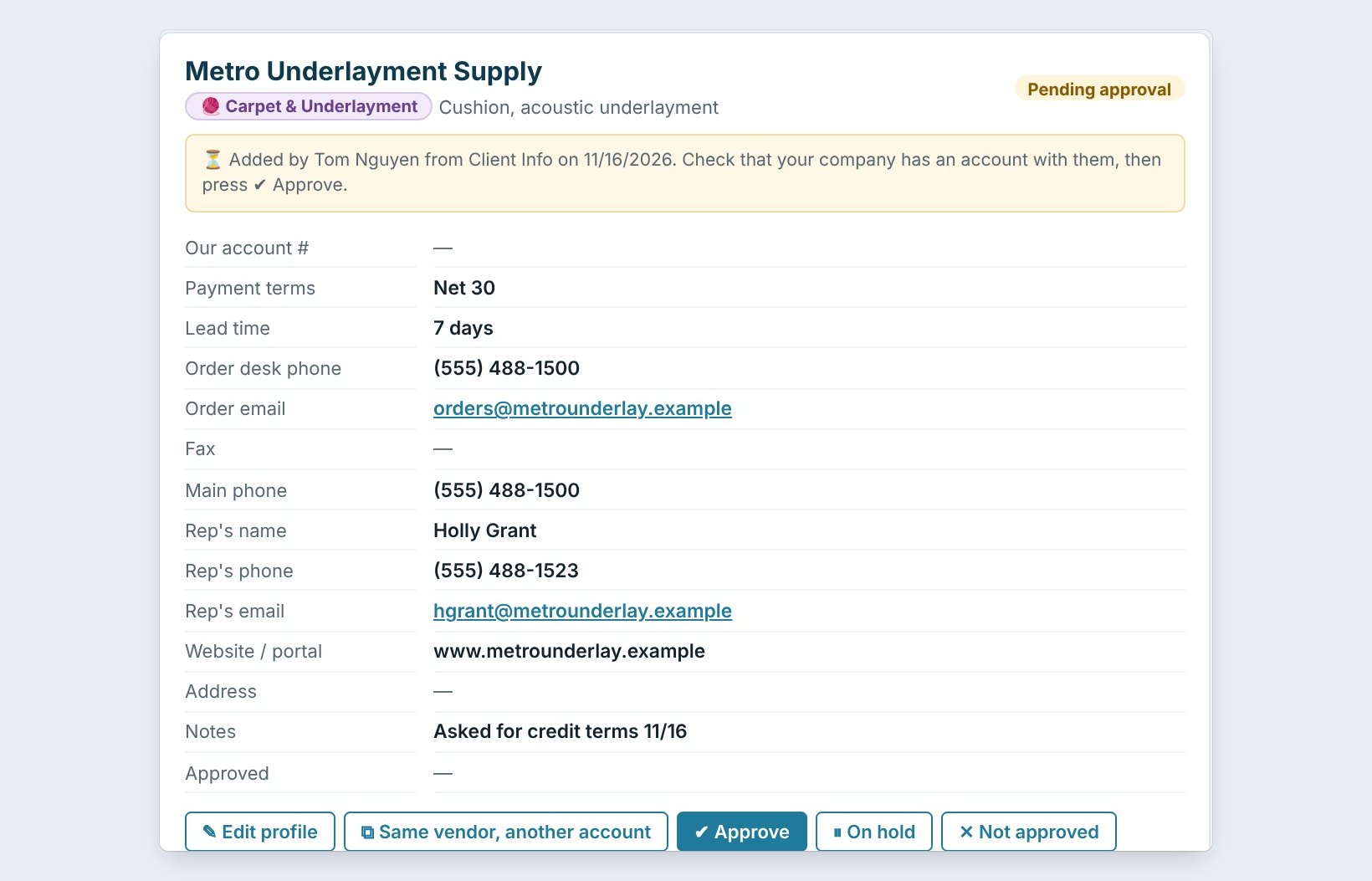
Some vendors came in as Pending approval. Those had no account number. Click Show the 2 pending on the summary, type the account number, and click Approve. Until then Ordering does not offer them.
A vendor came in twice. The second row had a different name, such as Shaw and Shaw Contract. Fix the name in your file and import again, or delete the extra one.
The import went wrong. Click Undo this import, fix the file, and import it again.
Worked example: 21 lines, checked
The check step for Northgate-vendor-list.xlsx:
| Line | What happens | Action |
|---|---|---|
| Shaw Contract | Updates one in your list | Gets its fax |
| Mohawk Group, row 5 | Extra rep | Dana Whitfield on Other reps |
| J+J Flooring | New, no account # yet | Pending approval |
| Healthier Choice Cushion | New, email moved to notes | Fix the rep email later |
| Floor Liquidators Direct | Needs fixing | Pick a category |
| Milliken | Already in your list | Left as it is |
Two minutes of reading, and no duplicate vendors.
What to do next
Next, see what to do when the GC approves a pay app for less.
Import your vendors without the mess
Vendor import is part of CFE BidWise Business. Start with the 30-day free trial, no credit card.
Frequently Asked Questions
Is anything saved during the check?
No. Nothing is saved until you press Import, and you can undo the import afterwards.
What is an extra rep?
The same vendor on a second row with another sales rep. It is kept on the first vendor as Other reps, not imported as a second vendor.
Why is a vendor Pending approval?
It has no account number. Type the account number and the Master user approves it, or tick Also approve the ones with no account number before importing.

Written by
Cristian Valcu – Founder & CEO, Commercial Flooring Estimating LLC
Cristian has estimated commercial flooring for over 20 years and built CFE BidWise around the way flooring contractors actually price, propose and track their bids.
Last updated: