
CFE guide · Invoicing and getting paid
Bill Stored Material on a Progress Invoice
On a progress invoice, click Stored material to bill material that is delivered but not installed yet. BidWise shows what is in the warehouse for the job, here 4 lines and $72,251.04 at cost, about $53,269.63 at bid price. Type what is stored on each line, or click Put it on the first line. When it is installed, bill it as % complete and lower the stored amount; the invoice bills only the change.


Why bill stored material?
On a big job, the material can be most of the money, and it sits in your warehouse for weeks before it goes down. Until you bill it, you are paying for it and the GC is not.
Most GCs allow stored material on the pay application. BidWise knows what came in for the job, so the number is ready when you bill.
The five steps
- Start a progress invoiceProgress billing, % complete.
- Read the linesContract, billed before, left to bill.
- Open Stored materialWhat is in the warehouse.
- Type what is storedPer line, or put it on the first line.
- What can go wrongNothing shows in the warehouse.
1Start a progress invoice

On the Invoicing tab, click New invoice and pick the job, here Valley Fitness Center, JR-260106. The GC, Harborline Construction, the GC job number, the salesman and Retainage 10% fill in from the job.
Under How do you want to bill?, click Progress billing, % complete.
2Read the lines from the estimate
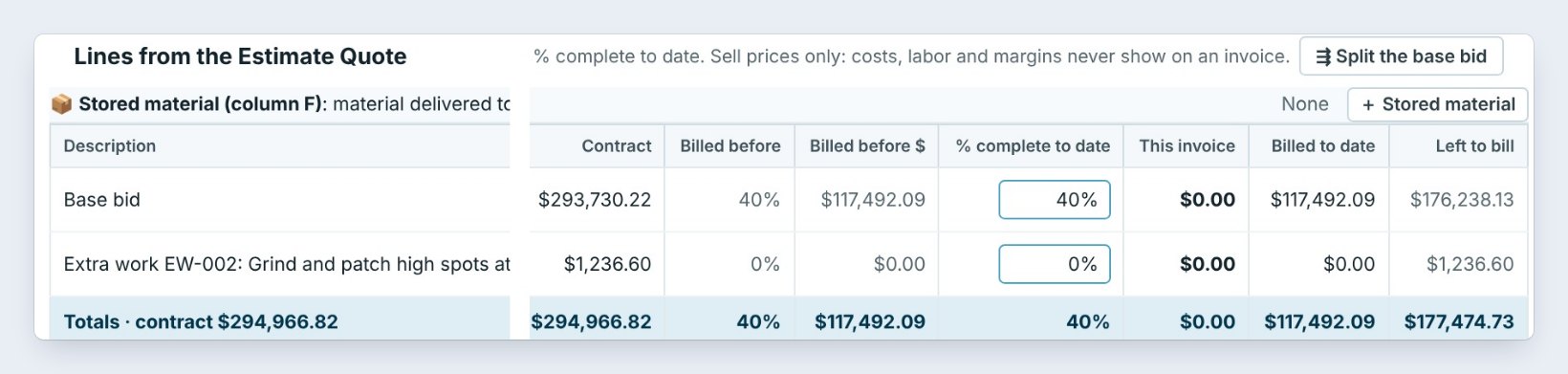

The lines come from the estimate: Base bid, $293,730.22, billed 40% before, and Extra work EW-002, $1,236.60. You type the % complete to date, and only sell prices show: costs, labor and margins never show on an invoice.
On the right, Job billing so far: contract $294,966.82, paid $105,742.88, retainage held $11,749.21, and $177,474.73 left to bill.
3Open Stored material
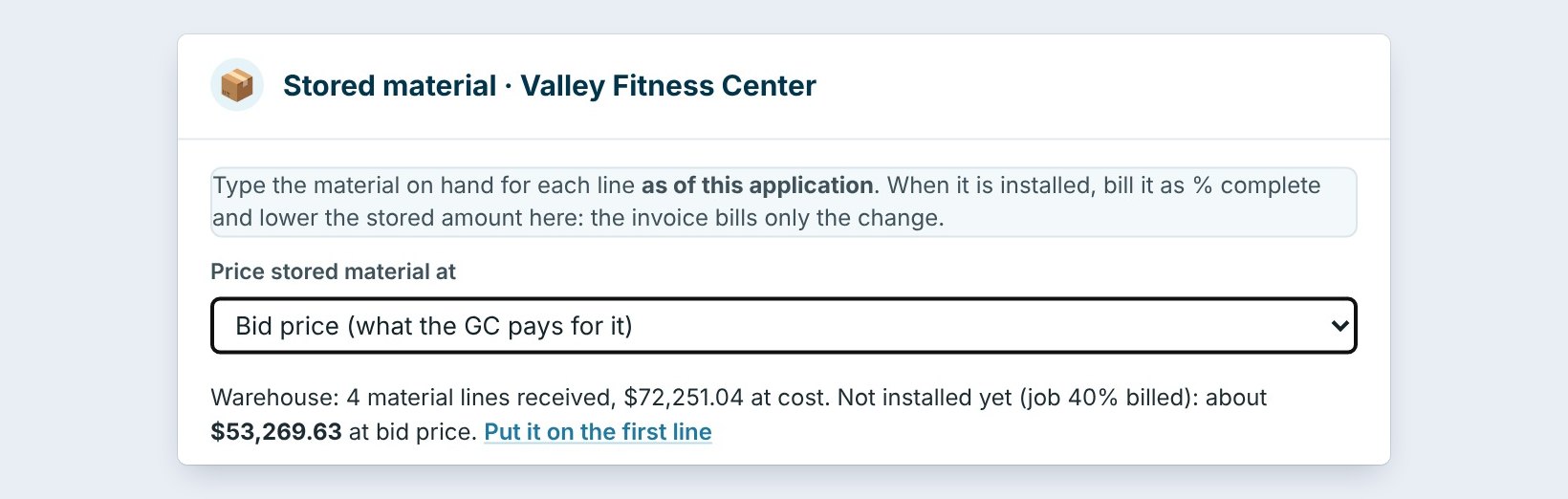
Next to Stored material (column F), click + Stored material. The box says what BidWise knows: Warehouse: 4 material lines received, $72,251.04 at cost. With the job 40% billed, about $53,269.63 at bid price is not installed yet.
Price stored material at is Bid price, what the GC pays for it. Pick cost instead if the GC’s contract says so.
Send the GC the delivery tickets and a photo of the material in the warehouse with the pay app. Most GCs will not pay stored material without proof it is there and insured.
4Type the stored amount, and save
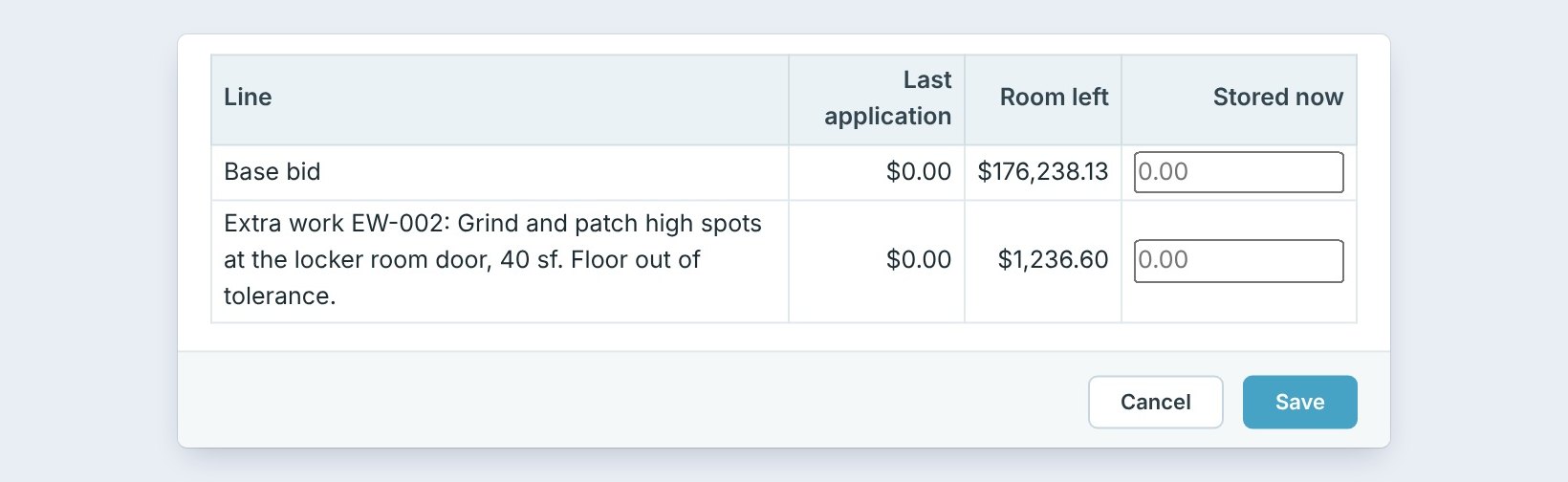
For each line, type the Stored now amount, up to the Room left: the base bid has $176,238.13. Or click Put it on the first line to put the $53,269.63 on the base bid.
Click Save. The invoice adds the stored material to This invoice. On the next one, when it is installed, bill it as % complete and lower the stored amount; the invoice bills only the change.
5What can go wrong, and how to fix it
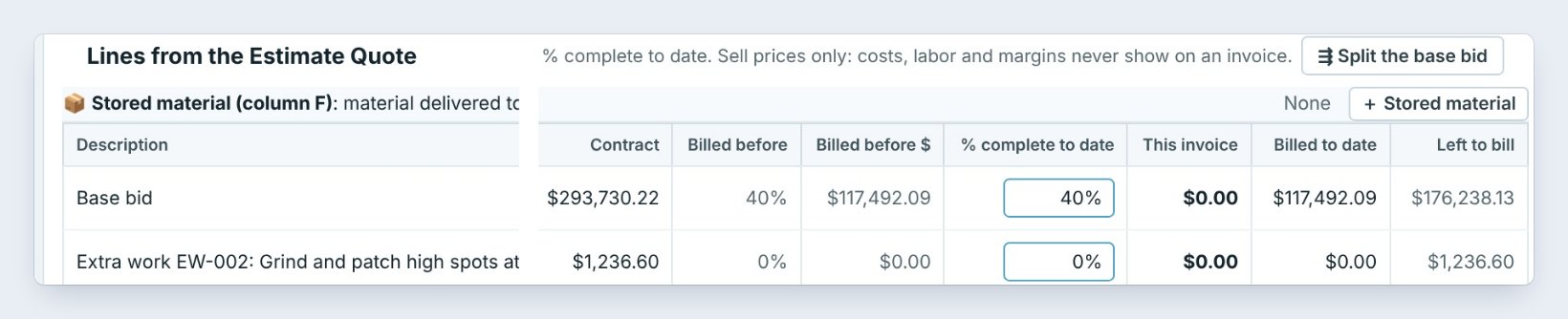
The warehouse shows nothing. Only material received on the job counts. Check the deliveries in on Receive.
Billed twice. When the material goes down, raise the % complete and lower the stored amount by the same value. The total billed stays right.
The GC rejects it. Some contracts do not allow stored material, or only at cost. Check the contract, and change Price stored material at.
Worked example: Valley Fitness Center, INV-1005
Jordan bills Valley Fitness on November 19:
| Line | Amount |
|---|---|
| Material in the warehouse, at cost | $72,251.04 |
| Not installed yet, at bid price | about $53,269.63 |
| Stored now, on the base bid | $53,269.63 |
| Less 10% retainage | $5,326.96 |
| Stored material on this invoice, net | $47,942.67 |
The money for the material comes in before the crew puts it down.
What to do next
That is the last guide for now. See every guide.
Get paid for material before it goes down
Progress billing is part of CFE BidWise Business. Start with the 30-day free trial, no credit card.
Frequently Asked Questions
What is stored material?
Material delivered to the site or your warehouse for the job but not installed yet. On a pay application it is column F.
At cost or at bid price?
Bid price by default, what the GC pays for it. Pick cost if the contract says so.
What happens when it is installed?
Bill it as % complete and lower the stored amount by the same value. The invoice bills only the change.

Written by
Cristian Valcu – Founder & CEO, Commercial Flooring Estimating LLC
Cristian has estimated commercial flooring for over 20 years and built CFE BidWise around the way flooring contractors actually price, propose and track their bids.
Last updated: