
CFE guide · BidWise Sales
The BidWise Sales Bid Calendar: Bid Dates, Job Walks, Follow-Ups and Meetings in One Month
Click Bid calendar on the Home ribbon. The month shows bids due, job walks, bids on the Job Bid Board, follow-ups and lead next steps, each with its own icon. Click one to open it. In Calendar options pick Outlook, Google, Microsoft 365 or a calendar file, then click All my dates to my calendar.


Why it matters
A missed bid date is a lost job, and a missed job walk usually is too. The dates live in bid invites, emails and sticky notes until something slips.
The bid calendar puts every date from your bids, follow-ups and leads on one month, and sends them to the calendar on your phone.
The 5 steps
- Open the bid calendarHome › Bid calendar.
- Read the monthBusy week of the 22nd.
- Calendar optionsWhere your dates go.
- All my dates at onceOne calendar file.
- What can go wrongMissing date, double dates.
1Open the bid calendar
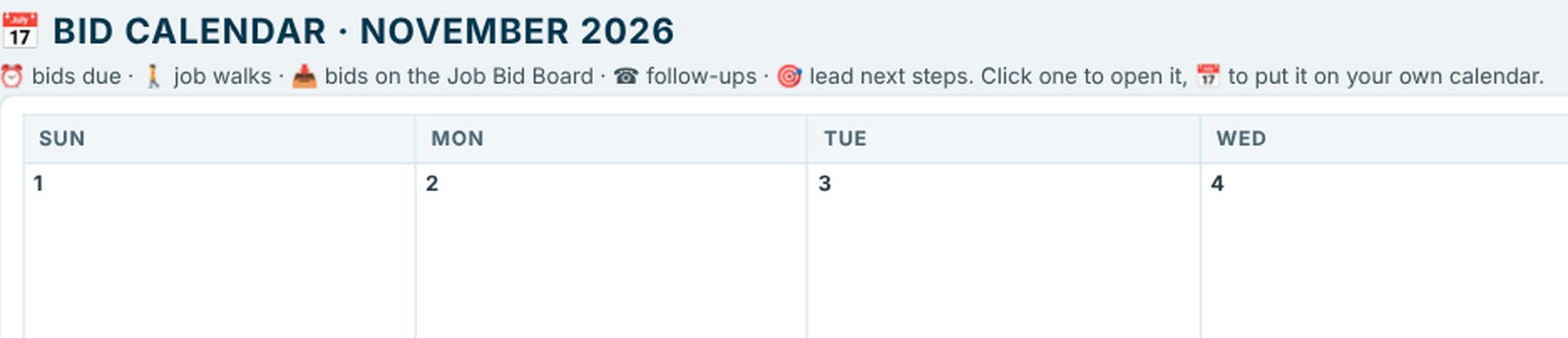
Click Bid calendar on the Home ribbon. The month opens on today, here November 2026. Use Prev, Today and Next to move.
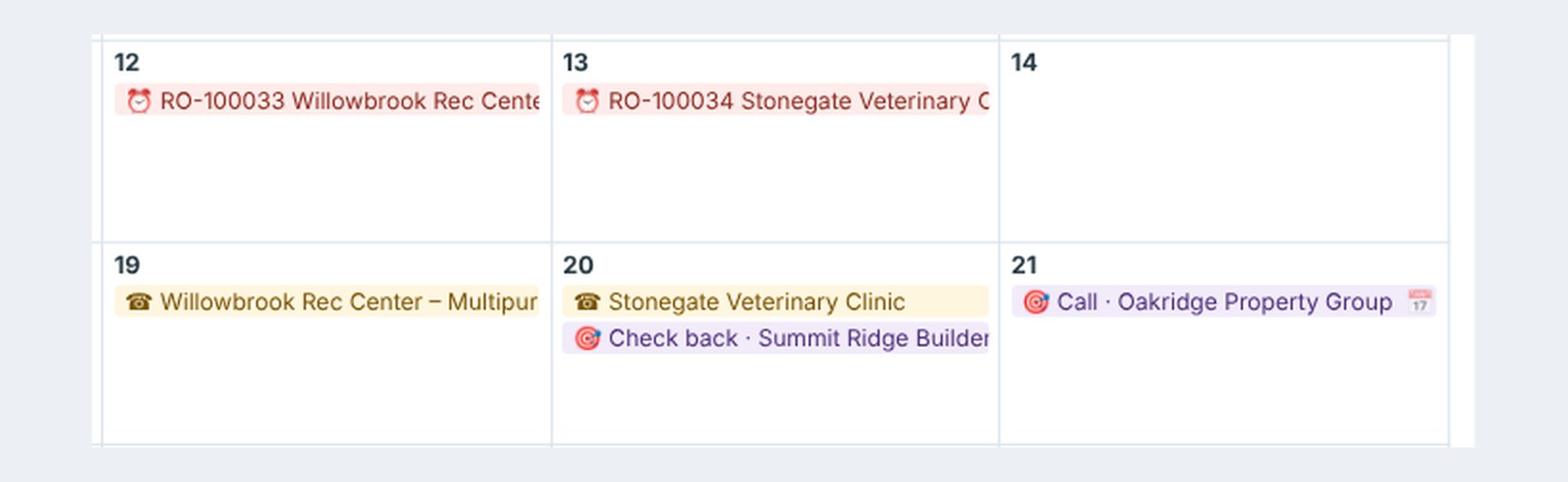
The line under the title is the key: an alarm clock for bids due, a walker for job walks, an inbox for bids on the Job Bid Board, a phone for follow-ups, and a target for lead next steps.
2Read the busy week
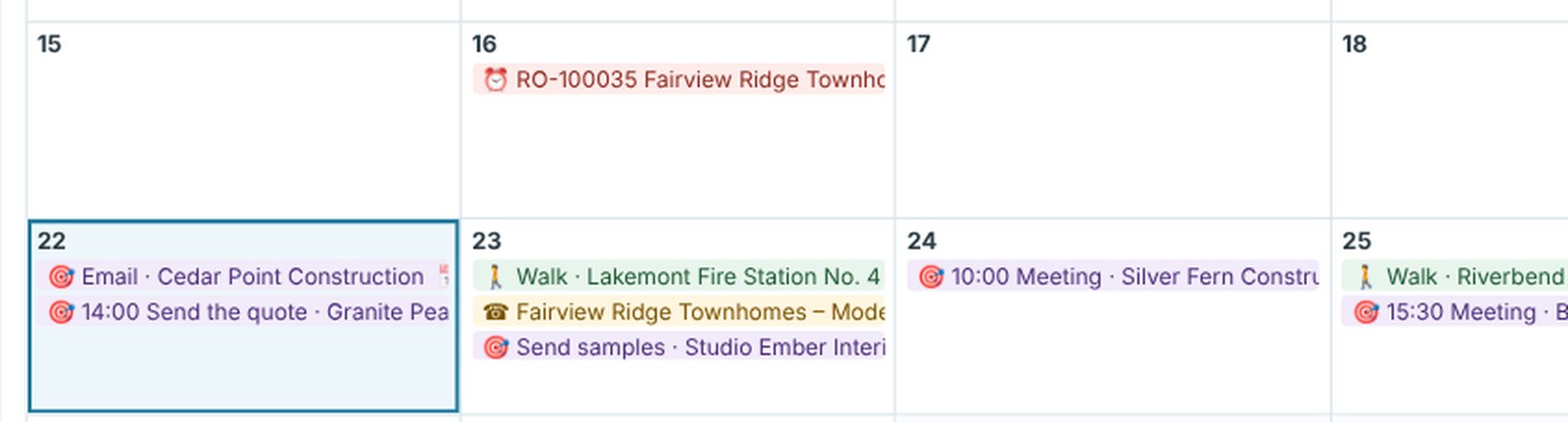
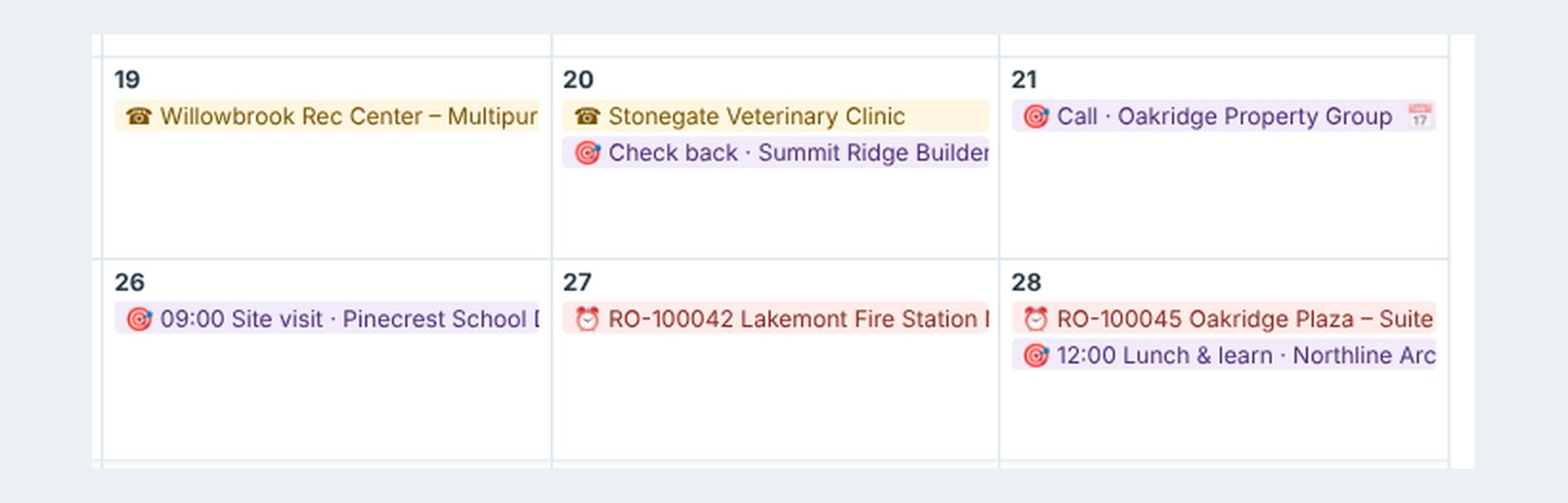
The week of the 22nd is full. Tuesday there is a walk at Lakemont Fire Station No. 4, Wednesday a 10:00 meeting with Silver Fern Construction, and the 26th a 09:00 site visit at Pinecrest School.
Two bids are due at the end of the week: RO-100042 Lakemont Fire Station on the 27th and RO-100045 Oakridge Plaza on the 28th. Click any line to open the bid or the lead.
3Pick your own calendar
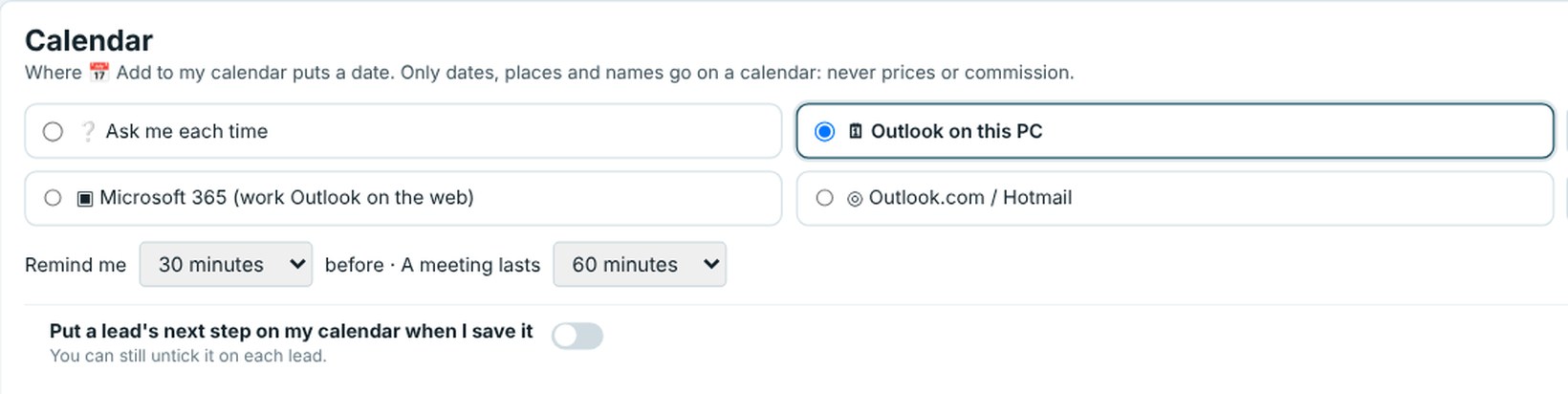
Click Calendar options. Pick where a date goes when you click the calendar icon: Outlook on this PC, Google Calendar, Microsoft 365, Outlook.com, or a calendar file for an iPhone or Android.
Set Remind me 30 minutes before and A meeting lasts 60 minutes. Only dates, places and names go on a calendar, never prices or commission.
Turn on Put a lead’s next step on my calendar when I save it. Every call you promise lands on your phone without an extra click.
4Send all your dates at once

Under All my dates at once, tick what to send: Bids due, Job walks, Bid follow-ups and Lead next steps.
Click Save all my dates as a calendar file, or All my dates to my calendar on the bid calendar. Open the file in Outlook, Google Calendar or on your phone, and every date from today on is there.
5What can go wrong, and how to fix it
A bid is not on the calendar. It has no bid due date. Open the bid and type the date.
The same dates show twice in Outlook. The calendar file was opened twice. Delete the older copy in Outlook; next time send only new dates with the calendar icon.
Prices showed up on a calendar. They never do. Only dates, places and names are sent.
Worked example: Rosa’s week of November 22
From the bid calendar:
| Day | What | Where |
|---|---|---|
| Mon 23 | Job walk | Lakemont Fire Station No. 4 |
| Tue 24 | 10:00 meeting | Silver Fern Construction |
| Thu 26 | 09:00 site visit | Pinecrest School |
| Fri 27 | Bid due | RO-100042 Lakemont Fire Station |
| Sat 28 | Bid due | RO-100045 Oakridge Plaza |
Rosa sends all of it to Outlook on Monday morning, and her phone reminds her 30 minutes before each one.
What to do next
Next, move bids through your pipeline in Move a bid and mark it Won. Or see all the step-by-step guides.
Every bid date, on your phone
BidWise Sales is free for salesmen. Download it and put your bid dates on one calendar. It works offline, your numbers stay on your PC, and it links to CFE BidWise when your company has it.
Frequently Asked Questions
Does the bid calendar put prices on my phone?
No. Only dates, places and names go on a calendar.
Can I use Google Calendar?
Yes. Pick Google Calendar in Calendar options.
What about an iPhone?
Pick Save as calendar file and open the file on the phone.

Written by
Cristian Valcu – Founder & CEO, Commercial Flooring Estimating LLC
Cristian has estimated commercial flooring for over 20 years and built CFE BidWise around the way flooring contractors actually price, propose and track their bids.
Last updated: