
CFE guide · BidWise Sales
BidWise Sales Email Templates and Your Signature: Write It Once, Send It Every Time
In BidWise Sales, click Settings › My options and open the Email tab. Type your signature and phone, then click Save. Under My email templates, edit the six starting templates or click New template. When you email a lead or GC, pick a template: {first}, {project}, {bidNo} and {signature} fill in by themselves.


Why it matters
A salesman writes the same five emails all week: nice to meet you, confirming the meeting, checking in, following up on the bid, and thank you for the award. Typing them each time is slow, and the tired Friday version never sounds as good as Monday’s.
Write each one once, with your signature, and BidWise Sales fills in the name, company, project and bid number for you.
The 5 steps
- Your signatureMy options › Email.
- Your templatesSix to start with.
- Email with a templatePick it, check it.
- Check and sendOpen in my email program.
- What can go wrongBlank fields, no signature.
1Set your signature and phone
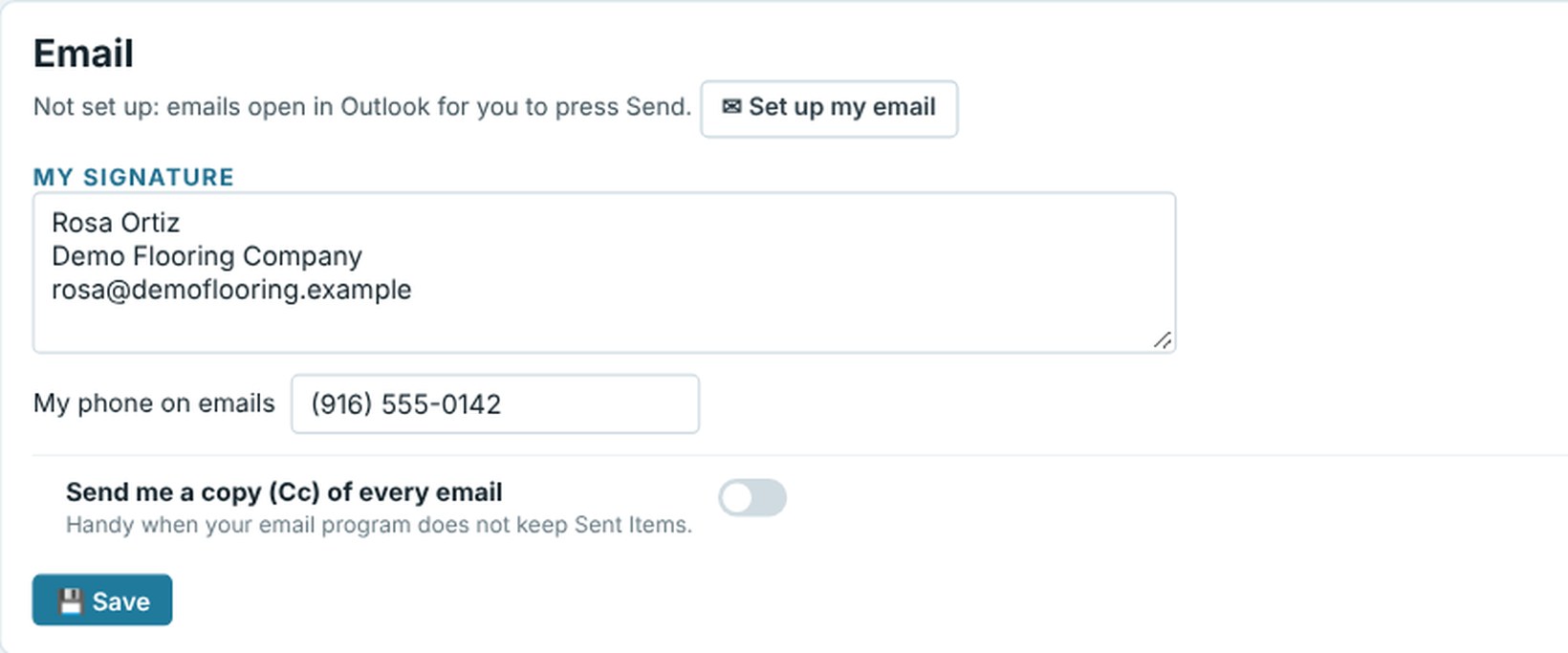
Click Settings, then My options, and open the Email tab. Under My signature, type your name, company and email: Rosa Ortiz, Demo Flooring Company. Add My phone on emails, (916) 555-0142, and click Save.
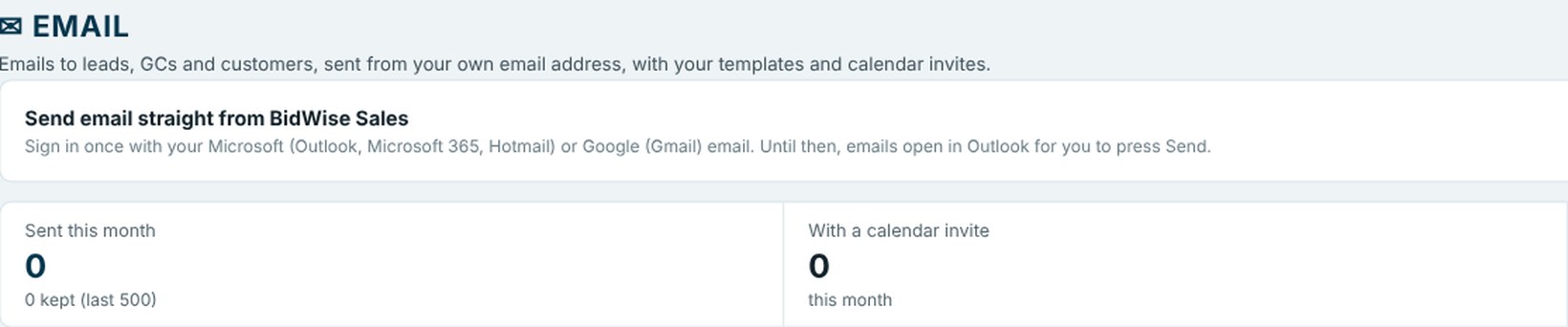
The line at the top says Not set up: emails open in Outlook for you to press Send. Click Set up my email to send straight from BidWise Sales.
2Look at your six templates
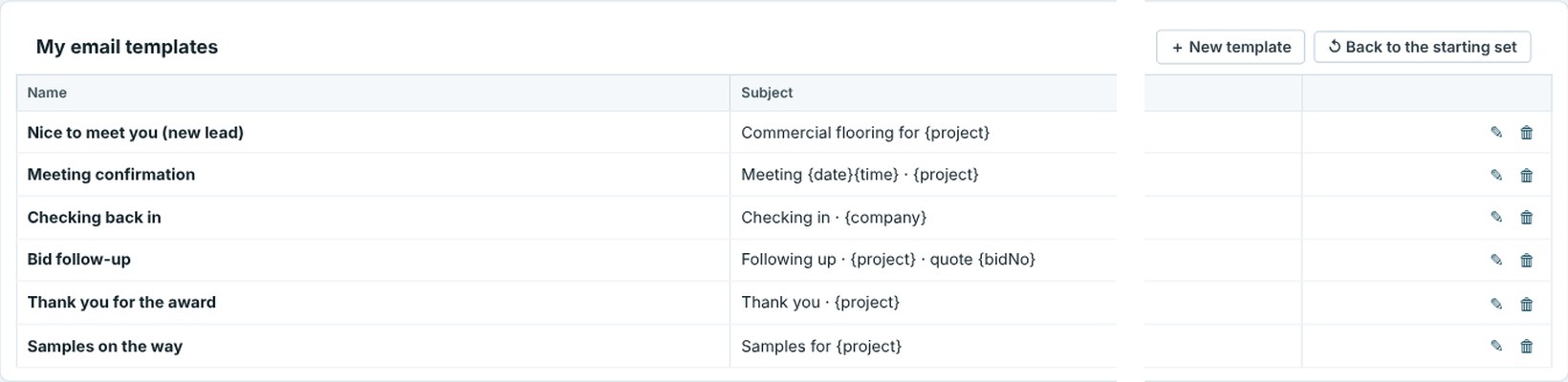
Under My email templates you start with six: Nice to meet you, Meeting confirmation, Checking back in, Bid follow-up, Thank you for the award and Samples on the way.
Each subject has words in braces, like Following up · {project} · quote {bidNo}. Click the pencil to change one, or New template to add your own.
Changed a template too much? Back to the starting set brings the six originals back.
3Email a lead with a template
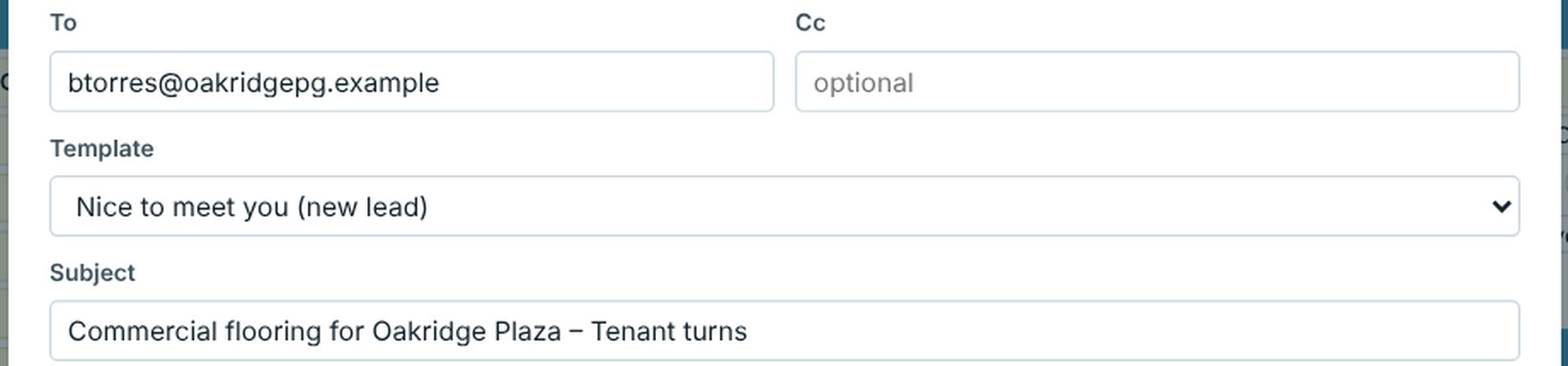
Open a lead, here Ben Torres at Oakridge Property Group, and click Email. Pick the template Nice to meet you (new lead).
The To address and the subject fill in by themselves: Commercial flooring for Oakridge Plaza – Tenant turns.
4Check the message and send it
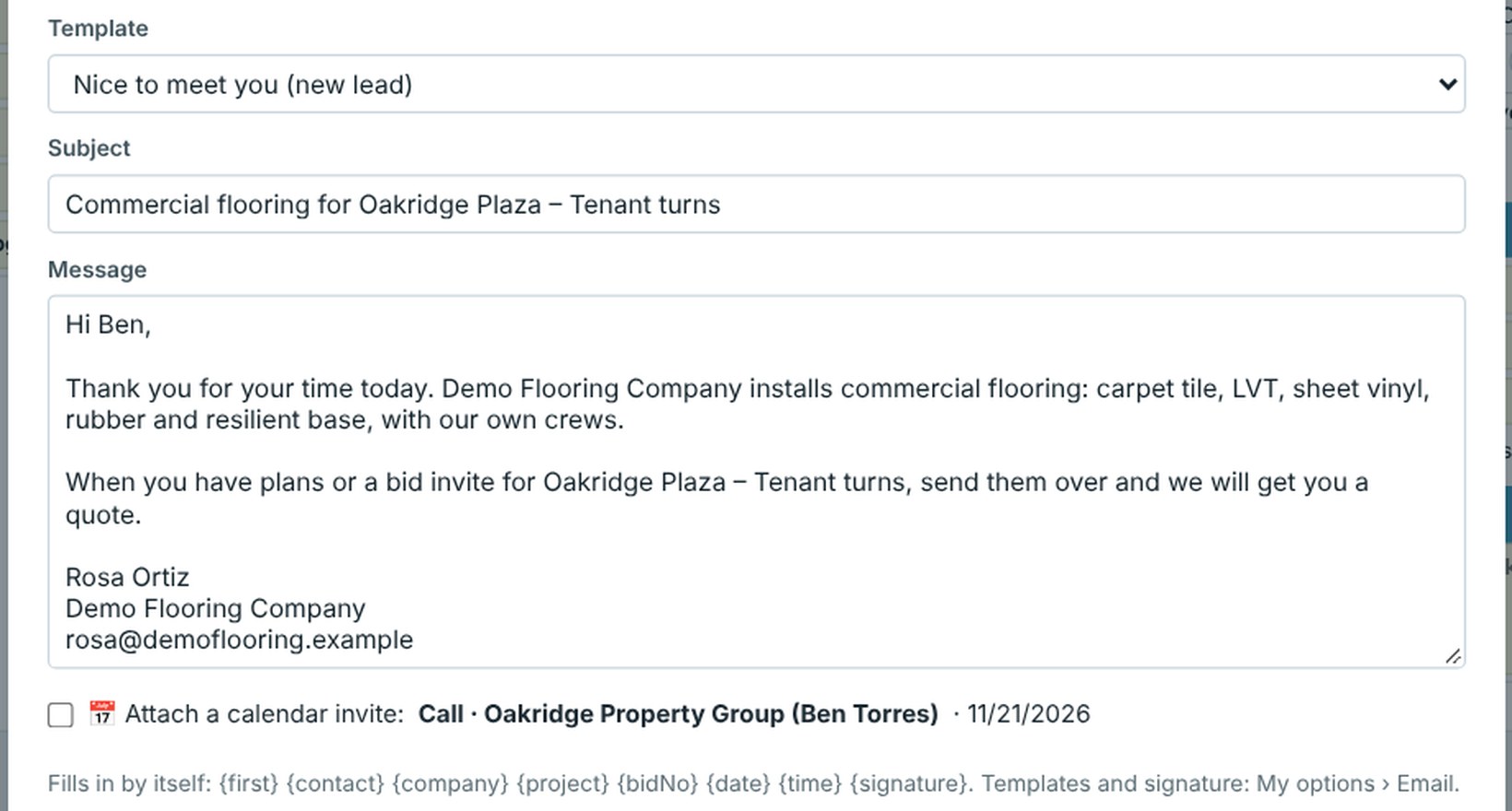
The message starts Hi Ben, names Oakridge Plaza – Tenant turns, and ends with your signature. Change any word before it goes.
Tick Attach a calendar invite to send the next call with it. Click Open in my email program, or Send when your email is set up. It is kept on the Email page.
5What can go wrong, and how to fix it
A brace word shows as {project}. The lead has no project yet. Type it on the lead, or delete it from the message.
No signature at the bottom. The template has no {signature}. Edit the template and add it.
The email never leaves. It opened in Outlook and was not sent. Press Send there, or click Set up my email to send from BidWise Sales.
Worked example: the brace words for Ben Torres
What each brace word turns into on Ben’s email:
| Brace word | Becomes |
|---|---|
| {first} | Ben |
| {company} | Oakridge Property Group |
| {project} | Oakridge Plaza – Tenant turns |
| {signature} | Rosa Ortiz, Demo Flooring Company, rosa@demoflooring.example |
One template, and every lead gets an email with their own name and project.
What to do next
Next, put every bid date on one calendar with The bid calendar. Or see all the step-by-step guides.
Write each email once
BidWise Sales is free for salesmen. Download it and send your first template email today. It works offline, your numbers stay on your PC, and it links to CFE BidWise when your company has it.
Frequently Asked Questions
Can I write my own templates?
Yes. Click New template on the Email tab, give it a name, a subject and a message, and save.
Does it send from my own email?
Yes, once you click Set up my email and sign in with Microsoft or Google. Until then it opens in Outlook.
Which words fill in by themselves?
{first}, {contact}, {company}, {project}, {bidNo}, {date}, {time} and {signature}.

Written by
Cristian Valcu – Founder & CEO, Commercial Flooring Estimating LLC
Cristian has estimated commercial flooring for over 20 years and built CFE BidWise around the way flooring contractors actually price, propose and track their bids.
Last updated: