
CFE guide · BidWise Sales
Move a Bid Through the BidWise Sales Pipeline and Mark It Won
Open the Pipeline and click the three dots on a bid card. Pick Move to Sent, Follow-up, Won, Lost or On Hold. When you pick Move to Won, type the award amount, the award date and the contract or PO number, and click Mark as Won. The Won column, your win rate and your targets update.


Why it matters
Your win rate, your target pace and your follow-ups all come from the status of each bid. A bid left in Draft after it was sent gets no follow-up. A job won but never marked Won does not count toward your target, or your commission.
Moving a card takes two clicks, and the numbers stay right.
The 5 steps
- Open the PipelineSix columns by status.
- Move a bidThe three dots.
- Mark it WonAward amount and date.
- See it countedWon column and win rate.
- What can go wrongWrong column, old bids.
1Open the Pipeline
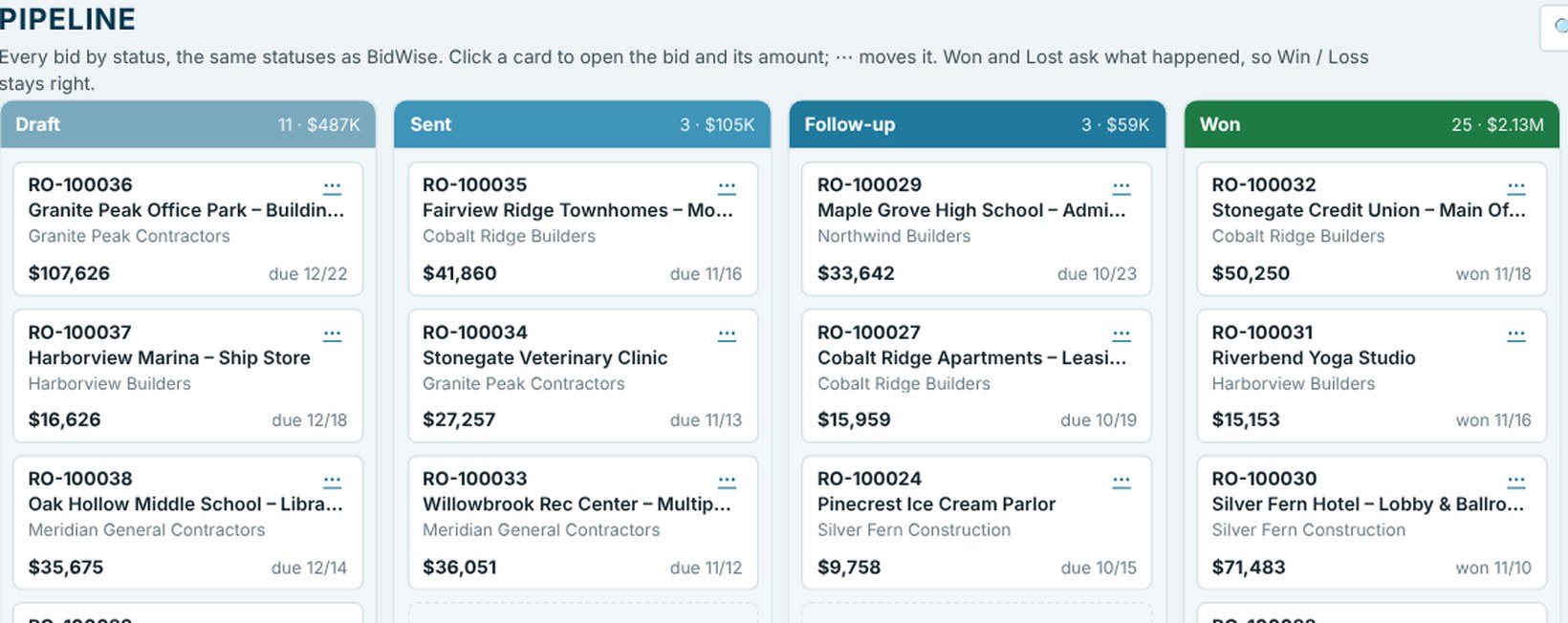
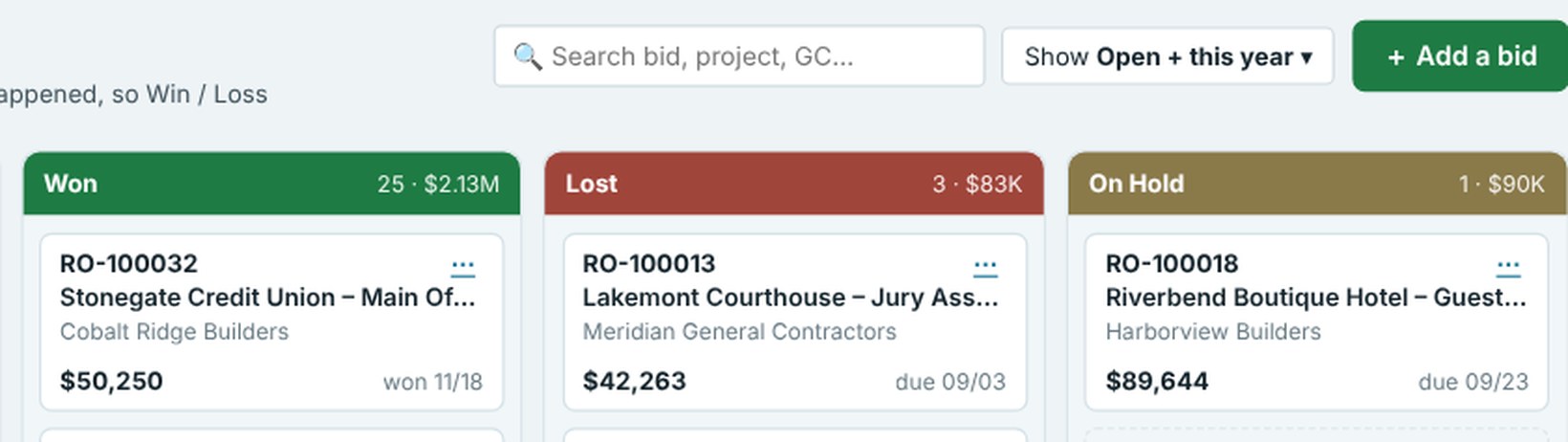
Click Pipeline on the ribbon. Every bid sits in a column by status, the same statuses as BidWise: Draft 11 for $487K, Sent 3 for $105K, Follow-up 3, Won 25 for $2.13M, Lost 3 and On Hold 1.
Each card shows the bid number, project, GC, amount and due date. Click a card to open the bid.
2Move a bid with the three dots
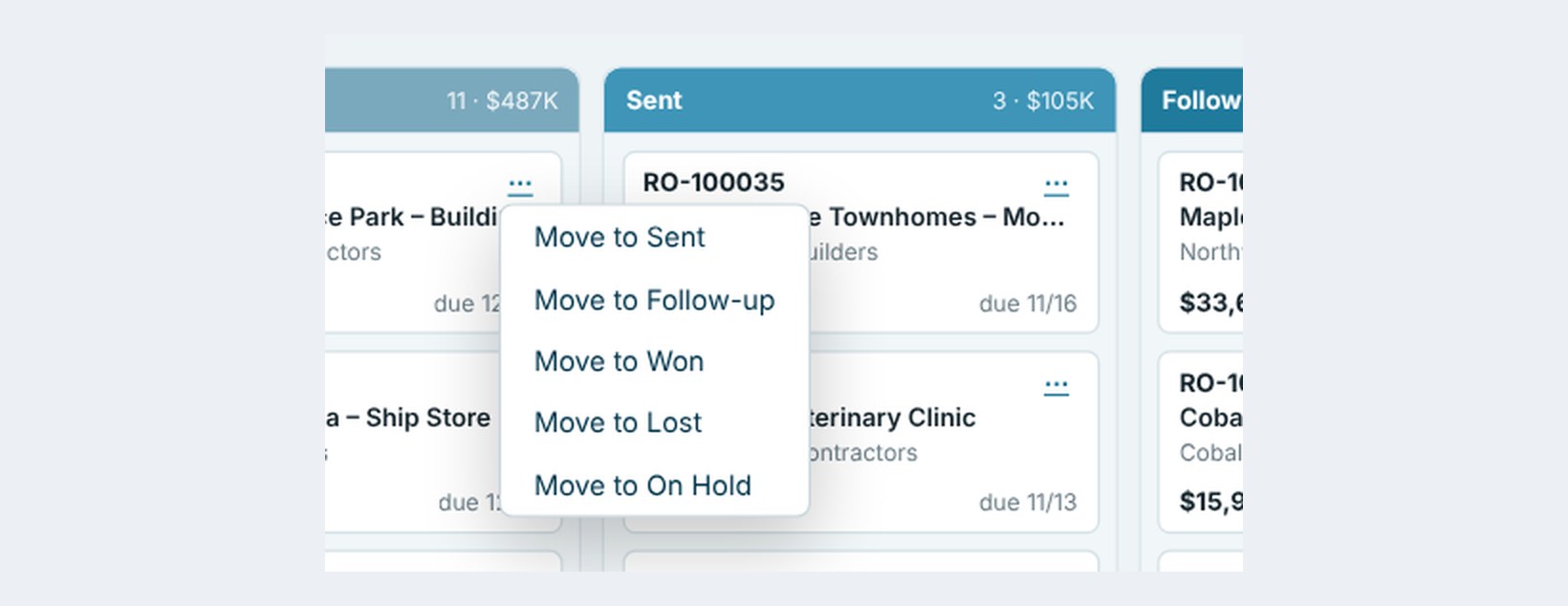
Click the three dots on a card, here RO-100035 Fairview Ridge Townhomes. The menu lists Move to Sent, Move to Follow-up, Move to Won, Move to Lost and Move to On Hold.
Moving a bid to Sent starts its follow-ups on day 7, 14 and 30.
3Mark it Won, with the award amount
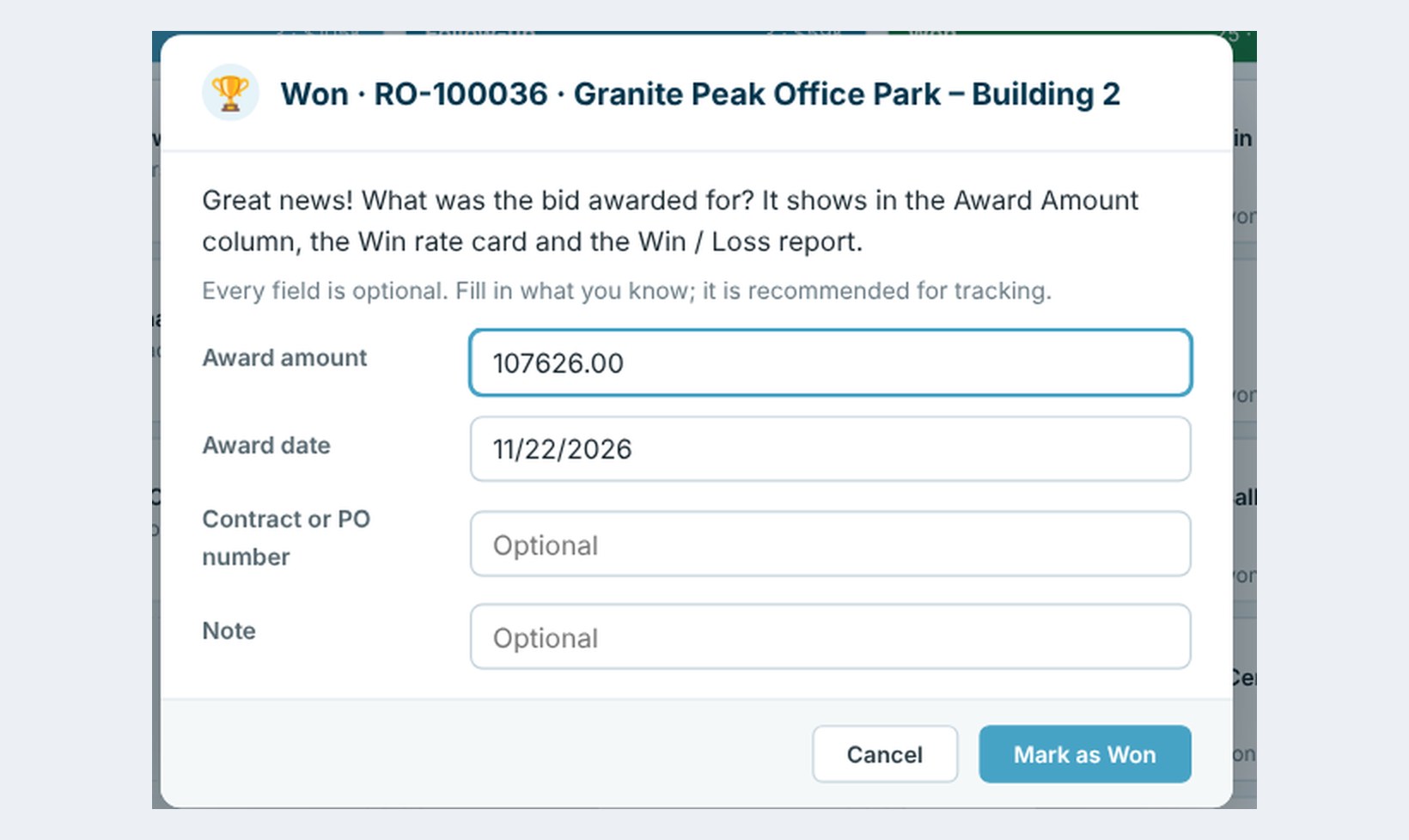
Pick Move to Won on RO-100036 Granite Peak Office Park – Building 2. The window asks what the bid was awarded for. It fills in the bid amount, 107626.00, and today’s date.
Change the amount if the GC cut it, add the contract or PO number and a note, and click Mark as Won.
Type the amount the GC actually awarded, not the bid. If they took an alternate or cut a scope, your Won total and commission stay honest.
4See it counted in Won
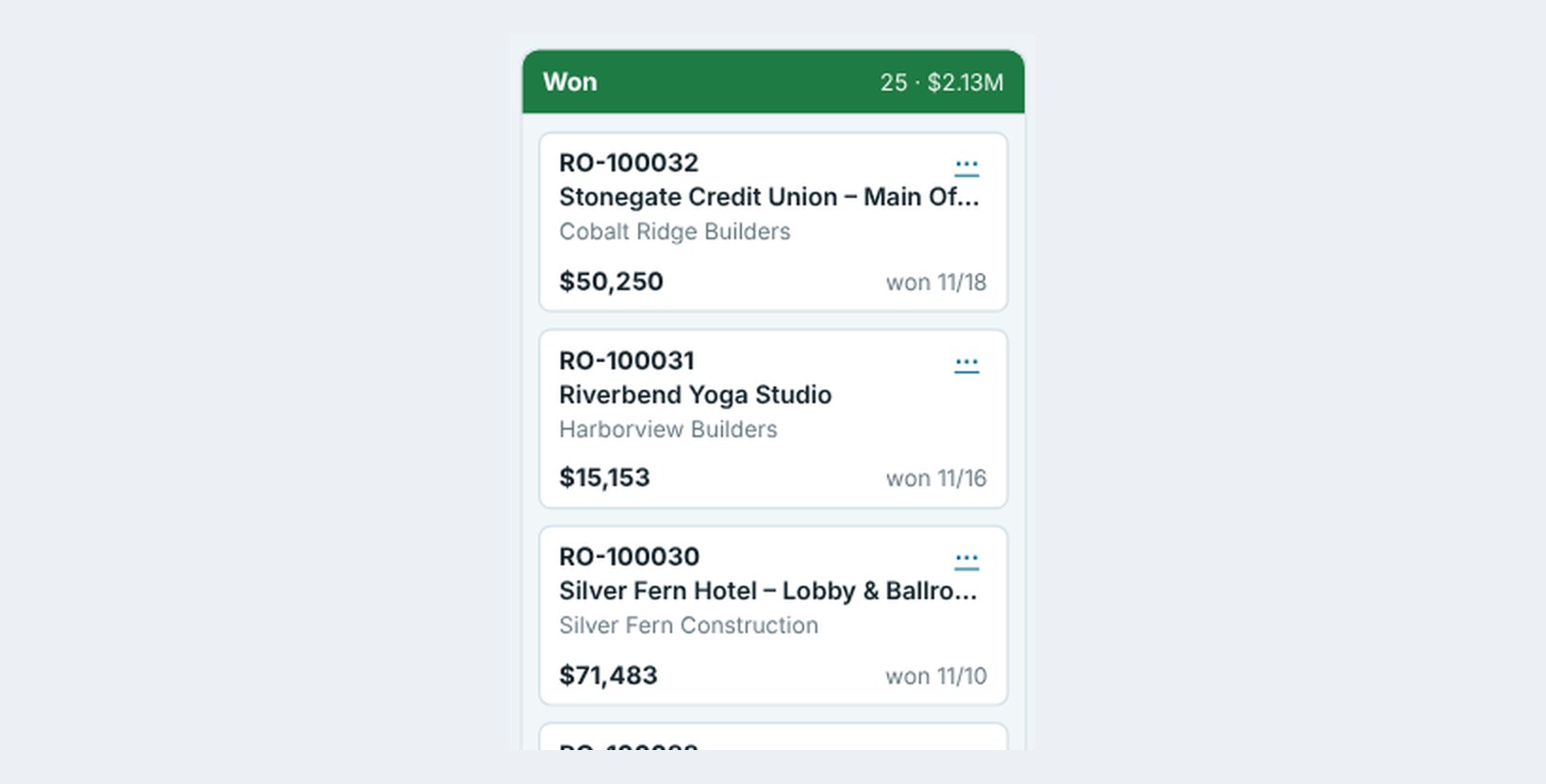
The card moves to Won, and each Won card shows the date: won 11/18 for Stonegate Credit Union. The award amount shows in the Award Amount column, on the Win rate card and in the Win / Loss report.
Moving a bid to Lost asks who got the job and their price, for the Win / Loss report.
5What can go wrong, and how to fix it
A bid went to the wrong column. Click the three dots again and move it back. Nothing is lost.
Last year’s Won bids are missing. The board shows Open + this year. Pick All years on the ribbon.
The win rate did not change. The bid was marked Won without an award amount. Open it and type the amount.
Worked example: Granite Peak Office Park
RO-100036 goes from Draft to Won:
| Step | Column | What changes |
|---|---|---|
| Bid sent | Sent | Follow-ups booked for day 7, 14 and 30 |
| GC calls back | Follow-up | Next follow-up booked |
| Awarded | Won | $107,626.00 added to Won this year |
| Contract signed | Won | PO number added for Projects |
Rosa’s Won total and win rate update the moment she clicks Mark as Won.
What to do next
Next, chase every sent bid on time with Send a bid follow-up. Or see all the step-by-step guides.
Every bid in the right column
BidWise Sales is free for salesmen. Download it and move your first bid to Won. It works offline, your numbers stay on your PC, and it links to CFE BidWise when your company has it.
Frequently Asked Questions
Can I undo a move?
Yes. Click the three dots and move the bid back.
Is the award amount required?
No, every field is optional, but it keeps your win rate, Won total and commission right.
What does On Hold do?
It takes the bid off the follow-up list until you move it again.

Written by
Cristian Valcu – Founder & CEO, Commercial Flooring Estimating LLC
Cristian has estimated commercial flooring for over 20 years and built CFE BidWise around the way flooring contractors actually price, propose and track their bids.
Last updated: