
CFE guide · BidWise Sales
BidWise Sales Email and Calendar: Templates, Invites and Bid Dates
Open a lead and press Email, pick a template, and press Open in my email program. The subject and message fill in with the name, company and project. Set your signature and templates in Settings › My options › Email. The Bid calendar shows every bid due, job walk, follow-up and next step, and Calendar options sends them to Outlook, Google, Microsoft 365 or a calendar file.


Why it matters
A salesman writes the same five emails all week: nice to meet you, meeting confirmed, checking back, following up on the bid, thank you for the award. Typing them from scratch is time not spent selling.
BidWise Sales fills them in from the lead or bid, sends them from your own email address, and puts the dates on the calendar you already use.
The 6 steps
- The Email pageEverything you sent.
- Email a leadPick a template.
- Templates and signatureYour words, once.
- The Bid calendarDue dates, walks, follow-ups.
- Calendar optionsOutlook, Google, or a file.
- What can go wrongEmail not set up.
1Open the Email page
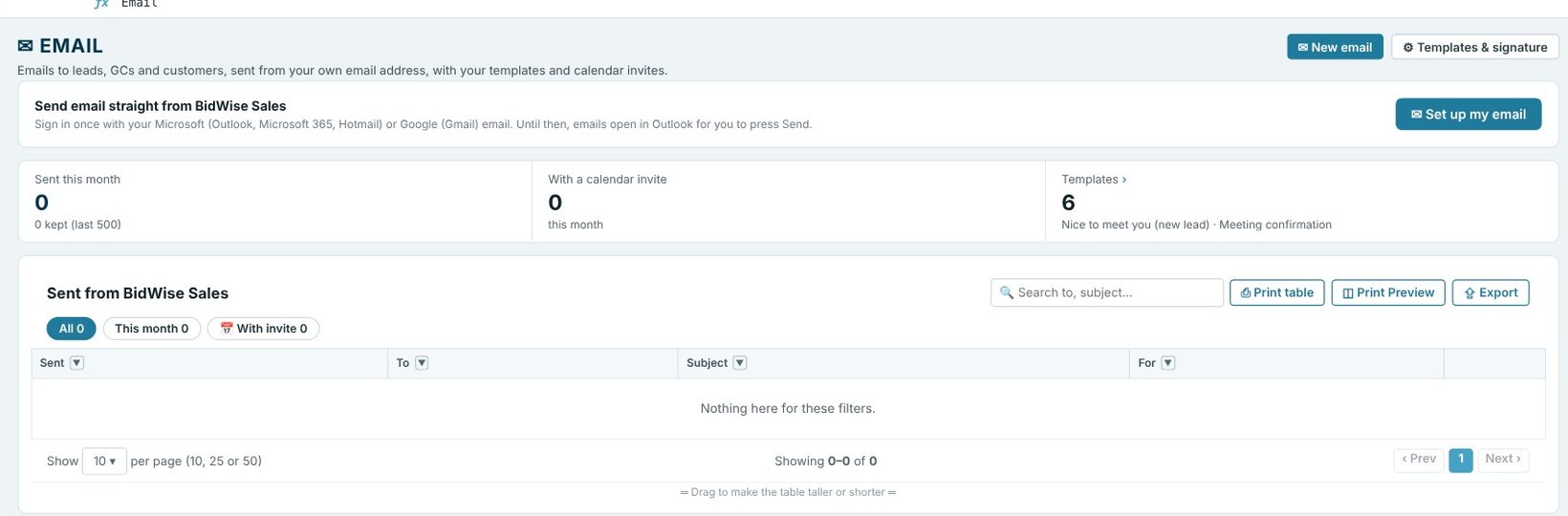
Open Email under Leads. The cards show the emails sent this month, the ones with a calendar invite, and your templates. Every email sent from BidWise Sales is listed below, with search, print and export.
Press Set up my email to send straight from BidWise Sales with Microsoft or Google. Until then, emails open in Outlook for you to press Send.
2Email a lead with a template
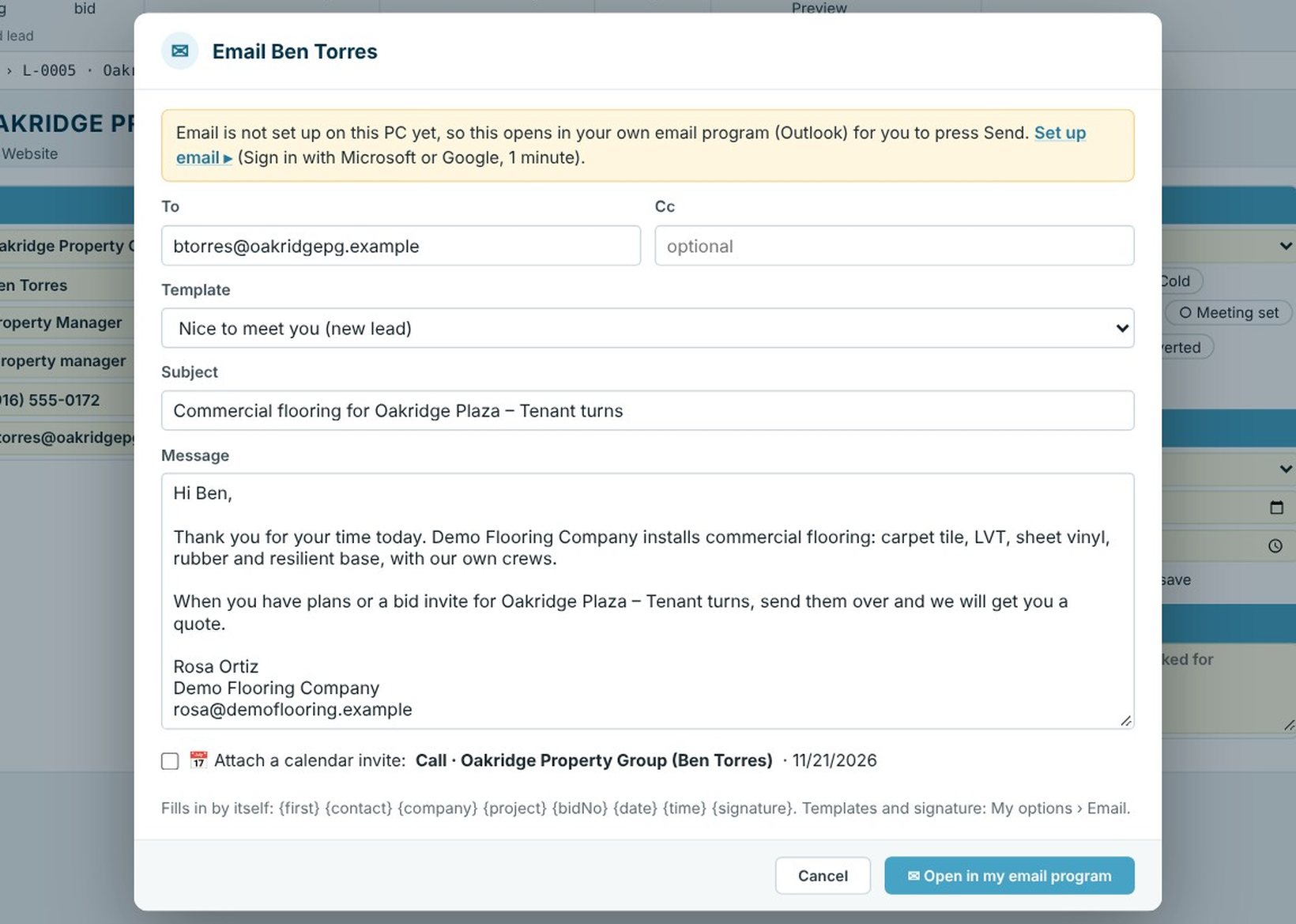
Open a lead and press Email. To is filled in from the lead. Pick a template, here Nice to meet you. The subject and message fill in with the name, company and project.
Tick Attach a calendar invite to send the next step with it, then press Open in my email program.
Keep your templates short and personal. A three-line follow-up with the project name in the subject gets answered more often than a long one.
3Set your templates and signature
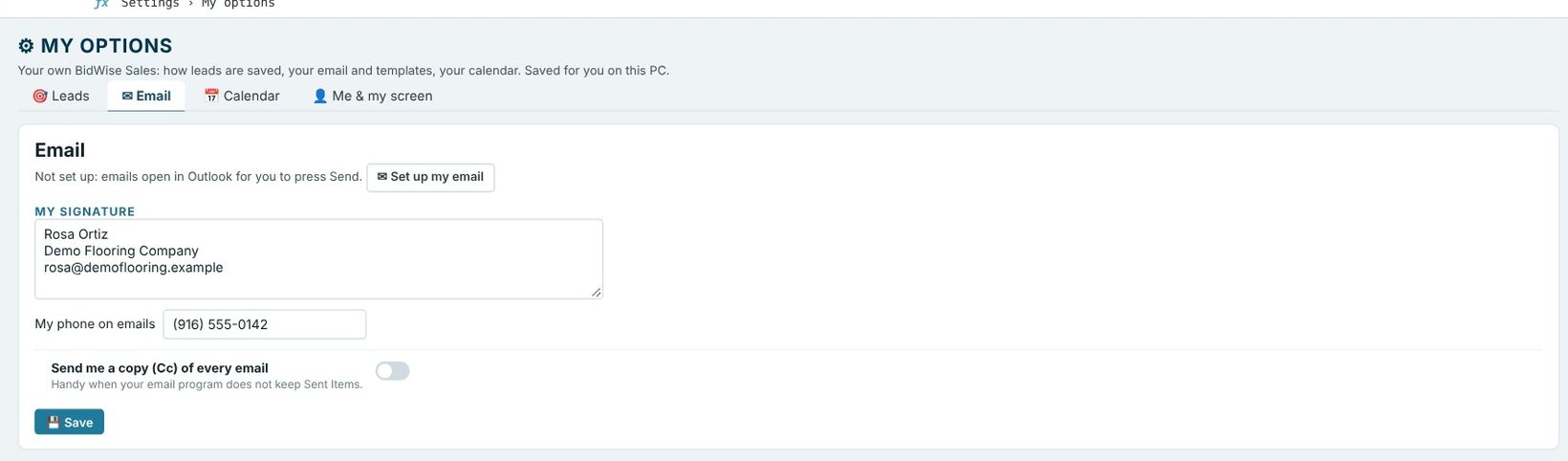
In Settings, My options, Email, type your signature and the phone number for your emails. My email templates starts with six: nice to meet you, meeting confirmation, checking back, bid follow-up, thank you for the award, and samples on the way.
Press the pencil to change one, or New template to add your own.
4Use the Bid calendar
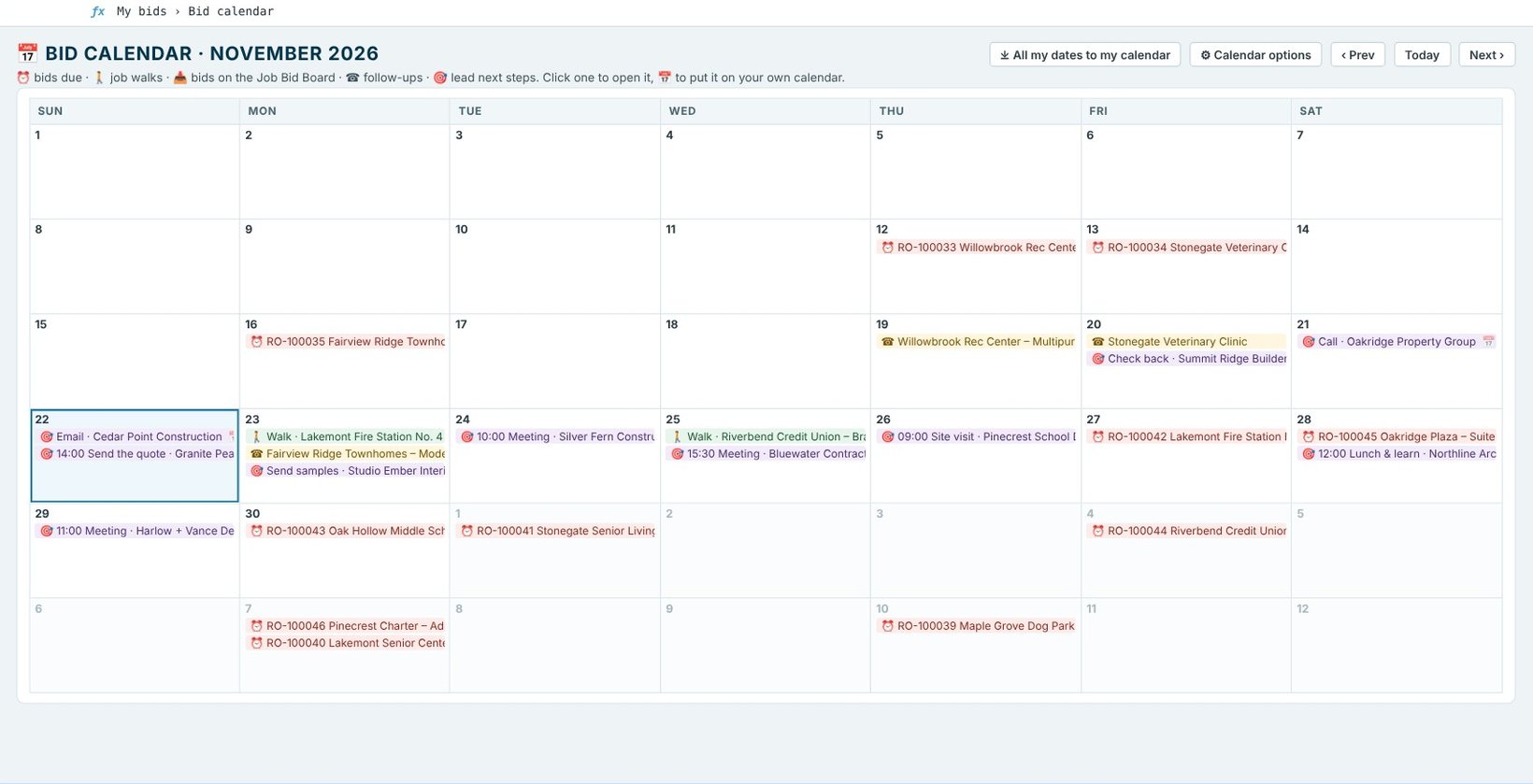
Bid calendar shows the month: bids due, job walks, bids on the Job Bid Board, follow-ups and lead next steps. Click any item to open it. Press All my dates to my calendar to send them to your own calendar.
5Set your calendar options
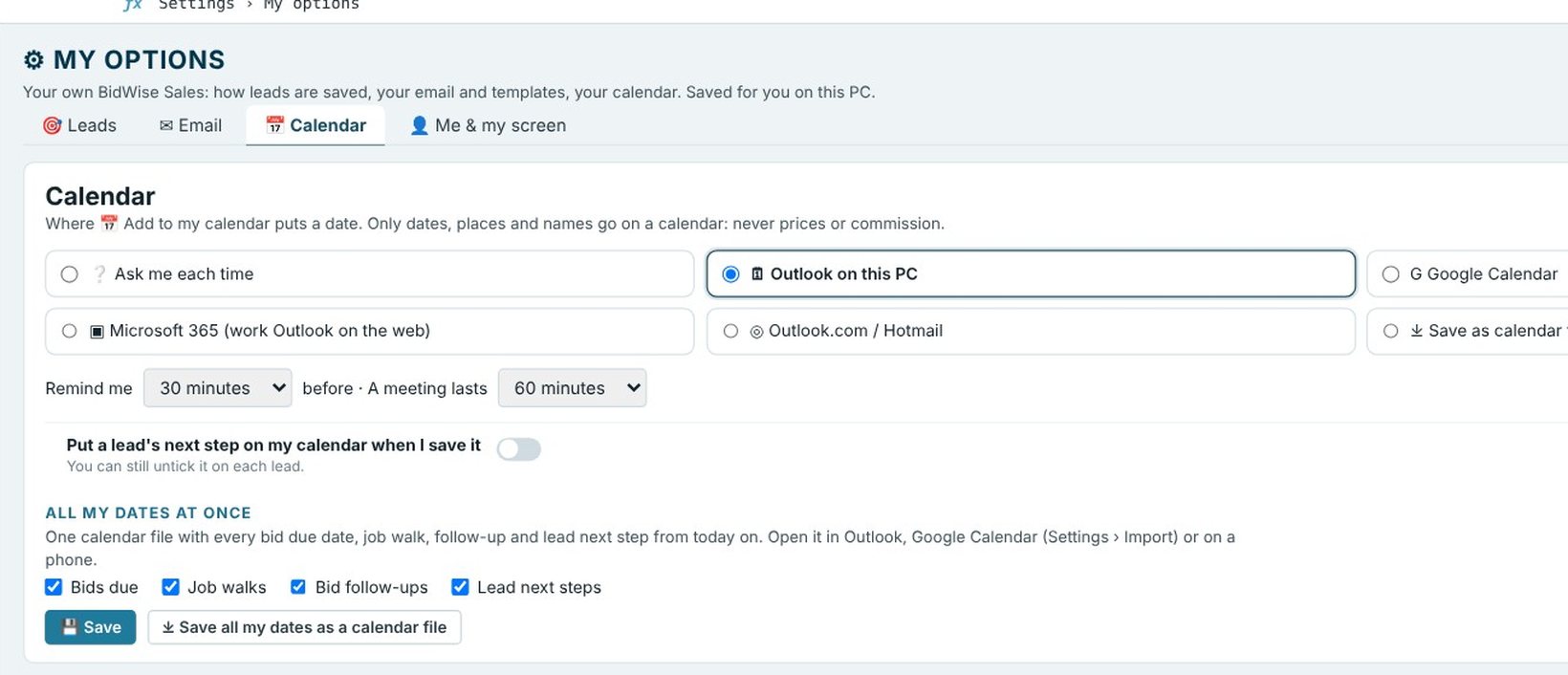
In My options, Calendar, pick where dates go: Outlook on this PC, Google Calendar, Microsoft 365, Outlook.com, or a calendar file. Set the reminder and how long a meeting lasts. Only dates, places and names go on a calendar, never prices or commission.
Tick bids due, job walks, bid follow-ups and lead next steps, then press Save all my dates as a calendar file.
6What can go wrong, and how to fix it


Email is not set up. The email opens in Outlook for you to press Send there. Set up my email takes one minute.
A date is missing from Google. Pick Google Calendar in Calendar options, then send all your dates again.
Worked example: one week of emails
| Day | Template | |
|---|---|---|
| Mon | Ben Torres, Oakridge Plaza | Nice to meet you |
| Tue | Meeting at Silver Fern, with calendar invite | Meeting confirmation |
| Thu | Pinecrest Ice Cream Parlor, day 7 | Bid follow-up |
| Fri | Stonegate Credit Union, awarded | Thank you for the award |
Four emails, four templates, no retyping. Every one is listed on the Email page.
What to do next
Next: Pipeline, follow-ups and Win / Loss. Or see all the step-by-step guides.
Your sales desk, free
BidWise Sales is free for commercial flooring salesmen. It works offline, your numbers stay on your PC, and it links to CFE BidWise when your company has it.
Frequently Asked Questions
Does BidWise Sales send email from its own server?
No. It sends from your own email: straight from BidWise Sales once you sign in with Microsoft or Google, or by opening Outlook for you to press Send.
Do prices go on my calendar?
No. Only dates, places and names go on a calendar, never prices or commission.
Can I change the starting templates?
Yes. Press the pencil on any template, add your own with New template, or go back to the starting set.

Written by
Cristian Valcu – Founder & CEO, Commercial Flooring Estimating LLC
Cristian has estimated commercial flooring for over 20 years and built CFE BidWise around the way flooring contractors actually price, propose and track their bids.
Last updated: