
CFE guide · Accounting
Top Salesmen of the Month, Printed for the Meeting
Open Accounting › Salesmen › Reports. The Top salesmen card ranks last month’s salesmen by what they sold, meaning jobs won that month, with jobs won, their share and the biggest job. Pick another month from the list, any of the last 24, and click Print for the meeting. The printout has no commission or profit on it.


Why print the top salesmen?
A monthly sales meeting goes better with one sheet everyone can see: who sold the most, how many jobs, and the biggest one. It is a pat on the back for the winner and a target for everyone else.
The sheet is made from the jobs marked Won, by the day they were won, and it leaves commission and profit off, so it can go on the wall.
The five steps
- Find Top salesmenOn Salesmen reports.
- Pick the monthAny of the last 24.
- Print for the meetingOne page, no commission.
- Read the tableJobs won, sold, share.
- What can go wrongEmpty month, missing salesman.
1Find the Top salesmen card
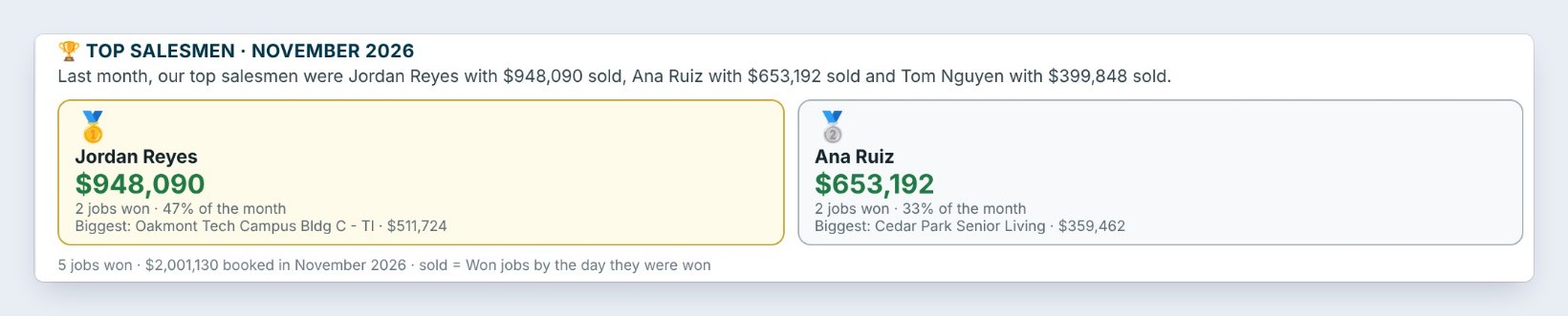
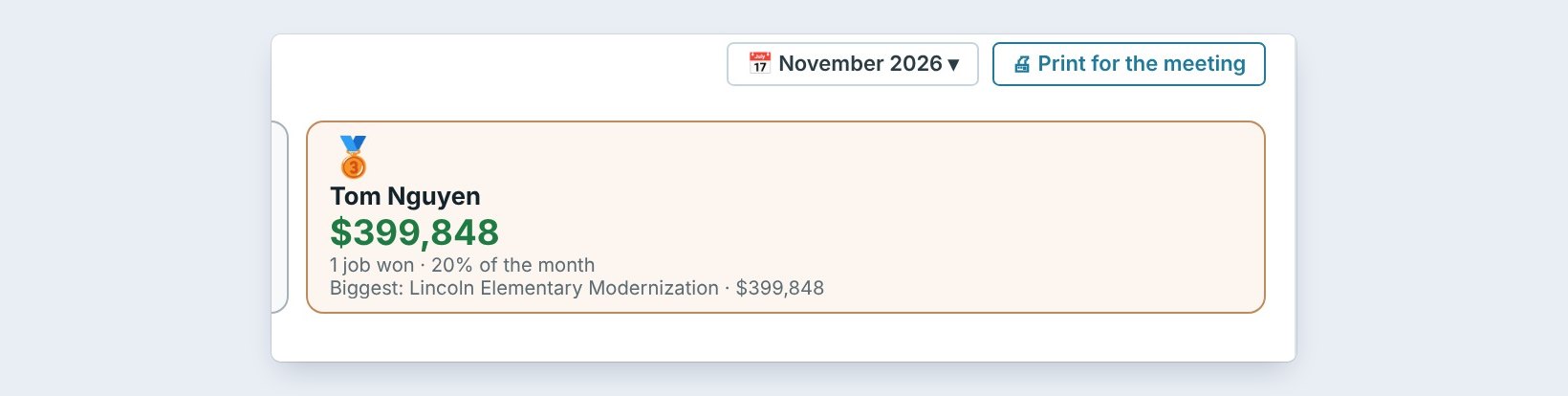
Open Accounting › Salesmen › Reports. Under the tiles, Top salesmen shows last month, here November 2026, and says it in a sentence: our top salesmen were Jordan Reyes with $948,090 sold, Ana Ruiz with $653,192 and Tom Nguyen with $399,848.
Each card has the jobs won, the share of the month and the biggest job. Jordan won 2 jobs, 47% of the month, the biggest Oakmont Tech Campus at $511,724.
2Pick the month
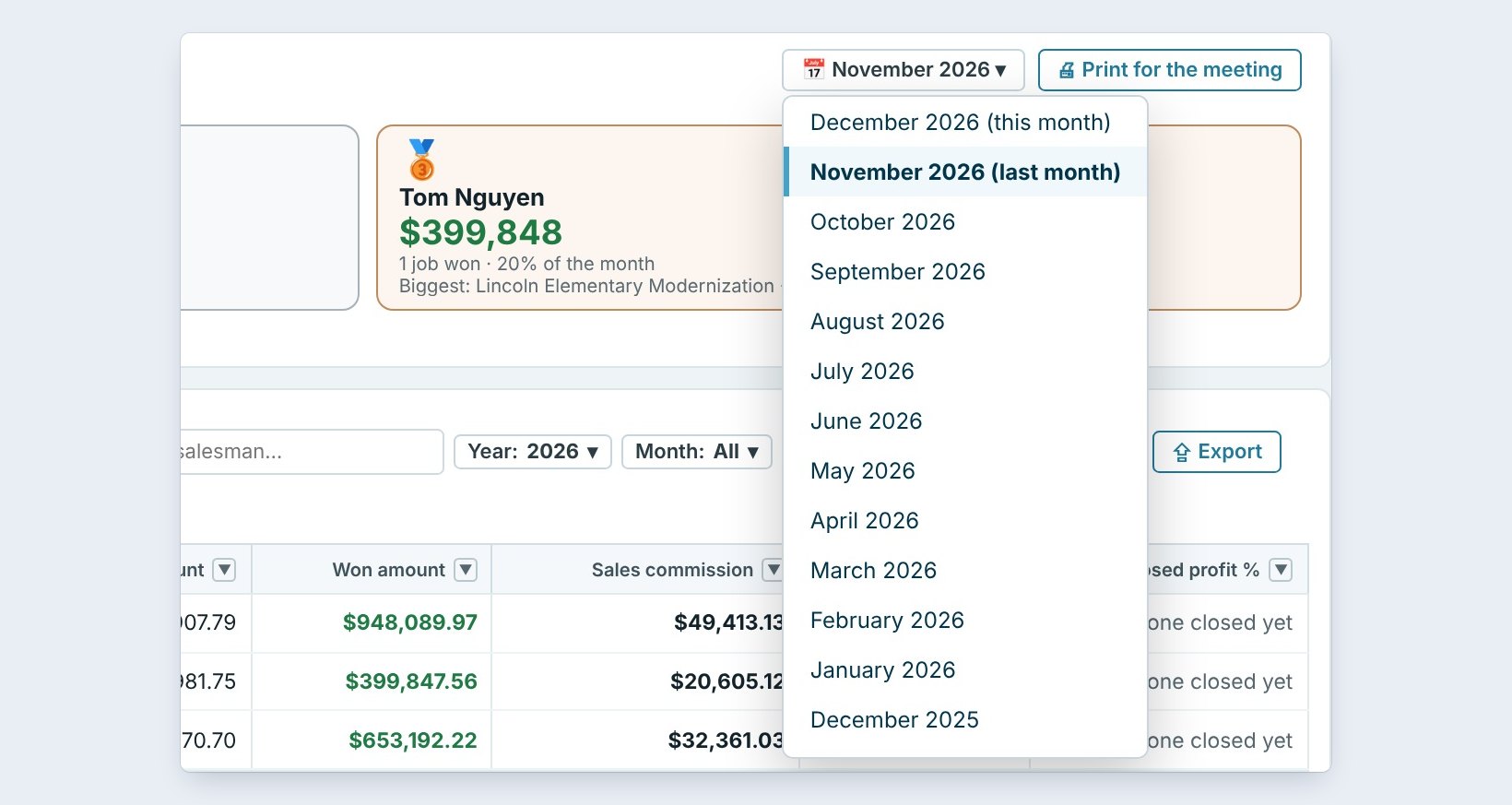
The card opens on last month, the one you hold the meeting about. Click the month to pick another: this month so far, or any month of the last 24.
Sold means the jobs won in that month, counted by the day they were won.
3Print it for the meeting
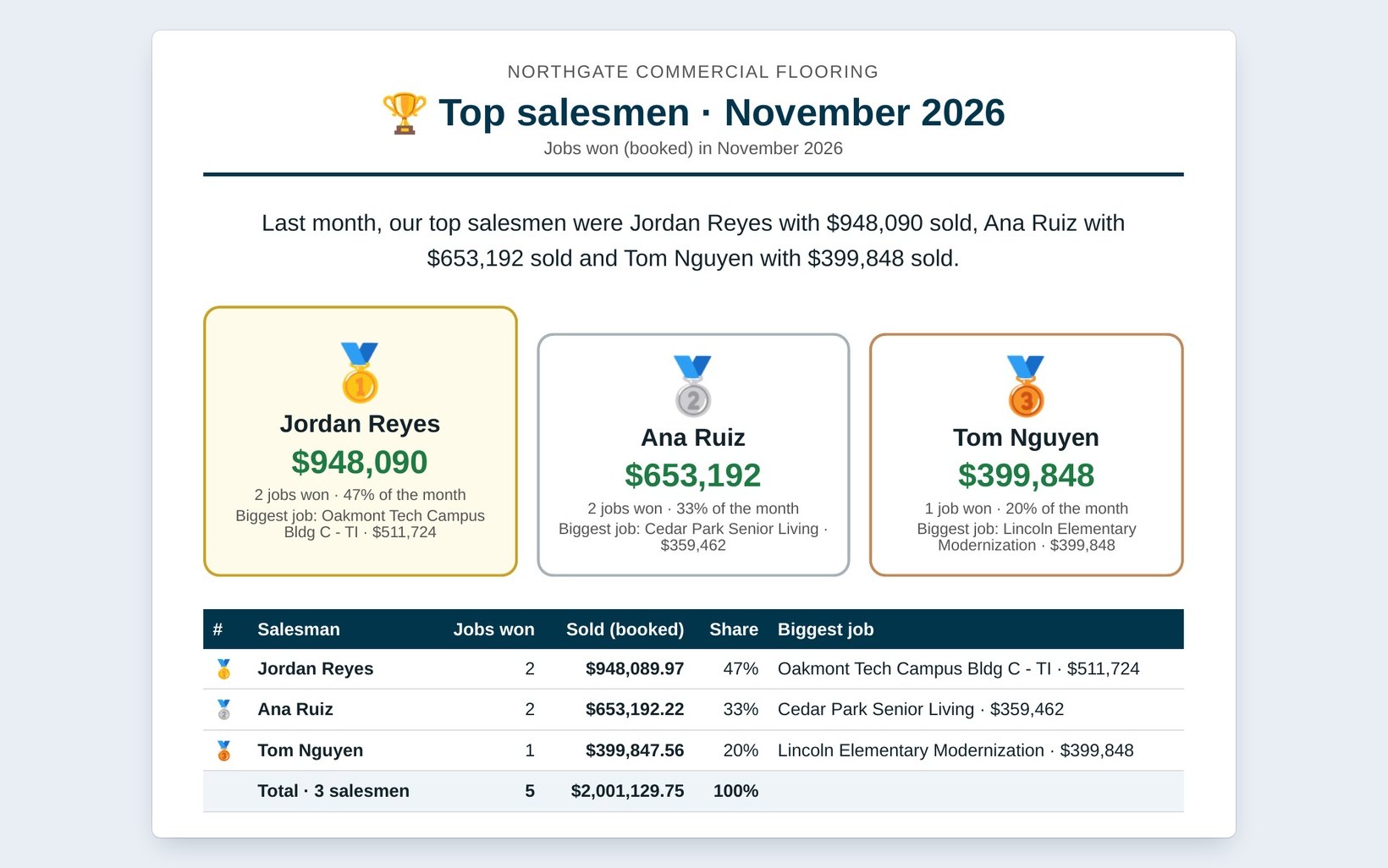
Click Print for the meeting. The page has your company name, Top salesmen, November 2026, jobs won in November, the same sentence, and the gold, silver and bronze cards.
Print it, or save it as a PDF and put it on the screen in the meeting room.
Print last month’s sheet on the first Monday and pin it up. Salesmen read a wall more often than a report.
4Read the table on the printout
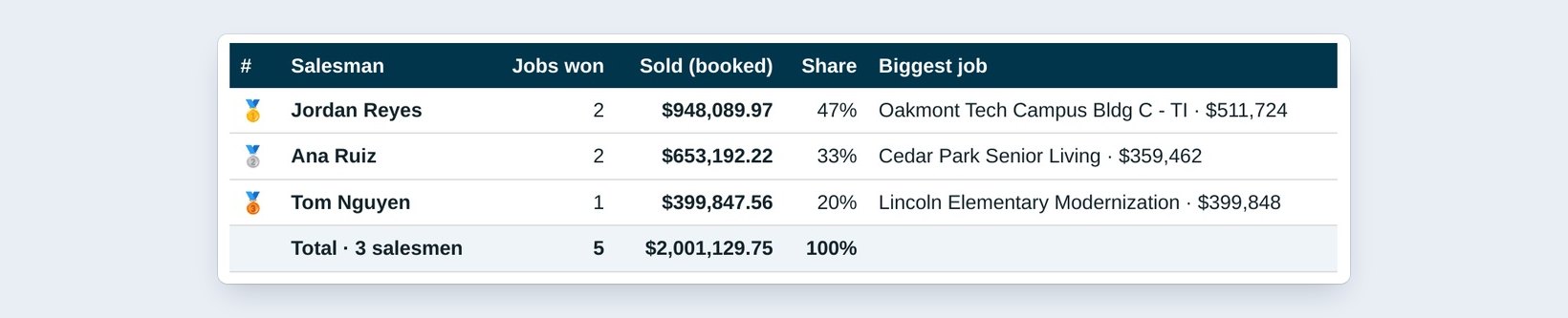
Under the cards, the table lists each salesman with Jobs won, Sold (booked), the Share and the Biggest job. In November: 5 jobs, $2,001,129.75.
There is no commission and no profit on the sheet. Those stay on the Salesmen report, for the Master user.
5What can go wrong, and how to fix it

A salesman is missing. Only salesmen with a job won that month are on it. A job counts in the month it was marked Won, so check the won date in the Bid Tracker.
A job is under the wrong salesman. Change the salesman on the estimate, then print again.
The month is empty. Nothing was won that month yet. Pick last month, or wait for the first Won.
Worked example: the November sales meeting
Printed on December 2, 2026:
| Salesman | Jobs won | Sold | Share | |
|---|---|---|---|---|
| Gold | Jordan Reyes | 2 | $948,089.97 | 47% |
| Silver | Ana Ruiz | 2 | $653,192.22 | 33% |
| Bronze | Tom Nguyen | 1 | $399,847.56 | 20% |
| Total | 5 | $2,001,129.75 | 100% |
One sheet, three names, and nobody’s commission on the wall.
What to do next
Next, filter the Job Check card from the Dashboard in Click a phase to filter Job Check.
Make the sales meeting about the numbers
Top salesmen is part of CFE BidWise Business. Start with the 30-day free trial, no credit card.
Frequently Asked Questions
Which month does it show?
Last month by default. You can pick this month or any of the last 24 months.
What does sold mean?
The jobs won in that month, counted by the day they were marked Won.
Is commission on the printout?
No. The printout shows jobs won, sold, share and the biggest job only.

Written by
Cristian Valcu – Founder & CEO, Commercial Flooring Estimating LLC
Cristian has estimated commercial flooring for over 20 years and built CFE BidWise around the way flooring contractors actually price, propose and track their bids.
Last updated: