
CFE guide · BidWise Job Board
BidWise Sales Demo: Switch Between Free and BidWise Connected
Use See it as on the orange bar. Free is BidWise Sales on its own: leads, bids, follow-ups and commission, with Estimate Quote and Bid proposals locked. BidWise Connected is the same 40 sample jobs linked to the company’s CFE BidWise with a seat, so Estimate Quote, Bid proposals, Team Bid Tracker and Job Check open. Switch back any time.


Why it matters
A salesman can use BidWise Sales free, on their own, forever. When their company links them to its CFE BidWise and gives them a seat, more opens up.
The switch shows both on the same sample jobs, so you can see exactly what linking adds before you set it up for real.
The 4 steps
- Start on FreeBidWise Sales on its own.
- Click a locked screenIt offers the switch.
- BidWise ConnectedEverything open.
- Switch backFree, any time.
1Start on Free
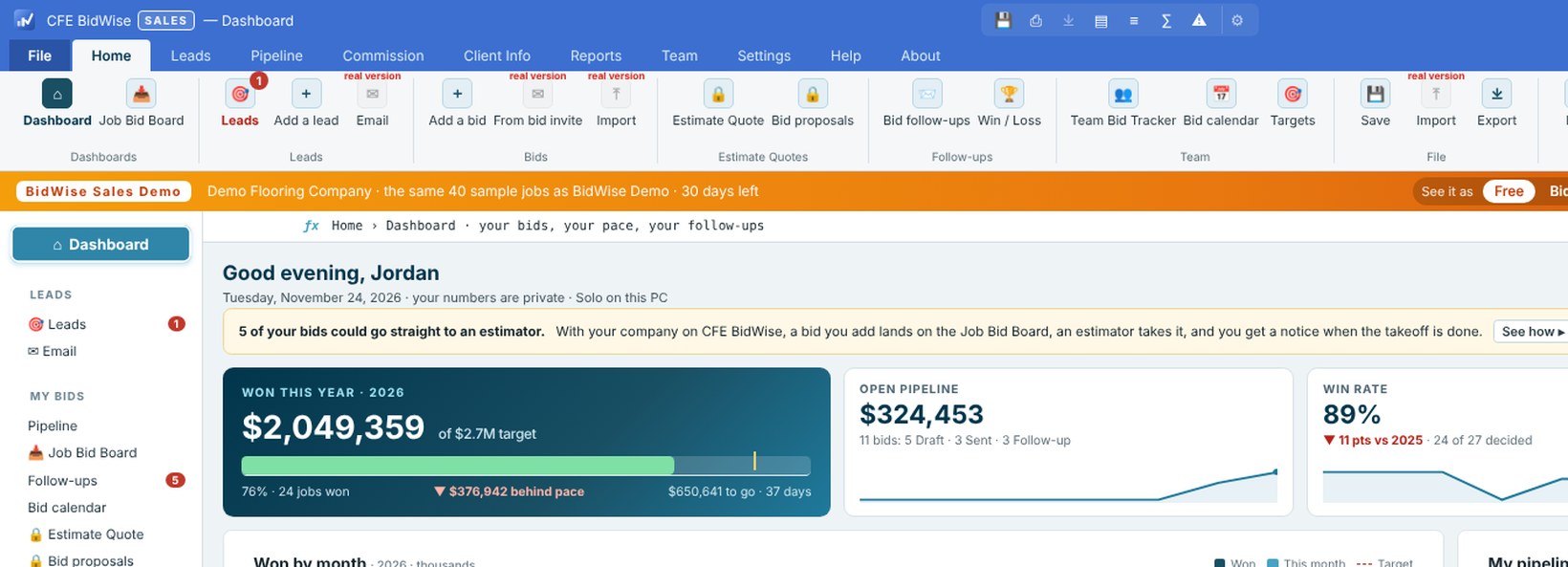
Open the blue BidWise Sales Demo and pick Free. This is BidWise Sales on its own: leads, email, the pipeline, follow-ups, your own bids, the bid calendar and your private commission.
On the left, Estimate Quote and Bid proposals show a lock. Your numbers stay on this PC.
2Click a locked screen
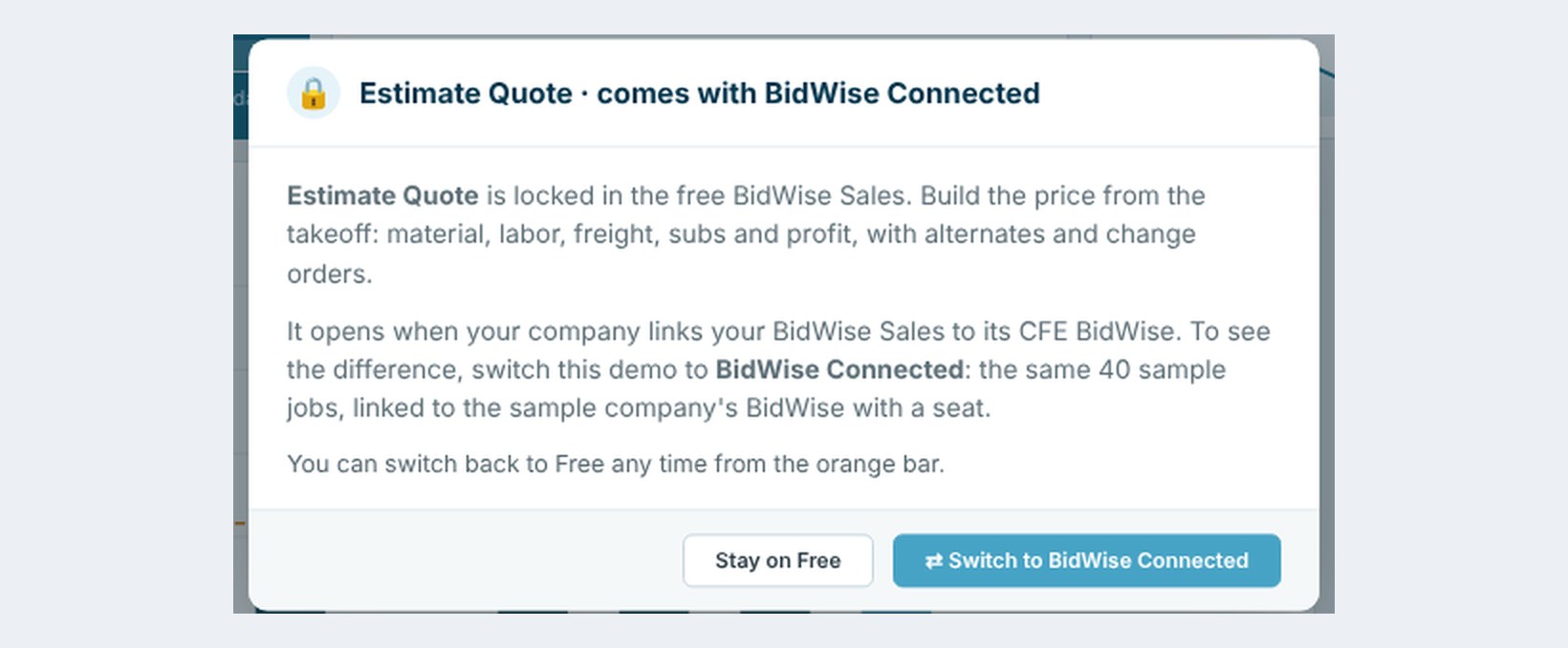
Click Estimate Quote. A window says it comes with BidWise Connected: it opens when your company links your BidWise Sales to its CFE BidWise.
Click Switch to BidWise Connected to see the difference, or Stay on Free.
3See everything open in BidWise Connected
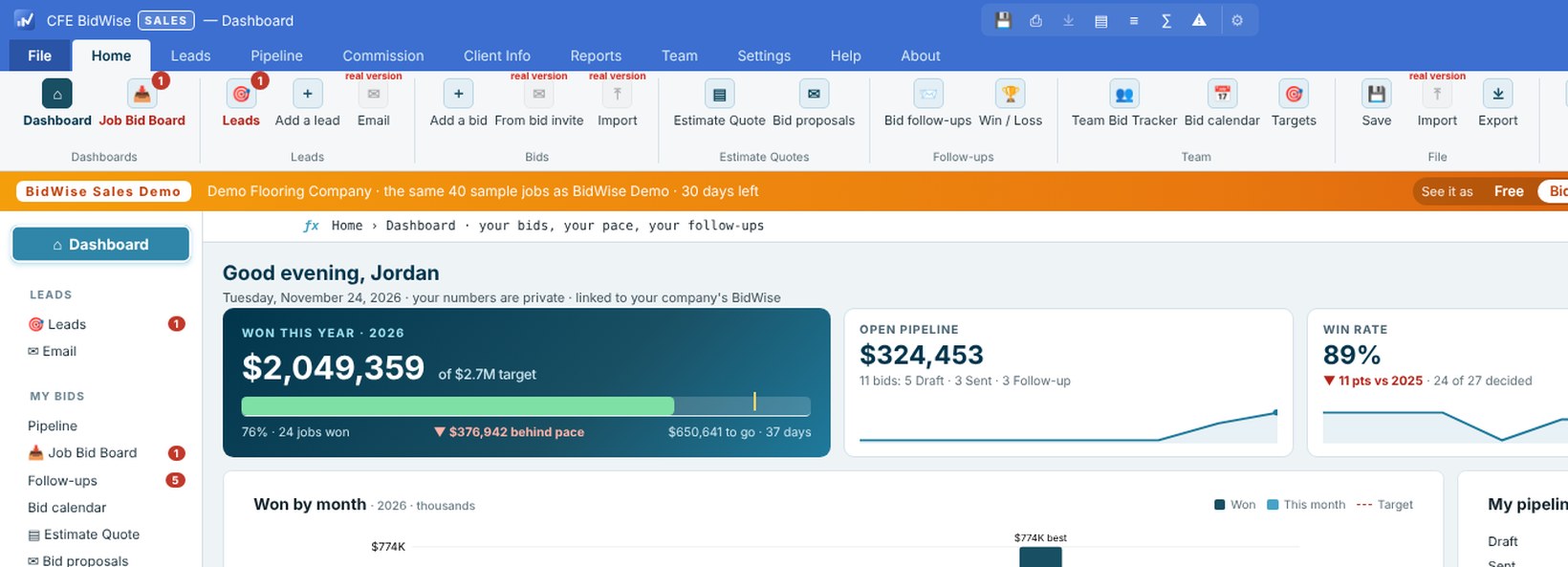
The orange bar now says BidWise Connected, and a note confirms: linked to the sample company with a BidWise seat. The locks are gone.
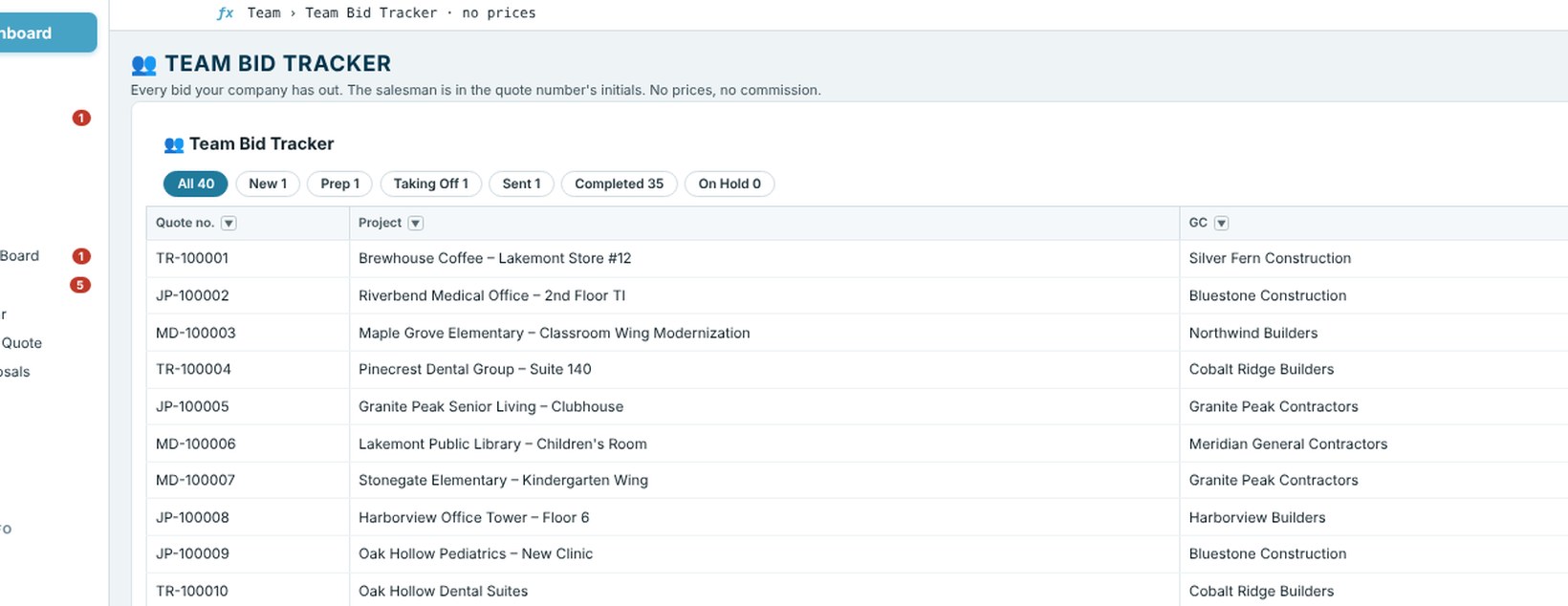
Estimate Quote and Bid proposals open BidWise’s own sheet and proposals. Team Bid Tracker shows every bid the company has out, with no prices, and Job Check shows every open Won job.
The same 40 sample jobs are in both views. Only what you can open changes.
4Switch back to Free

Click Free on the orange bar. The note says it: BidWise Sales on its own, BidWise screens show locked. Switch as often as you like.
What each view opens
The same 40 sample jobs:
| Screen | Free | BidWise Connected |
|---|---|---|
| Leads, pipeline, follow-ups | Yes | Yes |
| The company Job Bid Board | No, your own bids only | Yes |
| Commission | Yes, private | Yes, private |
| Estimate Quote, Bid proposals | Locked | Open |
| Team Bid Tracker, Job Check | Locked | Open |
BidWise Sales stays free. Connected needs a company on CFE BidWise Personal or Business, where the Job Bid Board comes included, and a seat.
What to do next
Next, open the sample jobs on the board in The Job Bid Board on the sample jobs. Or see all the step-by-step guides.
Try the Sales Demo
One BidWise Demo download opens BidWise Sales in Free and in BidWise Connected. The demo runs on its own sample data, so nothing touches your real jobs.
Frequently Asked Questions
Is BidWise Sales really free?
Yes. Free works on its own with no company and no seat.
What does BidWise Connected need?
Your company on CFE BidWise links your BidWise Sales and gives you a seat.
Do I lose anything when I switch back?
No. The same 40 sample jobs stay; only what opens changes.

Written by
Cristian Valcu – Founder & CEO, Commercial Flooring Estimating LLC
Cristian has estimated commercial flooring for over 20 years and built CFE BidWise around the way flooring contractors actually price, propose and track their bids.
Last updated: