
CFE guide · Tracking and reports
Fix a Job Check Line
Each Job Check line has a button that opens the fix. Fix it on a material line opens the material check: tick what is here, then Checked: Ready to schedule. Site ready asks the GC’s super by email and keeps the answer. Bill it opens an invoice for labor that is done, and Closeout lists the papers still to send.


Why fix it from Job Check?
A Job Check line is only useful if it is quick to clear. Each one opens the exact screen that fixes it, with the job already picked.
When the work is done in BidWise, the check reads it on the next refresh and the line goes green. Nobody has to remember to tick it off.
The five steps
- Open the material checkFix it on a material line.
- Tick it and send it onChecked: Ready to schedule.
- Ask the GCIs the floor ready for us?
- Bill it and close outLabor done, closeout papers.
- What can go wrongThe line does not clear.
1Open the material check
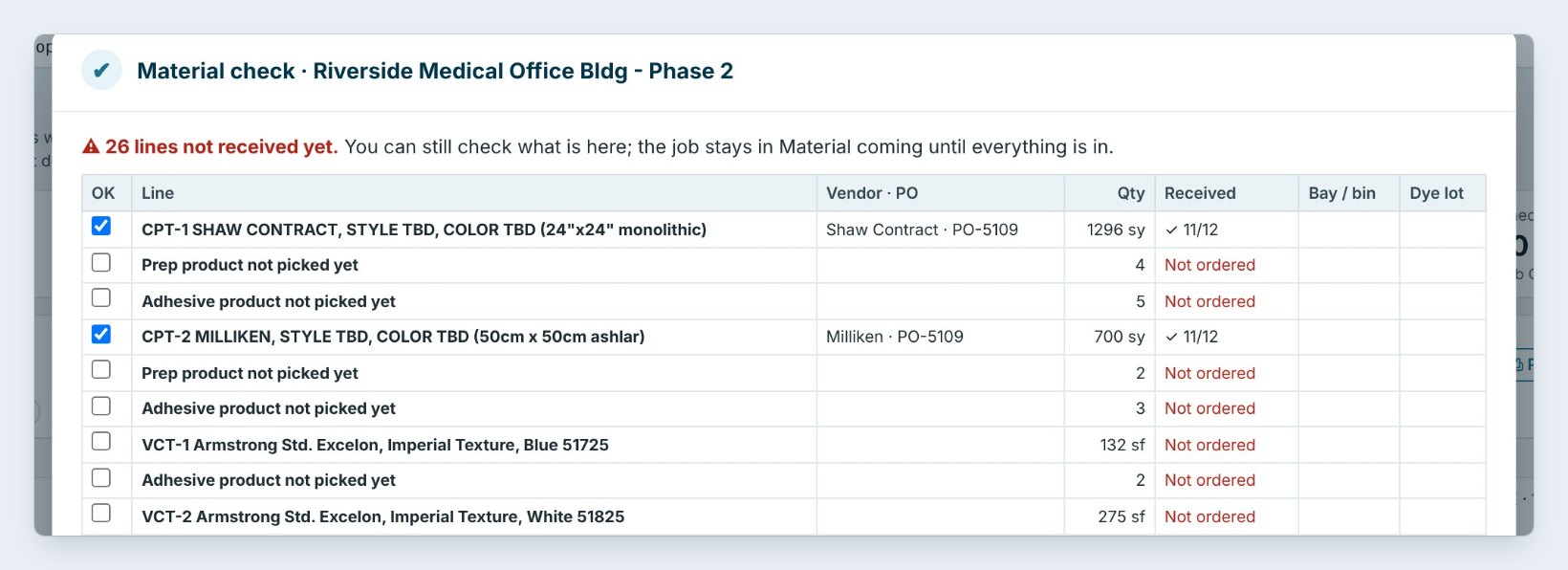
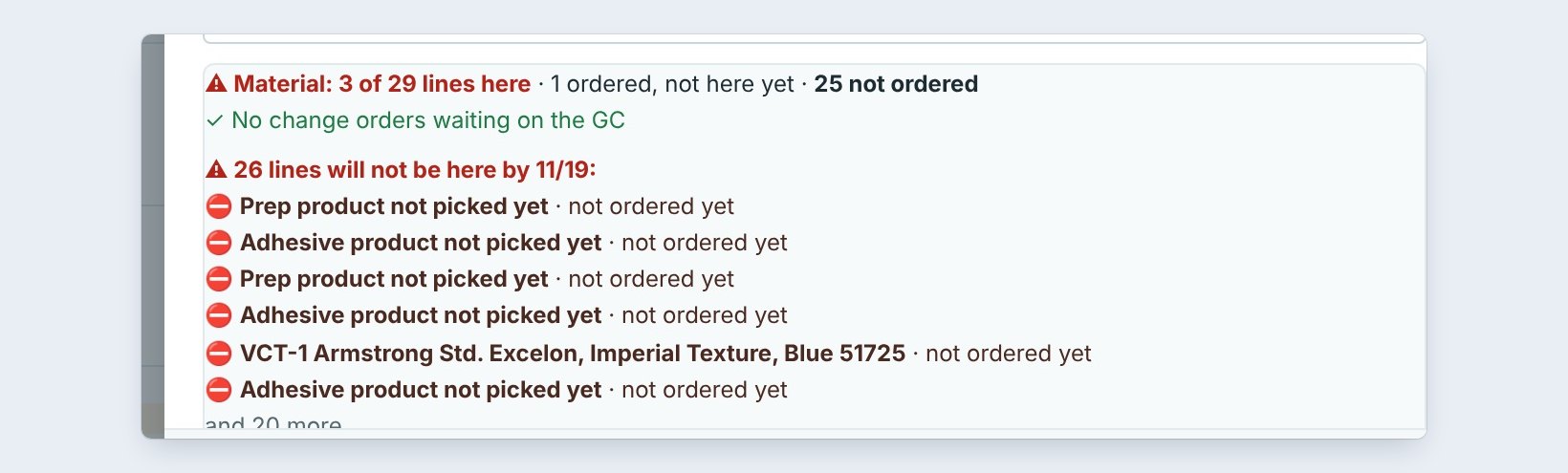
On Job Check, click Fix it on a material line, here Riverside Medical Office Bldg, Phase 2. The Material check opens with every line on the job’s Material List: the vendor and PO, the quantity, Received with the date, the bay and the dye lot.
The red line on top says 26 lines not received yet. You can still check what is here; the job stays in Material coming until everything is. Here the two carpet tiles came on 11/12, but the prep and adhesive were never ordered.
2Tick what is here, and send the job on
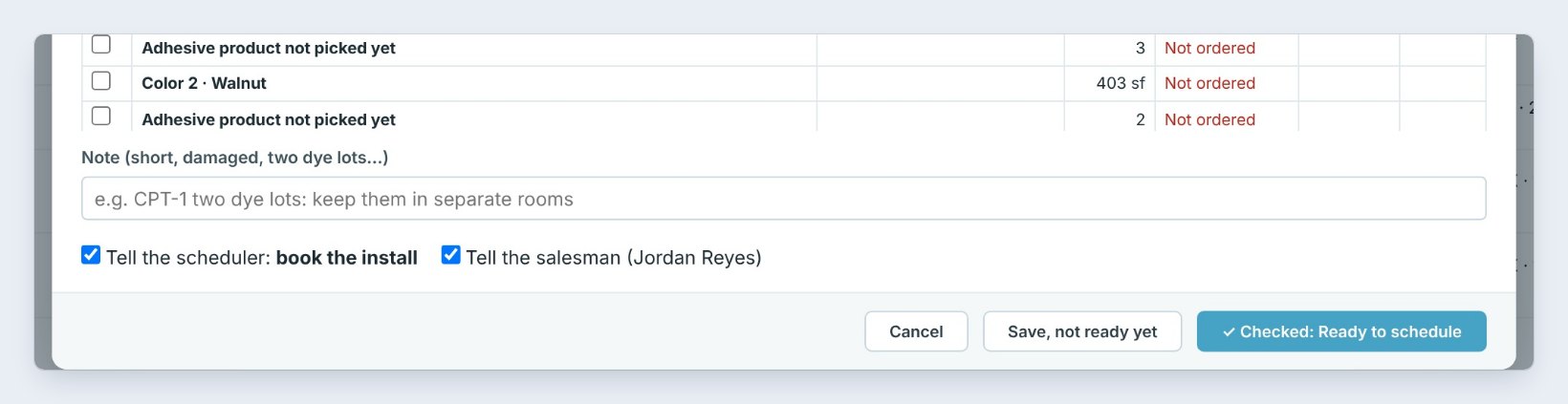
One person counts each line, looks at the dye lots and the condition, and ticks OK. Type a short Note for anything odd, such as CPT-1 two dye lots: keep them in separate rooms.
When everything is here, click Checked: Ready to schedule. The job moves to Ready to schedule, and with the boxes ticked the scheduler gets book the install on their My day, and the salesman is told. If lines are still missing, click Save, not ready yet.
3Site ready: ask the GC, and keep the answer
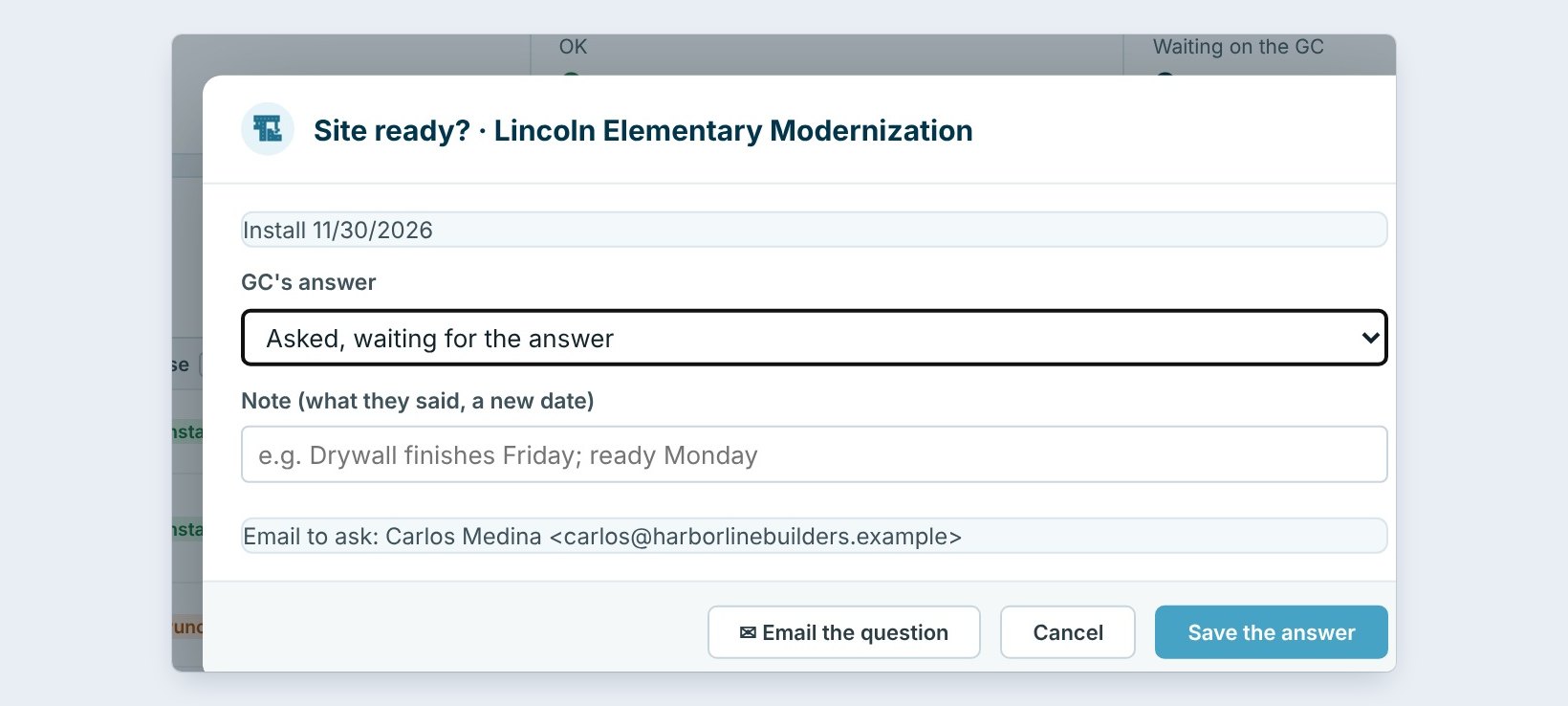
Five days before an install, Job Check asks: is the site ready? Click the line to open Site ready, here for Lincoln Elementary Modernization, installing 11/30.
Click Email the question to send Is the floor ready for us? to the GC’s contact, here Carlos Medina. Set the GC’s answer, such as Asked, waiting for the answer, and type what they said, such as Drywall finishes Friday; ready Monday. Click Save the answer. The answer stays with the job.
Ask the site question by email from BidWise, not by text. The question and the answer are kept on the job, so if the floor is not ready on install day, you have it in writing for the delay claim.
4Bill finished labor, and send the closeout papers
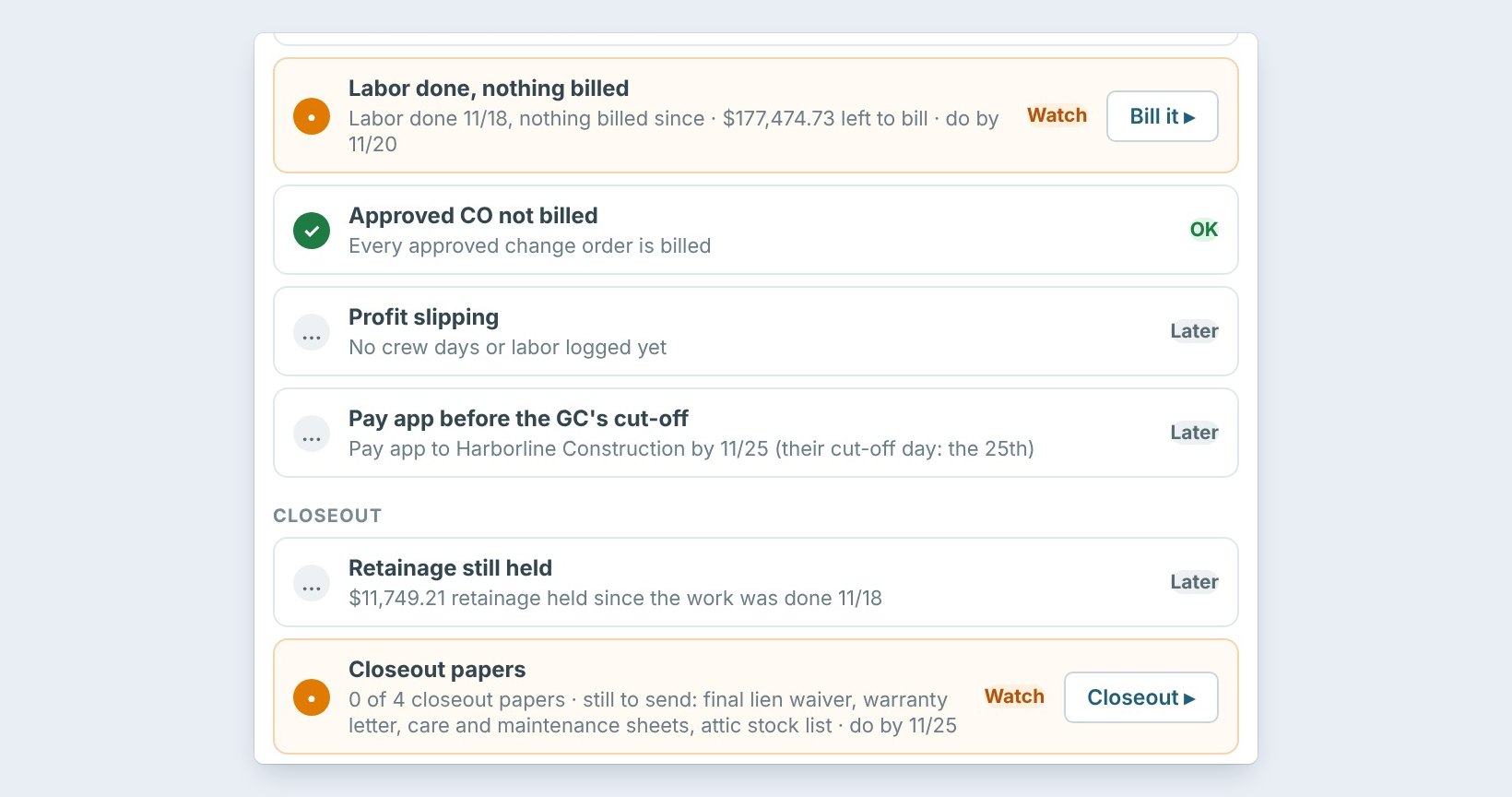
Valley Fitness Center shows Labor done, nothing billed: the crew finished 11/18 and there is $177,474.73 left to bill. Click Bill it to start the invoice for that job.
Below it, Closeout papers says 0 of 4: the final lien waiver, the warranty letter, care and maintenance sheets and the attic stock list. Click Closeout to send them, and tick the ones sent by hand under Closeout papers, ticked by hand. Retainage is often held until these papers are in.
5What can go wrong, and how to fix it

The line does not clear. Job Check reads what is saved. If the material came but nobody checked it in on Receive, it still counts as not here. Receive the delivery, then click Refresh.
Prep product not picked yet. The estimate still has a placeholder for the prep or adhesive. Pick the real product on the Material List and order it.
The install was booked too early. Book an install warns you which lines will not be there on the first day. Move the date, or get the material first.
Worked example: four lines cleared on Thursday
Jordan works down Job Check on November 19:
| Job | Line | Fix | Result |
|---|---|---|---|
| Riverside Medical, Phase 2 | Material here before the crew | Order prep and adhesive | At risk until it arrives |
| Lincoln Elementary | Site ready (ask the GC) | Email the question | Ready Monday, saved |
| Valley Fitness Center | Labor done, nothing billed | Bill it | $177,474.73 billed |
| Valley Fitness Center | Closeout papers | Send 4 papers | Retainage can be asked for |
Twenty minutes of work, and the accountant has an invoice out a week early.
What to do next
Next: set which checks run, when, and who gets them.
Clear the line before it costs you
Job Check is part of CFE BidWise Business. Start with the 30-day free trial, no credit card.
Frequently Asked Questions
What does Checked: Ready to schedule do?
It records that one person checked the count, dye lots and condition, moves the job to Ready to schedule, and can put book the install on the scheduler’s My day.
Can the GC answer the site question from the email?
The email goes from CFE BidWise to the GC contact. You type their answer into Site ready, so it is kept with the job.
What are the closeout papers?
The final lien waiver, the warranty letter, the care and maintenance sheets and the attic stock list. Job Check counts how many are sent.

Written by
Cristian Valcu – Founder & CEO, Commercial Flooring Estimating LLC
Cristian has estimated commercial flooring for over 20 years and built CFE BidWise around the way flooring contractors actually price, propose and track their bids.
Last updated: