
CFE guide · BidWise Job Board
Add an Estimating Company and Invite It to the Guest Page
Open Bid Board settings and click + Add an estimating company. Type the company, a short name of 7 to 10 letters, the contact and email. Click Invite under Guest page, check the email and click Invite. Send the guest code with Open in Outlook. The guest page shows On; the company sees only the bids you send it.


Why it matters
In a busy month, your estimators cannot take off every job. An outside takeoff company can, but then the bids live in emails: who has which job, and when is it coming back?
Added here, the company shows on the board by its short name, and with a guest code it updates each bid itself. It never sees a price or a GC contact.
The 6 steps
- Add the companyBid Board settings.
- InviteGuest page › Invite.
- The guest codeOpen in Outlook.
- Guest page On0 open, not signed in yet.
- What they seeSign in with code and email.
- What can go wrongPaused, lost code.
1Add the estimating company
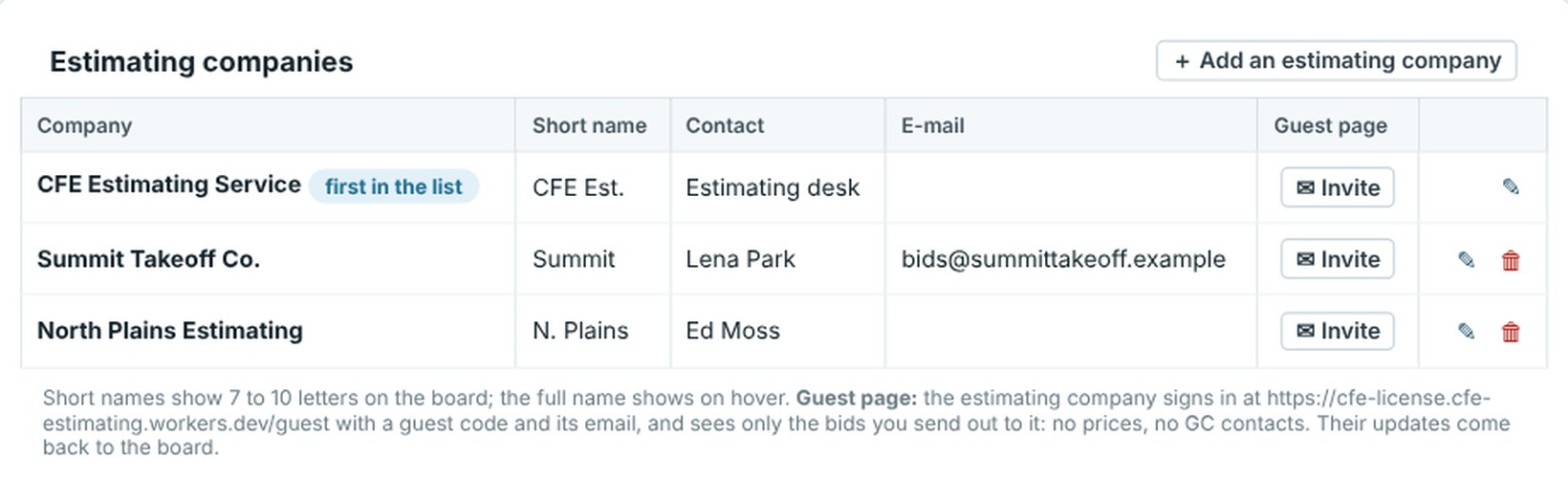
Open Bid Board settings. Under Estimating companies, click + Add an estimating company. Type the company, Summit Takeoff Co., a Short name, Summit, the contact, Lena Park, and the email.
Short names show 7 to 10 letters on the board; the full name shows on hover. CFE Estimating Service is first in the list.
2Invite it to the guest page
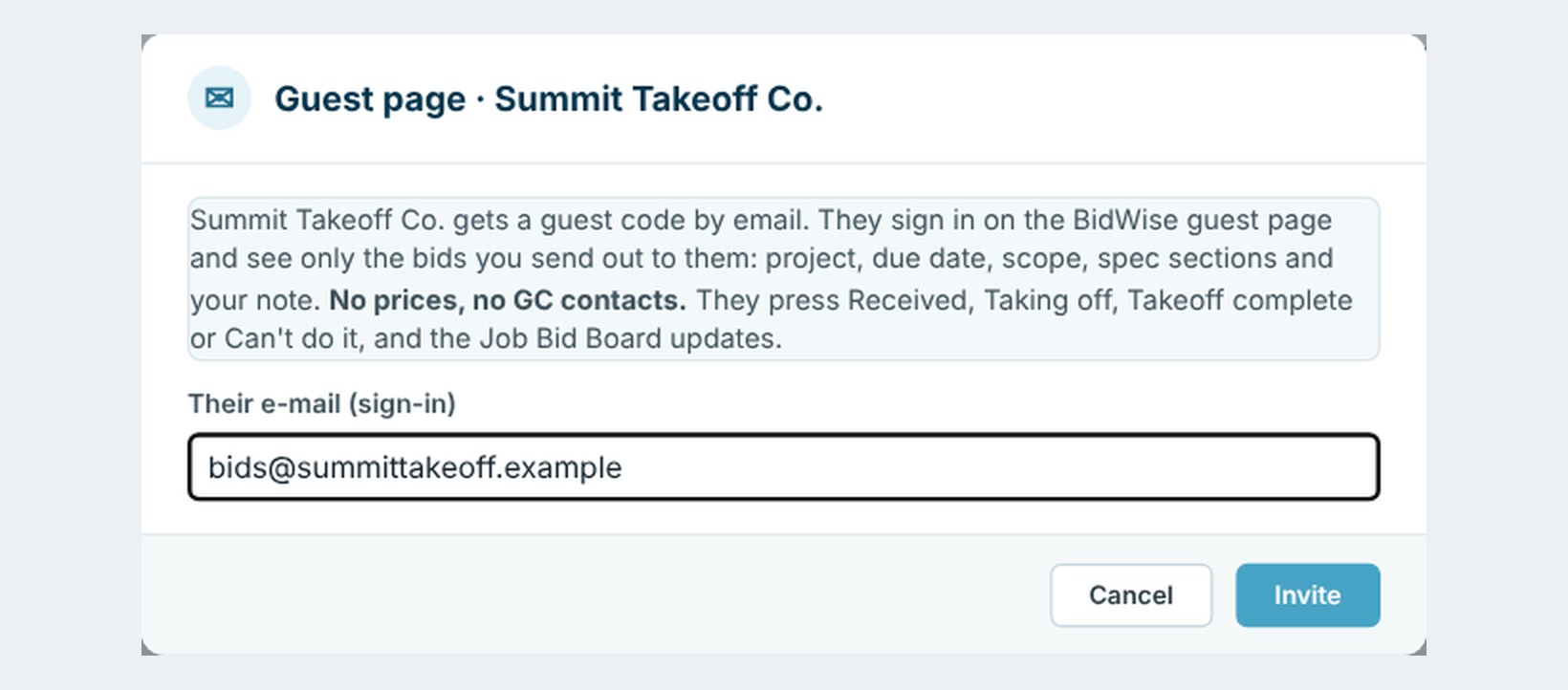
Click Invite in the Guest page column. The window explains it: the company signs in on the BidWise guest page and sees only the bids you send out to them. No prices, no GC contacts.
They press Received, Taking off, Takeoff complete or Can’t do it, and the board updates. Check the sign-in email, bids@summittakeoff.example, and click Invite.
3Send the guest code
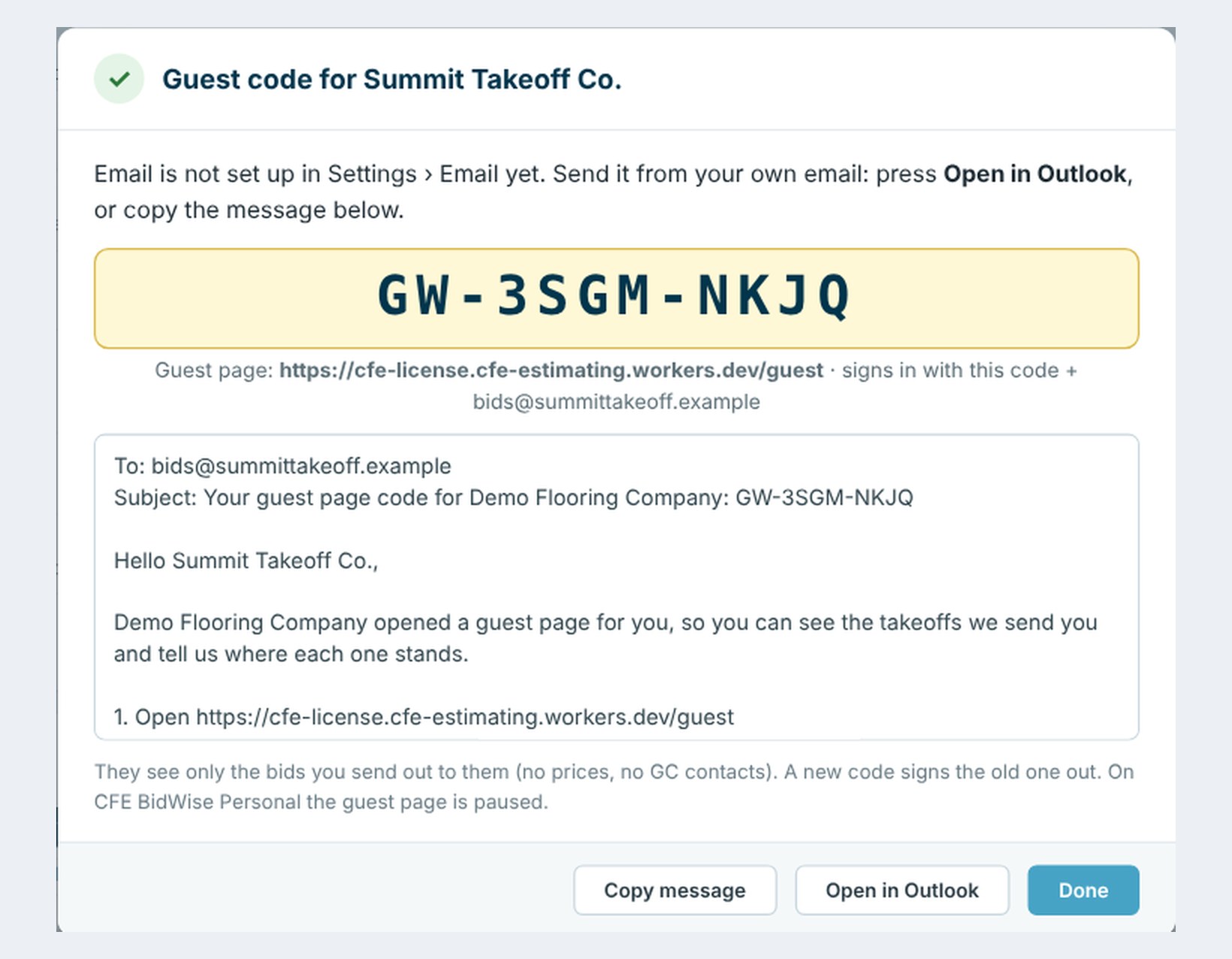
The guest code is GW-3SGM-NKJQ, and the email is written with the guest page address. Click Open in Outlook to send it from your own email, or Copy message.
A new code signs the old one out. Click Done.
4See the guest page On
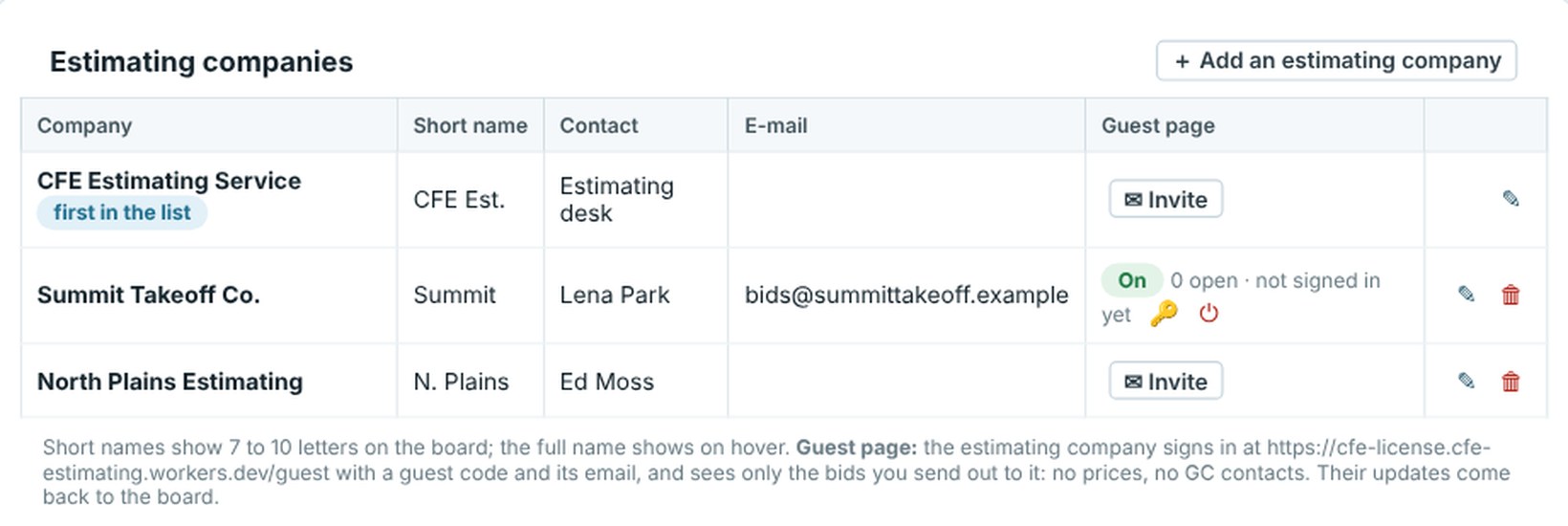
The Guest page column for Summit reads On, 0 open, not signed in yet. The key makes a new code; the power button turns the guest page off.
When Lena signs in and you send bids out, the count of open bids shows here.
Use one shared email at the estimating company, like bids@, not one person’s. When someone leaves, the guest page keeps working.
5What the estimating company sees
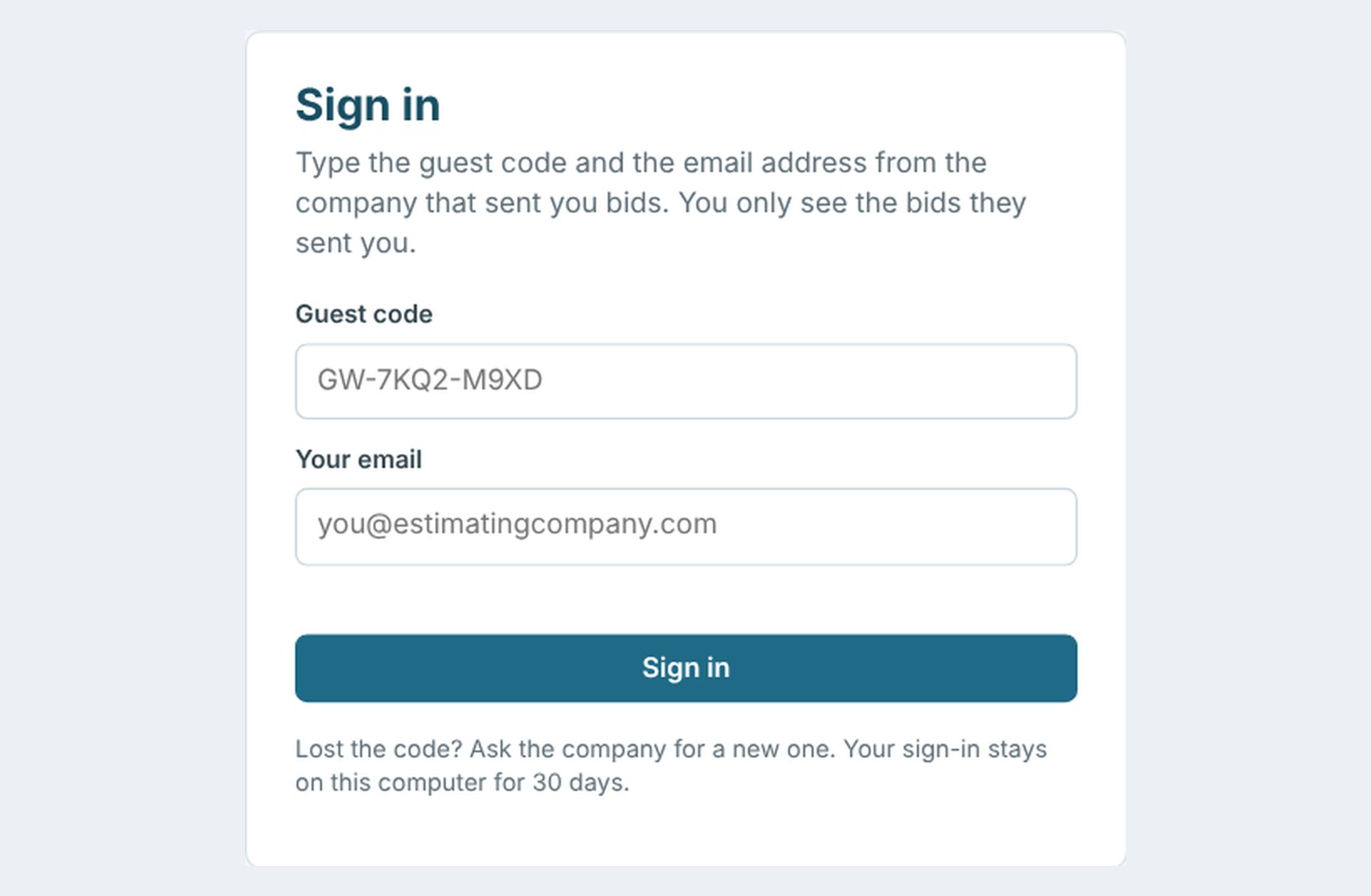
Lena opens the guest page address from the email. She types the Guest code and her email and clicks Sign in. The sign-in stays on that computer for 30 days.
She sees only the bids you send out to Summit. The last guide in this set walks through her side.
6What can go wrong, and how to fix it
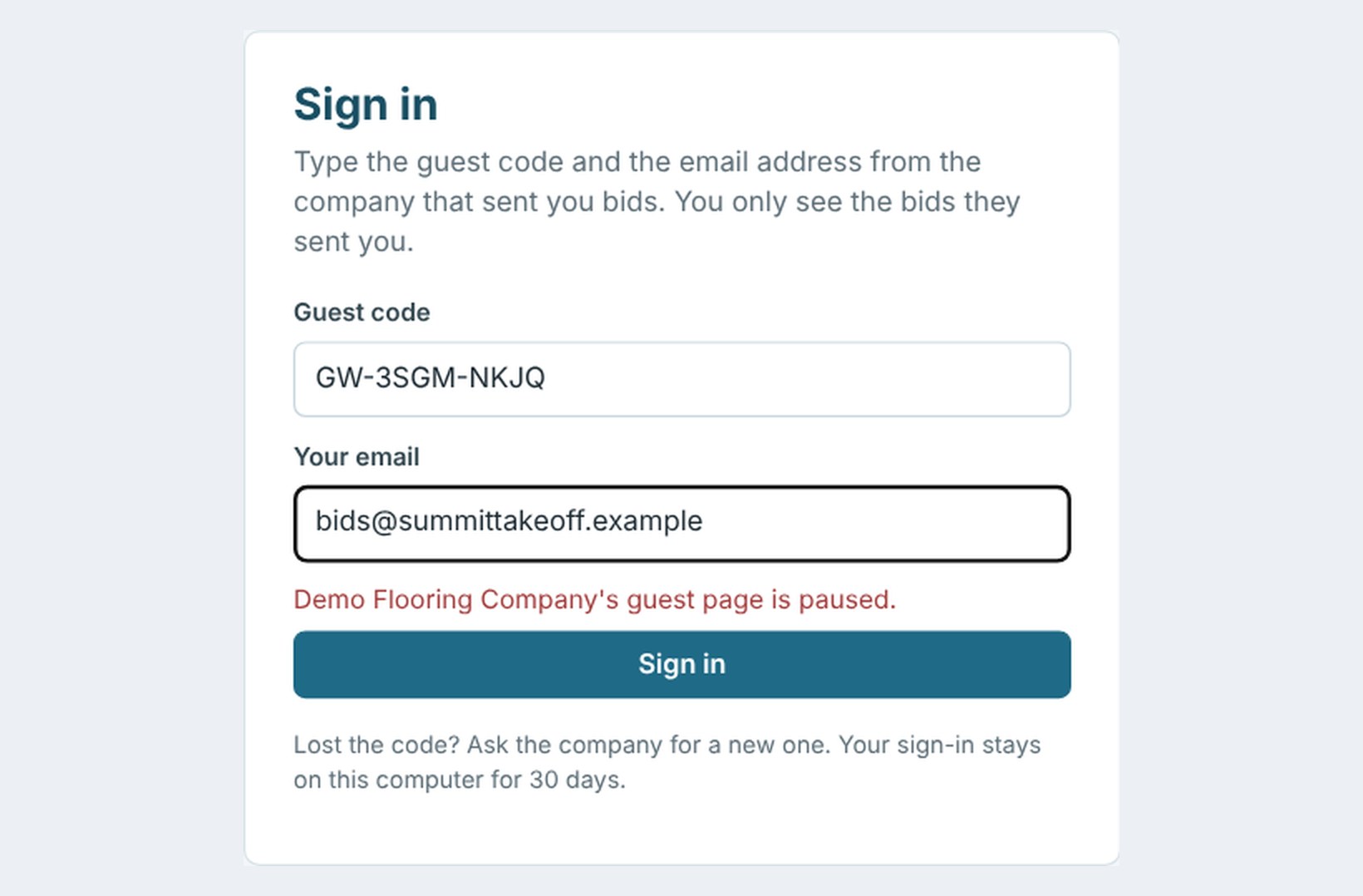
The guest page says paused. The guest page works on CFE BidWise Business; on Personal it is paused. Check your plan.
They lost the code. Click the key for a new one. The old code stops working.
The email bounced. Click the pencil on the company line and fix the email, then Invite again.
Worked example: Summit Takeoff Co.
From added to ready:
| Step | What Dana types | What shows |
|---|---|---|
| Add | Summit Takeoff Co., Summit, Lena Park | A new line in Estimating companies |
| Invite | bids@summittakeoff.example | Guest code GW-3SGM-NKJQ |
| Send | Open in Outlook | Email with the code and the address |
| Ready | Guest page On, 0 open |
Summit is ready for its first takeoff.
What to do next
Next, hand it a job in Send a takeoff out and get it back. Or see all the step-by-step guides.
Your takeoff company, on the board
Download CFE BidWise and invite your estimating company. The Job Bid Board comes with every CFE BidWise plan. Start with the 30-day free trial, no credit card.
Frequently Asked Questions
Does an estimating company need a BidWise seat?
No. It uses the guest page with a guest code.
Can it see prices or GC contacts?
No. Only the project, due date, scope, spec sections and your note.
What happens if I make a new code?
The old one signs out and stops working.

Written by
Cristian Valcu – Founder & CEO, Commercial Flooring Estimating LLC
Cristian has estimated commercial flooring for over 20 years and built CFE BidWise around the way flooring contractors actually price, propose and track their bids.
Last updated: