
CFE guide · BidWise Sales
The BidWise Sales Win / Loss Report: Who Gets Our Jobs and Why We Lose
Click Win / Loss on the Home ribbon. The tiles show bids decided, your win rate, the amount awarded and the amount lost. Who’s getting our jobs lists each competitor with their price against yours. Why we lose counts the reasons, and Lost bids lists every lost bid with your note. Filter by period, salesman or GC.


Why it matters
A lost bid feels like bad luck until you see the pattern. Maybe the same competitor keeps coming in 7% under you. Maybe a GC keeps giving the job to its own in-house crew no matter what you bid.
The report turns the few words you type when you mark a bid Lost into a clear answer: who you lose to, by how much, and why.
The 5 steps
- Open Win / LossHome › Win / Loss.
- Who gets our jobsTheir price vs ours.
- Why we losePrice, usual sub, schedule.
- Lost bidsWith your notes.
- What can go wrongEmpty columns, few bids.
1Open the Win / Loss report
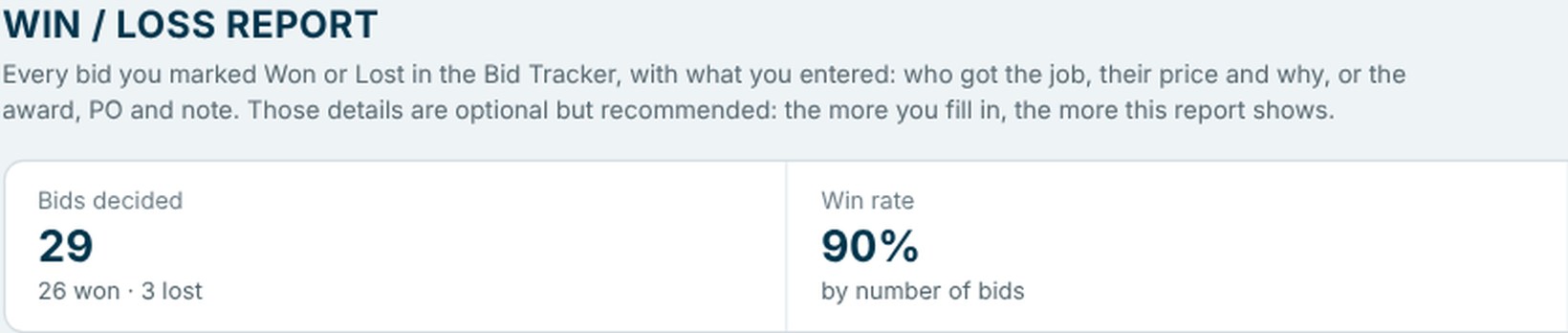
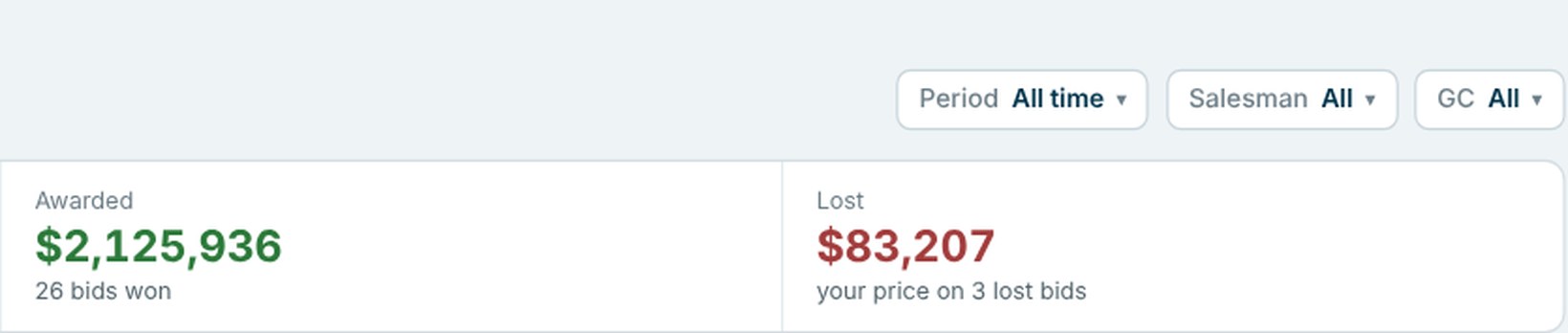
Click Win / Loss on the Home ribbon. It uses every bid you marked Won or Lost. The tiles read Bids decided 29, 26 won and 3 lost, a Win rate of 90%, Awarded $2,125,936, and Lost $83,207, your price on the 3 lost bids.
At the top right, filter by Period, Salesman or GC.
2See who is getting your jobs
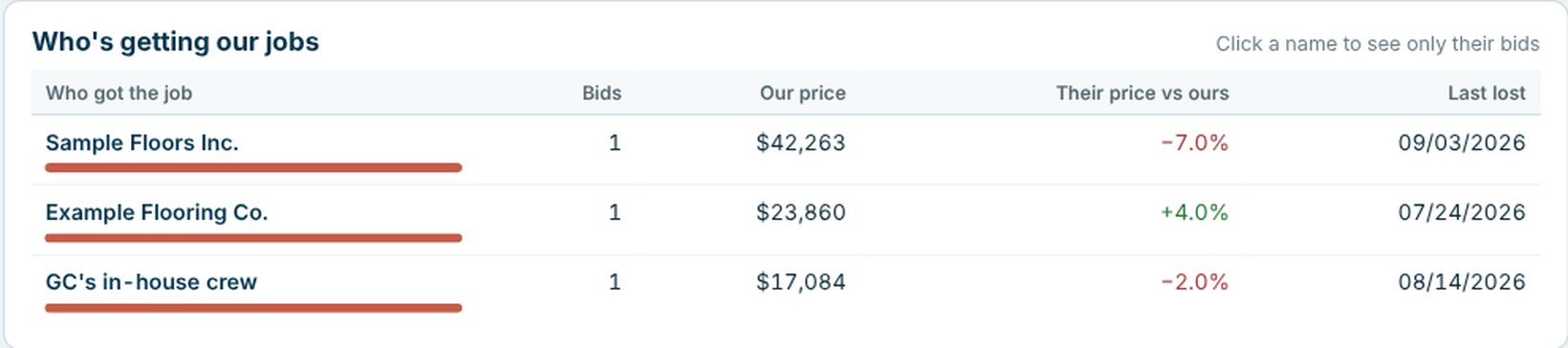
Who’s getting our jobs lists each company that won a bid you lost. Sample Floors Inc. took a $42,263 bid, with a price 7.0% under yours. A GC’s in-house crew took one at 2% under.
Example Flooring Co. won one at 4.0% over your price, so price was not the reason. Click a name to see only those bids.
3Read why you lose
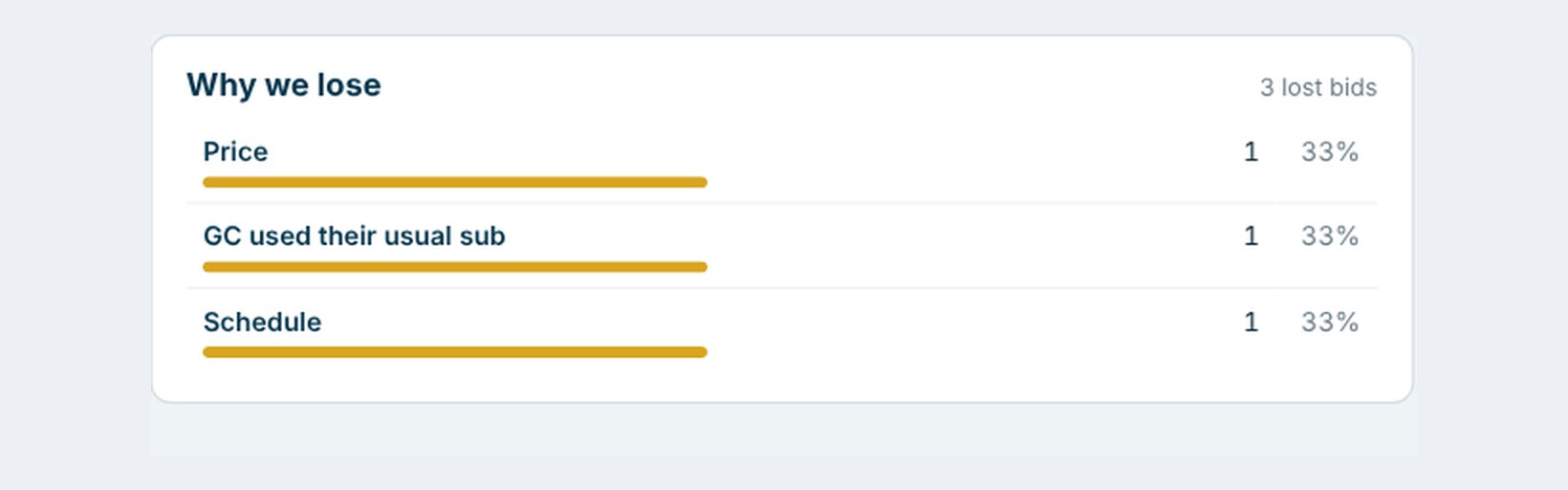
Why we lose counts the reason you picked on each lost bid: Price 1, GC used their usual sub 1, and Schedule 1. A third each.
With more bids, the longest bar is the one to fix first.
Always pick a reason when you mark a bid Lost, even a guess. Three months of reasons tell you more than any meeting.
4Read every lost bid and its note
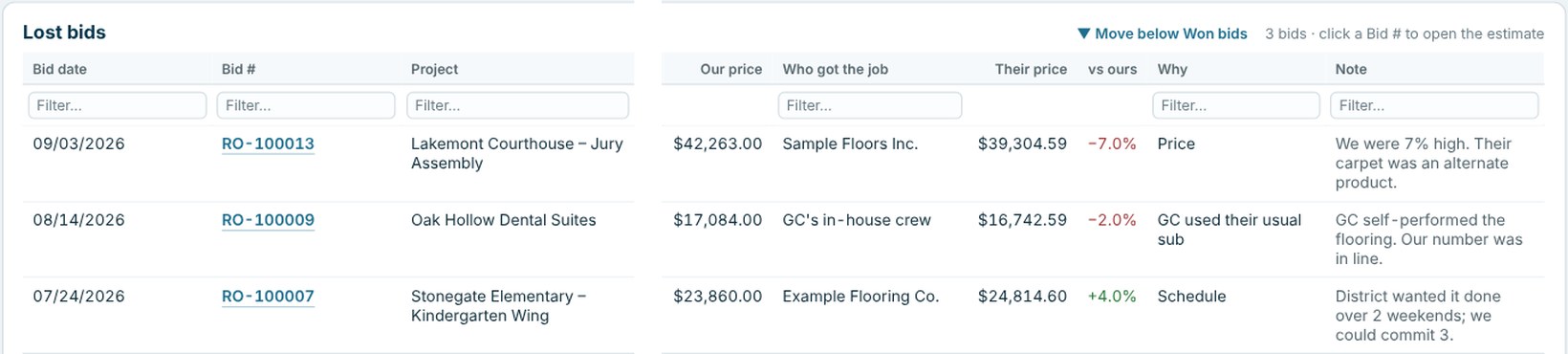
Lost bids lists each one: RO-100013 Lakemont Courthouse, our $42,263.00 against Sample Floors at $39,304.59. The note says We were 7% high. Their carpet was an alternate product.
RO-100007 Stonegate Elementary went to Example Flooring Co. at 4% over us, because of the schedule: District wanted it done over 2 weekends; we could commit 3. Click a bid number to open the estimate.
5What can go wrong, and how to fix it

Who got the job is empty. It was left blank when the bid was marked Lost. Open the bid and fill it in.
The win rate looks too good. Lost bids are still sitting in Sent. Move them to Lost.
You need it for a meeting. Use Print, Save PDF or Email at the top right.
Worked example: Rosa’s three lost bids
What the report tells Rosa:
| Bid | Who got it | vs ours | Why |
|---|---|---|---|
| Lakemont Courthouse | Sample Floors Inc. | -7.0% | Price: an alternate carpet |
| Oak Hollow Dental Suites | GC’s in-house crew | -2.0% | GC used their usual sub |
| Stonegate Elementary | Example Flooring Co. | +4.0% | Schedule: 2 weekends |
Next time a school wants weekend work, Rosa offers two weekends with a second crew.
What to do next
Next, see what you earn on every job in Commission setup. Or see all the step-by-step guides.
Learn from every lost bid
BidWise Sales is free for salesmen. Download it and see who is getting your jobs. It works offline, your numbers stay on your PC, and it links to CFE BidWise when your company has it.
Frequently Asked Questions
Where does the report get its data?
From every bid you marked Won or Lost, with what you typed: who got the job, their price and why.
Can I see one salesman or one GC?
Yes. Use the Salesman and GC filters at the top right.
Is the win rate by amount or by count?
By number of bids.

Written by
Cristian Valcu – Founder & CEO, Commercial Flooring Estimating LLC
Cristian has estimated commercial flooring for over 20 years and built CFE BidWise around the way flooring contractors actually price, propose and track their bids.
Last updated: