
CFE guide · BidWise Sales
BidWise Sales Pipeline, Bid Follow-ups and the Win / Loss Report
Open Pipeline to see every bid as a card under Draft, Sent, Follow-up, Won, Lost or On Hold. Move a card with its menu; Won asks for the award amount and date. Bid follow-ups lists every Sent bid with its next follow-up on day 7, 14 and 30, and Win / Loss shows who is getting your jobs, their price and why.


Why it matters
Most commercial flooring bids are not lost on price, they are lost to silence. The GC picks whoever called back.
BidWise Sales books the follow-ups for you the day a bid is sent, fills in the message, and keeps a record of every win and loss so you can see the pattern.
The 6 steps
- Your dashboardPace and pipeline.
- The PipelineEvery bid by status.
- Mark a bid WonAmount and date.
- Bid follow-upsDay 7, 14 and 30.
- Win / Loss reportWho gets your jobs.
- What can go wrongOverdue and going cold.
1Read your dashboard

The dashboard shows won this year against your target, your open pipeline, your win rate and bids sent. Below are won by month, your pipeline by status, today's follow-ups and your leads' next steps.
2Work the Pipeline
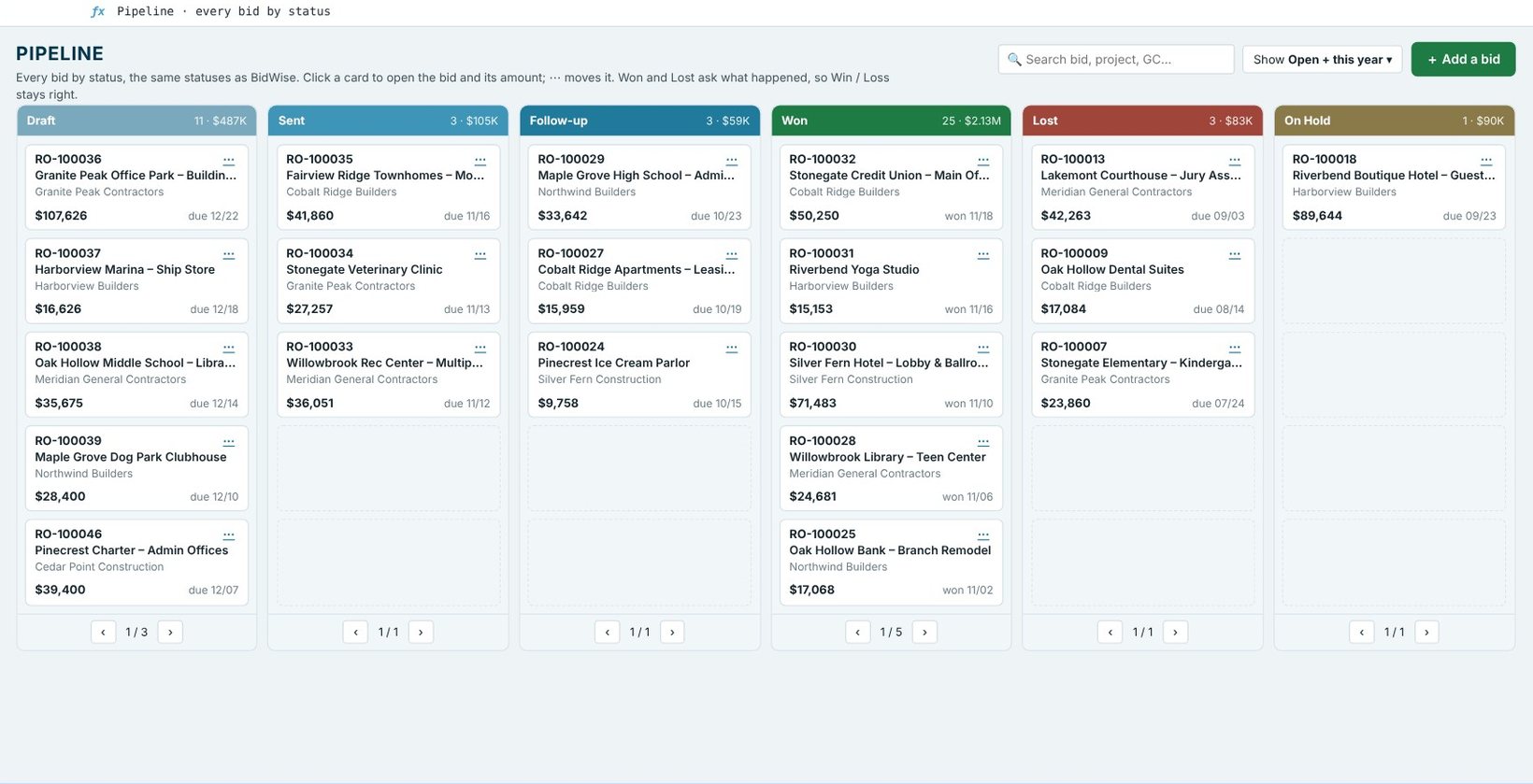
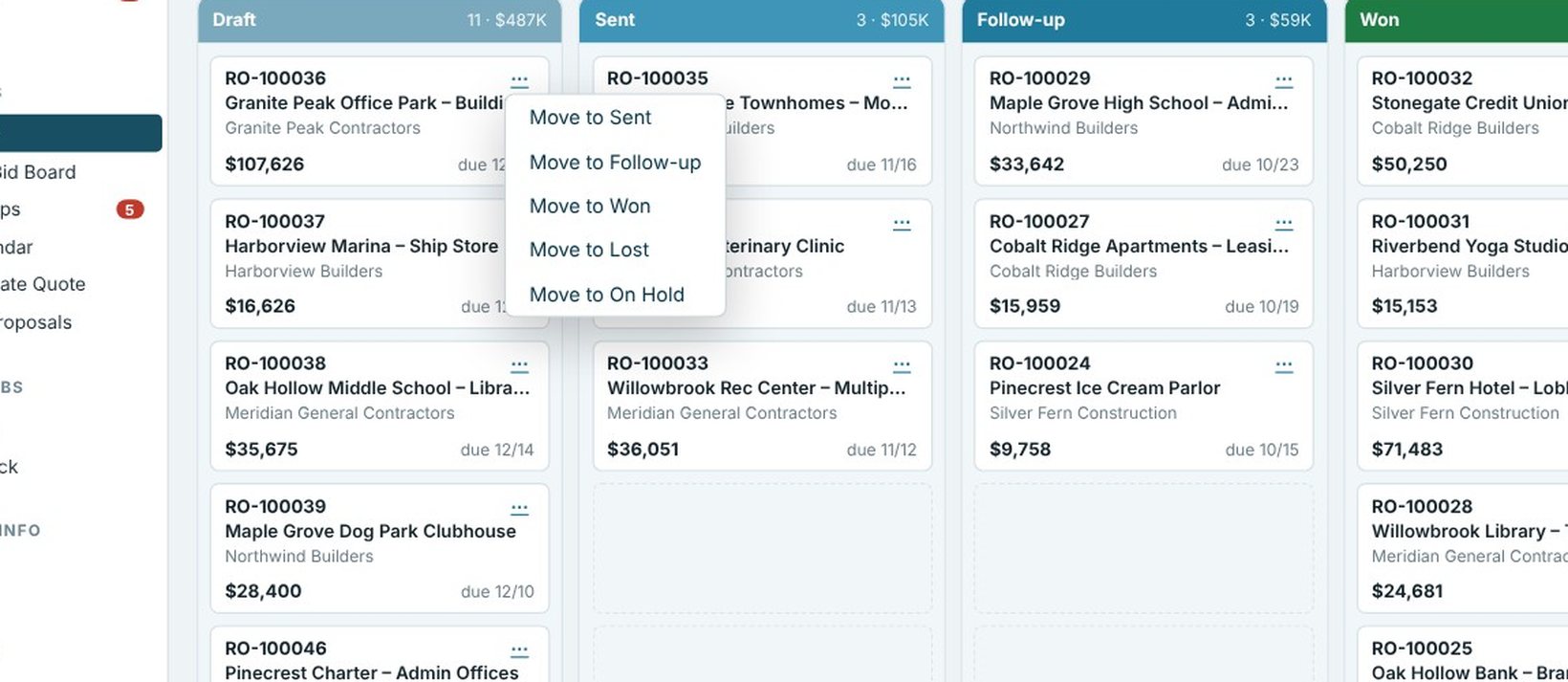
Open Pipeline. Every bid is a card under Draft, Sent, Follow-up, Won, Lost or On Hold, the same statuses as BidWise. Click a card to open the bid. Press the three lines on a card to move it to another status.
When you mark a bid Lost, fill in who got it and their price, even if it is a guess. After ten losses the Win / Loss report tells you more than any meeting.
3Mark a bid as Won
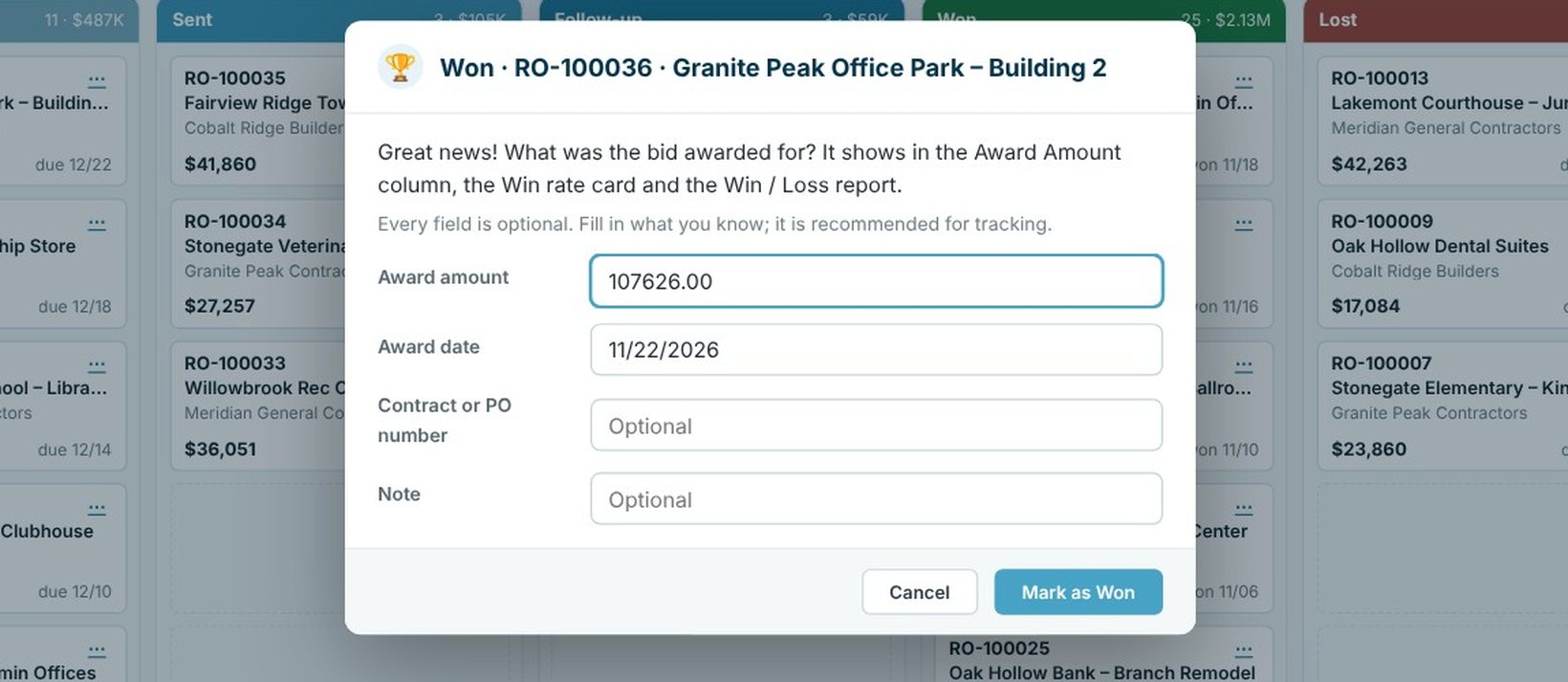
Move a bid to Won and BidWise Sales asks what it was awarded for. Type the award amount, the date, the contract or PO number and a note, then press Mark as Won. The win rate updates.
4Send your bid follow-ups
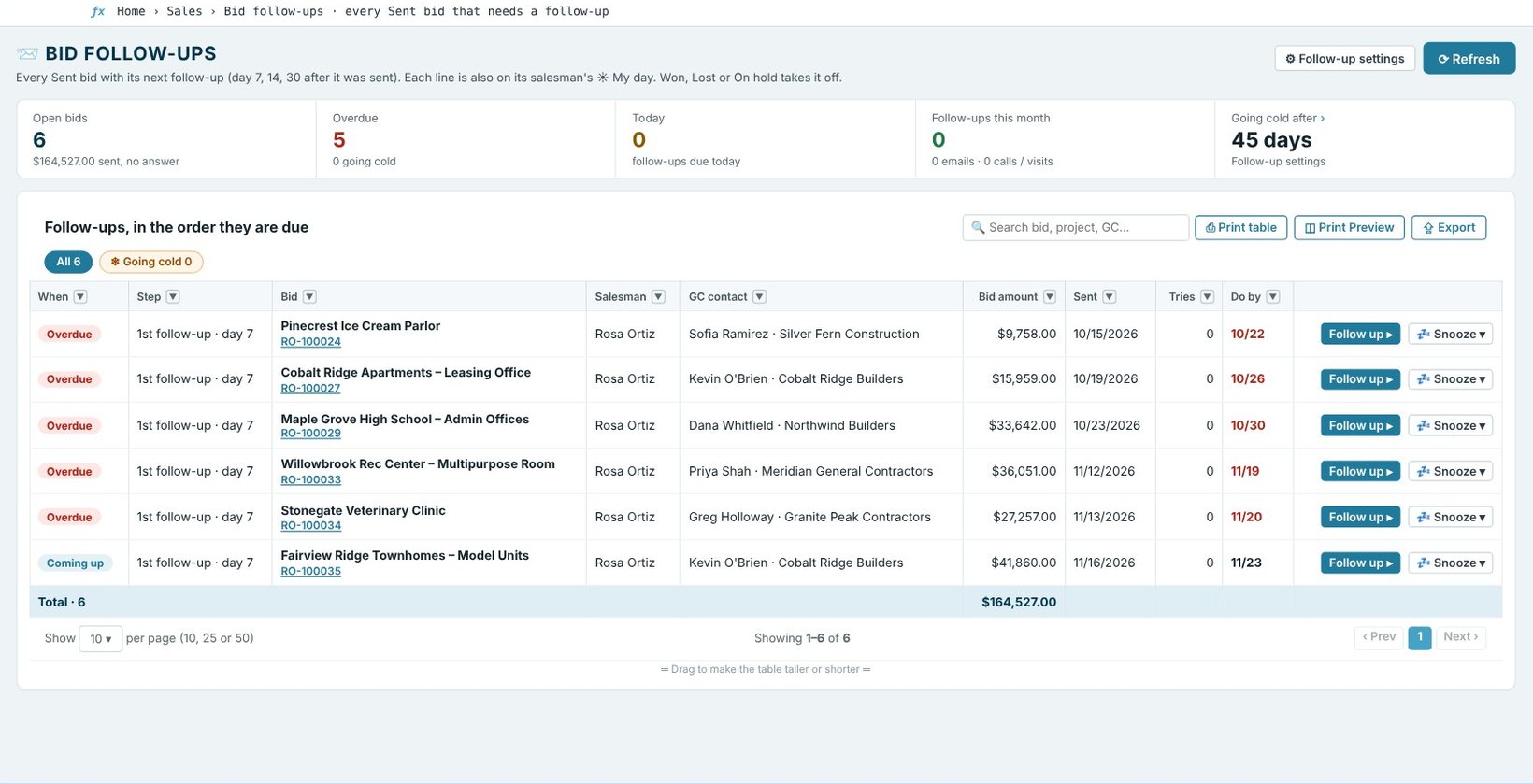
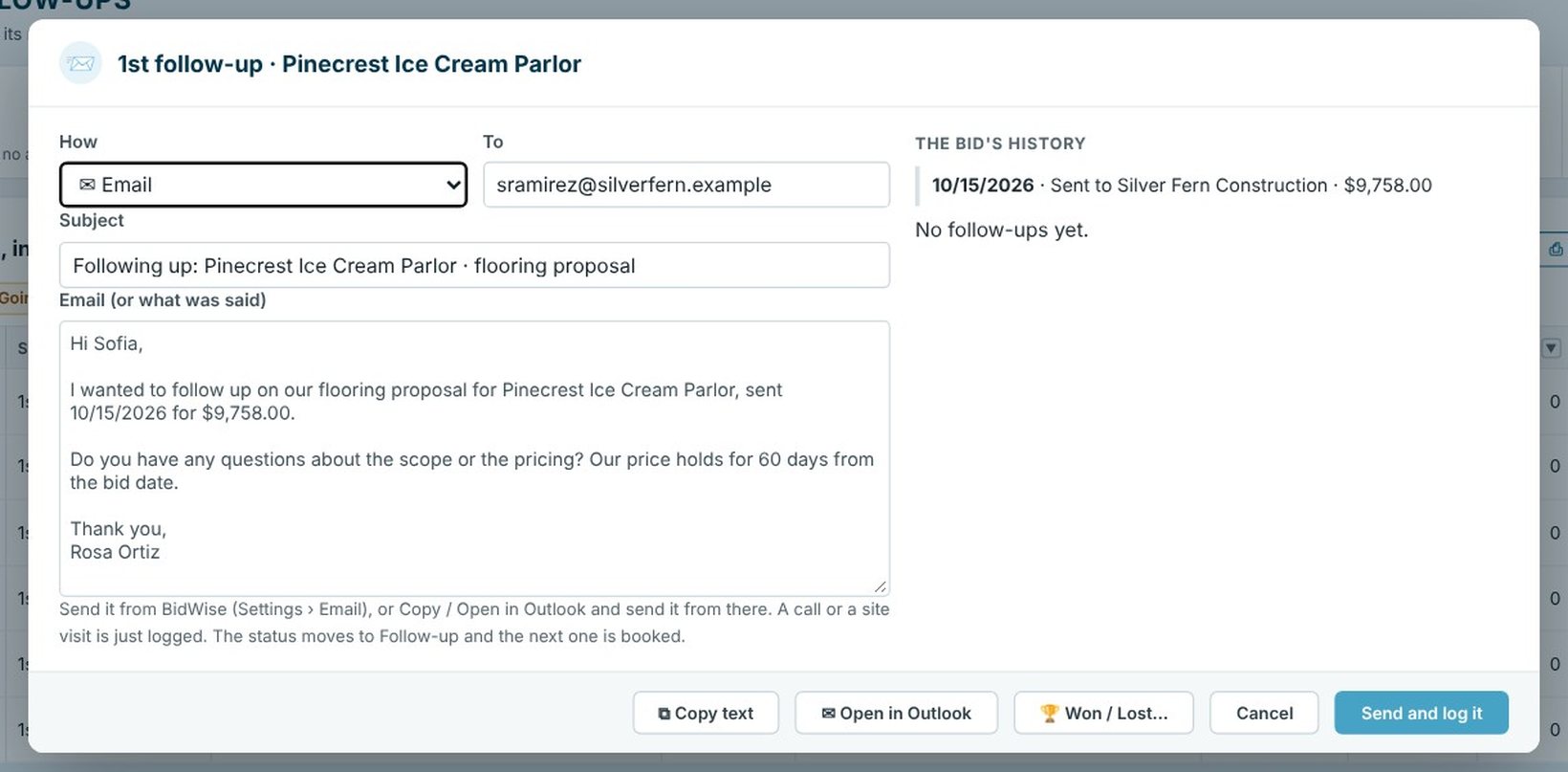
Bid follow-ups lists every Sent bid with its next follow-up: day 7, 14 and 30 after it was sent. Overdue ones are in red. Press Follow up on a row.
Pick email, call or visit. The message is filled in with the project, date and amount. Press Send and log it. The bid moves to Follow-up and the next one is booked. Won, Lost or On hold stops them.
5Read the Win / Loss report

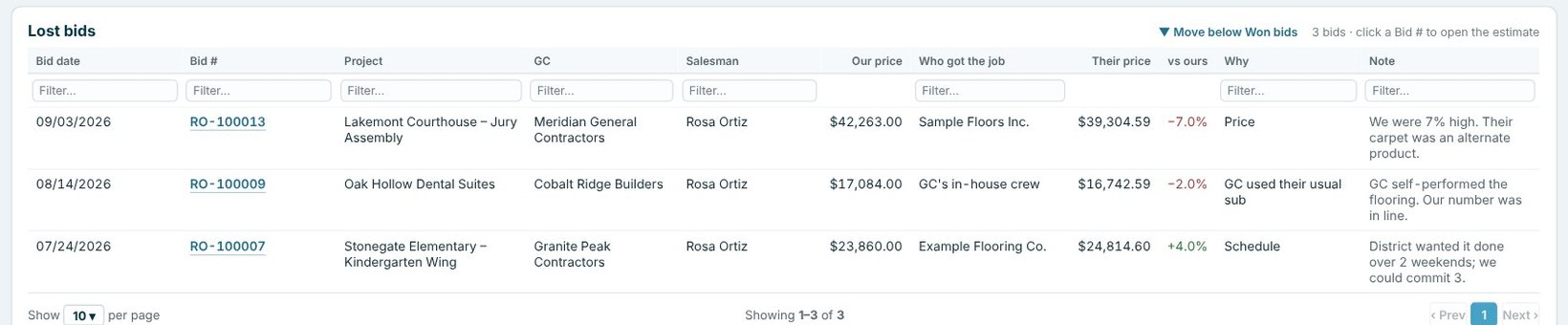
Win Loss shows bids decided, your win rate, the amount awarded and the amount lost. Who's getting our jobs lists the companies that beat you, their price against yours, and why you lose.
Lost bids shows each one with who got it, their price and your note.
6What can go wrong, and how to fix it
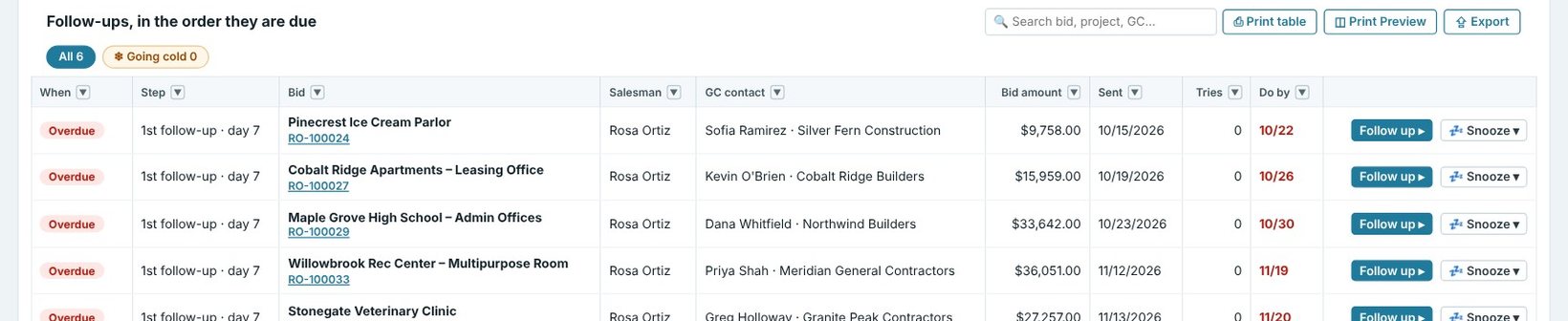
Follow-ups pile up. Snooze the ones that can wait, and mark the decided bids Won or Lost so their follow-ups stop.
The Win Loss report is empty. Fill who got the job and their price when you mark a bid Lost.
Worked example: Pinecrest Ice Cream Parlor
| Day | What happened | Status |
|---|---|---|
| 10/15 | Bid sent, $9,757.82 | Sent |
| 10/22 | Day 7 follow-up email | Follow-up |
| 10/29 | Day 14 call: decision next week | Follow-up |
| 11/05 | Awarded, PO 4471 | Won |
Two follow-ups, one win. Without them this bid would have gone cold.
What to do next
Next: Won jobs, change orders and closing. Or see all the step-by-step guides.
Your sales desk, free
BidWise Sales is free for commercial flooring salesmen. It works offline, your numbers stay on your PC, and it links to CFE BidWise when your company has it.
Frequently Asked Questions
When are follow-ups due?
Day 7, 14 and 30 after the bid was sent. You can change the days in Follow-up settings.
How do I stop follow-ups on a bid?
Mark it Won, Lost or On hold. Its follow-ups stop.
Are these the same statuses as CFE BidWise?
Yes. Draft, Sent, Follow-up, Won, Lost and On Hold match CFE BidWise.

Written by
Cristian Valcu – Founder & CEO, Commercial Flooring Estimating LLC
Cristian has estimated commercial flooring for over 20 years and built CFE BidWise around the way flooring contractors actually price, propose and track their bids.
Last updated: