
CFE guide · BidWise Sales
BidWise Sales Leads: Add, Call, Meet, Turn Into a Bid
Open Leads and press Add a lead. Type the company, contact, project and where it came from, then the next step and its date. After each call press Log a call, set meetings with Set a meeting, and when they ask for a price press Turn into a bid: the bid lands on the Job Bid Board with every contact filled in.


Why it matters
Most flooring work is won months before the bid set comes out, at the first call with the GC, the owner or the designer. A lead without a next step and a date is a lead you will forget.
BidWise Sales keeps each lead with its next step, shows late ones in red, and turns it into a bid with one button, so nothing is typed twice.
The 6 steps
- Add a leadCompany, contact, project, where it came from.
- Log a callWhat they said and the next step.
- Set a meetingInvite by email, on your calendar.
- Turn it into a bidStraight onto the Job Bid Board.
- Lead optionsSources, kinds, required boxes.
- What can go wrongDuplicates and late steps.
1Add a lead
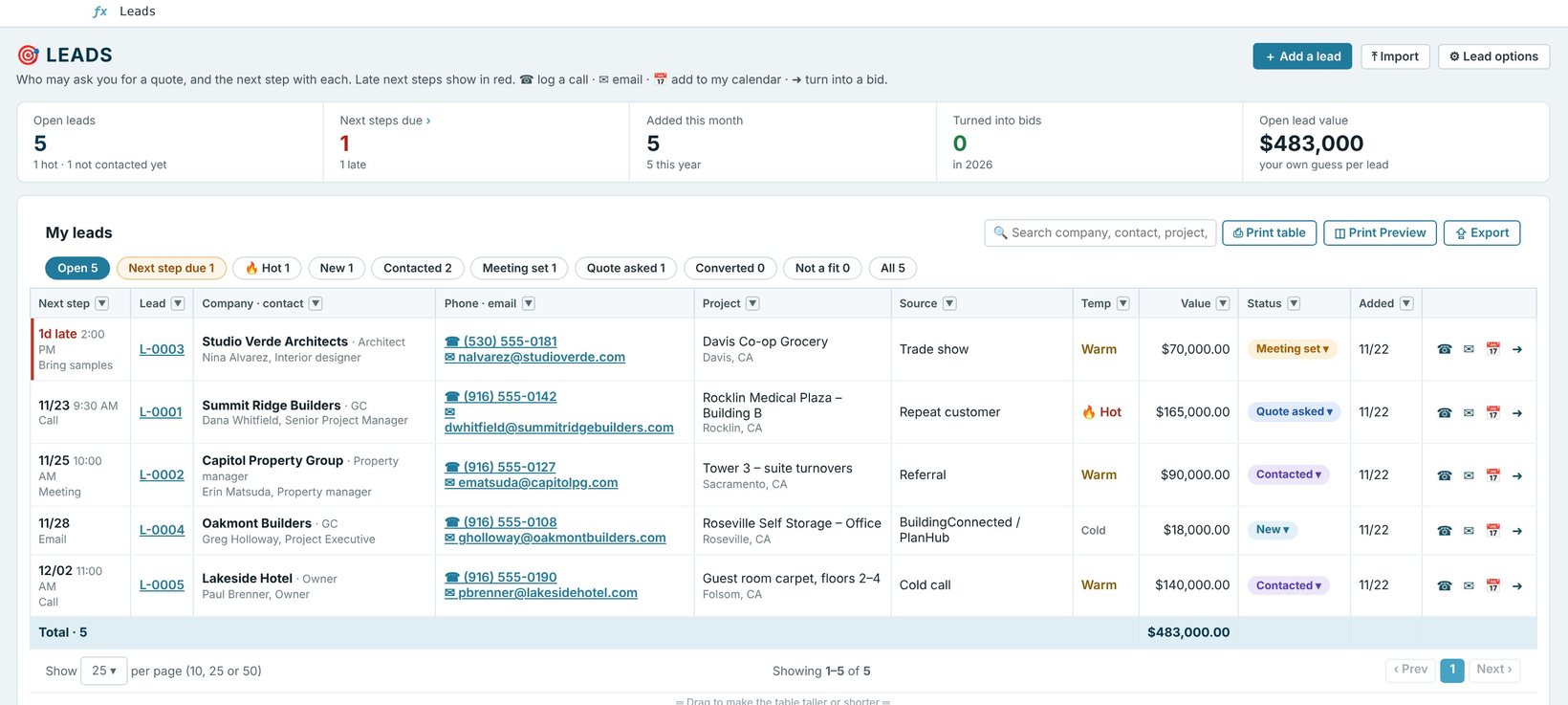
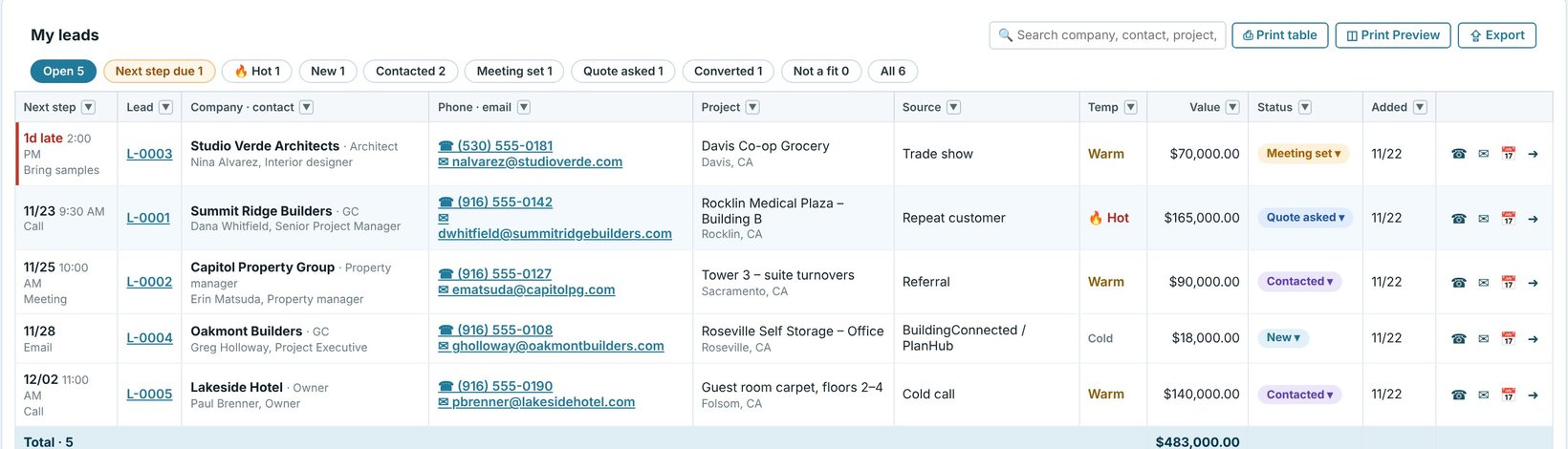
Open the Leads tab. Every open lead is listed with its next step first, and late steps show in red. The cards on top count your open leads, the steps due, the leads added this month and the value of every open lead.
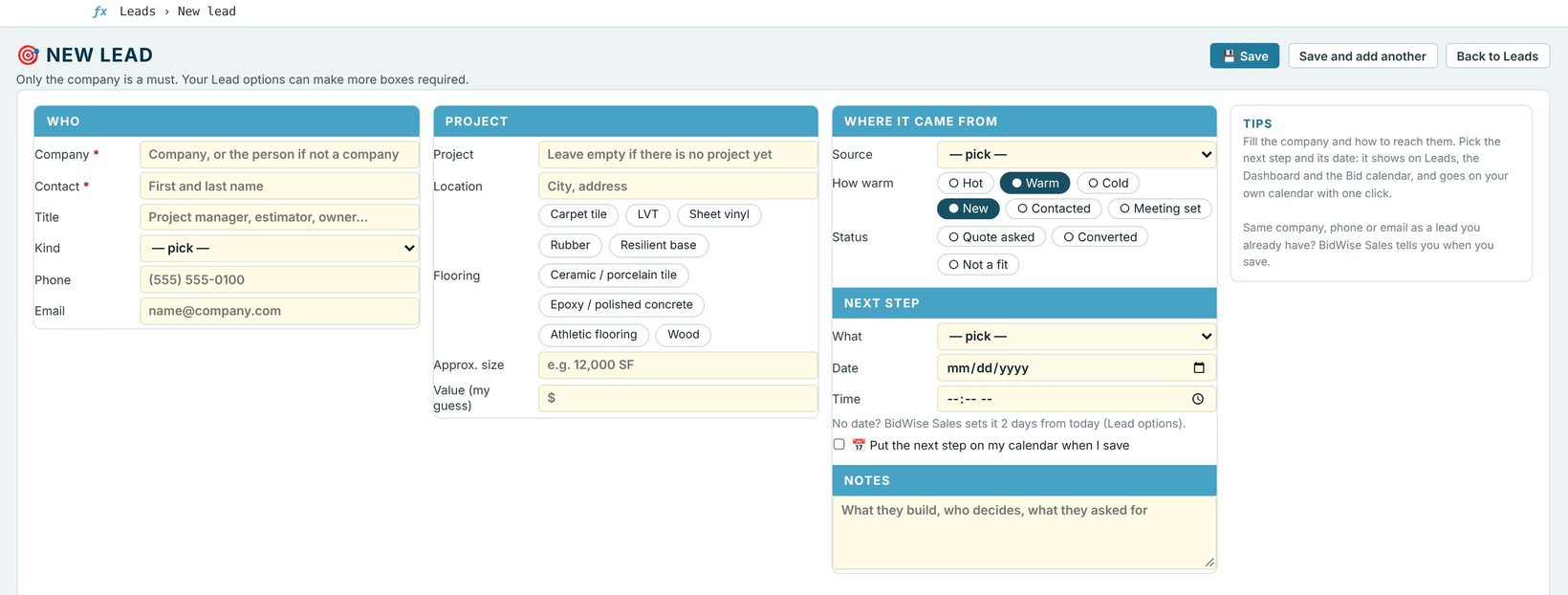
Press Add a lead. Type the company and the contact, pick the kind, here a GC, then the phone and email.
Under Project, type the job, tick the flooring on it, the size and your own guess of its value. Pick where it came from and how warm it is, then the next step, its date and time.
Press Save. The lead gets its number, L-0006, and buttons for each next step.
2Log a call
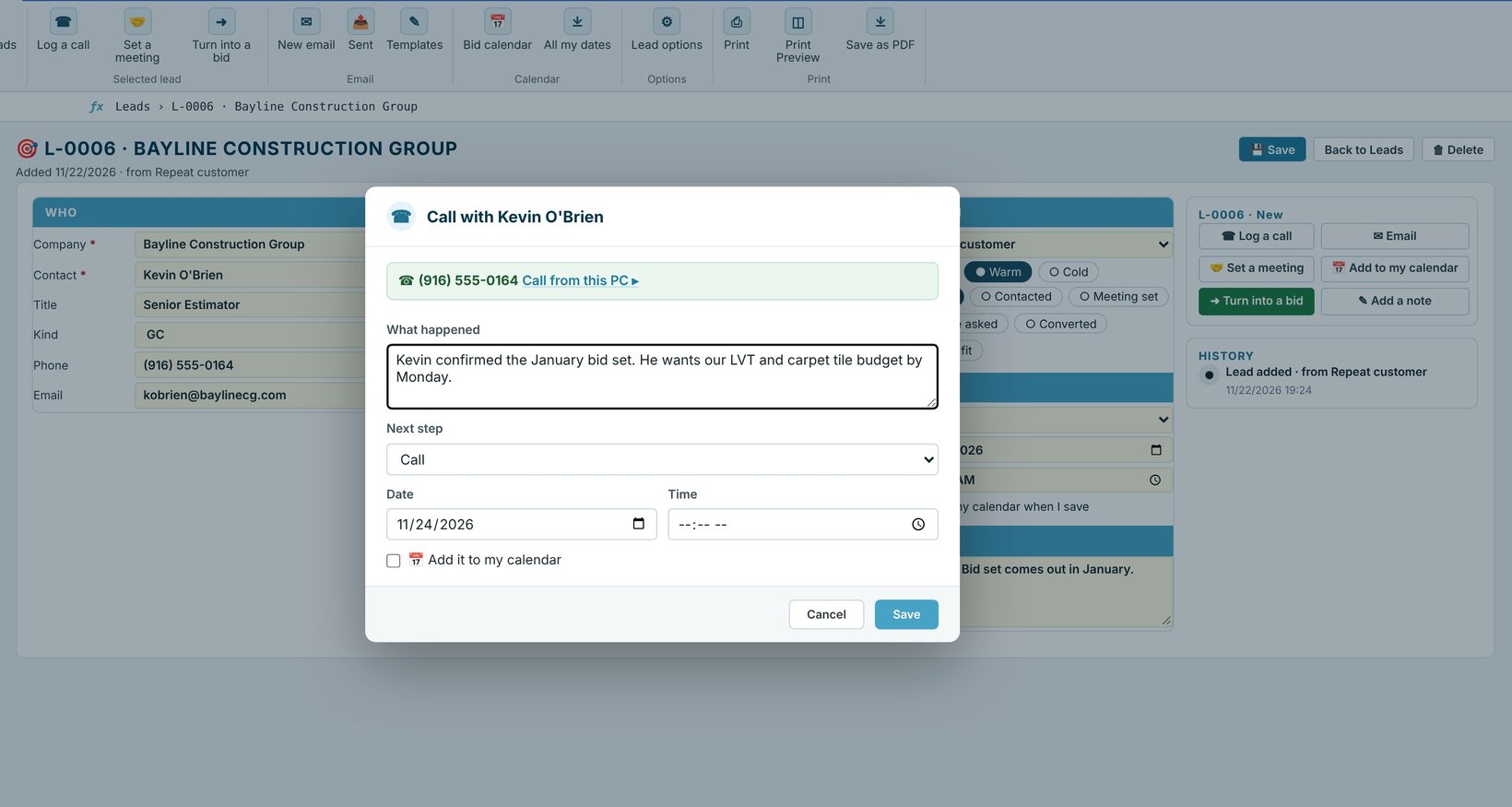
Right after the call, press Log a call on the ribbon. The phone number is on top, with Call from this PC.
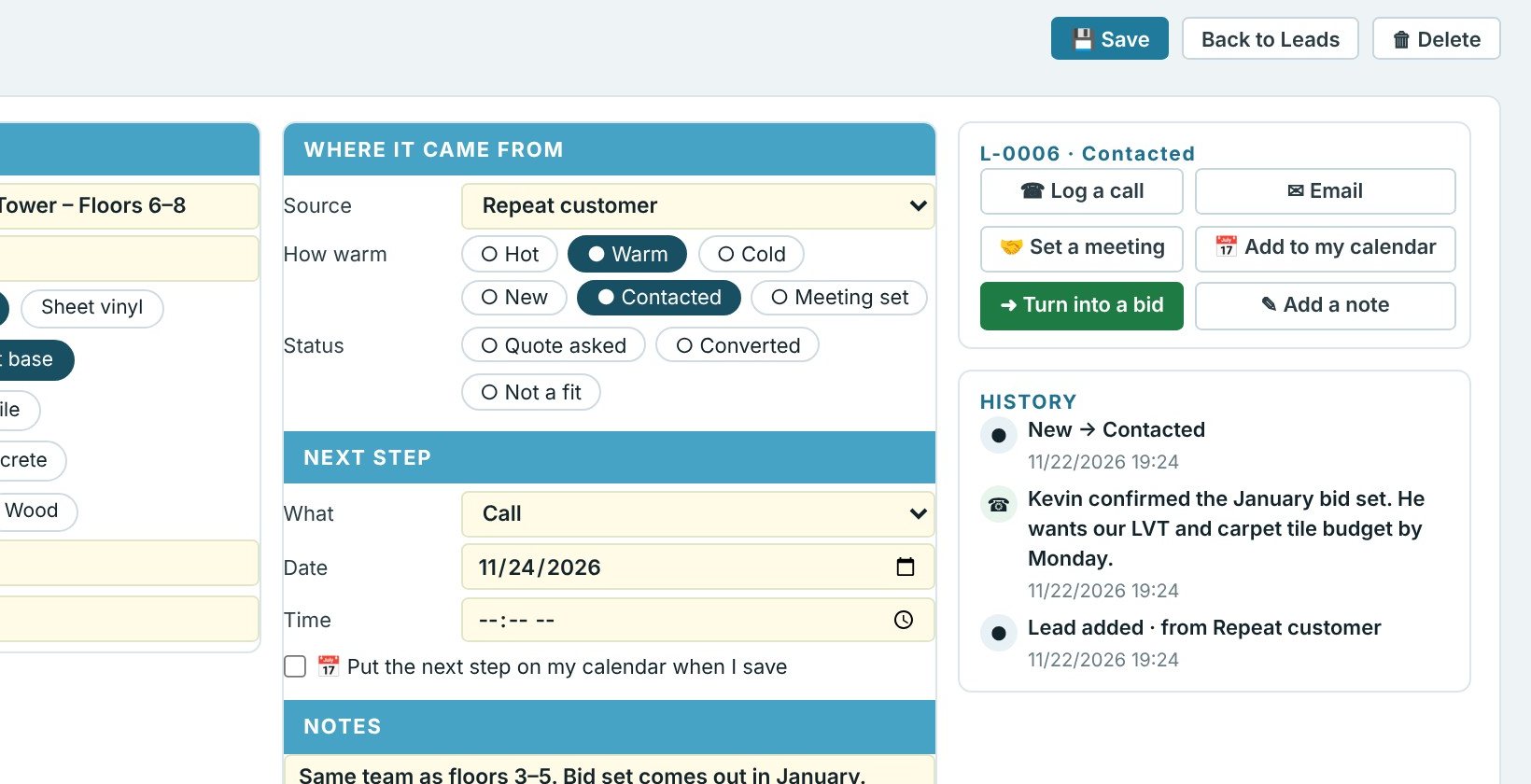
Type what they said, then pick the next step and its date. Tick Add it to my calendar to put it there too. Press Save. The call goes into the History, and the lead moves from New to Contacted.
Set the next step before you hang up the phone. A lead with a date on it shows up on your dashboard; a lead without one just sits in the list.
3Set a meeting
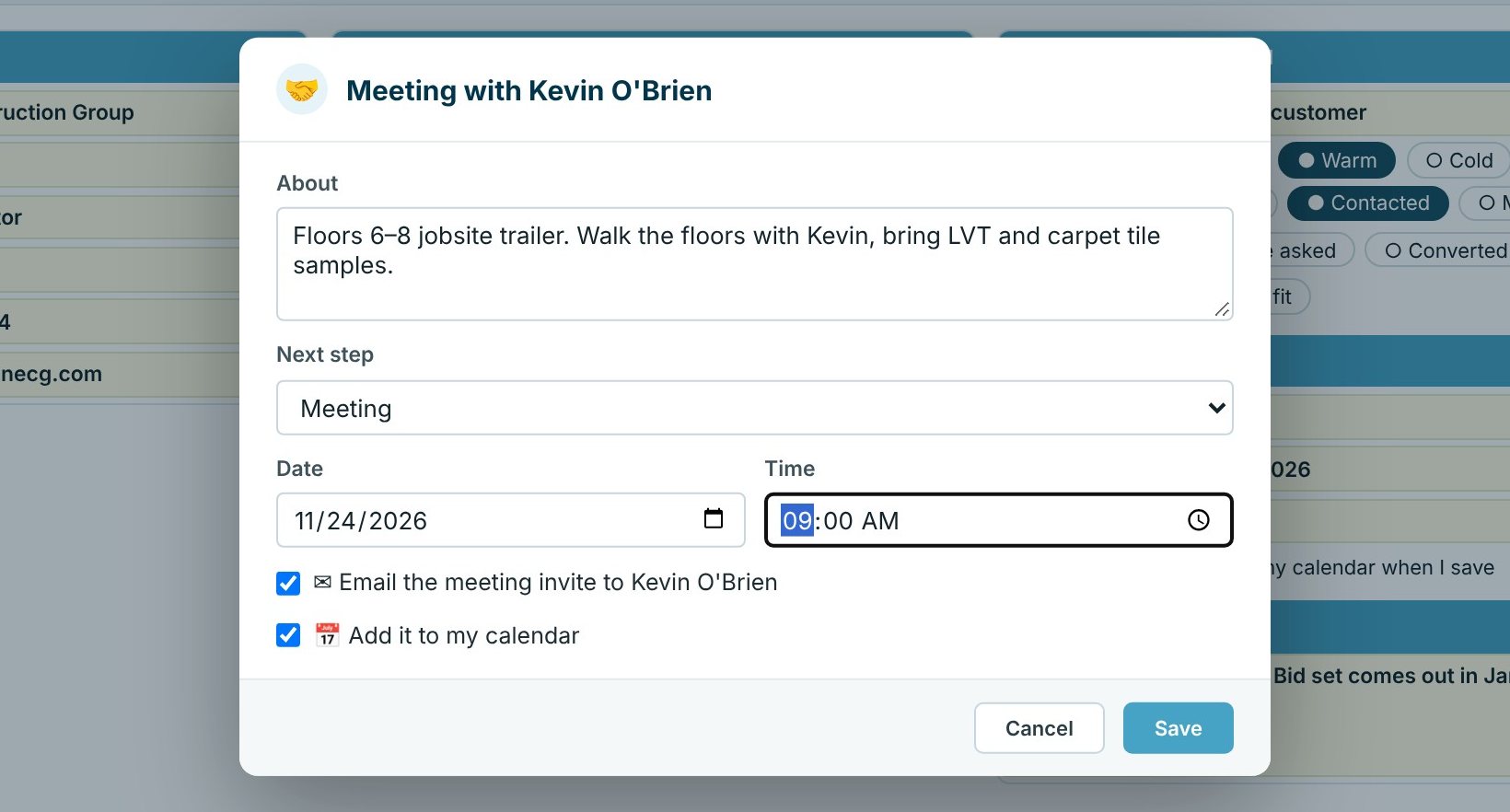
Press Set a meeting. Type where it is and what it is about, then the date and time. Tick Email the meeting invite, and Add it to my calendar.
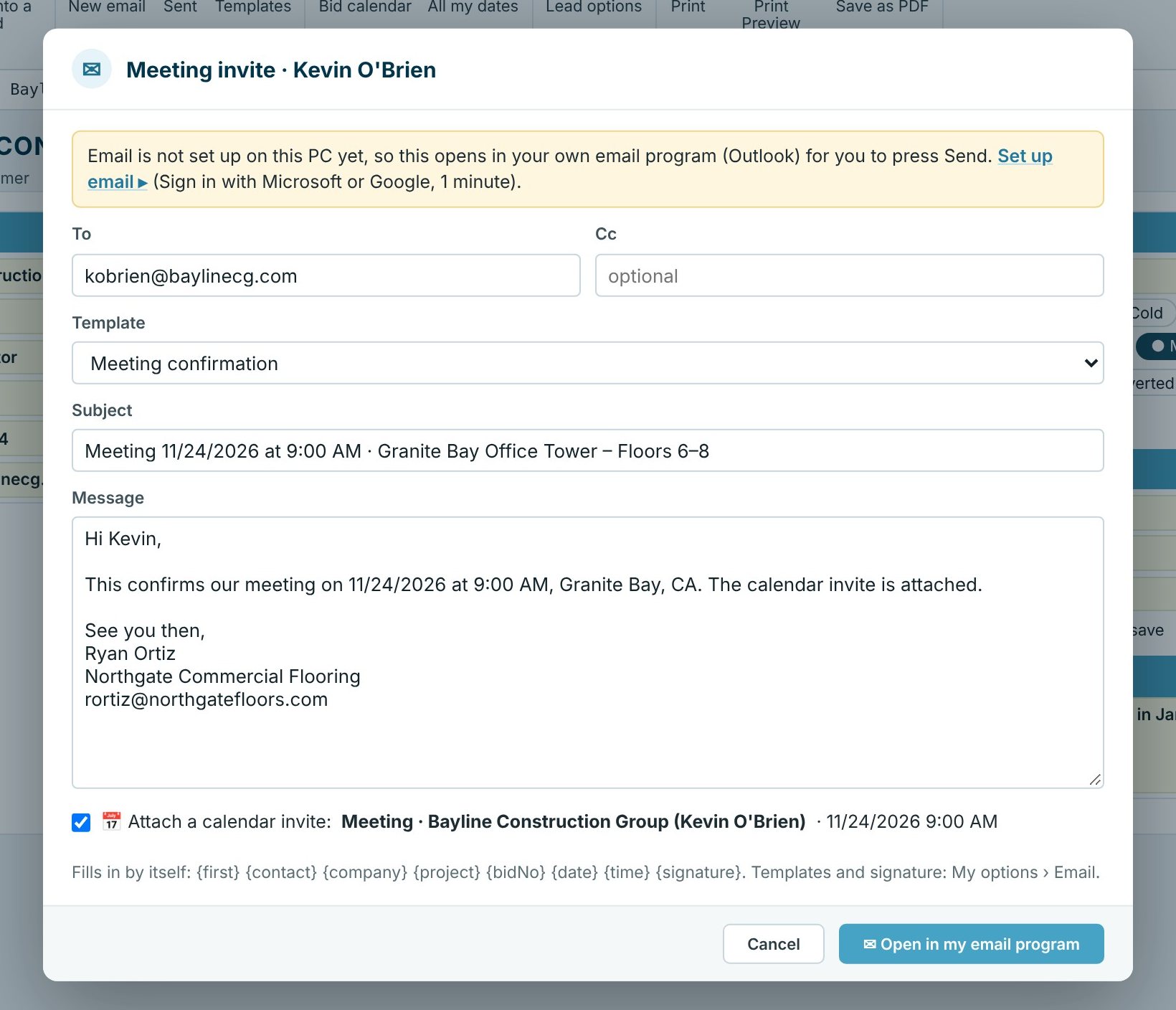
Press Save. The invite opens with the Meeting confirmation template filled in and the calendar invite attached. Press Open in my email program, then pick your calendar: Outlook, Google, Microsoft 365, or a calendar file.
4Turn the lead into a bid
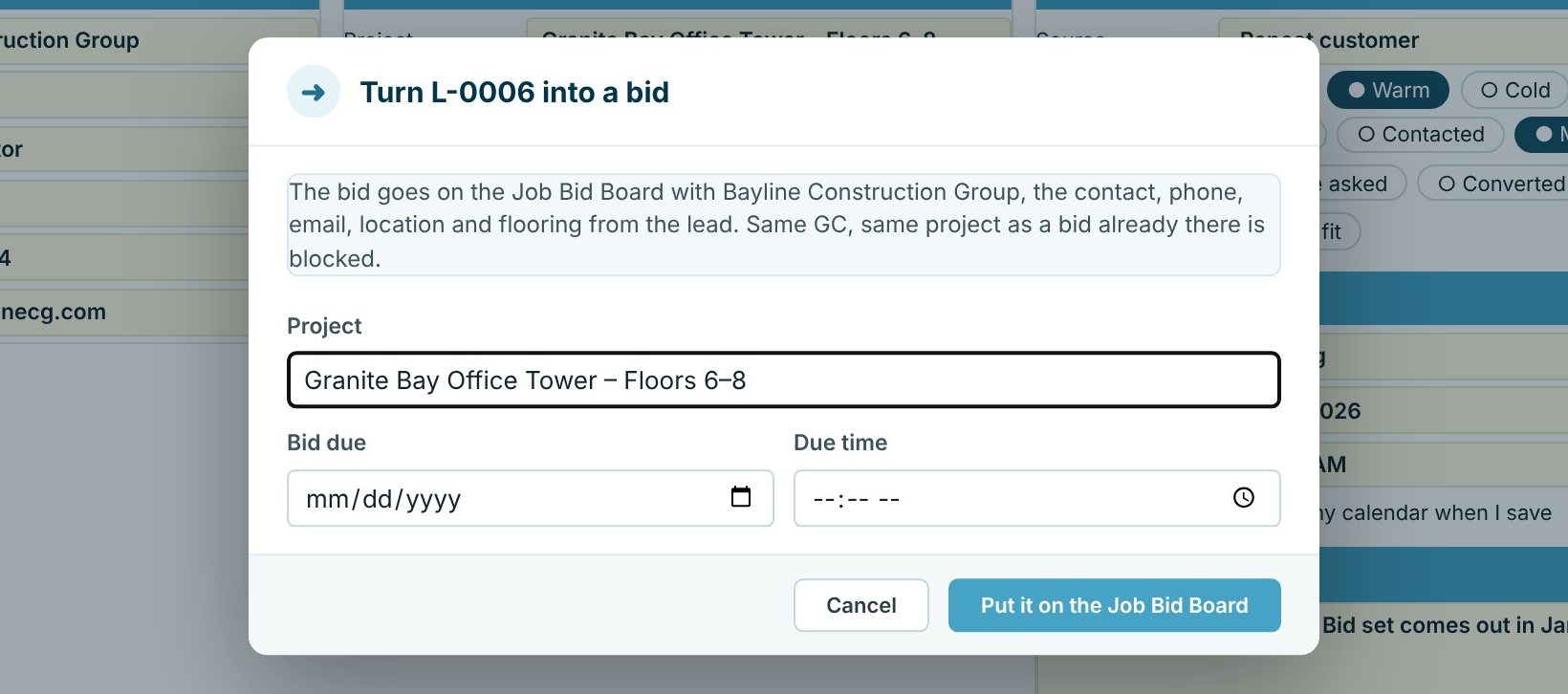
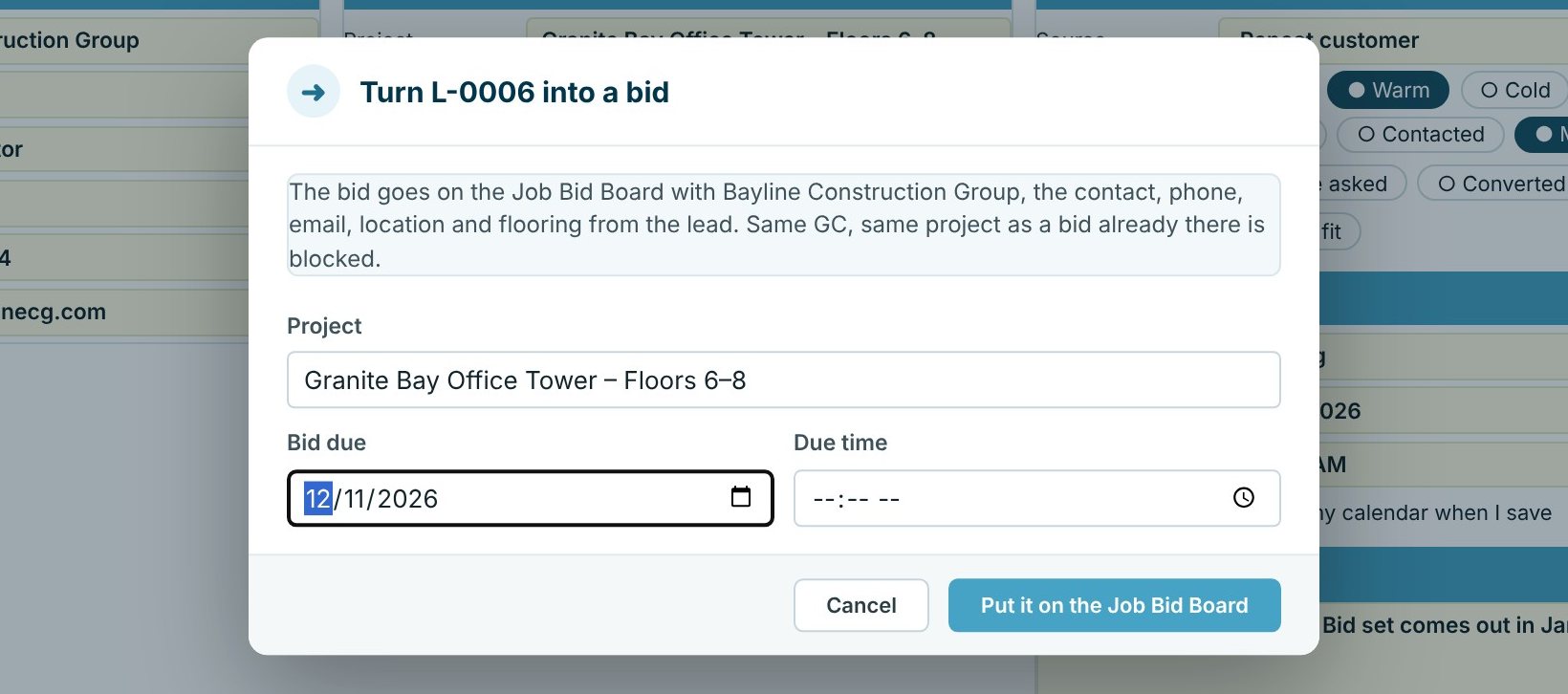
When they ask for a price, press Turn into a bid. The project comes from the lead. Type the bid due date and press Put it on the Job Bid Board.
The bid opens with the GC, the contact, phone, email, size and scope from the lead. Nothing is typed twice. When you have your price, type the Job Total, the Job Sub Total and your profit percent. Under the profit box it says if you picked margin or mark-up. It is on your Job Bid Board as a Draft until you type your price, and the lead now counts under Turned into bids.
5Set your lead options
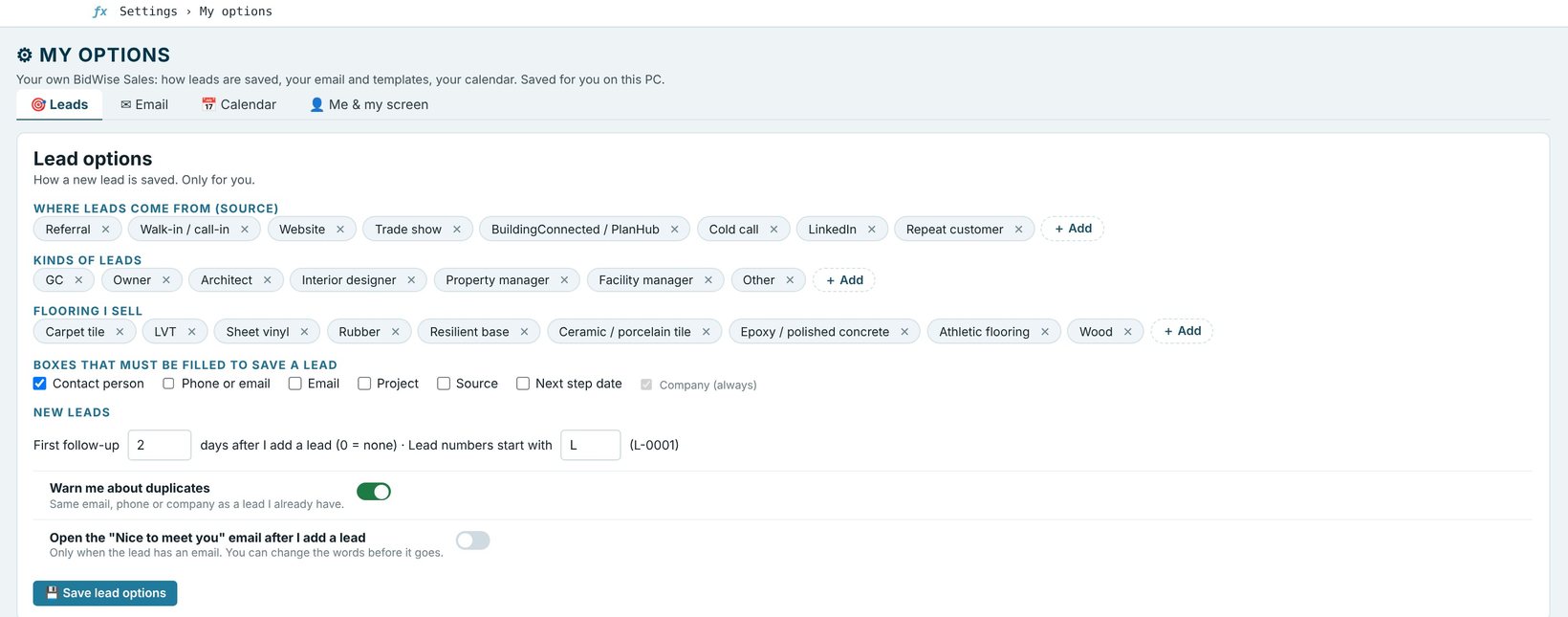
Lead options is on the Leads ribbon, and in Settings, My options. Add your own sources, the kinds of leads and the flooring you sell. Each one is a click on the new lead screen.
Tick the boxes that must be filled before a lead saves, set the first follow-up days and the number prefix, and keep Warn me about duplicates on.
6What can go wrong, and how to fix it
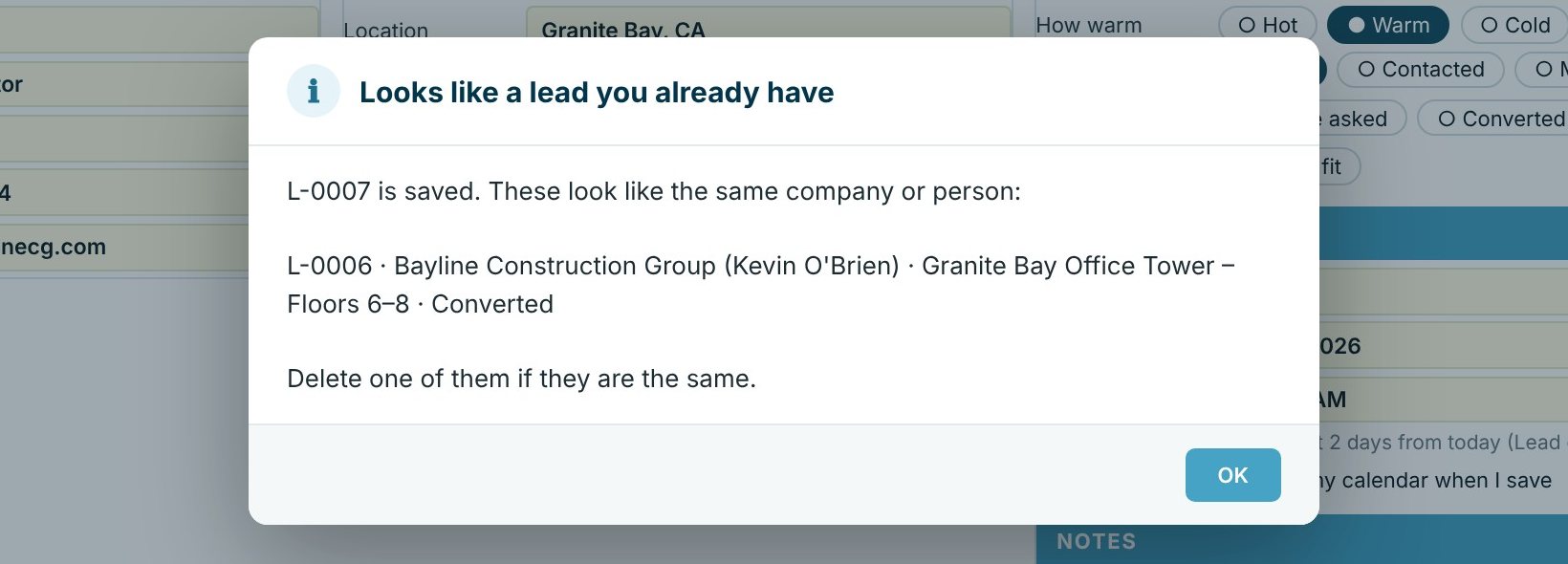
The same company twice. BidWise Sales saves it and shows you the lead you already have. Delete one if they are the same.
A next step in red is late. Open the lead, log what happened and set the next date.
Turn into a bid is blocked when the same GC already has a bid for the same project. Open that bid instead.
Worked example: Bayline, from lead to bid
| Day | What happened | Lead status |
|---|---|---|
| 11/22 | Lead added, repeat customer, 36,000 SF | New |
| 11/22 | Call logged: bid set comes out in January | Contacted |
| 11/24 9 AM | Meeting on floors 6–8, samples brought | Meeting set |
| 12/11 | Bid due, on the Job Bid Board | Converted |
One lead, four steps. When the bid set came out, the bid was already on the board, with every contact filled in.
What to do next
Next: Email and calendar. Or see all the step-by-step guides.
Your sales desk, free
BidWise Sales is free for commercial flooring salesmen. It works offline, your numbers stay on your PC, and it links to CFE BidWise when your company has it.
Frequently Asked Questions
What is a lead in BidWise Sales?
Anyone who may ask you for a quote: a GC, an owner, an architect, a designer or a property manager.
Can I send a meeting invite from BidWise Sales?
Yes. Set a meeting, tick Email the meeting invite and Add it to my calendar, and the Meeting confirmation template opens with the calendar invite attached.
What happens to the lead when I turn it into a bid?
It moves to Converted and the bid opens on the Job Bid Board with the GC, contact, phone, email, size and scope from the lead.

Written by
Cristian Valcu – Founder & CEO, Commercial Flooring Estimating LLC
Cristian has estimated commercial flooring for over 20 years and built CFE BidWise around the way flooring contractors actually price, propose and track their bids.
Last updated: