
CFE guide · BidWise Sales
BidWise Sales Lead Options: Sources, Kinds of Leads and Required Boxes
In BidWise Sales, click Settings › My options and open the Leads tab. Add your own sources, kinds of leads and the flooring you sell, tick the boxes that must be filled to save a lead, set the first follow-up in days, keep Warn me about duplicates on, and click Save lead options. Every new lead uses them.


Why it matters
Every salesman finds work in different places. One gets jobs from BuildingConnected, another from trade shows and repeat customers. When the sources and kinds of leads use your own words, the Leads list and the Win / Loss report tell you where your work really comes from.
Required boxes stop half-empty leads, and the duplicate warning stops two people chasing the same GC.
The 6 steps
- Open My optionsSettings › My options › Leads.
- Sources and kindsAdd your own, remove the rest.
- Flooring you sellThe chips on every lead.
- Required boxesAnd the first follow-up.
- Duplicates and saveWarn me, then Save lead options.
- What can go wrongCannot save, chip missing.
1Open My options, Leads tab
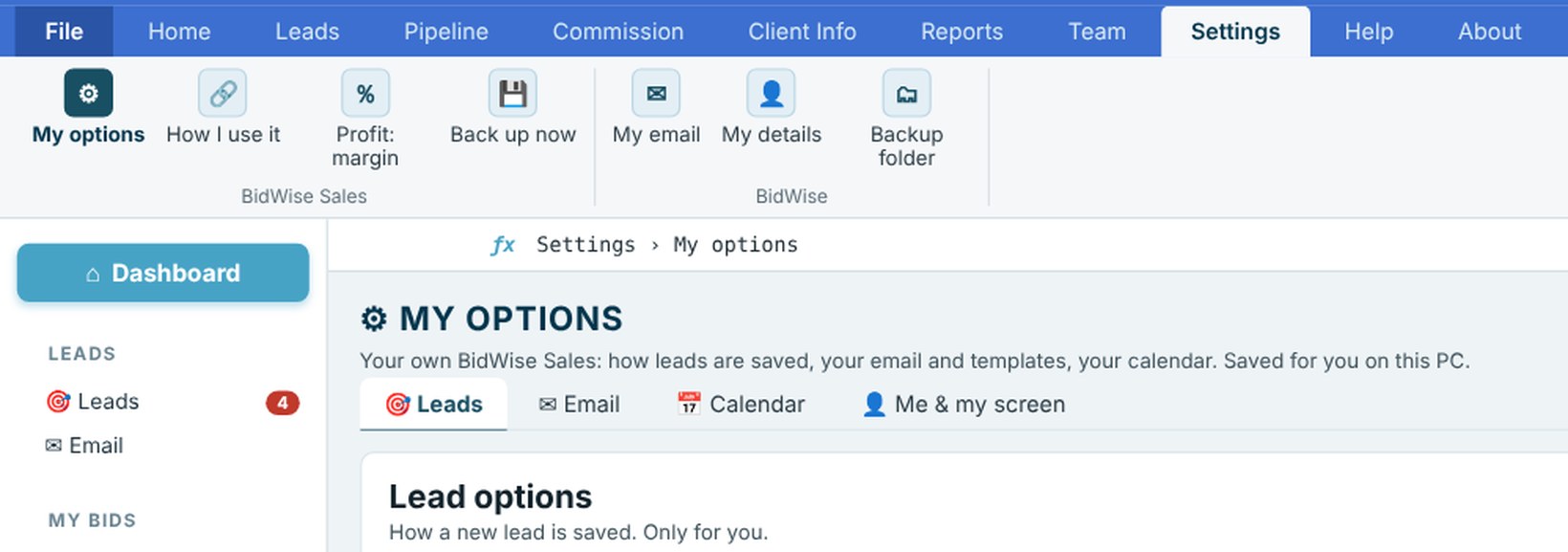
Click Settings on the ribbon, then My options. The page has four tabs: Leads, Email, Calendar and Me & my screen.
Open Leads. These options are saved for you on this PC. Nobody else sees them.
2Add your sources and kinds of leads

Where leads come from lists Referral, Walk-in, Website, Trade show, BuildingConnected / PlanHub, Cold call, LinkedIn and Repeat customer. Click + Add to add your own, or the x to remove one you never use.
Kinds of leads works the same way: GC, Owner, Architect, Interior designer, Property manager and Facility manager.
3Pick the flooring you sell
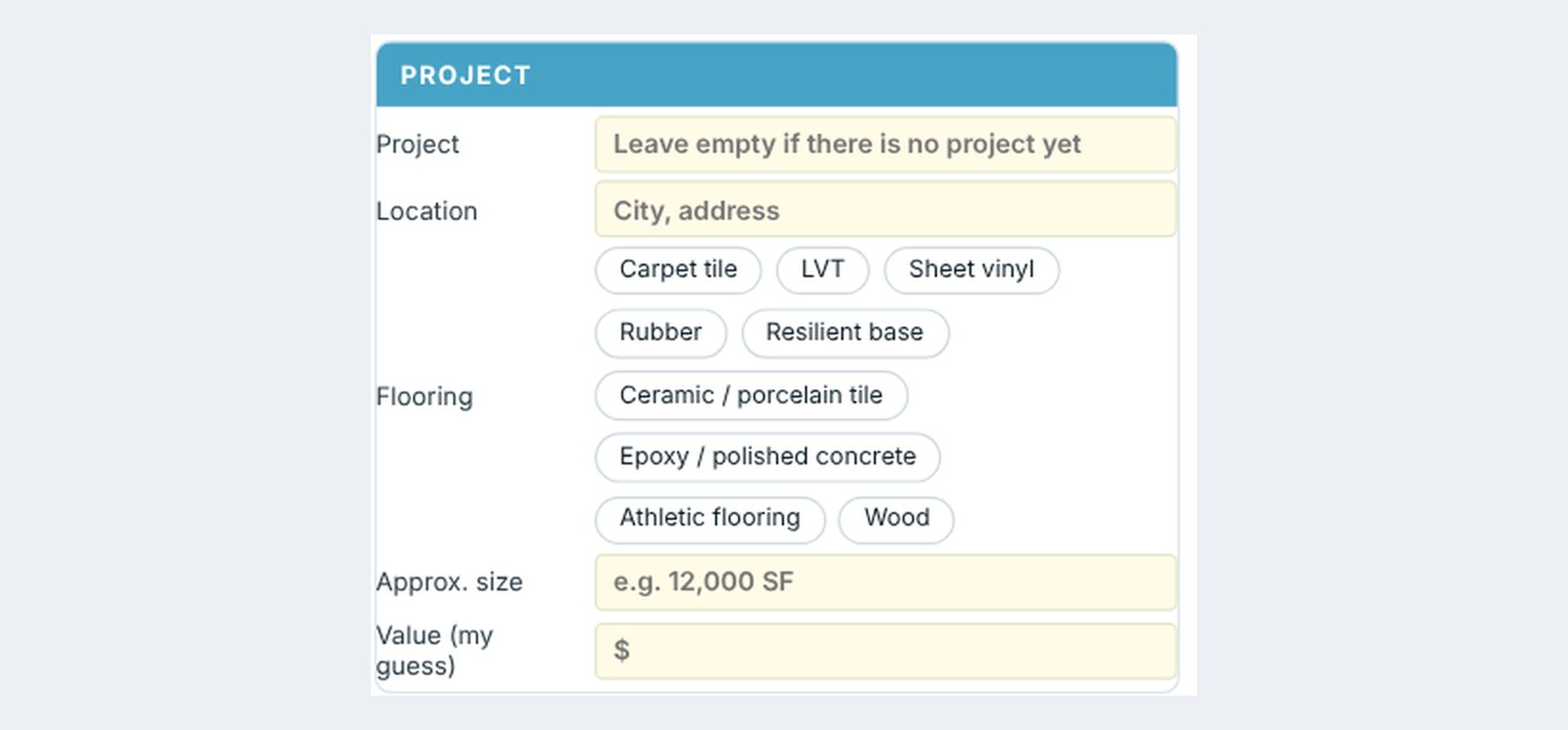
Flooring I sell sets the chips on every new lead: Carpet tile, LVT, Sheet vinyl, Rubber, Resilient base, Ceramic / porcelain tile, Epoxy / polished concrete, Athletic flooring and Wood.
Keep only what your company installs. On the lead you click the chips that fit the project.
4Choose the boxes that must be filled

Under Boxes that must be filled to save a lead, tick what a lead needs before it can be saved. Here Contact person is ticked. Company is always required.
Under New leads, First follow-up 2 days puts a next step two days out when you leave the date empty. Lead numbers start with L, like L-0001.
Tick Source as well. Then every lead says where it came from, and you will know which trade show or website is worth the money.
5Turn on the duplicate warning and save
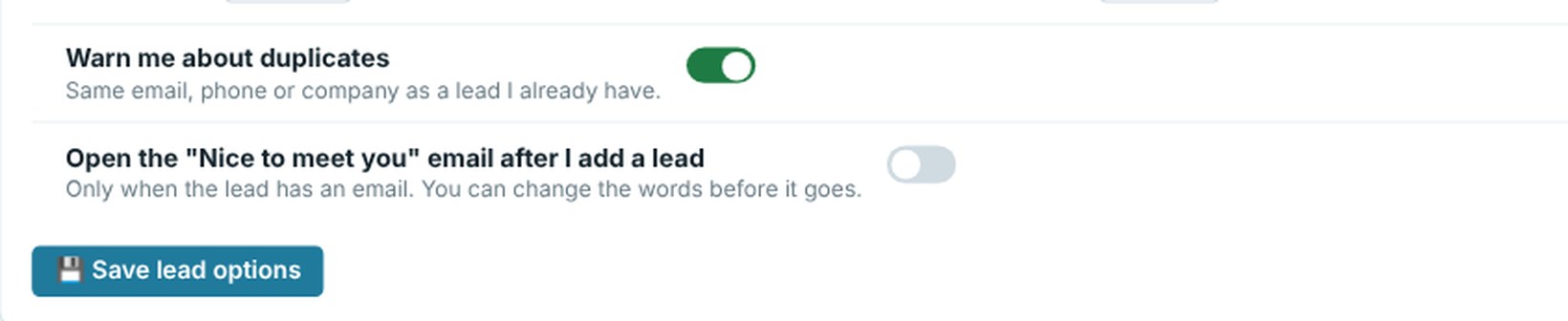
Keep Warn me about duplicates on. When a new lead has the same email, phone or company as one you already have, BidWise Sales tells you before it saves.
Turn on Open the “Nice to meet you” email if you want a first email ready after each new lead. Then click Save lead options.
6What can go wrong, and how to fix it
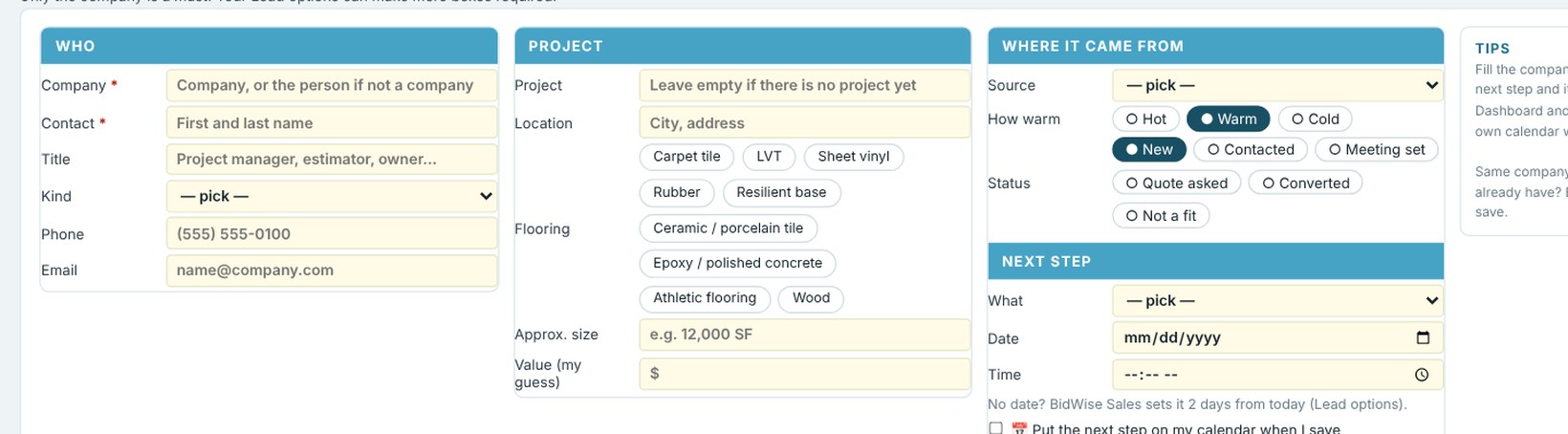
A lead will not save. A required box is empty. Fill it, or untick that box in Lead options.
A source or flooring type is missing on the lead. It was removed in Lead options. Add it back with + Add and save.
No warning on a duplicate. Warn me about duplicates is off. Turn it on and save.
Worked example: Rosa’s lead options
Rosa sells commercial flooring for Demo Flooring Company:
| Option | Rosa’s setting |
|---|---|
| Sources | Referral, Website, Trade show, BuildingConnected / PlanHub, Repeat customer |
| Kinds of leads | GC, Owner, Architect, Property manager |
| Must be filled | Company, Contact person |
| First follow-up | 2 days after the lead is added |
| Duplicates | Warn me: on |
Every lead Rosa adds now has a contact, a next step in two days, and a source for the Win / Loss report.
What to do next
Next, write your emails once in Email templates and your signature. Or see all the step-by-step guides.
Every lead, in your own words
BidWise Sales is free for salesmen. Download it and add your first lead today. It works offline, your numbers stay on your PC, and it links to CFE BidWise when your company has it.
Frequently Asked Questions
Who sees my lead options?
Only you. They are saved for you on this PC.
Can I add my own lead sources?
Yes. Click + Add under Where leads come from, type the name and save.
Is Company always required?
Yes. Every other box is up to you.

Written by
Cristian Valcu – Founder & CEO, Commercial Flooring Estimating LLC
Cristian has estimated commercial flooring for over 20 years and built CFE BidWise around the way flooring contractors actually price, propose and track their bids.
Last updated: