
CFE guide · Ask BidWise AI
Ask BidWise AI for Your Whole Team: The Company Question Pool
On CFE BidWise Business, Add 100 goes to a company pool. Everyone on the team can use the pool once their own 50 a month are used. Click Manage to see each person’s questions and give packs of 100 to the people who need them. Team members can’t buy packs; they ask whoever manages BidWise for the company.


Why it matters
On a team, one new estimator may ask ten times more than the owner. Buying questions person by person would waste some and leave others short.
The company pool puts every pack in one place. Anyone can use it, and the person who manages BidWise can point packs at the people who need them most.
The 4 steps
- Add 100 to the poolBusiness packs go to the company.
- Open ManageNext to Add 100.
- Give packs to peoplePacks of 100, person by person.
- Team members ask youNo Add 100 for them.
1Click Add 100 on CFE BidWise Business
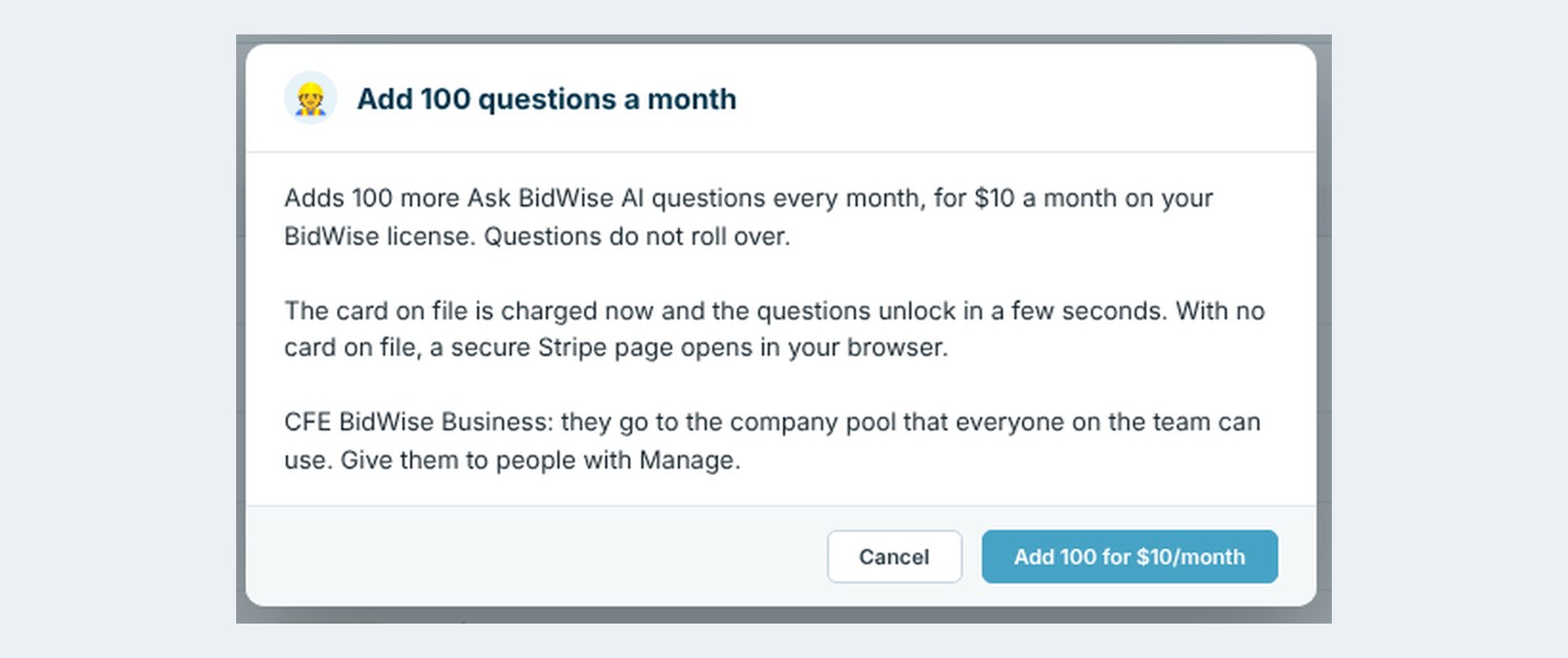
On CFE BidWise Business, click Add 100 in the Ask BidWise AI panel. It is the same 100 questions a month for $10 a month on your license.
The difference: the questions go to the company pool that everyone on the team can use. You can give them to people with Manage.
2Click Manage to see your team

After a pack is added, the counter shows 50 free plus 100 added, and a Manage button appears next to Add 100.
Click Manage to open Ask BidWise AI questions for your team.
3Give packs of 100 to the people who ask most
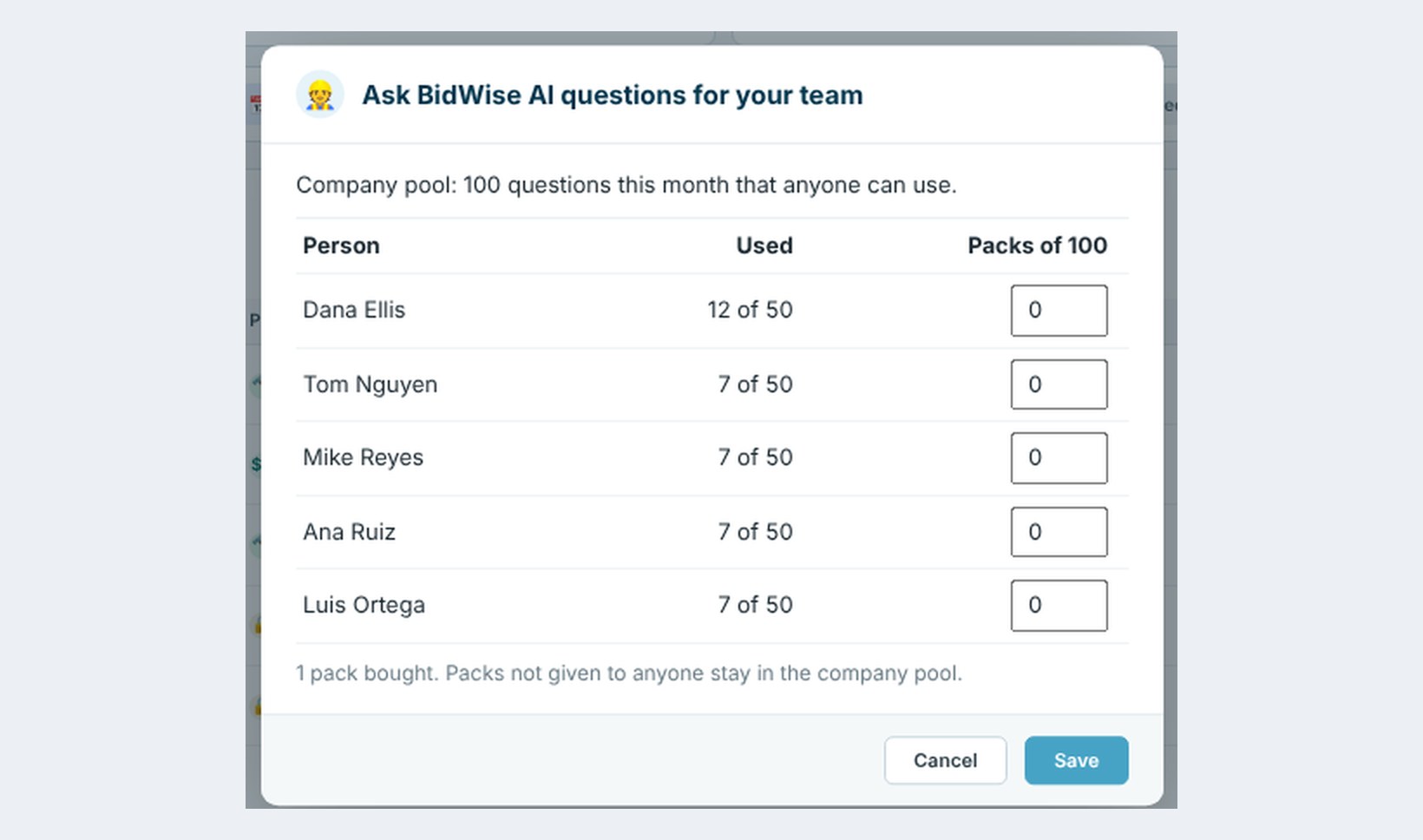
The list shows each person and their questions used this month, here Dana Ellis 12 of 50 and four teammates at 7 of 50. The top line shows the company pool.
Type how many packs of 100 each person gets and click Save. Packs not given to anyone stay in the company pool for the whole team.
4Team members can’t buy packs
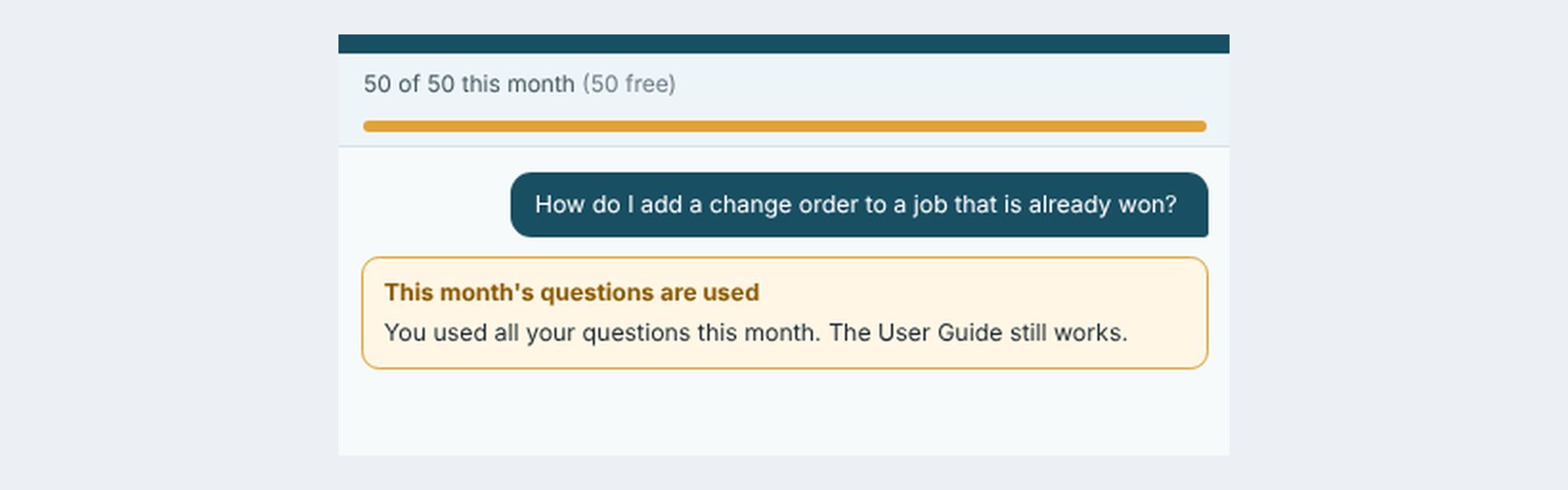
A team member who uses all 50 sees This month’s questions are used, with no Add 100 button. Team members can’t buy packs.
They ask the person who manages BidWise for the company, who adds a pack or gives them one with Manage. The User Guide still works for everyone.
Leave a pack or two in the company pool instead of giving them all away. Anyone who runs out on bid day can keep asking without waiting.
Worked example: a five-person office
Dana manages CFE BidWise Business for a team of five:
| Person | Used this month | Packs given |
|---|---|---|
| Dana Ellis | 12 of 50 | 0 |
| Tom Nguyen | 7 of 50 | 0 |
| Mike Reyes | 7 of 50 | 0 |
| Ana Ruiz | 7 of 50 | 0 |
| Luis Ortega | 7 of 50 | 0 |
One pack bought and none given yet, so all 100 questions stay in the company pool for whoever needs them.
What to do next
Back to the start: Ask BidWise AI: your first question. Or see all the step-by-step guides.
One pool for the whole team
Share Ask BidWise AI questions across your CFE BidWise Business team. Ask BidWise AI comes with CFE BidWise, with 50 questions a month for each person.
Frequently Asked Questions
How many questions does each person get?
Each person gets 50 Ask BidWise AI questions a month. Answers straight from the User Guide are free and not counted.
Where do Business packs go?
To the company pool that everyone on the team can use. Give them to people with Manage.
Can a team member buy more questions?
No. Team members don’t see Add 100. They ask the person who manages BidWise for the company.
What happens to packs I don’t give out?
They stay in the company pool for anyone on the team.

Written by
Cristian Valcu – Founder & CEO, Commercial Flooring Estimating LLC
Cristian has estimated commercial flooring for over 20 years and built CFE BidWise around the way commercial flooring contractors actually price, propose and track their bids.
Last updated: