
CFE guide · Ask BidWise AI
Explain This Screen: Let BidWise AI Read Your Bid
On the Help tab, click Explain this screen. Ask BidWise AI tells you what the screen is for and walks through its main buttons. With a bid open, tick Let AI see this bid and ask about your own numbers, for example a new proposal price after a vendor drops a price. Pop the panel out to keep it beside the bid.


Why it matters
A new estimator opens the Estimate Quote and sees dozens of columns. A seasoned one gets a vendor price drop an hour before the bid is due.
Explain this screen answers the first. Let AI see this bid answers the second, with the line, the totals and the new proposal price worked out for you.
The 4 steps
- Click Explain this screenHelp tab, next to Ask BidWise AI.
- Read the tourWhat it is for, button by button.
- Let AI see this bidTick it, ask about your numbers.
- Pop it outIts own window, kept on top.
1Click Explain this screen on the Help tab
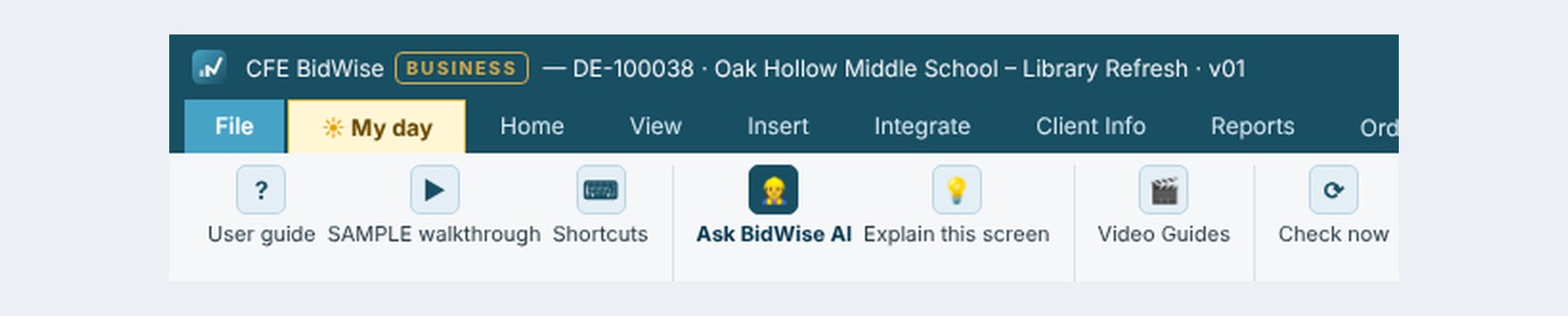
Open the screen you want to understand, here the Estimate Quote for a bid. On the Help tab, click Explain this screen.
The Ask BidWise AI panel opens and asks the question for you: what this screen is for, and its main buttons.
2Read what the screen is for
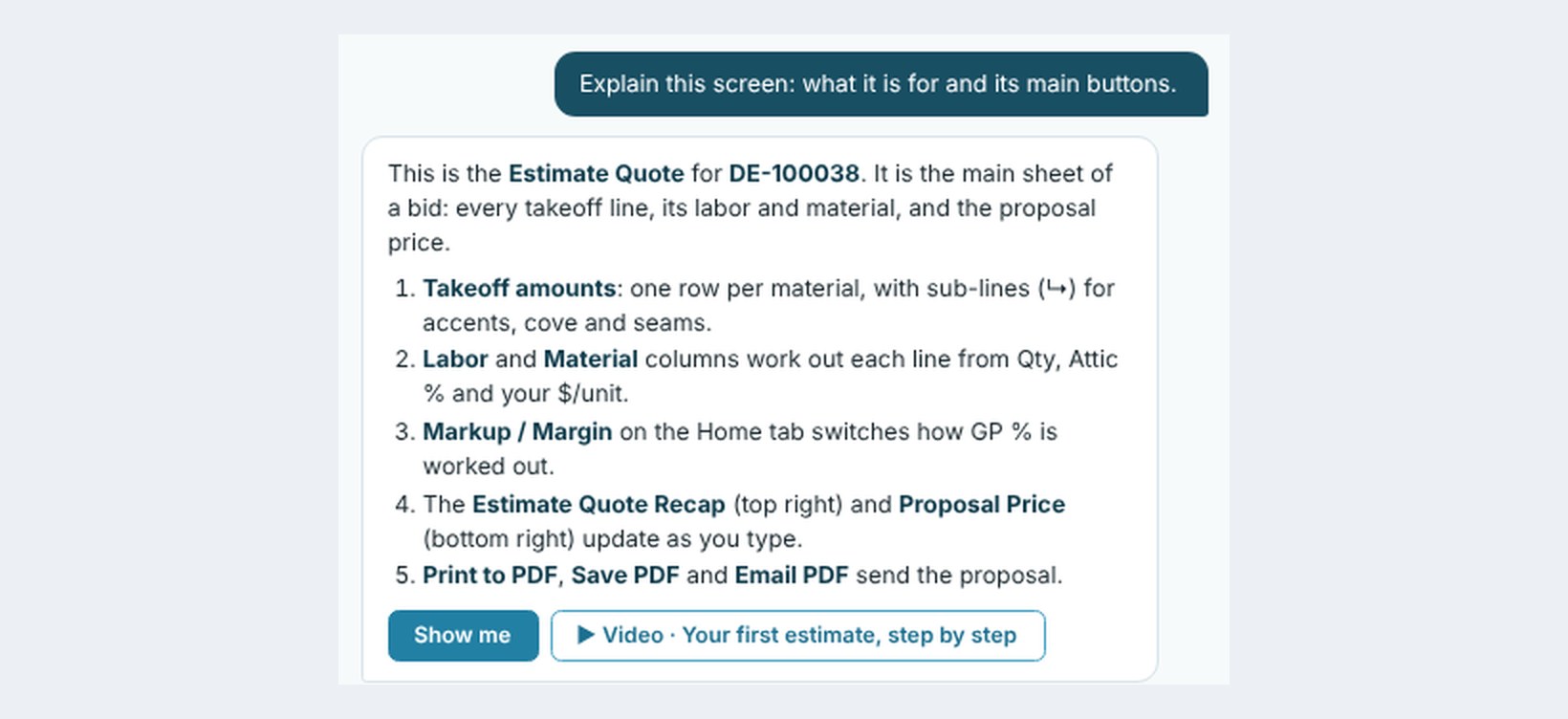
The answer names the screen, the Estimate Quote for this bid, and explains it in plain words: Takeoff amounts, the Labor and Material columns, Markup or Margin, the Estimate Quote Recap and Proposal Price, and the PDF buttons.
Click Show me to see each part outlined, or the Video for the full walkthrough.
3Tick Let AI see this bid and ask about your numbers
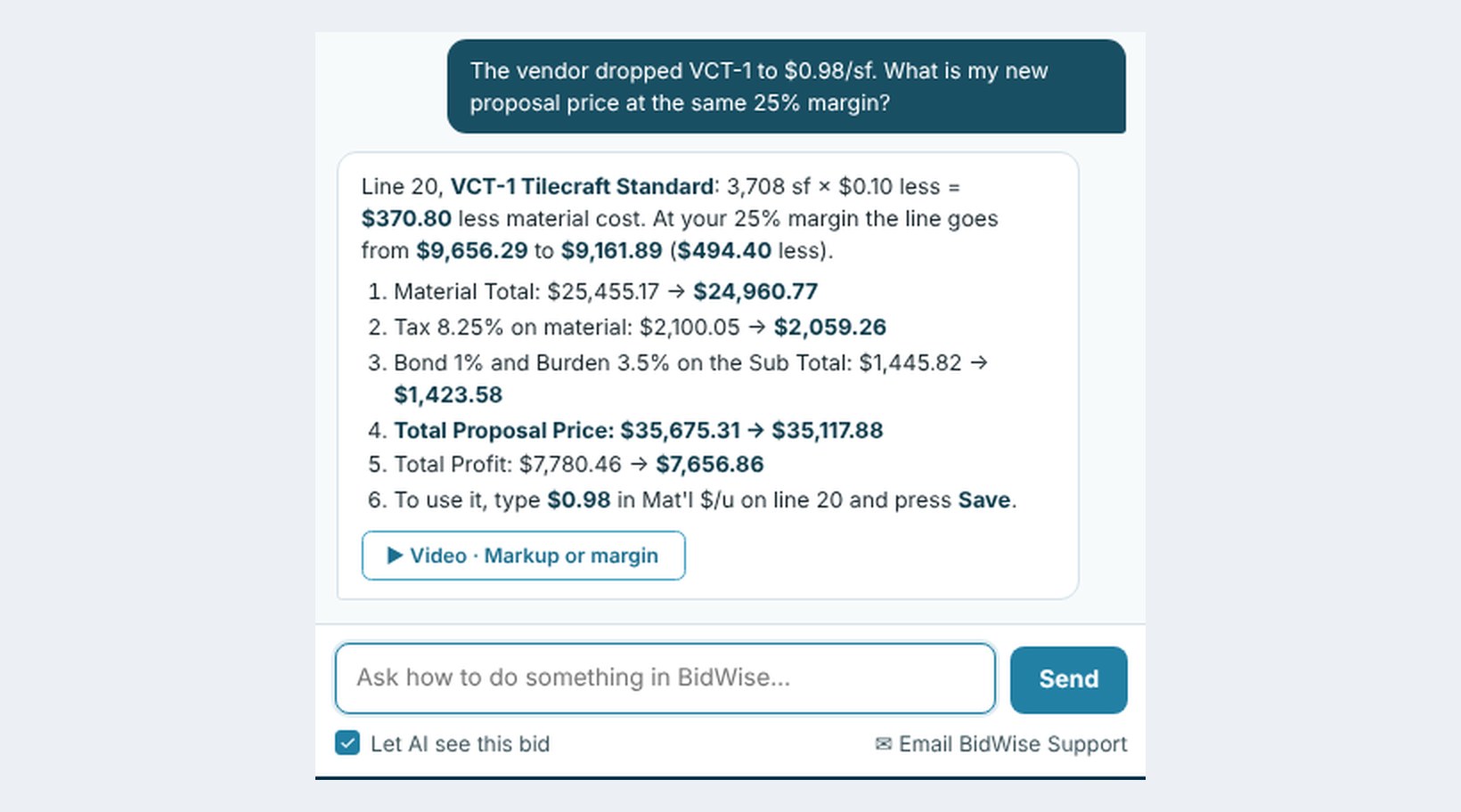
Under the question box, tick Let AI see this bid. Now ask about your own numbers, for example: The vendor dropped VCT-1 to $0.98 a square foot. What is my new proposal price at the same 25% margin?
The answer finds the line, works the new Material Total, tax, bond and burden, and gives the new Total Proposal Price and profit. Then it tells you where to type the new price and press Save. It never changes the bid for you.
4Pop the panel out beside your bid
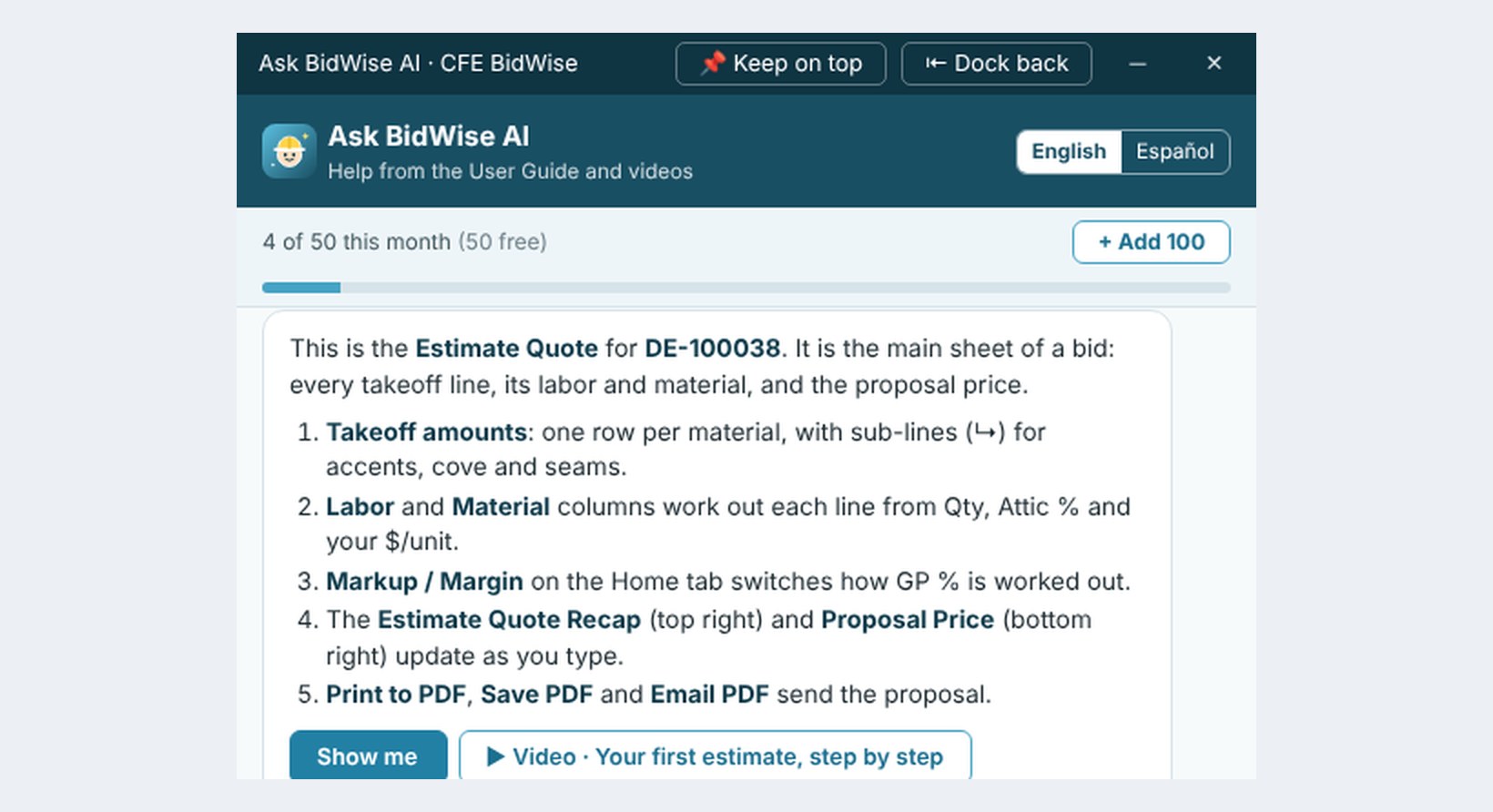
Need the whole sheet in view? Click the pop-out button at the top of the panel. Ask BidWise AI opens in its own window.
Click Keep on top so it stays over BidWise while you type, or move it to a second screen. Click Dock back to put it back on the right.
Leave Let AI see this bid unticked for general how-to questions. Tick it only when the answer depends on the numbers in the bid you have open.
Worked example: a vendor price drop on bid day
Dana has DE-100038 open, Oak Hollow Middle School, at a 25% margin:
| Item | Before | After $0.98 VCT-1 |
|---|---|---|
| Line 20, VCT-1, 3,708 sf | $9,656.29 | $9,161.89 |
| Material Total | $25,455.17 | $24,960.77 |
| Total Proposal Price | $35,675.31 | $35,117.88 |
| Total Profit | $7,780.46 | $7,656.86 |
Dana types $0.98 on line 20, presses Save, and sends the new number with time to spare.
What to do next
Next, ask in Spanish in Ask BidWise AI in Spanish. Or see all the step-by-step guides.
Let BidWise AI read your bid
Explain any screen, and ask about your own numbers before you send the price. Ask BidWise AI comes with CFE BidWise, with 50 questions a month for each person.
Frequently Asked Questions
Does Let AI see this bid change my bid?
No. Ask BidWise AI reads the bid to answer, and tells you what to type. It never clicks or changes anything for you.
Is Let AI see this bid on by default?
No. You tick it under the question box when you want an answer about the bid you have open.
Does Explain this screen work on every screen?
Yes. Open any screen and click Explain this screen on the Help tab.
Can I move the panel to another monitor?
Yes. Pop it out into its own window, then use Keep on top or Dock back.

Written by
Cristian Valcu – Founder & CEO, Commercial Flooring Estimating LLC
Cristian has estimated commercial flooring for over 20 years and built CFE BidWise around the way commercial flooring contractors actually price, propose and track their bids.
Last updated: