
CFE guide · Ask BidWise AI
Got an Error Message? Ask BidWise AI, Then Email Support in One Click
On a BidWise message, click Ask BidWise AI about this. The panel explains what the message means and gives the steps to fix it. If that does not solve it, press Email BidWise Support: the message is filled in with what you asked and what was tried, so a person can pick it up. Nothing is sent until you press Send.


Why it matters
A message pops up just as you import the takeoff. Searching for what it means, or explaining it on the phone, eats into bid day.
Ask BidWise AI reads the exact message and gives the fix. When it cannot, it writes the support email for you, so you never have to explain it twice.
The 4 steps
- Ask about the messageAsk BidWise AI about this.
- Read what to doWhat it means, then the fix.
- Still stuck? Email SupportOne button, already written.
- Check it, then SendNothing goes until you press Send.
1Click Ask BidWise AI about this on the message
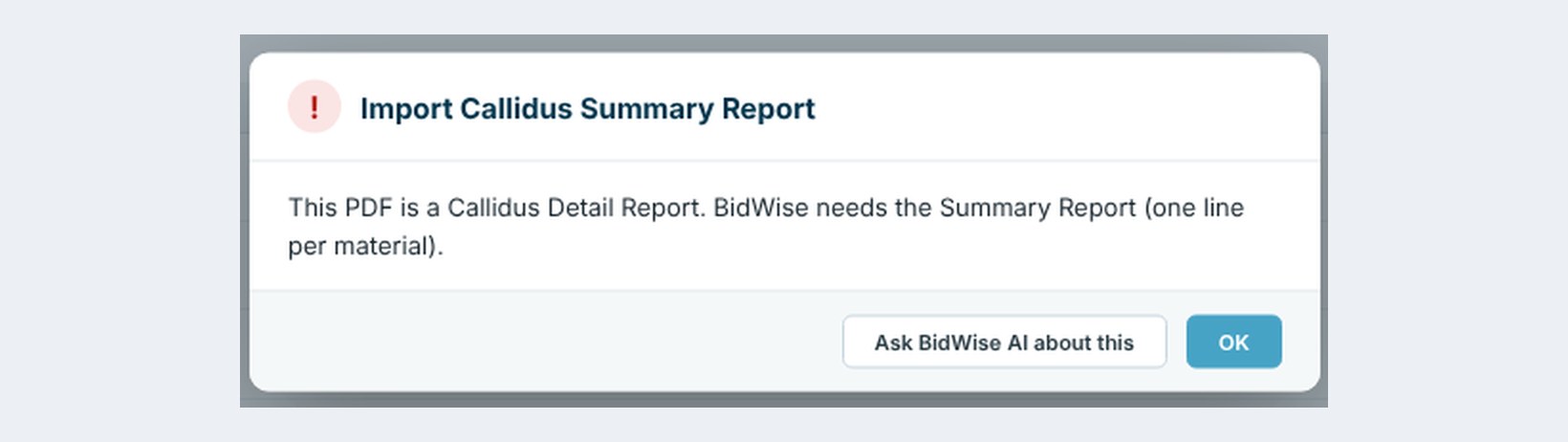
Here Dana imported the wrong Callidus report. BidWise says This PDF is a Callidus Detail Report. BidWise needs the Summary Report.
Instead of guessing, click Ask BidWise AI about this. The panel opens with the exact message already in the question.
2Read what the message means and how to fix it
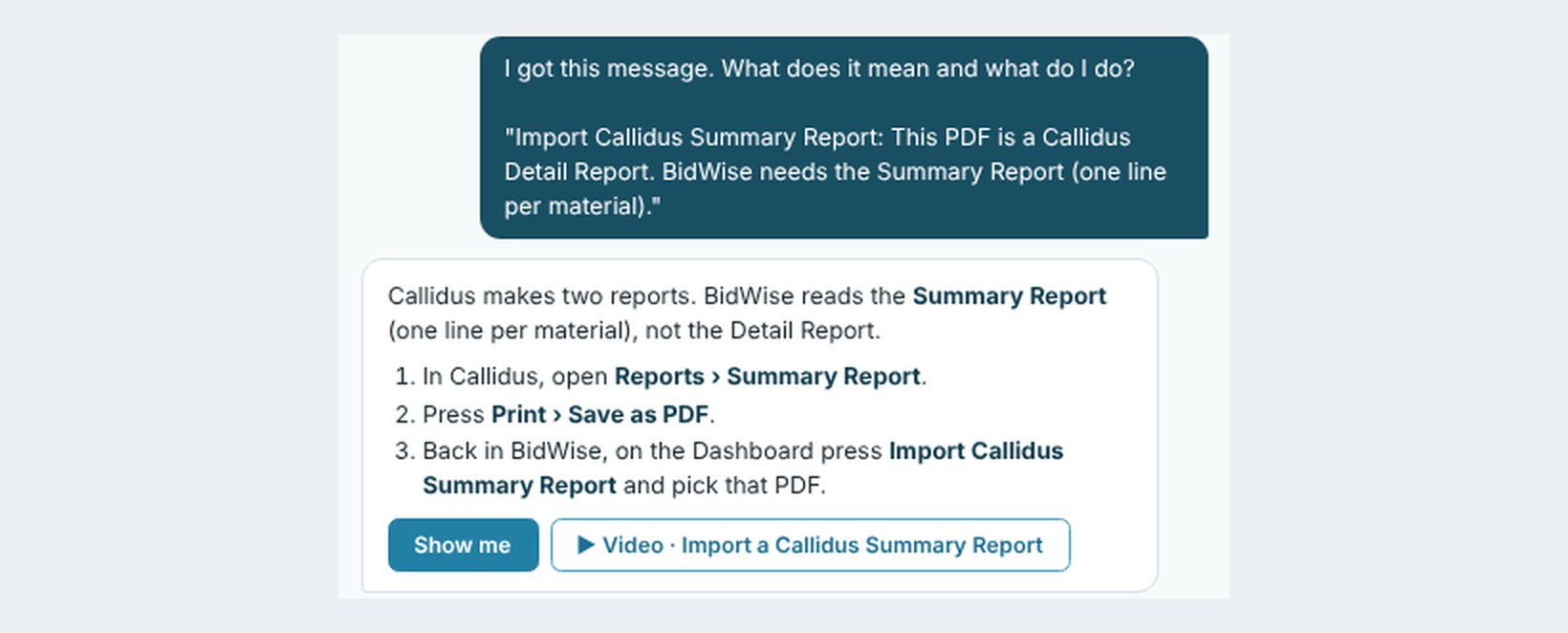
The answer explains it: Callidus makes two reports, and BidWise reads the Summary Report, one line per material.
Then the steps: in Callidus open Reports, Summary Report, press Print and Save as PDF, and import that PDF with Import Callidus Summary Report. Click Show me or the video if you need it.
3Press Email BidWise Support when it does not help
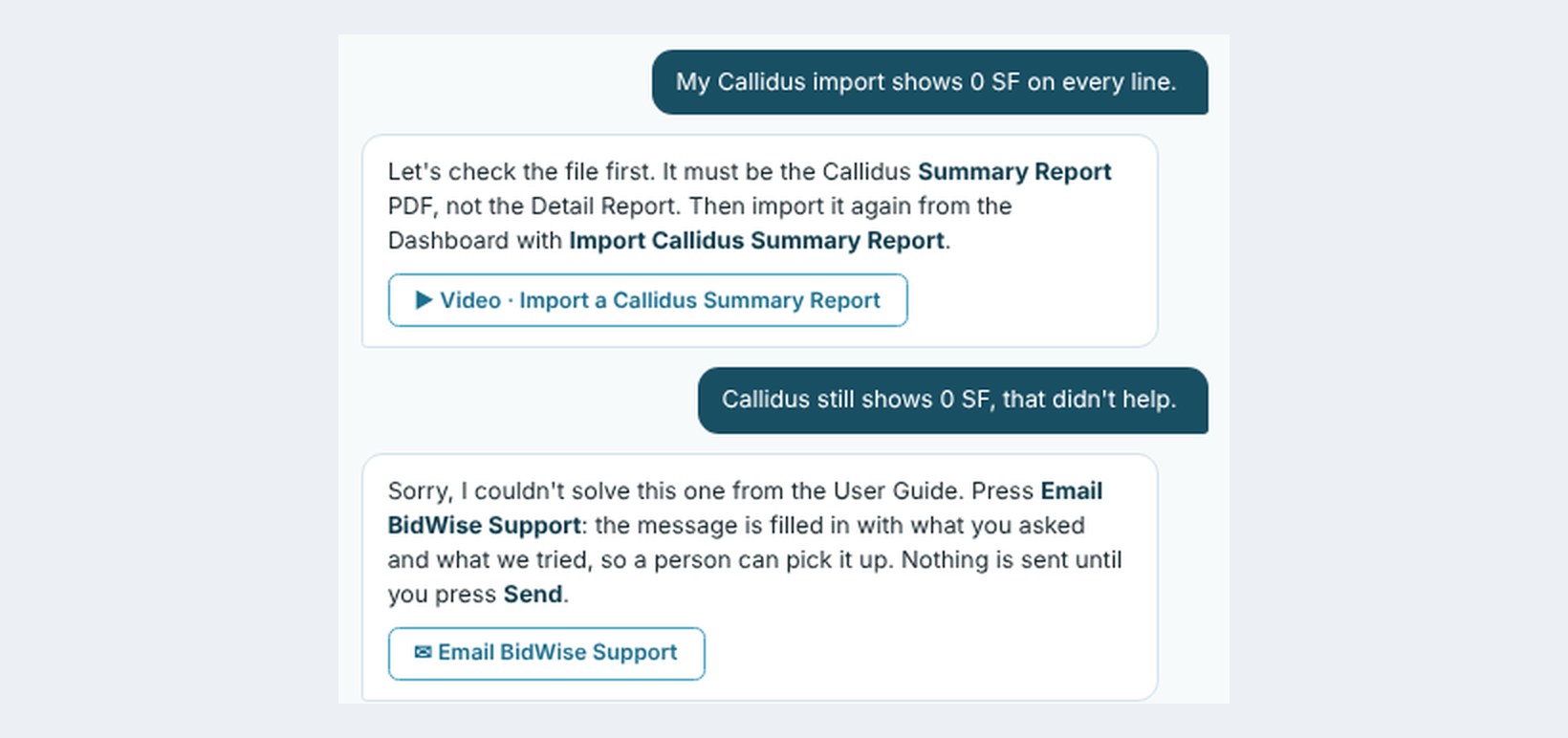
Some problems need a person. Dana says the import still shows 0 SF on every line, and the first fix did not help.
Ask BidWise AI says plainly that it could not solve this one from the User Guide, and shows the Email BidWise Support button. The button is also always at the bottom of the panel.
4Check the filled-in message, then press Send
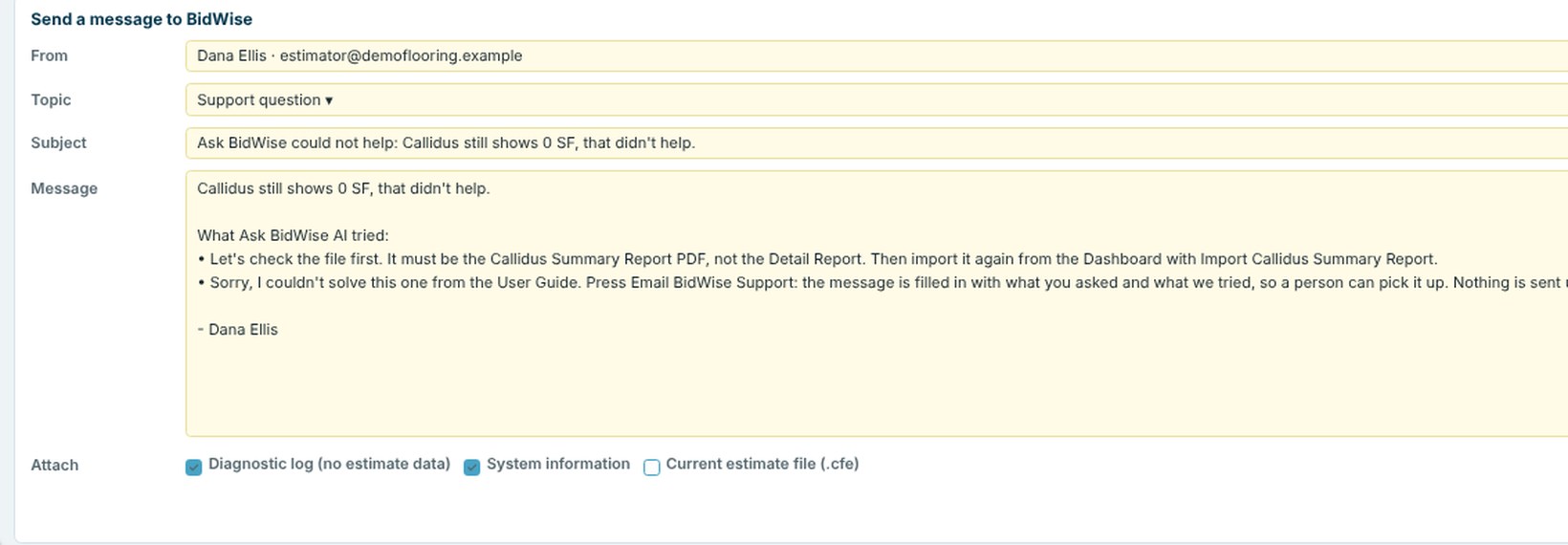
Send a message to BidWise opens with the Subject and Message filled in: what you asked, and what Ask BidWise AI already tried. Support starts where you left off.
Add anything you like, tick what to attach, such as the diagnostic log, then press Send. Nothing is sent until you do.
Attach the current estimate file when the problem is in one bid. Support sees the same lines you do and fixes it faster.
Worked example: the Callidus import
Dana’s import goes wrong twice:
| What happened | Ask BidWise AI | Result |
|---|---|---|
| Detail Report message | Use the Summary Report, 3 steps | Fixed |
| 0 SF on every line | Check the file first | Still 0 SF |
| That didn’t help | Email BidWise Support | Message filled in |
| Dana reviews it | Nothing sent yet | Dana presses Send |
One message fixed on the spot, and one handed to a person with the whole story.
What to do next
Next, see what stays private in What Ask BidWise AI will not do. Or see all the step-by-step guides.
Never stay stuck
Ask about any message, and reach a person with the whole story already written. Ask BidWise AI comes with CFE BidWise, with 50 questions a month for each person.
Frequently Asked Questions
Does Ask BidWise AI send the email for me?
No. It fills in the message. Nothing is sent until you press Send.
Where is Email BidWise Support?
At the bottom of the Ask BidWise AI panel, and in the answer when it cannot solve your problem.
What can I attach?
A diagnostic log with no estimate data, your system information, and the current estimate file. You pick.
Can I ask about a message without that button?
Yes. Type or paste the message into Ask BidWise AI and ask what it means and what to do.

Written by
Cristian Valcu – Founder & CEO, Commercial Flooring Estimating LLC
Cristian has estimated commercial flooring for over 20 years and built CFE BidWise around the way commercial flooring contractors actually price, propose and track their bids.
Last updated: