
Flooring Change Order Software: CFE Change Orders & Alternates
CFE - Advanced Estimating Worksheet prices flooring change orders and alternates on the same sheet as the estimate. Each change order has its own lines, totals and ID, and the Estimate Quote adds them to a Total with COs, so the original bid and every change stay separate and traceable.
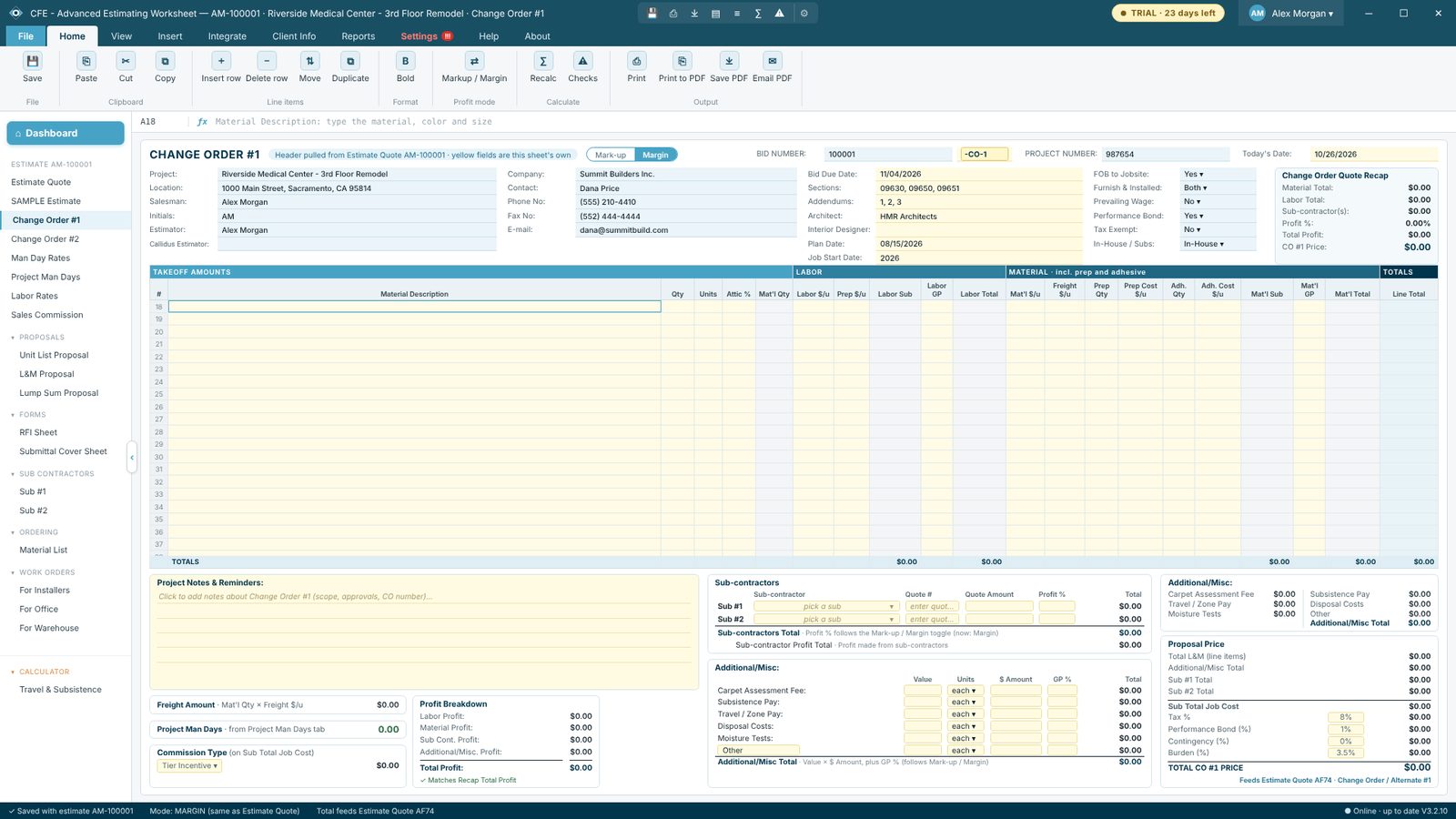
- The same columns, formulas and proposal price box as the Estimate Quote
- A yellow ID cell after the bid number: -CO-1 by default, or -ALT-5 for an alternate
- Duplicate with all info, or blank, from the left menu (up to #9)
- Change orders with lines show in navy in the left menu with a small sheet icon
- Under TOTAL PROPOSAL PRICE, each change order shows its ID and amount, then Total with COs
- Material List and Work Orders list change order lines under the estimate
Try CFE - Advanced Estimating Worksheet free for 30 days
Every feature unlocked. No credit card. After the trial, the Estimate Quote keeps working for free, or subscribe for $69.99 a month to keep everything.
Frequently Asked Questions
How many change orders can one estimate have?
Each estimate starts with Change Order #1 and #2. Right-click a change order in the left menu and choose Duplicate to add the next one, up to #9.
Can a change order be an alternate or a credit?
Yes. Each change order has an ID cell (for example 100001-CO-1 or 100001-ALT-5) that you can type over. Credits show in red, in parentheses.
Do change orders show on the proposal?
Yes. Change orders and alternates that have lines are listed on the proposals under their own name and ID, and the Estimate Quote shows the Total with COs.
CFE - Advanced Estimating Worksheet is made by Commercial Flooring Estimating LLC, estimating commercial flooring since 2008. Last updated: